Awesome Logo Carousel Block

Awesome Logo Carousel Block
Description
Awesome Logo Carousel Block – Create a beautiful logo carousel slider with the Gutenberg block editor. Logo Carousel Block allows you to create interactive client logos carousel with Gutenberg Block Editor. It is a highly customizable block that allows you to showcase clients’ logos in a sliding manner.
Video Tutorial ( How to Use the block )
Features Included:-
- Showcase Clients’ Logos in a sliding manner.
- Slick, light-weight, and optimized.
- Clean Codes
- Customizable
- Logo Link
- Logo Styling
- All Carousel Features
- Logo Hover Effects
- Logo Caption showcase options
- Never slowdowns your site.
- Highly Customizable
- Responsive and Mobile-friendly.
- Easy to use and customizable with Gutenberg Block Editor.
- Gutenberg Native Components are being used.
- No block builder
Pro Features
- Multiple Rows
- 6+ Navigation Positions
- Different Pagination Styles
- Stagger Carousel
- Ticker / Marquee Carousel
- Custom Navigation
Third Party Resource
Swiper Js is used in this plugin.
Installation
This section describes how to install the plugin and get it working.
e.g.
- Upload the plugin files to the
/wp-content/plugins/awesome-logo-carousel-blockdirectory, or install the plugin through the WordPress plugins screen directly. - Activate the plugin through the ‘Plugins’ screen in WordPress
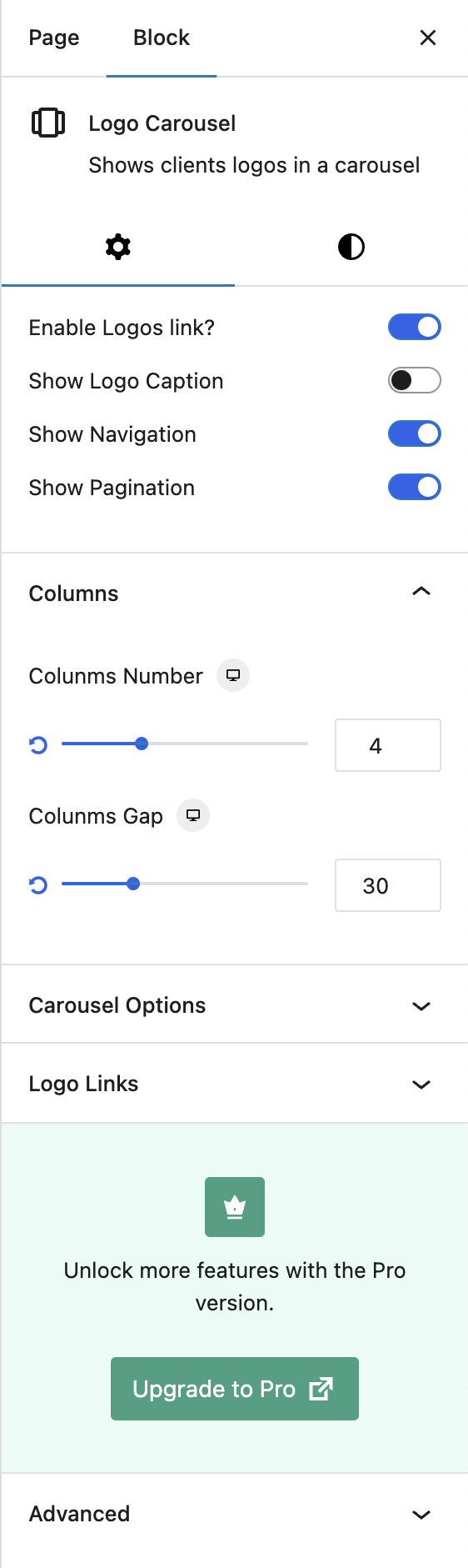
- Go to any post/page, and you will find a new category named LOGO CAROUSEL BLOCK that includes the block.
- Now simply use it.
Screenshots

Faq
Yes, the block is 100% responsive and mobile-friendly.
Yes, you can add custom links to each logo.
Yes, you can showcase logo captions with various styling options.
Absolutely! The block includes all essential carousel features, such as autoplay, speed, loop, and navigation controls.
No, the Logo Carousel Block is lightweight and optimized for performance.
No, the block works natively with the Gutenberg editor without requiring any third-party block builder.
Not at all! It is beginner-friendly and fully customizable within the Gutenberg block editor.
Yes, the block is designed to work with all WordPress themes that support Gutenberg.
Yes, you can use the Logo Carousel Block in multiple posts, pages, or site sections as needed.
Yes! The pro version includes additional features and customization options. You can check it out here.
Reviews
Great - saves a lot of time
By 
The free version is fantastic and the Pro is even better. I paid for another app to do a carousel and after many hours of working with it, it never worked properly
With this app I downloaded the free version and within an hour I had exactly what I wanted. Next day I needed to add an image and that was easy.
Great app.
Doesn’t work
By 
Waste of time.
Best Marquee block out there
By 
Tried a couple different Marquee blocks and this was by far the best one available. Definitely worth throwing the developer a few bucks to unlock the pro features.
Well-made block plugin
By 
This well-made block plugin does exactly what it needs to — allows me to quickly and easily add a bunch of logos and create a carousel. Would work for any images I imagine, but definitely tuned for smaller items like logos.
Thoughtful interface uses the WordPress Gallery to manage images, and gives me responsive options for displaying logos. I was very happy with this and will use again.
One thing was missing for me — I would love the ability to have the logos moving continuously without an autoplay delay, but the minimum is 100ms. I suspect that it doesn't work as smoothly as we'd want with a 0s delay, but if that's not an issue, then that would be an improvement.
Nicely done!
Best support I could ask for
By 
Zakaria went above and beyond to help with a conflict I was having between his plugin and one installed by my hosting company.
It's now working as intended, and I highly recommend him and this plugin
Changelog
2.3.1
- Fixed: Image height issue
2.3.0
- Fixed: Logo captions could be silently removed when a post was opened and re-saved
- Fixed: “Logo Based” media links never resolved, so per-image links did nothing
- Fixed: Setting a background image on a logo discarded every other style for that block
- Fixed: Mobile row count was ignored in the editor preview
- Fixed: Editor preview and frontend used different responsive breakpoints
- Fixed: Pro users were still shown the “Upgrade to Pro” notice on the Logo block
- Added: Accessible carousel — labelled region, keyboard-reachable arrows, and an autoplay pause control
- Added: Respect for the “reduced motion” system preference
- Added: Lazy loading, async decoding and intrinsic dimensions on logo images, reducing layout shift
- Added: Block deprecations, so future updates cannot invalidate existing content
- Improved: Editor assets are around 95% smaller — the icon library now loads only when opened
- Improved: Carousels initialise only when scrolled into view
- Improved: Redesigned the placeholder shown when a logo block is first inserted
- Improved: Around 300 interface strings are now translatable
- Improved: Removed unused code and dependencies
2.2.4
- Added: Pattern Library
2.2.3
- Fixed: Style sanitization issue is fixed
- Added: support for Non Block theme
2.2.2
- Improved: PHP codes are restructured
2.2.1
- Prepared for WP.ORG review
- Fixed: Direct logos upload issue
2.2.0
- Fixed: Logo link issues
2.1.10
- Fixed: Grid Layout overlay issue
2.1.9
- Fixed: Logo caption issue
2.1.8
- Info: Pro version is released with new features
2.1.7
- Fixed: Dynamic style security issue
- Info: Some pro features are introduced
2.1.6
- Fixed: Logo Grid Layout issue
2.1.5
- Fixed: Grid gap issue
2.1.4
- Added: Logo Grid Layout
- Added: Multiple rows pro feature is introduced
- Fixed: Logo sizing issue
2.1.3
- Fixed: Dynamic Style issue
2.1.2
- Fixed: Logo background issue
2.1.1
- Added: Navigation style options
- Added: Pagination style options
- Fixed: Initial carousel loading issue
- Fixed: depreciated warning issue
- Improved: SCSS codes
2.1.0
- Added: Logo link option
- Added: Padding and background for logo
- Improved: Code quality, UI
- Fixed: Minor bugs