AffiliateWP – Booking Calendar

AffiliateWP – Booking Calendar
Description
When the plugin is activated, navigate to Affiliates – Settings – Integrations. You will see a new integration in the list, Booking Calendar.
Grab your Affiliate referral tracking URL from Affiliate Area page and use it to refer other customers. After booking is made, the referral is tracked.
Prerequisites:
Installation
Before installation please make sure you have latest AffiliateWP and Booking Calendar installed.
- Upload the plugin files to the
/wp-content/plugins/directory, or install the plugin through the WordPress plugins screen directly. - Activate the plugin through the ‘Plugins’ screen in WordPress
Screenshots

Activate plugin
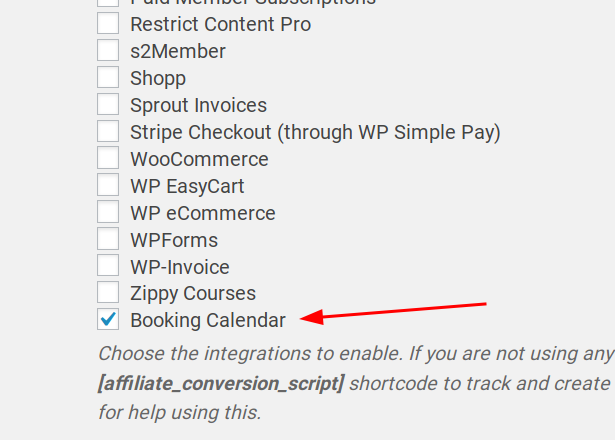
Enable s2Member Integration

Booking form

Booking form payment

Booking checkout completed

Admin View of tracked referral

Affiliate View of tracked referral
Faq
I have a feature request. Where can I contact you?
If you have any ideas please shoot us email at info@qfnetwork.org
Where can I get support?
You can post your questions in the support thread. For priority support, please contact us via https://www.qfnetwork.org
Reviews
Changelog
1.0.1
- Updated readme
1.0.0
- Initial