Popup Box – Create Countdown, Coupon, Video, Contact Form Popups
Popup Box – Create Countdown, Coupon, Video, Contact Form Popups
Description
WordPress Popup Plugin – Popup Box
Popup Box is a flexible WordPress Popup plugin that helps you create different types of popups and modal windows with rich customization options and advanced display control.
It’s built for website owners who need a reliable popup builder, not just a marketing-only tool.
With Popup Box, you can design popups for content display, user interaction, announcements, forms, or promotions — and control exactly when, where, and how they appear on your website.
In this short video, you can find a quick overview of how to create a popup in WordPress.
What You Can Build with Popup Box
Popup Box allows you to create a wide variety of modal popups and overlays without limitations:
- Custom HTML popup – build fully custom content from scratch
- Shortcode popup – display content from other WordPress plugins
- Lightbox popup for images, videos, or embedded content
- Subscription popups for collecting emails
- Contact form popups for receiving user messages
- Yes or No popups with custom actions and redirections
- Countdown popups to highlight time-based messages or offers
- Cookie popups to inform users and support privacy requirements
- Notification popups for announcements and important messages
- Login popups without page redirects
- Subscribe and get a file popups to deliver files after email signup
- Iframe popups for embedding external content
- Google Maps popups to display locations directly in a popup
- Facebook popups for social content and page embeds
- WooCommerce popups for products, coupons, or store messages
You can also use Popup Box to create popups for seasonal campaigns and special events, such as Christmas popups, Black Friday popups, Cyber Monday popups, or other time-based announcements and otions.
This flexibility makes Popup Box suitable for blogs, business websites, landing pages, and online stores.
Popup Triggers & Display Rules
Popup Box allows you to control exactly when your popups appear by using different trigger types:
- On page load – show a popup automatically when the page finishes loading
- On click – open a popup when a visitor clicks a selected button or element
- Exit intent – trigger a popup when visitors are about to leave the page
- On hover (Pro version)_ – display a popup when a user hovers over a specific element
- Inactivity (Pro version) – show a popup after a visitor stays inactive for a defined time
- After visiting X pages (Pro version) – display a popup based on the number of pages viewed
- Scrolling to elements (Pro version) – trigger a popup when users scroll to a selected section
Free vs Pro – What’s Included
Free Version
The free version of Popup Box includes everything you need to create and display basic popups:
- Shortcode popup
- Custom content popup
- Video popup
- Image popup
- Facebook popup
- Notification popup
- Responsive design
- Themes (5+)
- Scroll from top
- Disable scrolling
- Session time option
- Style settings (10+)
- Display on specific post types
- Display on specific pages
- Open with click trigger
- Enable for logged in users
- Enable for guests
- Hide popup on mobile
- Show Popup only once
- Live preview
- Popup position
Popup Box PRO Features
Popup Box Pro extends the free version with advanced popup types and display controls:
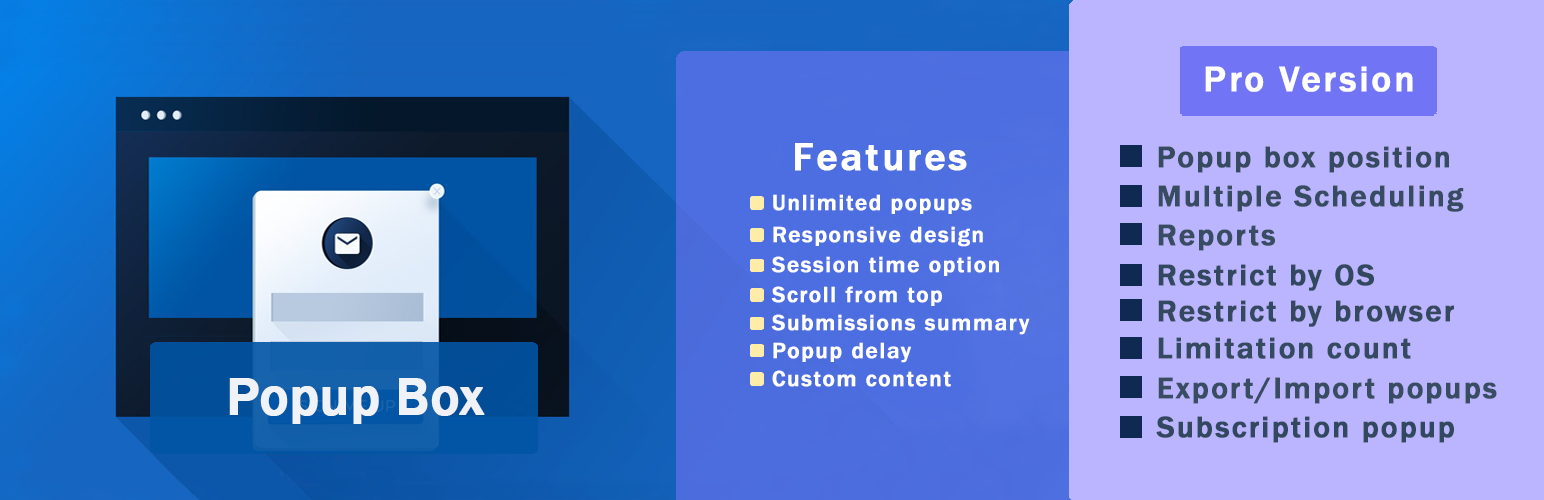
- Includes ALL Free version Features and
- Subscription popup
- Yes or No popup
- Video popup
- Iframe popup
- Contact form popup
- Send file after subscription
- Popup box position
- Multiple Scheduling
- Close triggers
- Enable redirection
- Reports
- Restrict by OS
- Restrict by browser
- Limitation count
- Export/Import popups
- User role permission
- Limit by country
- MailChimp Integration
- Campaign Monitor Integration
- ActiveCampaign Integration
- GetResponse Integration
- ConvertKit Integration
- Sendinblue Integration
- MailerLite Integration
- Coupon Popup
- Countdown Popup
- Cookie Popup
- Exit Intent Popup
- Woocommerce Product Popup
- After Visiting X Pages Trigger
- Inactivity Trigger
- Scrolling To Element Trigger
WooCommerce & Website Use Cases
Popup Box can be used as a flexible WooCommerce popup and general WordPress popup plugin for different website scenarios.
It allows you to create product popups, announcement popups, and promotional popups that support user interaction without disrupting the browsing experience.
Whether you’re running an online store, a business website, or a content-driven site, Popup Box helps you display relevant popup content based on user actions and page context.
Popup Box works smoothly with WooCommerce and general WordPress setups:
- Show product popups and special offers
- Display coupon and countdown popups
- Create announcement and notification popups
- Embed forms, videos, or external content
You decide how popups support your website — without forcing a specific workflow.
Customization & Styling Options
Popup Box comes with 5+ pre-built themes to help you get started quickly, while still allowing deep customization for each popup.
Every popup type includes its own specific styling and behavior options, so you can fine-tune the design and appearance based on the popup’s purpose.
Customize every part of your popup:
- Popup size, position, and animations
- Colors, borders, and typography
- Custom CSS for advanced styling
- Responsive behavior for desktop and mobile
- Preview changes before publishing
Why Choose Popup Box
Popup Box lets you create unlimited popups without restrictions and gives you the freedom to build popups using custom HTML or shortcodes from other WordPress plugins.
You can control popup behavior using flexible triggers, allowing popups to be used for content display, user interaction, or promotional purposes without forcing a specific workflow.
Popup Box works smoothly with most WordPress themes and plugins, making it easy to integrate into existing websites.
Integrations & Compatibility
- MailChimp
- Campaign Monitor
- ActiveCampaign
- GetResponse
- ConvertKit
- Brevo
- MailerLite
- reCAPTCHA
You will be able to preview the changes before saving them.
PREMIUM | DEMO | DOCUMENTATION
3RD PARTY OR EXTERNAL SERVICE DISCLAIMER
The plugin uses the Facebook SDK (https://developers.facebook.com/docs/javascript) to display Facebook-type popups.
IT DOES NOT SEND ANY DATA AND WE DO NOT COLLECT INFORMATION FROM THE REQUEST
The privacy policy for Facebook can be found at this URL: https://www.facebook.com/policy.php
Don’t forget, in case of any problems or upcoming questions feel free to contact us via the following FREE SUPPORT FORUM.
Other plugins from Ays Pro Team
- Quiz Maker for creating advanced quizzes and exams easily and quickly.
- Survey Maker for collecting data and analyze it.
- Poll Maker for creating powerful and interactive polls.
- Fox LMS to empower educators and trainers to build structured, interactive online learning systems easily for their WordPress website.
- Chartify to build both static and dynamic charts, graphs and diagrams.
Installation
There are two ways to install Popup Box: the easy way, when you install Popup Box from your WordPress dashboard, and the second way, when you install it from WordPress.org.
- 1.1 The easiest way to enjoy Popup Box:
- 1.1.1 Login to your WordPress dashboard
- 1.1.2 Go to Plugins
- 1.1.3 Add New
- 1.1.4 Search for Popup Box
- 1.1.5 Click to install
- 1.2 The second way:
- 1.2.1Download the zip file from https://wordpress.org/plugins/popup_box/
- 1.2.2 Go to Plugins
- 1.2.3 Add New
- 1.2.4 Upload plugin
- 1.2.5 Choose file ays popup_box.zip
- 1.2.6 Click to install
Screenshots
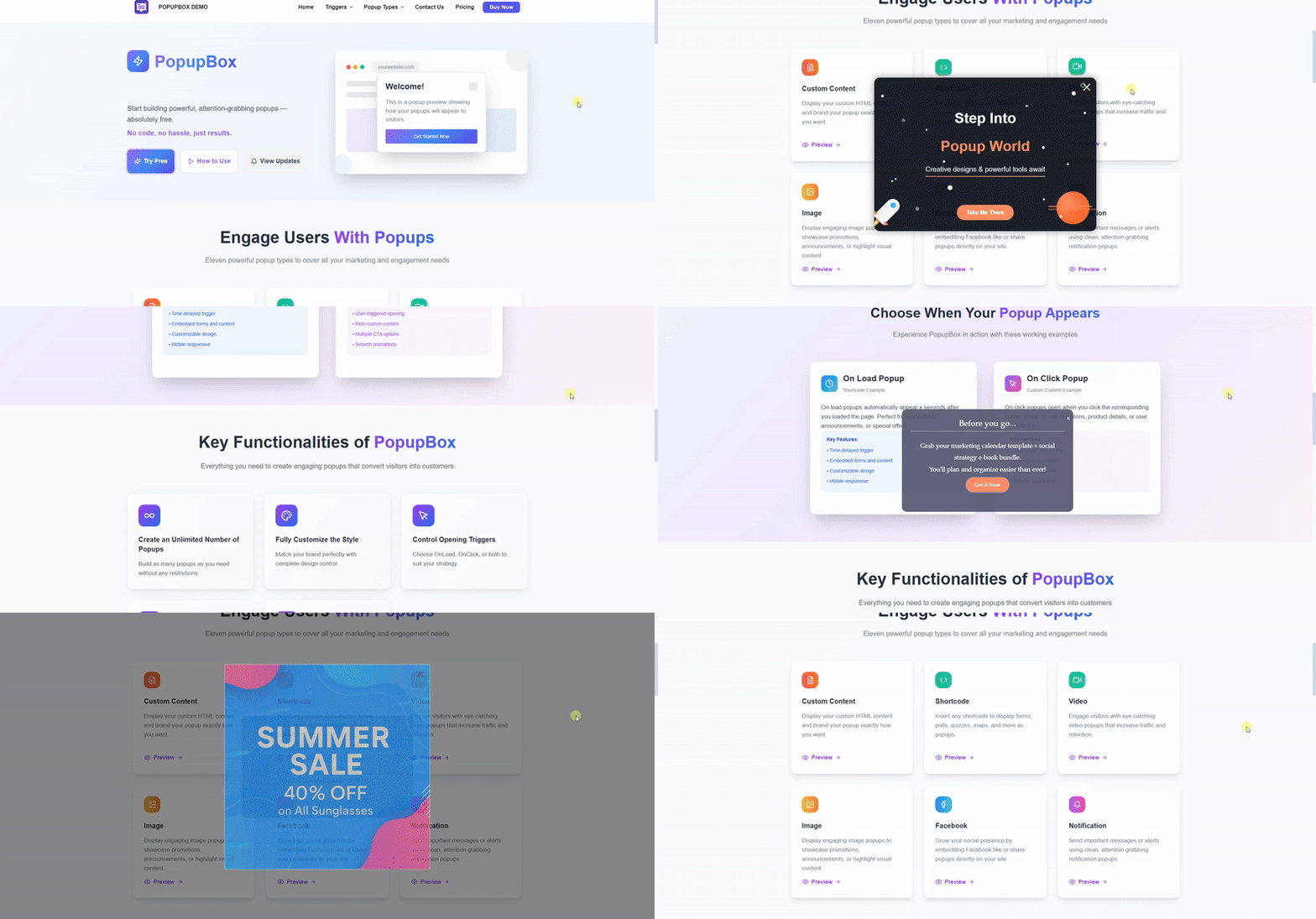
Popup Maker - front end popup preview in action
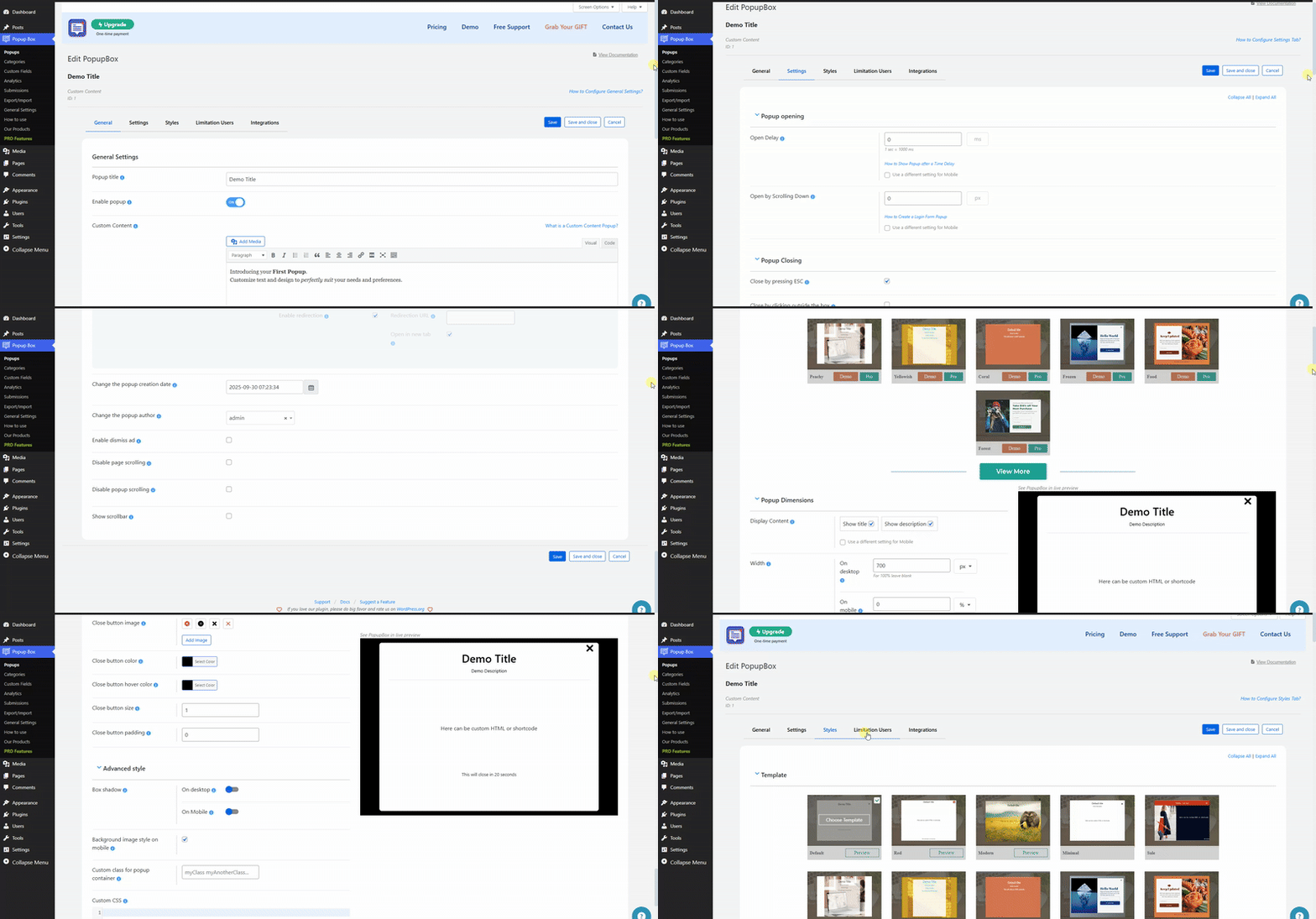
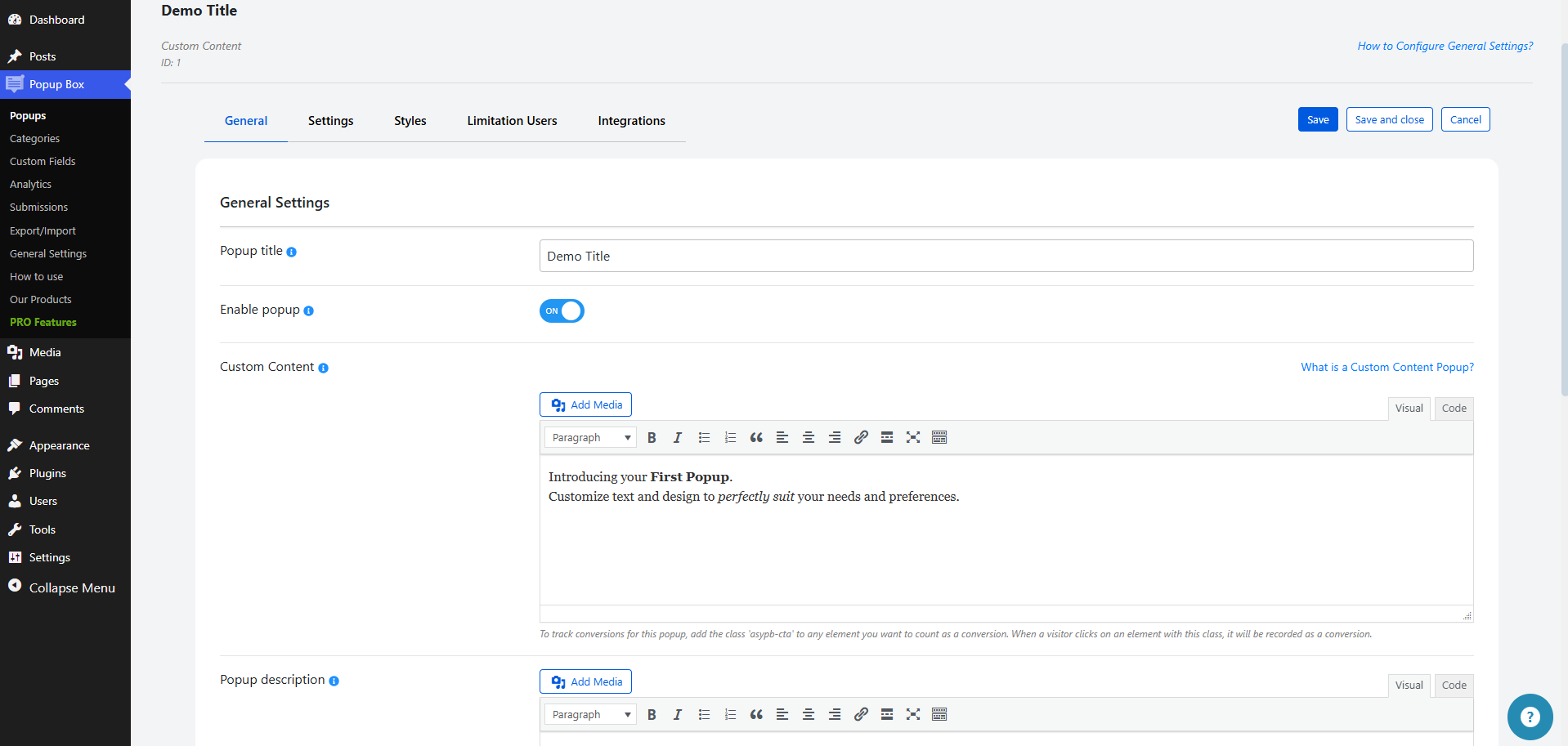
Popup Maker - dashboard popup settings preview in action
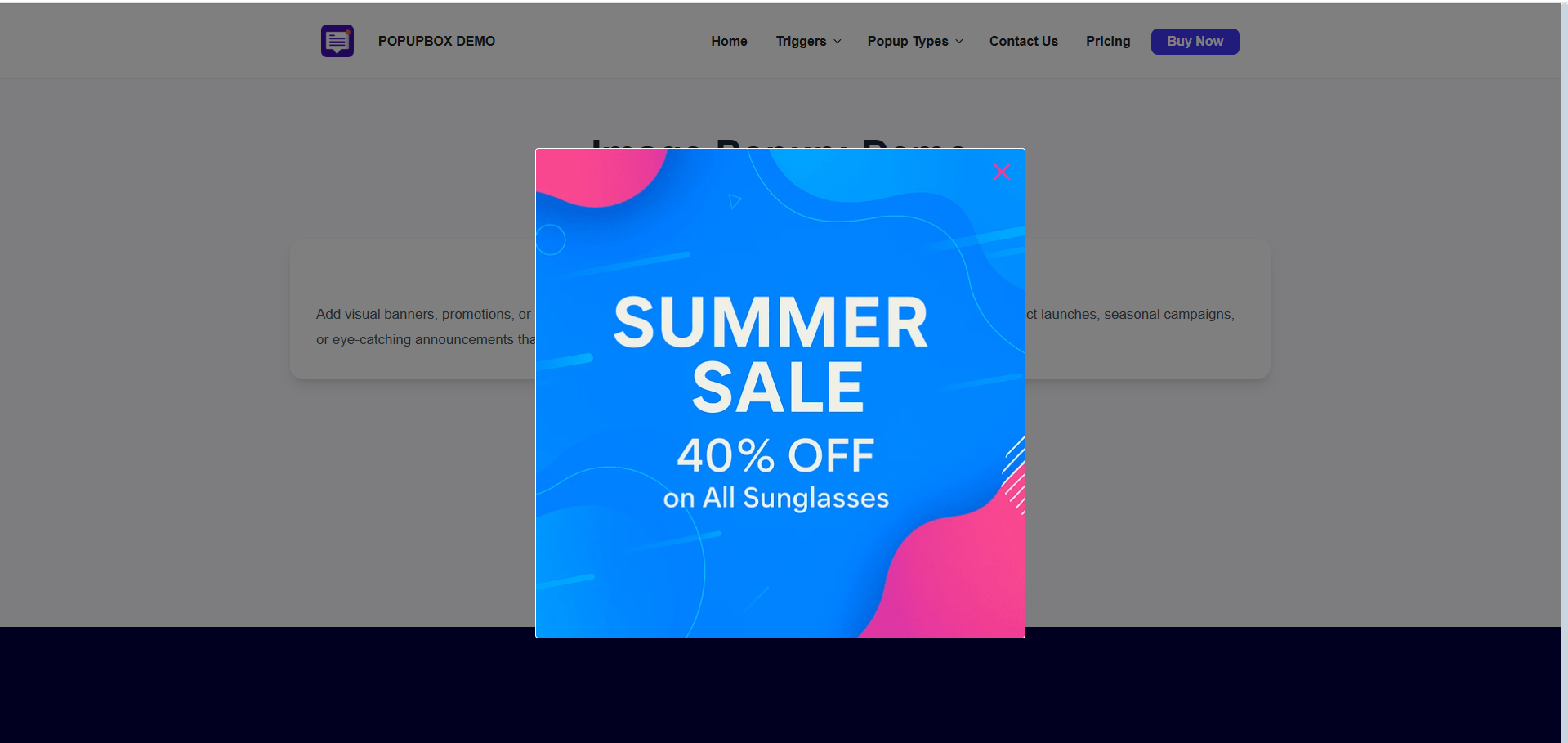
Popup Maker - front end popup example
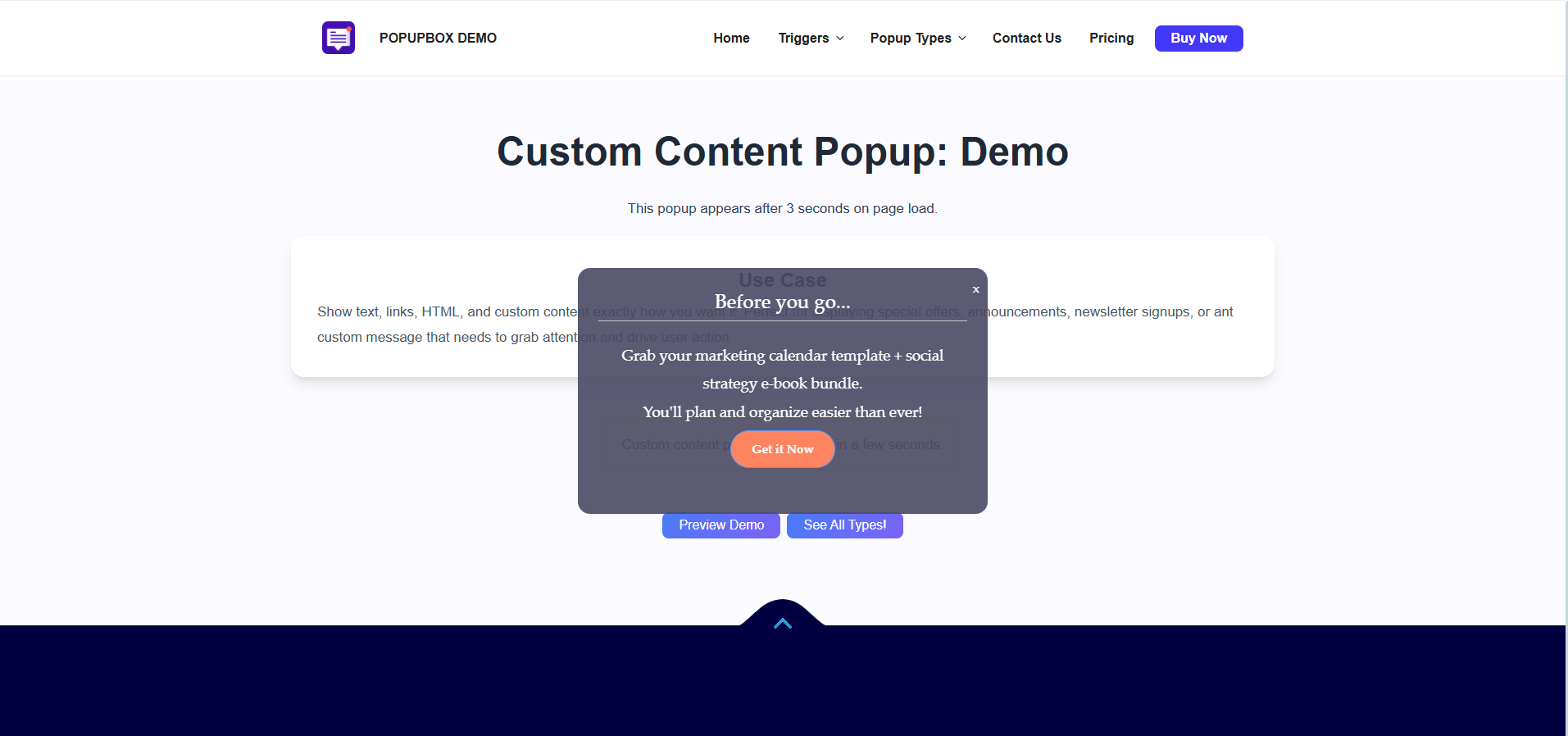
Popup Maker - front end popup example
Popup Maker - front end popup example
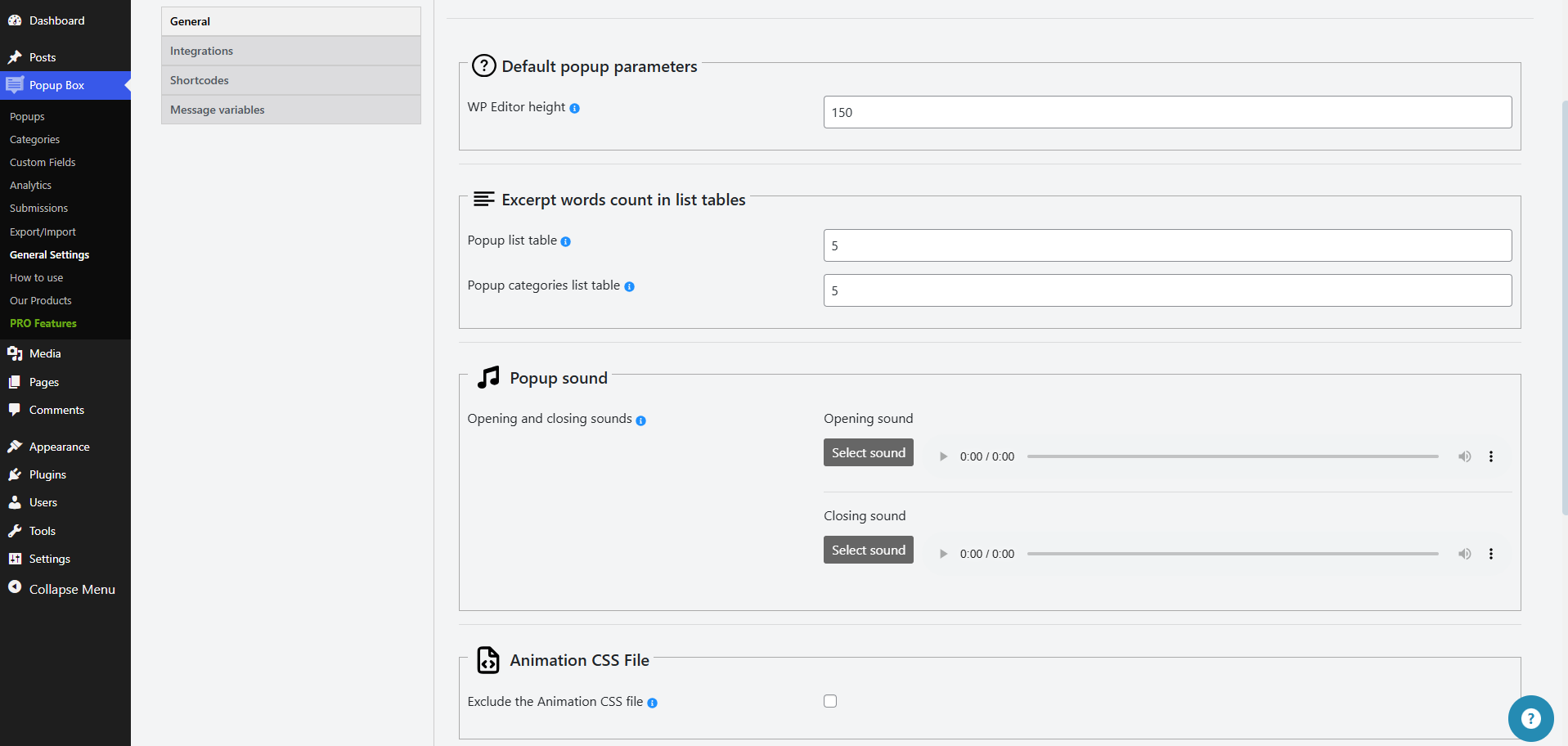
Popup Maker - dashboard settings
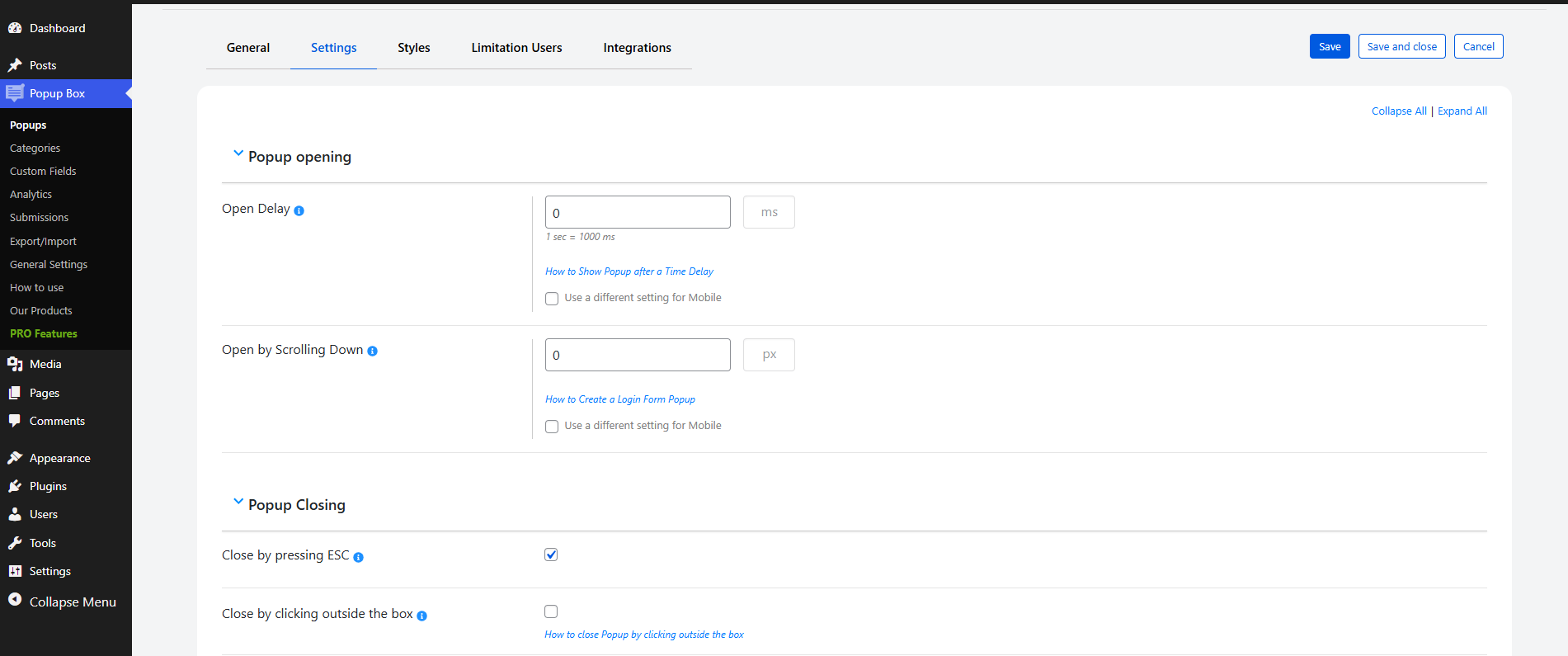
Popup Maker - dashboard settings
Faq
Unlimited! Incredible, isn’t it? No matter you are a user of the free or premium version, you can create and activate an unlimited number of popups. You can insert several modal popups on a single age, as well as on different webpages. The option is perfect for those who want to target their website visitors differently based on conditions such as the Country they are living in, Browser they are using, so on.
Yep! Now, you might be wondering why should I pop up several popups on the same webpage. Purposes are plenty!
Firstly, you can show your subscription forms as soon as the page is loaded, then you can provide your advertising offer after a specified time delay with the help of the Open Delay option. Moreover, you can display a modal when the user clicks on the assigned CSS element(s) such as buttons, titles, and so on.
Sure, by all means! The modals created with our WordPress popup builder plugin fit smoothly and flawlessly on all mobile devices and gadgets. Hurry up and create your first amazing and responsive p form with us!
It is easy as pie! Please go to the General tab of the given modal form, and choose the On-page load variant from the Popup trigger dropdown. After the configuration, your modal form will be displayed oon as the webpage(where it is located) is loaded. And voilà, your amazing WordPress popup is ready!
Simply by enabling the Actions while clicking on the popup option and ticking on the Enable redirection suboption. All you need to do is provide the redirection URL and choose whether open it on a new tab ot – isn’t that amazing!
Sure, you can! To do that, you need to go to the Settings tab of the given modal form and enable the Open Delay option. Indicate the time in milliseconds and your modal window will be displayed on the age after that specified time delay. A perfect option for those who want to target only those website visitors who have already spent some determined time on your website.
Yes! Please go to the General tab of the given modal and select the On-click method as a Popup trigger. The modal form will be displayed when the visitor clicks on the specified CSS element(s). Assign element with the help of the CSS selector(s) for trigger click option. Isn’t it therefore fair to say that our Popup Maker plugin is the #1 best WordPress popup plugin?
Of course, you can! To do that please go to the Settings tab of the given popup, scroll a little bit and enable the Autoclose Delay (in seconds) option by giving a value to it. Indicate the time in seconds your WordPress popup will be closed after that specified time delay.
Yep! Display any form within your modal window such as contact form, quiz, poll, survey and etc. You just need to choose the Shortcode type while adding a new modal and paste the shortcode on the esponding field. Make your website more flexible!
As you read each word of this page you have already known that the possibilities with the pro package are plenty. Aside from that, one thing’s certain, the super-quickly support team is behind your back and idered a significant component of your purchase. The decision is totally yours!
Simply and effortlessly! Either you are switching from the free to pro, or the latest version of the pro to the newest one, all your settings/configurations will remain unchanged. In a word, you just need to k on the Upgrade button while deactivating the plugin from the Plugins section of your WP website. Please check out this detailed tutorial of the Popup Box WordPress plugin.
Contact us! Either write on our FREE support forum or reach out to use with our contact form. Either way, our ful customer care specialists will contact back you quickly and will do their best to satisfy all your needs.
This is not even a question! Surely, you can customize the best popups the way you wish. Choose one of our premade themes, change the background color, image, text, and everything that you can think of. Can’t anything of your taste? You are free to add your custom CSS code to get your preferred design.
Please make sure the cache is not generated on the page where the plugin is enabled, before contacting the Support Team.
Clear all the caches.
If you are using a Cache plugin, then make sure that it does not store a strong cache and that the webpage where the plugin is enabled does not become static(HTML).
Check whether the Deactivate PHP cache is ticked from the settings of the cache plugin or not.
If yes, then please deactivate it.
No matter whether you are a guest or a logged-in user. The code works in the same way in both cases.
The same is about the mobile version.
You can disable the cache-generating process by deactivating the option from the cache plugin (if it has one).
After clearing the caches, try to check the case with either the Incognito mode or another browser/device.
Reviews
Popup Box WORKS!
By 
With a bit of hand-holding, not only does hover popups work perfect, but it helped me located a duplicate element on my website.
Great customer service
By 
I took over management of a site that used this plug in and their customer service was very responsive and helped me figure out how it works and worked out some kinks from the previous set up. Would definitively recommend.
Great Plugin!
By 
This is a great plugin,
Great plugin!
By 
It works flawlessly, meets all expectations, and is very intuitive to use. The team behind its development is extremely helpful, they respond quickly to questions and provide professional support. I highly recommend it to anyone looking for a reliable solution!
Easy to use, great support.
By 
Plugin works as intended. Super helpful support too.
Cannot deinstall
By 
Cannot deinstall it
Nice plugin Easy to use
By 
I did end up purchasing the Pro version just to have the added little extras and capabilities. Works well and customer support is great!
SCAM! DO NOT INSTALL! FALSE ADVERTISING!
By 
Everything mentioned in name of this plugin is PAID option, do not fall for scam and for bad software from this scammers! Be aware what you install on your wordpress and avoid this plugin because you know better! SCAMMERS !
one of the best solution. nothing to compare
By 
the perfect POPUP plugin I found in last 10 years
I tried to use this plugin to do my own startup video. I think it will not give me what I need. But it gives me more ..
more options
more action
and the most important thing .. MORE SUPPORT
no meaning to buy any thing and after that you keep it without using..
they support me even with the free version..
I am using it for 15 sites .. compare with the price for lifetime .. cost nothing
I think I will be loser if I did not get it for all my site ..
you too .. you have to think about it
Excellent and practical
By 
I checked out several pop-up plugins and I found this one to be the best for the following reasons:
- It has a very appropriate name that matches the functionality of the entire plugin.
- Multiple features are gathered in one plugin that covers most of the needs of a site administrator.
- It has excellent settings and at the same time is simple and understandable (read with emphasis) that can be mastered in a short time.
- It is very user-friendly.
- Most of the plugin's many features are free, which shows the generosity of the creators to help site administrators without any financial expectation.
- It has a very strong, caring, humble, service-oriented support team with a fast response time, which you can see in the plugin forum in the Enable Pop-up Video Autoplay thread.
I sincerely wish all the plugin developers good days, happiness and success in their work.
AR_M
Changelog
6.2.1 ( March 27, 2026 )
- Added: Popup trigger “Exit Intent”
- Updated: POT file
6.2.0 ( March 24, 2026 )
- Improved: Enhanced HTML sanitization logic in popup editors
- Improved: Extended allowed HTML tags support (audio, video, etc.)
- Improved: Some changes on the admin dashboard
6.1.9 ( March 10, 2026 )
- Added: Post Author Display name message variable on the general settings
- Improved: Some changes on the admin dashboard
6.1.8 ( March 03, 2026 )
- Added: Post Author Last name message variable on the general settings
- Improved: Some changes on the admin dashboard
6.1.7 ( February 24, 2026 )
- Improved: Some changes on the admin dashboard
6.1.6 ( February 17, 2026 )
- Added: Post Author First name message variable on the general settings
- Updated: POT and Po files
6.1.5 ( February 11, 2026 )
- Added: Post Author Nickname message variable on the general settings
- Improved: Some changes on the admin dashboard
6.1.4 ( February 03, 2026 )
- Added: Post Author Email message variable on the general settings
6.1.3 ( January 27, 2026 )
- Added: Site Description message variable on the general settings
- Updated: POT file
6.1.2 ( January 22, 2026 )
- Improved: Some changes on the admin dashboard
6.1.1 ( January 14, 2026 )
- Improved: Some changes on the admin dashboard
6.1.0 ( January 07, 2026 )
- Added: Post Title message variable on the general settings
- Added: Czech translation
- Updated: POT and PO files
6.0.9 ( December 24, 2025 )
- Improved: Some changes on the admin dashboard
6.0.8 ( December 18, 2025 )
- Improved: Permission checks and nonce validation in admin list tables
- Improved: Code correction on the admin dashboard
6.0.7 ( December 09, 2025 )
- Added: Post ID message variable on the general settings
6.0.6 ( December 05, 2025 )
- Improved: Some changes on the admin dashboard
- Updated: POT file
6.0.5 ( December 02, 2025 )
- Added: Site title message variable on the general settings
- Improved: Some changes on the admin dashboard
- Tested: Compatible up to 6.9
6.0.4 ( November 25, 2025 )
- Improved: Some changes on the admin dashboard
6.0.3 ( November 20, 2025 )
- Added: “Black Friday Deal” Banner
6.0.2 ( November 18, 2025 )
- Added: Popup Box Welcome page
- Improved: Some changes on the admin dashboard
6.0.1 ( November 11, 2025 )
- Added: Home page URL message variable on the general settings
- Improved: Some changes on the admin dashboard
6.0.0 ( November 04, 2025 )
- Added: Watch video button popups on the admin dashboard
- Improved: Some changes on the admin dashboard
5.5.9 ( October 28, 2025 )
- Added: Admin email message variable on the general settings
5.5.8 ( October 21, 2025 )
- Improved: Some changes on the admin dashboard
5.5.7 ( October 14, 2025 )
- Improved: Some changes on the admin dashboard
- Updated: POT file
5.5.6 ( October 08, 2025 )
- Improved: Some changes on the admin dashboard
5.5.5 ( October 03, 2025 )
- Fixed: Vulnerability issue on the admin dashboard
- Improved: Some changes on the admin dashboard
5.5.4 ( September 23, 2025 )
- Improved: Some Styles in the admin dashboard
- Tested: Compatible up to 6.8.2
5.5.3 ( September 16, 2025 )
- Improved: Some changes on the admin dashboard
5.5.2 ( September 9, 2025 )
- Added: New documentation links
- Changed: Some documentation links
5.5.1 ( September 2, 2025 )
- Added: Close button padding option
5.5.0 ( August 25, 2025 )
- Fixed: Vulnerability issue on the admin dashboard
5.4.9 ( August 19, 2025 )
- Improved: Some changes on the admin dashboard
5.4.8 ( August 12, 2025 )
- Updated: POT file
- Improved: Some changes on the admin dashboard
5.4.7 ( August 5, 2025 )
- Improved: Some changes on the admin dashboard
5.4.6 ( July 29, 2025 )
- Added: User ID and User Registered date message variables
5.4.5 ( July 23, 2025 )
- Improved: Some changes on the admin dashboard
5.4.4 ( July 15, 2025 )
- Fixed: Some changes on the admin dashboard
- Fixed: Some language translation issues
5.4.3 ( July 7, 2025 )
- Improved: Some changes on the admin dashboard
- Improved: Notice functionality behavior
5.4.2 ( July 1, 2025 )
- Added: TikTok social media link
- Improved: Some changes on the admin dashboard
5.4.1 ( June 27, 2025 )
- Updated: POT file
- Improved: Code correction on the admin dashboard
5.4.0 ( June 25, 2025 )
- Improved: Some changes in the admin dashboard
5.3.9 ( June 24, 2025 )
- Changed: Some styles on the admin dashboard
5.3.8 ( June 18, 2025 )
- Improved: Some changes in the admin dashboard
5.3.7 ( June 17, 2025 )
- Added: Current time, day and month message variables
5.3.6 ( June 12, 2025 )
- Fixed: Language translation problem
- Updated: POT file
5.3.5 ( June 9, 2025 )
- Improved: Some changes in the admin dashboard
5.3.4 ( June 6, 2025 )
- Fixed: Show scrollbar option issue
5.3.3 ( June 3, 2025 )
- Added: Multiple close button icons for selection
5.3.2 ( May 27, 2025 )
- Added: Scrollbar visibility control for mobile device
- Fixed: Conflict with Pixel Ebook Store theme
- Fixed: Conflict with Interactive Education theme
5.3.1 ( May 20, 2025 )
- Improved: Some changes in the admin dashboard
- Updated: POT file
5.3.0 ( May 14, 2025 )
- Improved: Some changes in the admin dashboard
5.2.9
- Added: Some sanitization functions in the admin dashboard
- Updated: POT file
5.2.8
- Added: Fox LMS Plugin to the Our Products page
5.2.7
- Fixed: CSS conflict with the HTML5 Video Player plugin
- Fixed: CSS conflict with the Panorama Viewer plugin
5.2.6
- Added: Telegram social media link
- Tested: Compatible up to 6.8
5.2.5
- Improved: Some Changes in the admin dashboard
- Updated: POT file
5.2.4
- Improved: Some Styles in the admin dashboard
5.2.3
- Added: Text color live preview in admin page
5.2.2
- Added: Description text align option for pc and mobile
5.2.1
- Added: Some sanitization functions in the admin dashboard
5.2.0
- Added: Some sanitization functions in the admin page
5.1.9
- Updated: POT file
- Fixed: Some issues
5.1.8
- Improved: Some changes on the admin dashboard
5.1.7
- Added: Time-based scheduling feature for popups
- Tested: Compatible up to 6.7.2
5.1.6
- Improved: Code correction on the front-end and admin dashboard
5.1.5
- Fixed: Responsive issue on mobile the Popups page
5.1.4
- Added: Header background color mobile option
5.1.3
- Added: Global Collapse/Expand functionality on the Popups page
5.1.2
- Improved: The Popups page design
5.1.1
- Improved: Top banner styles on the admin dashboard
5.1.0
- Added: Content padding mobile option
5.0.9
- Added: Logo image shape option for notification popup
5.0.8
- Fixed: Some styles on the admin dashboard
- Updated: POT file
5.0.7
- Fixed: Issue connected to the popup background image
- Improved: Some changes on the admin dashboard
5.0.6
- Improved: Some changes on the admin dashboard
5.0.5
- Added: Logo image sizing option for notification popup
5.0.4
- Improved: Some changes on the admin dashboard
5.0.3
- Fixed: Sorting issue on the popup list tables
- Fixed: Some style issues on the front end
5.0.2
- Fixed: Some issues on the front end
- Updated: POT file
5.0.1
- Improved: Some changes on the admin dashboard
- Tested: Compatible up to 6.7.1
5.0.0
- Added: Mobile min-width option for notification popup logo
4.9.9
- Fixed: Some styles on the admin dashboard
- Fixed: JS issues on the front end
4.9.8
- Fixed: Security issue connected to the plugin deactivation
4.9.7
- Added: Mobile max-width option for notification popup logo
- Tested: Compatible up to 6.7
4.9.6
- Added: Mobile width option for notification popup logo
4.9.5
- Added: Button letter spacing on mobile option for notification popup type
4.9.4
- Added: Button font weight on mobile option for notification popup type
4.9.3
- Added: Button font size on mobile option for notification popup type
4.9.2
- Fixed: Issue connected to the autoclose on video completion option
- Updated: POT file
4.9.1
- Added: Transition option for notification popup button
4.9.0
- Added: Max-height option for notification popup logo
4.8.9
- Added: Min-height option for notification popup logo
4.8.8
- Added: Width by pixels option for notification popup logo
4.8.7
- Added: Min-width by percentage option for notification popup logo
4.8.6
- Added: Max-width by percentage option for notification popup logo
4.8.5
- Improved: Styles on the admin dashboard
- Updated: POT file
4.8.4
- Added: Min-width option for notification popup logo
4.8.3
- Added: Width option for notification popup logo
4.8.2
- Fixed: Security issue on the admin dashboard
- Improved: Styles on the admin dashboard
4.8.1
- Added: Max-width option for notification popup logo
4.8.0
- Added: Font weight option for notification popup button
- Tested: Compatible up to 6.6.2
4.7.9
- Added: Button hover text option for notification popup type
4.7.8
- Added: Text decoration option for notification popup button
- Fixed: Security issue connected to the change creation date option
4.7.7
- Added: Text transformation option for notification popup button
4.7.6
- Improved: Styles on the admin dashboard
- Updated: POT file
4.7.5
- Added: Expand/Collapse functionality for popup options on the Popups page
4.7.4
- Added: Redirect to the new tab option for notification popup logo
- Fixed: Style issue on the admin dashboard
4.7.3
- Improved: Styles on the admin dashboard
4.7.2
- Added: Logo redirect URL option for notification popup type
- Fixed: Some styles on the front end
4.7.1
- Added: Logo option for notification popup type
4.7.0
- Added: Automatic activation/installation of the plugin on the Our Products submenu
4.6.9
- Fixed: Some issues on PRO Features page
- Updated: POT file
4.6.8
- Fixed: Some style issues on the admin dashboard
4.6.7
- Added: Confirmation Box before deleting the popup categories
- Fixed: Some style issues on the admin dashboard
4.6.6
- Fixed: Some style issues on the admin dashboard
- Fixed: Issue connected to the popup categories list table search box
- Tested: Compatible up to 6.6.1
4.6.5
- Added: Button letter spacing option for notification popup type
4.6.4
- Fixed: Popup displaying conflict with Elementor
- Fixed: Popup duplication issue
4.6.3
- Fixed: Translation issues on the admin dashboard
- Updated: POT file
4.6.2
- Fixed: Issues connected to the popups list table search box
- Tested: Compatible up to 6.6
4.6.1
- Added: Button text hover color option for notification popup type
4.6.0
- Fixed: Some issues on the popups list table
4.5.9
- Fixed: Filters conflict on the popups list table
- Improved: Plugin performance on the admin dashboard
4.5.8
- Added: Button background hover color option for notification popup type
- Fixed: Some style issues on the front end
- Tested: Compatible up to 6.5.5
4.5.7
- Added: Box shadow option for notification popup type
4.5.6
- Added: Redirect to the new tab option for image popup type
4.5.5
- Improved: Some Styles on the admin dashboard
4.5.4
- Added: Redirect to the new tab option for notification popup type
4.5.3
- Added: Use small header option for Facebook popup type
- Fixed: Some issues on the admin dashboard
- Tested: Compatible up to 6.5.4
4.5.2
- Fixed: Some responsive style issues on the admin dashboard
- Updated: POT file
4.5.1
- Added: Button padding option for notification popup type
4.5.0
- Added: Button border style option for notification popup type
- Fixed: JS issue connected to the facebook popup type
4.4.9
- Fixed: JS issue on the admin dashboard
4.4.8
- Added: Button border color option for notification popup type
4.4.7
- Added: Button border width option for notification popup type
4.4.6
- Added: Button font size option for notification popup type
4.4.5
- Added: Button border radius option for notification popup type
- Fixed: JS issue on the front page
4.4.4
- Improved: Footer style on the admin dashboard
4.4.3
- Fixed: Some styles on the admin dashboard
- Tested: Compatible up to 6.5.3
4.4.2
- Fixed: Some styles on the admin dashboard
4.4.1
- Added: Exclude the animation CSS file option on the General Settings Page
4.4.0
- Fixed: Some styles on the admin dashboard
- Updated: POT file
4.3.9
- Added: Button text color option for notification popup type
4.3.8
- Added: Button background color option for notification popup type
4.3.7
- Added: Option to define mobile width by pixels
- Fixed: Security issue connected to the change the author of the current popup option
4.3.6
- Added: Notification popup type
4.3.5
- Fixed: Issue related to the text layout
- Fixed: JS issue on the admin dashboard
- Tested: Compatible up to 6.5.2
4.3.4
- Added: Hide FB page cover photo option
4.3.3
- Added: Facebook popup type
4.3.2
- Added: Redirect URL option for image popup
- Fixed: PHP issue on the front page
4.3.1
- Added: Image popup type
4.3.0
- Added: Current popup page link message variable
- Tested: Compatible up to 6.5
4.2.9
- Fixed: Some styles on the admin dashboard
4.2.8
- Added: Popup conversions count on the popups list table
4.2.7
- Fixed: Some styles on the admin dashboard
- Updated: POT file
4.2.6
- Improved: Styles on the admin dashboard
4.2.5
- Fixed: Security issue on the admin dashboard
4.2.4
- Added: Popup views count on the popups list table
4.2.3
- Fixed: Some issue on the front page
- Improved: Styles on the admin dashboard
4.2.2
- Fixed: Issue connected to the open popup on click trigger
- Improved: Styles on the admin dashboard
4.2.1
- Added: Popup max-height option
4.2.0
- Added: Italian language support
- Added: French language support
- Added: Dutch language support
- Fixed: Translation issue on the admin page
4.1.9
- Added: Background gradient on mobile option
4.1.8
- Added: Suboption to customize mobile settings for the background image sizing option
- Fixed: Translation problem on the admin dashboard
4.1.7
- Added: Suboption to customize mobile settings for the background image position option
4.1.6
- Added: Suboption to customize mobile settings for the background image option
4.1.5
- Fixed: Security issue on the admin dashboard
- Fixed: Issue connected to the close Popup by pressing ESC option
- Tested: Compatible up to 6.4.3
4.1.4
- Fixed: Some style issues on the admin dashboard
- Fixed: Some issues connected to the reset styles option
4.1.3
- Fixed: Issue connected to the close button image option
- Updated: POT file
4.1.2
- Added: Title text shadow on mobile option
4.1.1
- Added: Box shadow on mobile option
4.1.0
- Fixed: Issue connected to the CSS selector for trigger click option
- Fixed: Some style issues on the admin dashboard
4.0.9
- Added: Suboption to customize mobile settings for the border radius option
4.0.8
- Added: Suboption to customize mobile settings for the border width option
- Fixed: Some issues on the front page
4.0.7
- Added: Suboption to customize mobile settings for the border style option
4.0.6
- Added: Suboption to customize mobile settings for the border color option
4.0.5
- Added: Suboption to customize mobile settings for the overlay color option
4.0.4
- Added: Suboption to customize mobile settings for the background color option
- Fixed: Issue connected to the background image option
4.0.3
- Added: Suboption to customize mobile settings for the display content option
4.0.2
- Fixed: Images sanitizing problem on the admin/front page
- Updated: POT file
4.0.1
- Added: Suboption to customize mobile settings for the opening animation option
4.0.0
- Fixed: Display for certain user roles and display for guests options conflict
- Fixed: Some styles on the admin dashboard
- Tested: Compatible up to 6.4.2
3.9.9
- Added: Suboption to customize mobile settings for the closing animation option
3.9.8
- Added: Confirmation box for unsaved changes on the admin dashboard
- Fixed: PHP issue on the front page
3.9.7
- Added: Suboption to customize mobile settings for the closing animation speed option
3.9.6
- Added: Suboption to customize mobile settings for the opening animation speed option
3.9.5
- Added: Suboption to customize mobile settings for the dismiss ad text option
3.9.4
- Added: Suboption to customize mobile settings for the hide timer option
- Fixed: Some styles on the admin dashboard
3.9.3
- Fixed: Popup duplication issue
- Fixed: Issue connected to the show scrolbar option
- Updated: POT file
3.9.2
- Added: Current date message variable
3.9.1
- Added: Current popup author email message variable
3.9.0
- Fixed: Some styles issues on the front page
- Improved: Add new button on the list tables page
3.8.9
- Added: Suboption to customize mobile settings for the disable page scrolling option
- Fixed: Some styles on the admin dashboard
- Tested: Compatible up to 6.4.1
3.8.8
- Fixed: PHP error on the front page
3.8.7
- Fixed: Security issues on the admin dashboard
3.8.6
- Fixed: Issue connected to the disable page scrolling option
- Fixed: Security issues on the plugins page
- Tested: Compatible up to 6.4
3.8.5
- Added: Suboption to customize mobile settings for the disable popup scrolling option
3.8.4
- Added: Suboption to customize mobile settings for the enable blured overlay option
- Improved: Styles on the admin dashboard
3.8.3
- Fixed: Issue connected to the hide close button option
- Fixed: Some styles on the admin dashboard
3.8.2
- Fixed: Issue connected to the close button position option
- Fixed: Some styles on the admin dashboard
3.8.1
- Improved: Some changes on the admin dashboard
- Tested: Compatible up to 6.3.2
3.8.0
- Added: Show scrollbar option
3.7.9
- Fixed: Security issue on the plugins page
- Fixed: Some styles on the admin dashboard
3.7.8
- Fixed: Some styles on the admin dashboard
- Improved: Ask a question button style on the admin dashboard
3.7.7
- Fixed: Banner timer issue on the admin dashboard
- Fixed: Issue connected to the background image option
3.7.6
- Added: Confirmation Box before removing the popups and categories
- Fixed: Some issues on the front page
3.7.5
- Fixed: Custom Content type content issue
3.7.4
- Fixed: Style issue on the popups page
- Tested: Compatible up to 6.3.1
3.7.3
- Added: Suboption to customize mobile settings for the Close button delay option
3.7.2
- Fixed: Popup Description option security issue
- Updated: POT file
3.7.1
- Fixed: Security issue on the front page
3.7.0
- Improved: Styles on the features page
3.6.9
- Added: Suboption to customize mobile settings for the overlay option
- Tested: Compatible up to 6.3
3.6.8
- Added: Suboption to customize mobile settings for the autoclose option
3.6.7
- Improved: Plugin performance on the front page
3.6.6
- Fixed: Style tab issue on the popups page
3.6.5
- Improved: Dashboard styles
3.6.4
- Improved: Default popup styles
- Improved: Deactivate popup style on the plugins page
3.6.3
- Fixed: Security issue on the plugins page
- Fixed: Autoclose Delay option issue on the front page
3.6.2
- Fixed: Accessibility error on front page
- Fixed: Issue conntected with display popup once per user option
3.6.1
- Added: Suboption to customize mobile settings for the close button text option
- Fixed: ADA compliance error on front page
3.6.0
- Added: Suboption to customize mobile settings for the close button position option
- Fixed: Some styles on the admin dashboard
3.5.9
- Added: Suboption to customize mobile settings for the close by clicking outside the box option
- Fixed: Some styles on the admin dashboard
3.5.8
- Added: Suboption to customize mobile settings for the open by scrolling down option
- Fixed: Issue related to the default template
3.5.7
- Added: Use different setting for mobile suboption for the open delay option
3.5.6
- Added: Use different setting for mobile suboption for the popup position option
- Fixed: Some styles on the admin dashboard
3.5.5
- Changed: Width and Height options design on the admin dashboard
- Changed: Add new buttons design
3.5.4
- Fixed: Some styles on the admin dashboard
- Fixed: Border radius option issue
- Fixed: Popup showing issue in Elementor page
- Tested: Compatible up to 6.2.2
3.5.3
- Fixed: Some conflicts with PHP 8.2.6 on the dashboard
- Fixed: Style issues on the admin dashboard
- Tested: Compatible up to 6.2.1
3.5.2
- Fixed: Close by clicking outside the box and Autoclose Delay options conflict
- Updated: Filters style on the popups list tables
3.5.1
- Fixed: Filters issues on popups list table
- Fixed: Banner dismissing issue
- Fixed: Incorrect breaking issue on mobile versions
3.5.0
- Fixed: Style issues on the admin dashboard
- Fixed: Reset styles option issue
3.4.9
- Fixed: Style issues on the admin dashboard
- Tested: Compatible up to 6.2
3.4.8
- Added: Filter by Popup Type
- Added: Filter by Popup author
3.4.7
- Fixed: CSS style issues on the admin dashboard
- Fixed: Search result display issue on multi-page list tables
3.4.6
- Fixed: CSS style issues on the admin dashboard
- Fixed: Popup width option issue
3.4.5
- Added: Autoclose on video completion Option
3.4.4
- Changed: The banner style on the admin dashboard
- Fixed: CSS style issues on the admin dashboard
3.4.3
- Added: Close Button Hover Text Option
- Changed: Some styles on the admin dashboard
- Fixed: PHP problem on the admin dashboard
3.4.2
- Changed: Some styles on the admin dashboard
3.4.1
- Fixed: JS issue on admin page
- Fixed: Some style issues on the admin dashboard
- Fixed: Some style issues on front page
3.4.0
- Added: Popup Content Padding Option
3.3.9
- Fixed: Popup duplication issue
- Fixed: Some issues on front page
3.3.8
- Fixed: Translation issue
3.3.7
- Added: Status filter on the popups list table
- Fixed: Some style issues on the admin dashboard
3.3.6
- Added: Tooltip for Save buttons on the admin dashboard
- Added: Redirect to another popups after clicking on them functionality on the popups page
3.3.5
- Added: Opacity suboption for Enable Overlay option
3.3.4
- Fixed: CSS style issue on the admin page
3.3.3
- Added: Reset styles option
3.3.2
- Added: Template column on popup list table
3.3.1
- Fixed: Sale template style conflict with Seos Music theme
3.3.0
- Added: Inherit suboption for Font family option
- Fixed: Popup position and Windows XP Theme Resize conflict
3.2.9
- Fixed: CSS style issue on the admin dashboard
3.2.8
- Fixed: CSS style issue on the admin page
3.2.7
- Added: German translation
- Updated: POT and PO files
3.2.6
- Fixed: PHP issue on Front page
- Tested: Compatible up to 6.1.1
3.2.5
- Added: Close button color on hover option
- Fixed: Style issue on Admin Dashboard
3.2.4
- Added: French translation
- Fixed: Template position issue
- Updated: POT and PO files
3.2.3
- Fixed: Delete popup issue on list table
- Fixed: None closing animation issue on front page
3.2.2
- Added: Enable blurred overlay option
- Tested: Compatible up to 6.1
3.2.1
- Fixed: Style issue on Admin dashboard
3.2.0
- Fixed: Background image conflict with Sale and Modern themes
3.1.9
- Fixed: Popup position issue after saving
3.1.8
- Added: Enable popup only for author
- Tested: Compatible up to 6.0.3
- Updated: POT and PO files
3.1.7
- Fixed: Show on home page issue on front page
3.1.6
- Fixed: Style issues on admin dashboard and front page
3.1.5
- Fixed: Disable page scrolling option issue on iOS
3.1.4
- Added: Instagram and Behance links suboptions for the Enable Social Media links option
- Fixed: Responsive style issue on front page
3.1.3
- Added: Close button color option
3.1.2
- Added: Background image style on mobile option
3.1.1
- Added: None suboption for closing and opening animation option
- Added: Hide on tablets option
3.1.0
- Fixed: Style issue on the admin dashboard
3.0.9
- Added: Hide popup on PC
3.0.8
- Changed: Change the popup author option design
- Fixed: Background image position option issue on live preview
- Tested: Compatible up to 6.0.2
- Updated: POT and PO files
3.0.7
- Fixed: Background image issue
- Changed: Background image position option design on admin dashboard
3.0.6
- Fixed: Style issues on the admin dashboard
3.0.5
- Added: Disable popup scrolling
3.0.4
- Added: Popup Name option
3.0.3
- Fixed: CSS style issue on admin dashboard
3.0.2
- Fixed: Box shadow option conflict with Ubuntu and Command Prompt templates
3.0.1
- Added: Box shadow option
3.0.0
- Fixed: CSS style issue on admin dashboard
1.0.1
- Added: responsive design