Feeds for TikTok – Display Video Feeds in Grid Layouts

Feeds for TikTok – Display Video Feeds in Grid Layouts
Description
B Tiktok Feed Plugin is a block plugin by which you can embed your Tiktok feed on your websites.
We have developed it in such a way that any user can give any desired look and feel on the widget. There are many options available by which you can turn your website visitors to Tiktok followers.
Quick start tutorial
Features
- Authorization, remove Authorization and clear Cache
- TikTok profile and feeds show
- Just TikTok feeds show
- Show/Hide TikTok profile option
- Show/Hide profile image option
- Show/Hide profile name option
- Show/Hide profile share button option
- Show/Hide profile info count option
- Show/Hide profile biography option
- Profile alignment, color, background color and padding option
- Profile share button padding, color and hover color option
- Video layout column option
- Video layout column gap option
- Video layout row gap option
- Video popup
- Video popup slide and thumbnail
- Video TikTok load more button color and hover color
- Load more button default 9 video show
Pro Features
- Show/Hide videos/content option
- Videos/Feed per page option
- Show/Hide video overlay like, share, and view count option
- Video overlay icon color set option
- Load more button text change option
- Cache time set option for profile and video
- Profile layout select option
- Profile name color and typography option
- Share button change button text and typography option
- Info count and text color option
- ShortCode
- Feed per page can be set according to the device
- Lightbox show/video option
- View on TikTok button show/hide option
- Modal content show/hide option
- Layout select an option
- Three types of layout: Default, Slider, Masonry
- You can set the feed image ratio to one of the five types: Landscape, Horizontal, Square, Vertical, and Portrait
- Gallery background color set
- Overlay color set
- Content icon size set
- Button typography, colors, padding set option
- Pattern set option
- Masonry Layout videos Info show/hide option added
How to use
- Go to the Plugins from WordPress admin dashboard.
- Search for “B TikTok Feed”
- Click “Install”
-
Activate the b-TikTok-Feed Plugin.
-
For installation help click on Installation Tab
Feedback
- Liked that plugin? Hate it? Want a new feature? Send me some feedback
⭐ Check out the Parent Plugin of this plugin-
🔥 b Blocks – Best gutenberg blocks collections for WordPress.
⭐ Check out our other WordPress Plugins-
🔥 Html5 Audio Player – Best audio player plugin for WordPress.
🔥 Html5 Video Player – Best video player plugin for WordPress.
🔥 PDF Poster – A fully-featured PDF Viewer Plugin for WordPress.
🔥 StreamCast – A fully-featured Radio Player Plugin for WordPress.
🔥 3D Viewer – Display interactive 3D models on the webs.
Installation
From Gutenberg Editor:
- Go to the WordPress Block/Gutenberg Editor
- Search For B-TikTok-Feed Block
- Click on the B-TikTok-Feed Block to add the block
Download & Upload:
- Download the B-TikTok-Feed plugin (.zip file)
- In your admin area, go to the Plugins menu and click on Add New
- Click on Upload Plugin and choose the
B-TikTok-Feed.zipfile and click on Install Now - Activate the plugin and Enjoy!
Manually:
- Download and upload the B-TikTok-Feed Block plugin to the
/wp-content/plugins/directory - Activate the plugin through the Plugins menu in WordPress
Screenshots
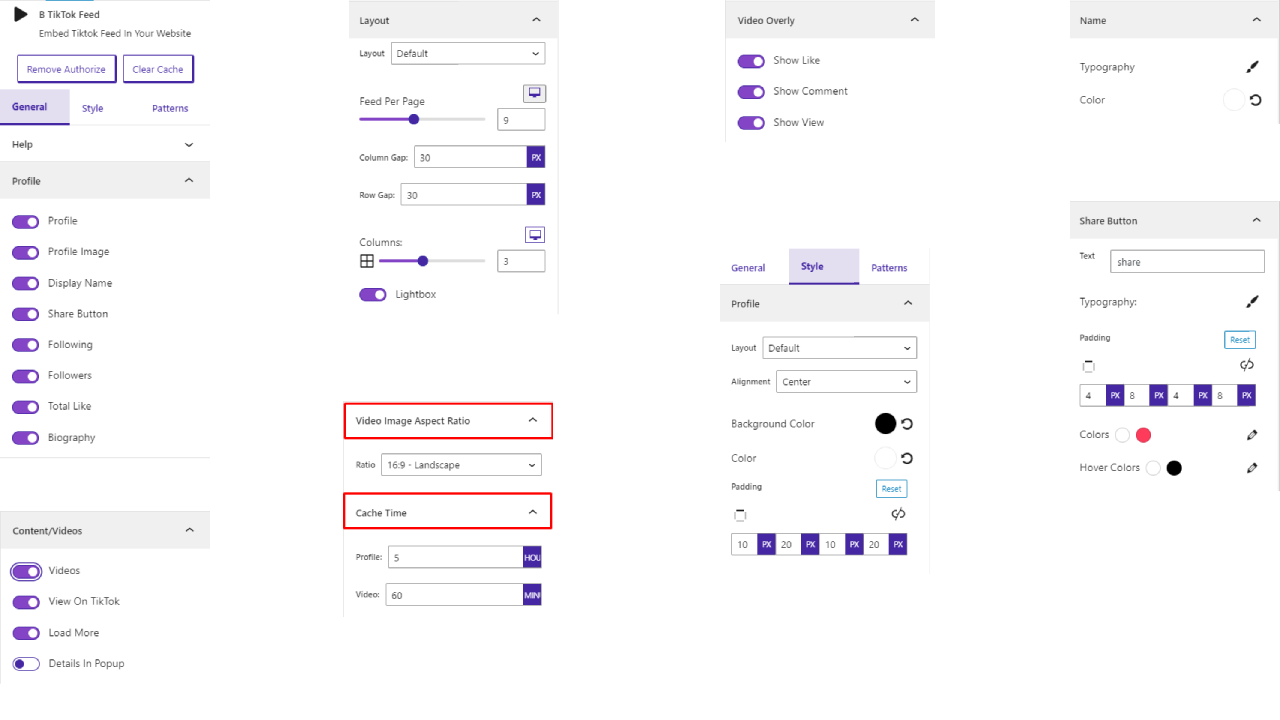
Setting-1

Setting-2

Profile masonry

Default profile slider horizontal

Default profile slider landscape

Default Profile Slider Square

Default profile Slider Vertical

Horizontal profile default center

Landscape profile default center
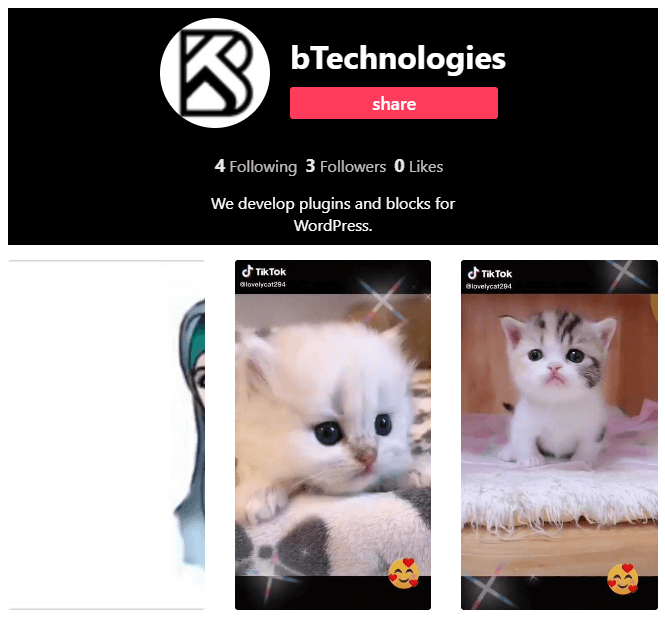
Portrait profile default center

Profile default center

Vertical profile default center
Faq
Yes, Block Directory is a free Gutenberg block plugin.
Yes, it will work with any standard WordPress theme.
Yes, you can change block settings from the Gutenberg block editor’s right sidebar.
You can use unlimited times as you want.
You can post your questions on the support forum here
Reviews
B-TikTok Plugin
By 
The plugin seems to work well and is very configurable. The developer is very flexible and responded to my request for an enhancement by publishing a new version overnight. It gets a big thumbs up from me.
Happily recommending
By 
This plugin is efficient enough for integrating TikTok videos into WordPress. The support team also provides clear instructions. I am satisfied with this plugin's performance. It's user-friendly, with a range of customizable options to suit individual needs.
Changelog
1.0.23 – 18 Nov, 2025
- Solved Patchstack vulnerability issues;
1.0.22 – 11 Aug, 2025
- The Broken Access Control vulnerability has been resolved;
1.0.21 – 18 April, 2025
- Compatible with WordPress 6.8.
1.0.20 – 11 April, 2025
- Some problem fixed;
1.0.19 – 19 Feb, 2025
- ShortCode problem fixed;
1.0.18 – 17 Dec, 2024
- singleton patterns added.
1.0.17 – 23 Nov, 2024
- _load_textdomain_just_in_time notice solved
1.0.16 – 1 Oct, 24
- Good news! The pro features are now available on Freemius.
1.0.15 – 28 Sept, 24
- Several issues resolved.
1.0.14- 11 June, 24
- Support all domain names before “wp-admin”
1.0.13- 25 March, 24
- Added option to show/hide video info in Masonry layout videos
1.0.12- 7 march,24
- Tiktok API Problem solved
1.0.11- 5 Feb,24
- TikTok API version update
1.0.10- 9 Nov,23
- WordPress version update
1.0.9 – 18 sept 2023
- This plugin is in conflict with another plugin; we are currently working on fixing it
1.0.8
- Some issues have been resolved
1.0.7
- View on TikTok button show/hide option
- Modal content show/hide option
- Layout select an option
- Three types of layout: Default, Slider, Masonry
- You can set the feed image ratio to one of the five types: Landscape, Horizontal, Square, Vertical, an
- Gallery background color set
- Overlay color set
- Content icon size set
- Button typography, colors, padding set option
- Pattern set option
1.0.6
- Title and Description responsive device added
1.0.5
- Feeds are set according to the device option add
1.0.4
- ShortCode option add
1.0.3
- Share button and load more button color option update
1.0.2
- Implement licenses System
1.0.1
- TikTok feed videos and profile Cache time set option
- Video per page option problem fix
- All color option reset problem fix
1.0.0
- Initial Release