Backup/Restore Divi Theme Options

Backup/Restore Divi Theme Options
Description
Need to transfer your Divi Theme Options to another Divi Install?
No Problem.
Backup Theme Options:
- Install this plugin
- Go to Divi > Backup/Restore Theme Options
- Download File
Restore Theme Options:
- Install this plugin
- Go to Divi > Backup/Restore Theme Options
- Upload File
Its that simple.
Requirements
This plugin is designed to work with Divi by Elegant Themes. If you don’t have this theme installed, this plugin likley won’t work.
- Divi by Elegant Themes (Affiliate Link)
Installation
The Easy Way:
- Login to your wp-admin Dashboard
- Click Plugins
- Click “Add New” (up the top)
- Search for “Backup Restore Divi Theme Options”
- Click “Install”
- Click “Activate”
- Navigate to Divi > Backup/Restore Theme Options and begin using the plugin
The Hard Way:
- Find FTP Details to your Website
- Navigate to the /wp-content/plugins/ folder
- Upload the extracted zip folder
backup-restore-divi-theme-optionsto the plugins folder - Login to you WordPress Dashboard
- Click Plugins
- Find “Backup Restore Divi Theme Options”
- Click activate on the plugin.
- Navigate to Divi > Backup/Restore Theme Options and begin using the plugin
Screenshots
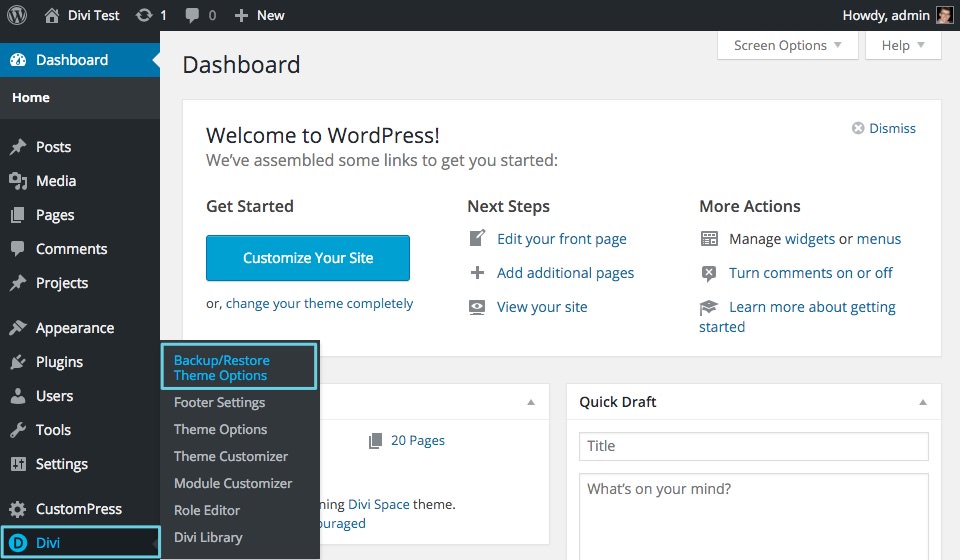
Simple and easy to install
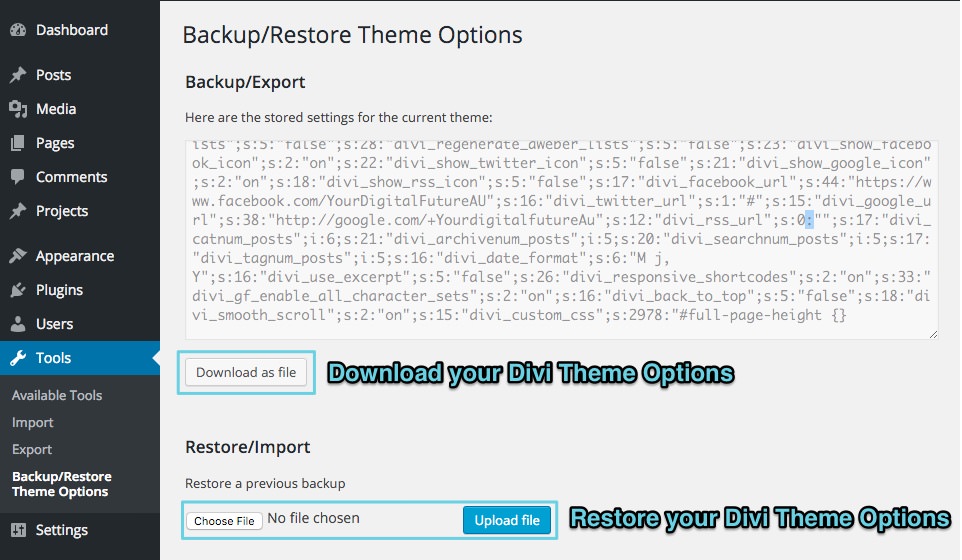
Even more simple to use
Faq
Do I have to use DiviSpace for this to work?
No, This will work on any Divi/Wordpress Installs.
Will this work with other themes?
No, this was designed for Divi, It may work with other themes by “Elegant Themes” but we’re not sure.
Do you have a github repo of this plugin?
Yes, you can find us at https://github.com/SiteSpace/backup-restore-divi-theme-options
I love this plugin and I want to help make it better
Awesome, We’d love to have you on board, fork us on GitHub, make your changes and submit a pull request, we’ll review it and if we like what we see, we’ll be in contact
https://github.com/SiteSpace/backup-restore-divi-theme-options
Reviews
Amazing! Flawless!
By 
🙂
By 
Why does Divi not have this by default?
By 
Surprisingly Effective
By 
Saves time
By 
You'll love this extension
By 
Hello
this extension is sensational. You'll save time. This extension is as important as that of Divi Import / Export which is in the gallery management.
#1 plugin you need for Divi
By 
This plugin works perfectly for moving between Divi installs. Saves heaps of time, energy and brain power!
Changelog
1.0.3
- Added WordPress 4.5 Support
- Added Divi 2.7 Support
1.0.2
- Cosmetic Updates Only
- Added Screenshots
- Finally worked out how to format plugins properly (It’s my first plugin, Don’t judge)
1.0.1
- Fixed up readme.txt layout and formatted instructions
1.0.0
- First Version, Hopefully no bugs.