bbPress Slack Integration
bbPress Slack Integration
Description
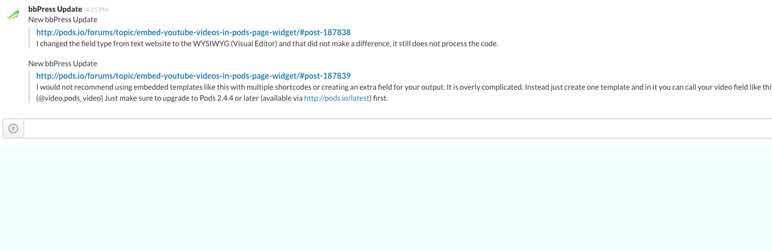
Created for the Pods bbPress support forums, this plugin sends a notification into your Slack channel of choice whenever a new topic or reply is created in bbPress.
Installation
- Unpack the entire contents of this plugin zip file into your
wp-content/plugins/folder locally - Upload to your site
- Navigate to
wp-admin/plugins.phpon your site (your WP Admin plugin page) - Activate this plugin
OR you can just install it with WordPress by going to Plugins >> Add New >> and type this plugin\’s name
Screenshots

Results In Action
Faq
Setup A New Slack WebHook
- Go To
https://.slack.com/services/new/incoming-webhook - Create a new webhook
- Set a channel to receive the notifications
- Copy the URL for the webhook
Setting Up The Plugin
- Go to settings->bbPress Slack
- Paste the webhook URL into the form.
Reviews
Integrates bbPress perfectly on MultiSite
By 
I've not been so excited since I installed Pods! 😉
Within 2 minutes, I :
- Installed this bbPress Slack Integration plugin.
- Set up 2 Slack webhooks.
- Posted 2 messages in separate bbPress forums on MultiSite (that's where the time went).
- Got both bbPress replies in my Slack account
Brilliant!
Changelog
0.3.1
WPORG release