BCorp Visual Editor
BCorp Visual Editor
Description
Powerful drag and drop page builder. Requires BCorp Shortcodes plugin installed and activated in order to function.
If the BCorp Shortcodes plugin is not installed or activated the BCorp Visual Editor will provide prompts for installation and activation.
Click “Visual Editor” on a blank page or a page you would like to start fresh with. Then hit the big “+” button to begin.
Please note if you click “Visual Editor” on a page the plugin will replace the existing content with content created by the Visual Editor.
If you accidentally hit the “Visual Editor” on a page and want to revert content you can refresh the page before you save or go back through your revision history.
Installation
- Upload the plugin files to the
/wp-content/plugins/plugin-namedirectory, or install the plugin through the WordPress plugins screen directly. - Activate the plugin through the ‘Plugins’ screen in WordPress
- Ensure you have also downloaded and activated the required BCorp Shortcodes plugin.
Screenshots

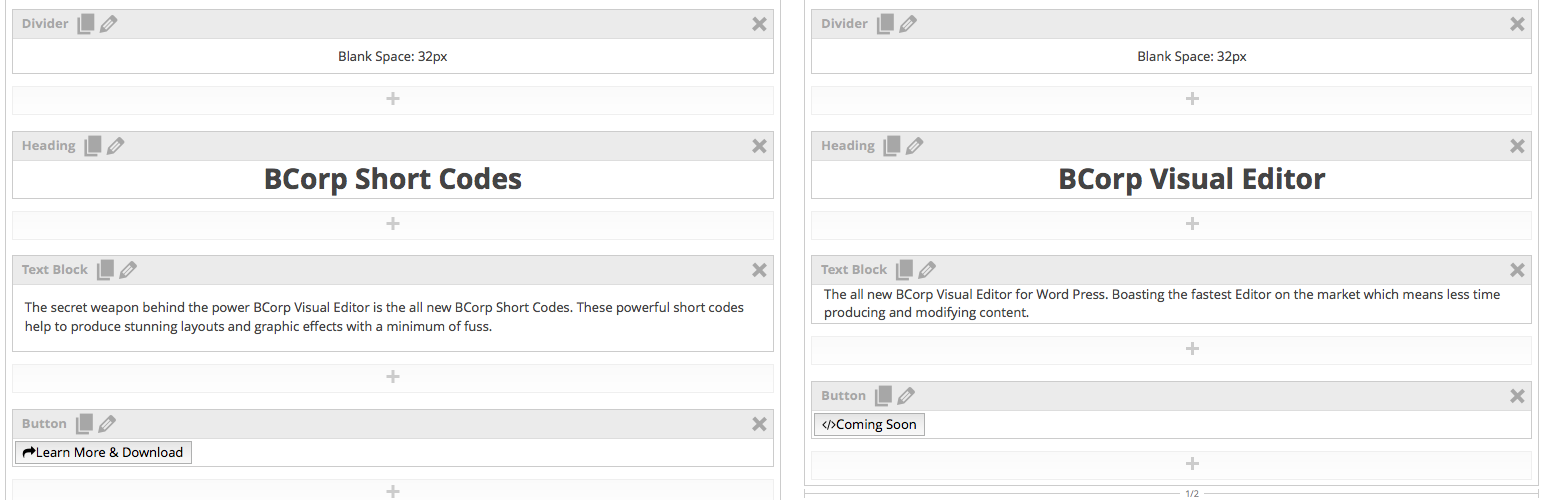
Typical Editor screen

Choosing a shortcode element to add.

Editing the shortcode settings.

Selecting an icon for a shortcode element.
Faq
Why are is the BCorp Shortcode plugin required?
The BCorp shortcodes are the engine that produces the pages visual elements whilst the BCorp Visual Editor is the tool to adjust those elements.
Reviews
Самый лучший
By 
The best freemium page builder on wordpress
By 
I love the page builder.better than many premium plugin
Hope you enjoy my visual editor
By 
If you experience any problems please contact me in the support thread and I'll be more than happy to help out. My full collection of shortcodes will be released very soon as I convert them all to standalone products.
Changelog
0.20
CSS tweaks for [bcorp_icon_list] & [bcorp_icon_list_icon] shortcode.
0.19
HTML tweaks and bug fixes on element resize
0.18
Replaced the TGM Activation Plugin code with a simpler less annoying method of installing the required BCorp Shortcodes Plugin.
0.17
Modified [icon_box] css in admin.
0.16
Author got married 16th January 2016.
0.12
Removed BCorp Shortcode button when BCorp Visual Editor active to stop javascript errors.
Numerous Minor Visual Editor CSS tweaks.
0.11
Included the TGM Activation Plugin to automatically suggest the required BCorp Shortcodes Plugin
0.1
First Release