OpptiAI Alt Text – AI Alt Text Generator for Image SEO
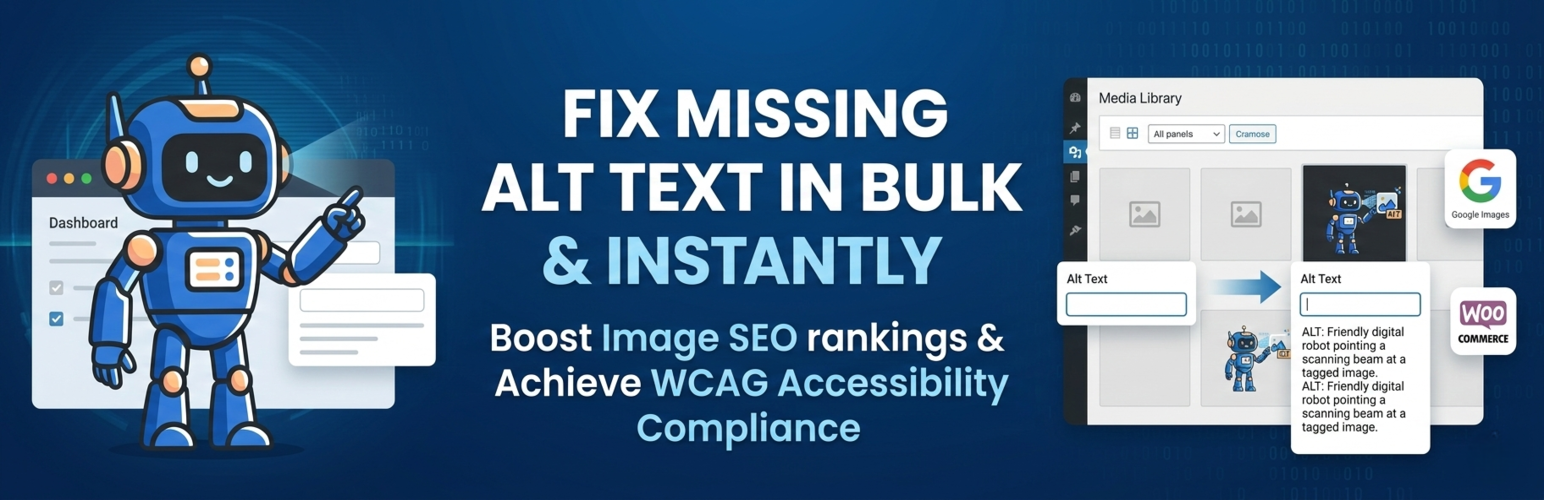
OpptiAI Alt Text – AI Alt Text Generator for Image SEO
Description
See how many of your images have no alt text, free to try, before you sign up.
OpptiAI Alt Text scans your WordPress Media Library and WooCommerce product images and shows your alt text coverage: how many images are missing alt text, how many need review, and which ones to fix first. Then it writes clear, descriptive AI alt text that you can review, edit or regenerate at any time.
Good alt text does two jobs at once. It tells Google Images and product search what each picture shows, and it gives screen-reader users the description they rely on. There is no OpenAI key to set up, and you can review and edit the results at any time.
Two more free audits from OpptiAI: OpptiAI Titles checks your site for missing and duplicate SEO titles and meta descriptions, and OpptiAI Internal Linking finds orphan pages that no other page links to. Both scans run in WordPress without an account.
Features
- Free alt text coverage scan of the Media Library and WooCommerce product images, with missing, needs review and optimised counts on one dashboard.
- Next recommended action so you know which images to fix first.
- AI alt text you review: edit or regenerate any result. Nothing overwrites your existing alt text on its own.
- No OpenAI API key required. Generation runs through the OpptiAI service, so there is no separate AI key to manage or pay for.
- WooCommerce ready for product featured images and gallery images, without touching your theme or catalogue.
- Bulk generation: select many images, generate them in one run, then review and edit the results. Bulk works within your free allowance, and paid plans add more volume.
- Automatic alt text on new uploads (Autopilot, with Growth or Agency) so coverage does not slip again.
- Usage and coverage tracking so you can see progress over time.
- Native wp-admin workflow, not an external tool bolted on.
- One OpptiAI credit wallet shared with OpptiAI Titles and OpptiAI Internal Linking.
How it works
- Install and activate, then open OpptiAI Alt Text.
- Run the free scan to see your alt text coverage and the images that need work.
- Generate alt text for the images that matter most and review each suggestion.
- Save approved alt text back to WordPress.
- Use bulk generation to clear more of the library in one run, within your allowance.
Who it is for
- Bloggers and publishers fixing image SEO across existing posts and future uploads.
- WooCommerce stores with product images and galleries that have no alt text.
- Agencies and freelancers managing large client media libraries.
- SEO teams improving image discoverability across content and commerce pages.
- Accessibility-focused site owners improving image descriptions as part of WCAG work.
Free to try, then paid plans
OpptiAI Alt Text is free to try. Run the coverage scan and generate alt text for your first images before you create an account, and a free account adds a monthly allowance after that. Bulk generation works within the free allowance too. Paid plans add more volume and higher-capacity workflows for larger sites and stores. See pricing.
A quick favour
OpptiAI Alt Text is built and supported by an independent developer. If it saves you time, a short review helps other site owners find it. Thank you.
Learn more
Weighing up options? Compare AI alt text tools for WordPress, or run a free image SEO audit to see how many of your images are missing alt text right now.
Demo Video
External Services
This plugin connects to external APIs to generate image alt text and provide account/billing features.
Service: OpptiAI API (https://alttext-ai-backend.onrender.com)
Purpose: Generate alt text descriptions, perform alt text review checks, and handle authentication, license, usage, billing, and contact requests.
Privacy policy: https://oppti.dev/privacy
Service: OpenAI API (used by the backend service)
Purpose: Generate and review alt text descriptions.
Privacy policy: https://openai.com/privacy
Service: PostHog (optional product analytics)
Purpose: If the site owner opts in, send anonymous plugin usage analytics such as activation status, dashboard views, feature clicks, and upgrade funnel events. OpptiAI Alt Text does not send ALT text, filenames, image content, API tokens, or license keys in analytics events.
Privacy policy: https://posthog.com/privacy
Installation
- Go to WordPress Admin > Plugins > Add New.
- Search for “OpptiAI Alt Text” (or “alt text generator”).
- Click Install Now, then Activate.
- Open OpptiAI Alt Text > Dashboard and run the free scan to see your alt text coverage. No API key setup required.
- Generate and review alt text for the images you want to fix first.
- Optional, with Growth or Agency: turn on Autopilot in Settings to cover new uploads automatically.
- Running a store? Use bulk generation for existing WooCommerce product images and galleries.
Screenshots

Free scan result: alt text coverage for your Media Library and WooCommerce images, with missing, needs review and optimised counts, shown before you sign up.

Dashboard overview showing alt text coverage, monthly usage and the next best action for image SEO and accessibility.

Scan your WordPress media library to find missing alt text and images that need review.

Generate AI alt text in bulk for WordPress and WooCommerce images from one review workspace.

Review, edit and score AI alt text before saving it live.

Before and after example: an image with missing alt text gets a descriptive AI-generated alt text.

OpptiAI Alt Text works inside WordPress so you can scan, review and optimise images without leaving wp-admin.

WooCommerce image workflow for product featured images and gallery images.
Faq
Yes, it is free to try. The coverage scan is free, and you can generate alt text for your first images before you sign up. A free account adds a monthly allowance, which you can use one image at a time or in bulk. Paid plans add more volume.
Yes. The scan shows how many images in your Media Library and WooCommerce catalogue are missing alt text, how many need review and how many are already optimised. No account is needed to see the result.
No. Generation runs through the OpptiAI service, so you don’t have to create, manage or pay for a separate OpenAI key. Install, activate and start generating.
Yes. Select the images that need work, generate alt text in one run, then review and edit the results. Bulk generation works within your free allowance; paid plans add more volume for larger libraries.
Your saved alt text stays exactly as it is. You can wait for your monthly allowance to refresh, or upgrade to a paid plan for more volume. Failed generations do not use credits.
If you want AI alt text with review control, WooCommerce support and no separate AI key, and you want to try it free first, OpptiAI Alt Text is a practical alternative. See a full comparison of AI alt text tools for WordPress.
Yes. WordPress stores image descriptions as alt attributes (often called alt tags). OpptiAI Alt Text finds images with missing alt text and helps you write clearer descriptions for media attachments, posts, pages and WooCommerce products.
Yes. It helps you find, add and review alt text at scale, which supports accessibility and WCAG-oriented workflows. It assists your judgement rather than replacing it.
Yes. It supports WooCommerce featured images, gallery images and standard WordPress media attachments used across product pages and shop content.
Yes, with Growth or Agency. Turn on Autopilot in Settings so new uploads get AI alt text automatically. On the free and Starter plans, generation is manual.
No. Generate, bulk generate and upload automation only fill images that have no alt text. Existing alt text changes only when you choose to regenerate or re-optimise, and you can review and edit any result.
Yes, two more free audits. OpptiAI Titles runs a free SEO health check for missing, duplicate and wrong-length titles and meta descriptions, next to Yoast, Rank Math or AIOSEO. OpptiAI Internal Linking finds orphan pages in one scan, in WordPress, with no account and no credits. All three can share one OpptiAI account.
Reviews
Changelog
4.6.143
- Fixed: Starter accounts now see their own plan details instead of the Free plan limits.
- Fixed: every paid plan (Starter, Growth and Agency) is recognised as paid on the dashboard and usage pages.
- Fixed: the “Usage this month” counter updates right after you generate, using the number from your account.
- Fixed: upgrade buttons carry the right plan price, so checkout starts on the first click.
- Fixed: the Continue with Starter button in the out-of-credits notice opens checkout even if page scripts don’t load.
- Fixed: if checkout can’t start on a page without scripts, the error message now stays on screen.
4.6.142.1
- Fixed: plugin admin pages not loading for some paid plans.
4.6.142
- New: a “Usage analytics” switch in Settings. It is off unless you turn it on, and you can turn it off at any time.
- Changed: sites that never chose are treated as opted out.
- Improved: upgrade buttons open checkout in the same tab, and one click starts one checkout.
- Improved: if checkout can’t start, you see the reason with Continue to payment, Copy link and Try again, instead of being sent to a different page.
- Improved: sites in the US see US dollar prices; everywhere else sees pounds.
- New: a short review request after your first ALT text is generated, shown once.
- New: a notice when you run out of free credits, with your refill date.
- Fixed: the “generations left” message updates right after you generate, without a reload.
- Fixed: the upgrade window no longer says you’ve used your free images while you still have some left.
- Fixed: sign-in errors such as a wrong password, or an email that already has an account, stay on screen until you change a field.
- Fixed: sign-up and log-in fallback links now open the plugin’s own sign-in window instead of a dead address.
- Fixed: the free trial counter matches your account right after you generate, and updates without a reload.
- Fixed: after checkout or signing in, your plan and credits show straight away.
- Fixed: the credit notice no longer says you fixed 0 images.
- Fixed: if scripts on the page fail to load, upgrade buttons still open a real checkout in the same tab, or show the reason.
- Changed: contact and help messages now go to the OpptiAI support team.
4.6.141
- Fixed: upgrade buttons now open a working checkout page.
- Changed: usage analytics are off unless you opt in.
4.6.140
- Improved: sign-up question options.
- Fixed: a missing stylesheet request on admin pages.
4.6.139
- Fix: failed generations no longer use credits.
- Fix: more reliable background generation.
4.6.138
- New: an optional “How did you find us?” question on the sign-up form. You can skip it.
- Fix: when you’re signed in, the credit count now always matches your account.
- Fix: Upgrade and Buy credits buttons now open a secure Stripe checkout linked to your account, so your plan or credits are applied to the right site.
- Fix: after checkout you now see a confirmation message, or a note that nothing was charged if you cancelled.
- Fix: pricing links now go to https://oppti.dev/pricing.
- Security hardening.
- Fix: SVG images are skipped instead of being sent and failing on every Generate click (no credit used), and no longer show a misleading “Generation failed” headline.
4.6.136
- Fix: stop the queue when the free trial is used up, clearer sign-up prompt, sign-up buttons open the right form, clearer login error messages.
4.6.135
- Agency plan top banner now says You’re on OpptiAI Agency with one-subscription Alt Text + Titles subtext (no Pro wording).
4.6.134
- Upgrade modal: US request country (CF-IPCountry) uses USD Stripe Price IDs and dollar amounts; missing/non-US keeps GBP.
4.6.133
- In-plugin By line is now OpptiAI linked to https://oppti.dev.
4.6.132
- Added a quiet OpptiAI Titles cross-sell line at the bottom of the home Dashboard for signed-in Free, Starter, and Growth users.
- Show “Only X credits left this month” on the usage card only when remaining ≤ 5; otherwise show used/limit numbers.
- Added a quiet usage clarification: credits count generations (including retries and titles); images count what you saved.
- Added Settings Account Credit Wallet matching Titles (shared pool, per-plugin breakdown, Titles Open when installed, View Growth plan).
4.6.131
- Updated remaining user-facing BeepBeep chrome in wp-admin to OpptiAI Alt Text.
- Renamed Upgrade to Pro CTAs to Upgrade to Growth (billing id unchanged).
4.6.130
- Fixed: When OpptiAI Titles is installed first, Alt Text now adopts that site’s
beepti_site_idso both plugins share one credit wallet (Titles-first install order). Adoption only runs when Alt Text has no site id yet.
4.6.129
- Unified leftover Free and guest copy (exhausted-guest messaging, local allowance defaults, Free plan positioning).
4.6.128
- Rebranded visible wp-admin plugin name and sidebar menu label to OpptiAI Alt Text.
4.6.127
- Increased the free monthly allowance and the guest trial.
- Updated FAQ, dashboard upsell, trial meter and Free pricing copy to match.
4.6.126
- Improved: Remove duplicate usage progress bars and keep limit notices text-only so daily/monthly status is easier to scan.
4.6.125
- Improved: Free-plan limit copy now matches the active blocker (daily vs monthly).
4.6.124
- Fixed: Clarify free-plan daily vs monthly limits when today’s daily allowance is used.
4.6.123
- Fixed: Prevent PHP warning when billing info response omits the nested billing key on free accounts.
4.6.122
- Fixed the generation progress panel placement so it appears beneath the current visible dashboard actions rather than inside the hidden legacy runtime.
- Preserved the existing dashboard layout and only shows the panel while generation is active or has just completed.
4.6.121
- Restored the live generation progress panel beneath the existing logged-in dashboard actions.
- Kept the current dashboard layout and styling while showing processed images, total images, and completion percentage during background generation.
4.6.120
- Clarified that guests can try generation without signing up or entering card details.
- Added an impact-led signup modal at the end of the guest trial, showing images improved and ALT coverage gained.
- Added explicit anonymous-generation properties and complete guest-trial conversion events for PostHog funnels.
4.6.119
- Added a live generation progress bar beneath the dashboard action buttons, including current image, total images, and completion percentage.
4.6.118
- Updated the guest trial dashboard immediately after successful generation, without requiring a page refresh.
- Strengthened the exhausted-trial prompt so guests can clearly create a free account and keep going.
4.6.117
- Fixed an activation fatal by restoring the required marketing attribution class to the release package.
4.6.116
- Fixed generation retry correlation, explicit non-retryable response handling, and terminal telemetry deduplication.
4.6.114
- Fixed telemetry validation gaps: batch_generation_started, upgrade_cta_clicked on NAI paywall paths, checkout_started before Stripe redirect, and auth funnel flush before redirect.
- Fixed undefined entitlement_state PHP warning and wp_localize_script warnings on library admin pages.
4.6.113
- Exposed trackFeatureUsed on the bbaiTelemetry client API.
- Normalized feature_used feature names and routed NAI dashboard calls through the telemetry wrapper when available.
4.6.111
- Fixed NAI dashboard client telemetry for generation_started and generation_completed on the legacy drawer generation path.
- Fixed feature_used emissions for NAI shell navigation (library, settings, dashboard, billing, statistics).
- Fixed per-run generation_run_id assignment so generation_completed is not dropped when the drawer opens before bbai-admin dispatches.
4.6.110
- Telemetry hardening: canonical property enrichment for all new events (plugin_slug, telemetry_version, normalized host, generation_type, quota_state, license_state).
- feature_used events now always require feature_name.
4.6.90
- Unified logged-out and logged-in dashboard rendering around the shared ALT coverage dashboard structure.
- Made ALT Coverage, progress ring, scanned/optimised/missing/review counts, and Next Recommended Action the primary dashboard model.
- Removed remaining Today’s Pass, ALT Pass, workflow stepper, and duplicate accessibility metric language from dashboard surfaces.
4.6.14
- Refactored the nAi dashboard into smaller PHP components and focused JavaScript modules while preserving existing dashboard behaviour.
- Split ALT Library generation state helpers into focused legacy-compatible modules for locks, notices, bulk orchestration, API request construction, and row/count/filter state.
- Added regression coverage and release compliance cleanup for dashboard and ALT Library generation flows.
4.6.4
- Fixed background generation persistence so progress survives page navigation, refreshes, and multi-tab sessions across all plugin pages.
- Fixed in-browser background jobs so progress syncs correctly via the shared bbaiJobState subscription, removing duplicate polling and stale state.
- Fixed the ALT Library pagination so approving all items on a filtered page automatically reloads to show remaining items from other pages, instead of leaving an empty view.
- Fixed the floating job widget so the Review images button is visible after generation completes (was invisible due to a WordPress admin CSS conflict).
- Removed the misleading “Review suggestions.” suffix from the generation-complete widget status; the button label already communicates the next action.
- Fixed Plugin Check warnings by adding translator comments to all i18n calls with printf placeholders across the plugin.
- Aligned the dashboard insight card layout so the main value heading and CTA buttons sit at the same vertical position across all three cards regardless of the optional success badge.
4.6.3
- Updated the WordPress.org large and small banners with correctly sized Better Alt Text, Better Accessibility artwork.
- Refreshed the WordPress.org thumbnail icon and improved readme SEO coverage for AI alt text, image SEO, accessibility, WooCommerce, and missing alt attributes.
- Polished the dashboard insight cards with clearer outcome copy, proof badges, stronger visual hierarchy, and aligned refreshed-state values.
- Fixed manual Re-scan library feedback so scan completion or failure is shown inline and persists after dashboard refreshes.
- Fixed scan feedback timing so completion messaging is reattached if a dashboard render replaces the re-scan link.
- Improved all-optimised dashboard presentation, retention-strip copy, and state consistency after generation, review, approval, and polling.
- Fixed upgrade CTA and modal stacking edge cases around generation-complete and automation prompts.
4.6.2
- Replaced the WordPress.org banner and thumbnail icon with refreshed Better Alt Text, Better Accessibility artwork.
- Improved generation button loading states with one spinner, one clear Generating ALT text label, hard disabled buttons, and duplicate-click protection.
- Made dashboard polling idempotent so unchanged state no longer flickers, replays completion animations, or replaces stable DOM.
- Fixed dashboard state sync after generation and approval so the donut, right card, credits card, and progress CTA stay aligned without a refresh.
- Fixed stale all-optimised, Done, and review-ready state leaks after approving or generating images.
- Fixed monthly credit usage display and progress bars so usage updates from backend truth after generation.
- Added clear dashboard feedback after manual library re-scans complete or fail.
- Added contextual first-success, review, credit, and upgrade prompts without interrupting generation or review flows.
- Made automatic optimisation CTAs clickable, trackable, and connected to the existing upgrade modal.
- Improved the bulk generation modal with dynamic steps, real progress, live feed entries, compact layout, and clearer completion actions.
- Fixed upgrade modal stacking from the generation-complete automation link so pricing opens above the dismissed progress modal.
- Polished dashboard spacing, CTA alignment, retention-strip copy, and completion/review states.
4.6.1
- Maintenance release.