Feel the Bern Badge for Bernie Sanders

Feel the Bern Badge for Bernie Sanders
Description
Show your support for Bernie Sanders by adding a badge to the top corner of your website. It comes in several colors, positions and styles! Feel the Bern!
Installation
Activate the plugin and then visit the settings page to choose a color, position and style for your Bern Badge.
You can also turn off the badge on mobile devices from the settings page.
Screenshots
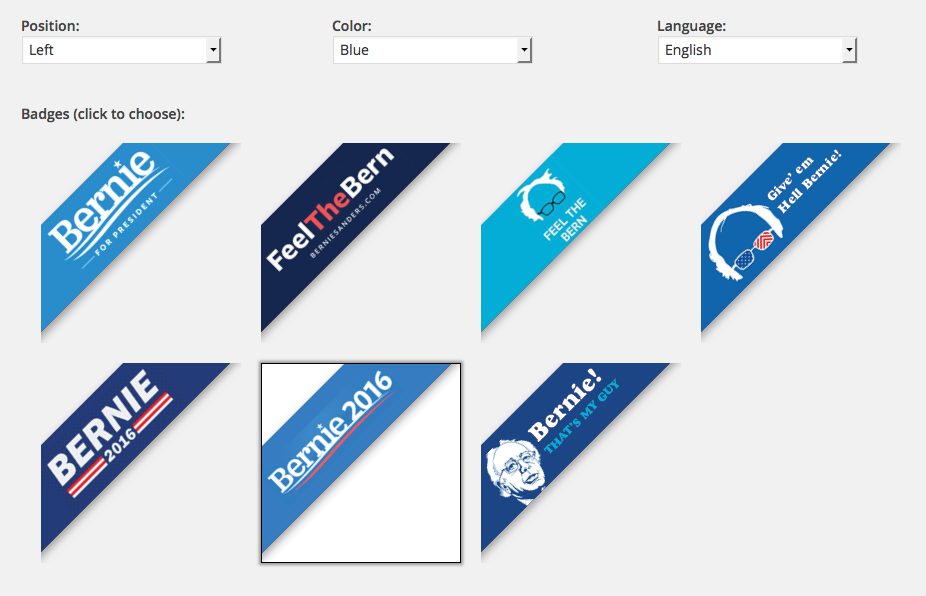
Many styles to choose from

Several colors to choose from
Faq
What are you feeling?
The bern, baby. I’m feelin’ the bern.
Do you offer badges in different languages?
Not yet. But if you speak another language and are willing to help translate them, please contact us!
Reviews
Awesome
By 
Thanks for making this.
An easy way to Feel the Bern
By 
Very simple and does exactly what it says it does.
Changelog
1.0.0
- Feel the Bern.
1.1.1
- Typo. Oops.
- Also I accidentally tagged my version wrong, so I’m jumping to 1.1.1 to get everything on the same page. Oops X 2.
1.1.2
- Fixed Andreah’s username so it shows up correctly on WP (I guess their usernames are case-sensitive?)
1.1.3
- Made the default badge go on the right side of the screen instead of the left
- Added a link to admin settings on the pop-up if user is logged in
- Added “Feel the Bern” to the title for better search placement
1.1.4
- Getting plugin ready for translation / localization (assuming that anyone wants to help translate!)
1.1.5
- Added an option to hide the badge on mobile