Bharti Store Tools for WooCommerce

Bharti Store Tools for WooCommerce
Description
AI agents are starting to shop on behalf of customers. Today they do it by guessing — reading your page like a screenshot and clicking blindly. They pick the wrong size, miss your filters, and abandon the cart.
Bharti Store Tools for WooCommerce fixes that. It uses the browser’s WebMCP API (document.modelContext) to hand agents a clear, structured list of what your store can do — built automatically from your own products, attributes, categories and cart.
No configuration. Activate it and your store is agent-ready.
What agents can do
- search_products — search your catalog by keyword, category, price and your own product options
- get_product_details — read one product’s full details and stock
- add_to_cart — add items, with correct variation matching for size/colour
- view_cart / remove_from_cart — manage the real WooCommerce cart
- get_store_policy — answer returns, shipping and warranty questions
- start_checkout — hand the customer a checkout link
Built from YOUR store
The plugin does not assume you sell shoes. It reads the product attributes you actually created — “Size” and “Colour” for apparel, “RAM” and “Storage” for electronics — and builds the agent’s options from those. One plugin, every kind of shop.
The customer stays in control
Agents can fill the cart, but they cannot place an order or pay. Checkout always ends with a human clicking through your normal WooCommerce checkout. Your payment flow, your rules, unchanged.
Works in every browser
WebMCP is new and not yet in every browser. The bundled polyfill means your tools are exposed correctly today, and switch to the native browser API automatically once it ships.
Third-party code
This plugin bundles one file written by others. The copyright notice stays inside the file itself.
assets/webmcp-compat.js— WebMCP compatibility layer, from https://github.com/GoogleChromeLabs/webmcp-tools
Copyright 2026 Google LLC, licensed under the Apache License 2.0 (https://www.apache.org/licenses/LICENSE-2.0).
Unmodified. Apache-2.0 is compatible with GPLv3, which the “GPLv2 or later” licence of this plugin covers.
Installation
- Install and activate WooCommerce.
- Upload this plugin and activate it.
- Done. Visit your shop page — tools are registered automatically.
To verify, install the Model Context Tool Inspector Chrome extension and open your shop page.
Screenshots
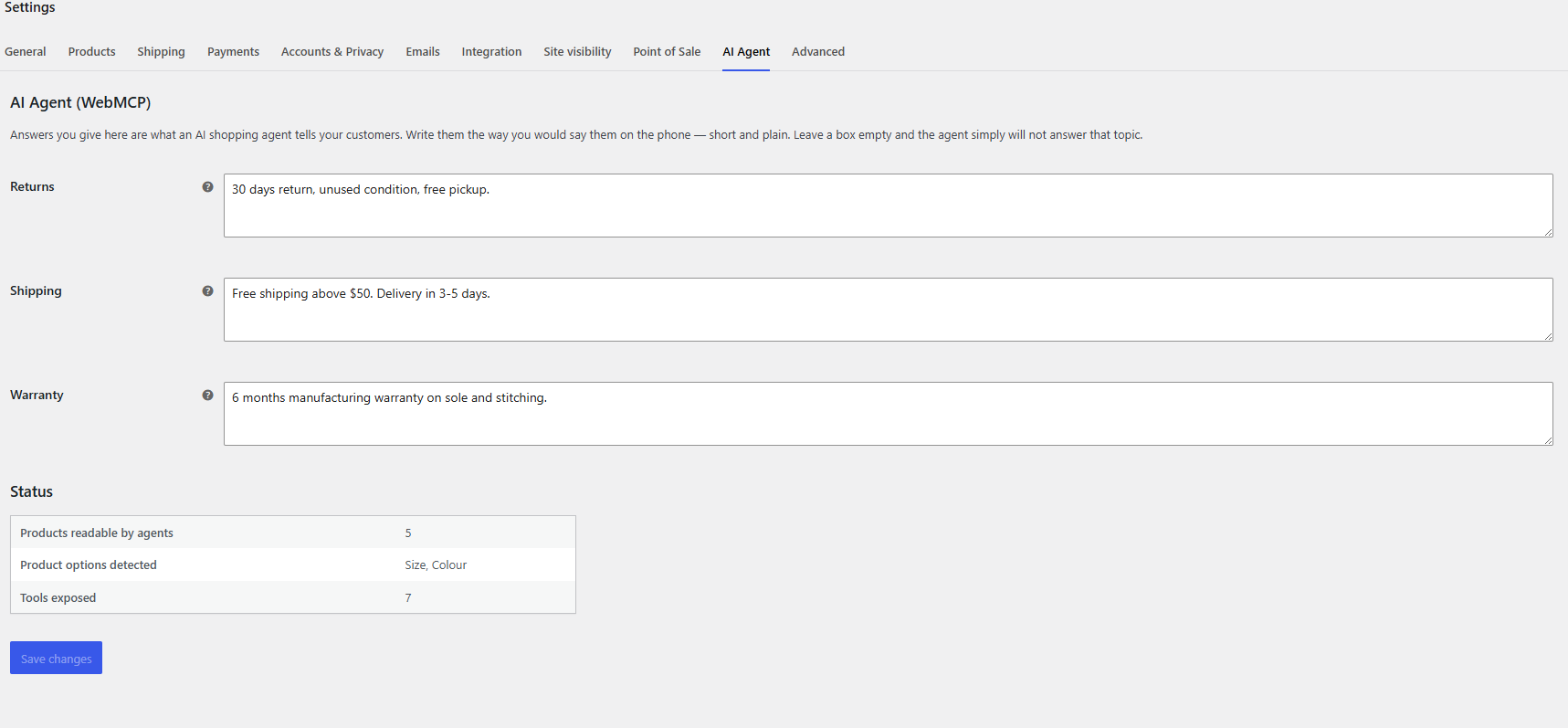
The settings screen: write your returns, shipping and warranty answers once, and agents use them. The status table confirms how many products and tools are live.

The owner-only agent preview on the shop page. Run any tool by hand to check the answer an AI agent would receive.

An AI agent filling a real cart from a plain sentence, using the tools this plugin generates.
Faq
No. The plugin reads what you already have.
No. Agents can only fill the cart. Payment requires a human at your normal checkout.
The catalog is cached for one hour and refreshed automatically when you edit a product. One small JavaScript file is loaded on shop pages only.
Yes, but agents will only see your 200 most recent products. The plugin keeps that list cached so large stores stay fast. Support for searching the full catalog directly is planned.
Reviews
Changelog
1.0.1
- Search now matches each word separately, across tags and product options.
- Product details are returned in the same readable shape as search results.
- Declared WooCommerce as a required plugin.
1.0.0
- First release. Seven auto-generated tools, variation matching, cart and checkout support.