Lord of the Files: Enhanced Upload Security

Lord of the Files: Enhanced Upload Security
Description
WordPress relies mostly on name-based validation when deciding whether or not to allow a particular file, leaving the door open for various kinds of attacks.
Lord of the Files adds to this content-based validation and sanitizing, making sure that files are what they say they are and safe for inclusion on your site.
The main features include:
- Robust real filetype detection;
- Full MIME alias mapping;
- SVG sanitization (if SVG uploads have been independently allowed);
- File upload validation debugger;
- Fixes issues related to #40175 that have been present since WordPress
4.7.1. - Fixes ambiguous media extensions #40921
Requirements
- WordPress 5.2 or later.
- PHP 7.4 or later.
domPHP extension.fileinfoPHP extension.mbstringPHP extension.xmlPHP extension.
Please note: it is not safe to run WordPress atop a version of PHP that has reached its End of Life. Future releases of this plugin might, out of necessity, drop support for old, unmaintained versions of PHP. To ensure you continue to receive plugin updates, bug fixes, and new features, just make sure PHP is kept up-to-date. 🙂
Privacy Policy
This plugin does not make use of or collect any “Personal Data”.
Installation
Nothing fancy! You can use the built-in installer on the Plugins page or extract and upload the blob-mimes folder to your plugins directory via FTP.
To install this plugin as Must-Use, download, extract, and upload the blob-mimes folder to your mu-plugins directory and follow the third example listed under Caveats; the main file for this plugin is blob-mimes/index.php.
Please note: MU Plugins are removed from the usual update-checking process, so you will need to handle all future updates manually.
Screenshots
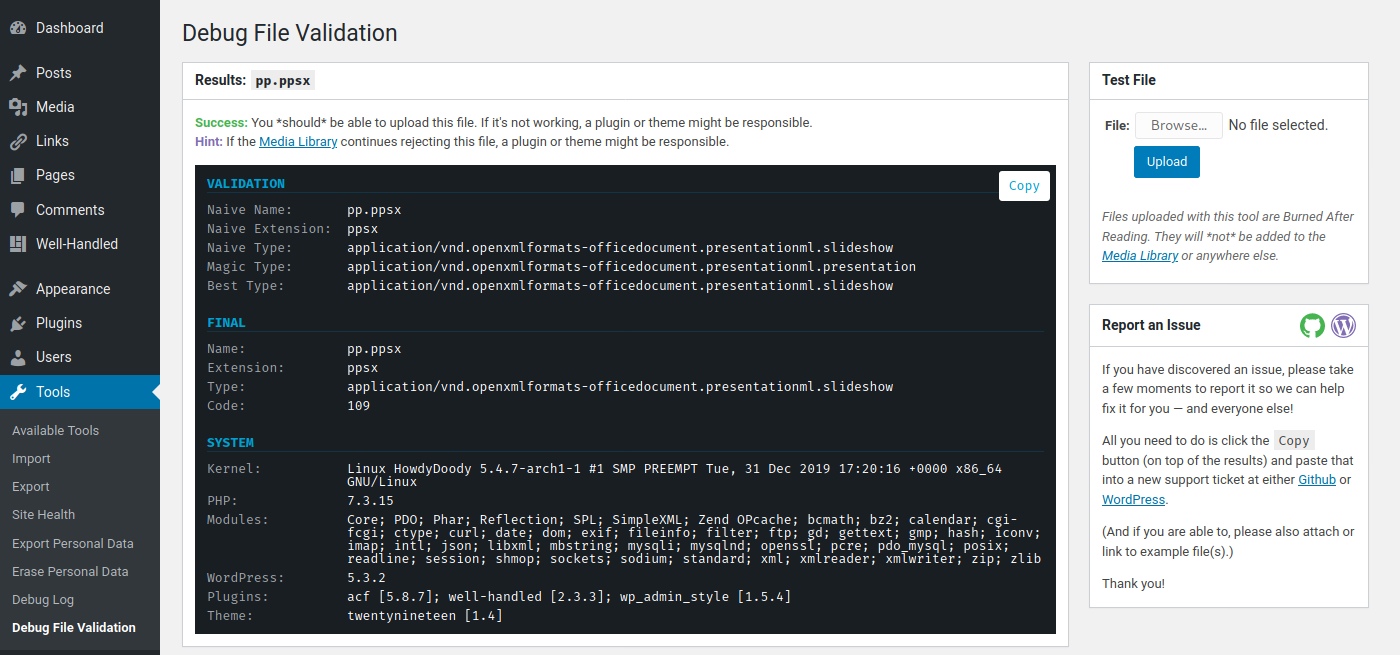
Example output from
Tools > Debug File Validation.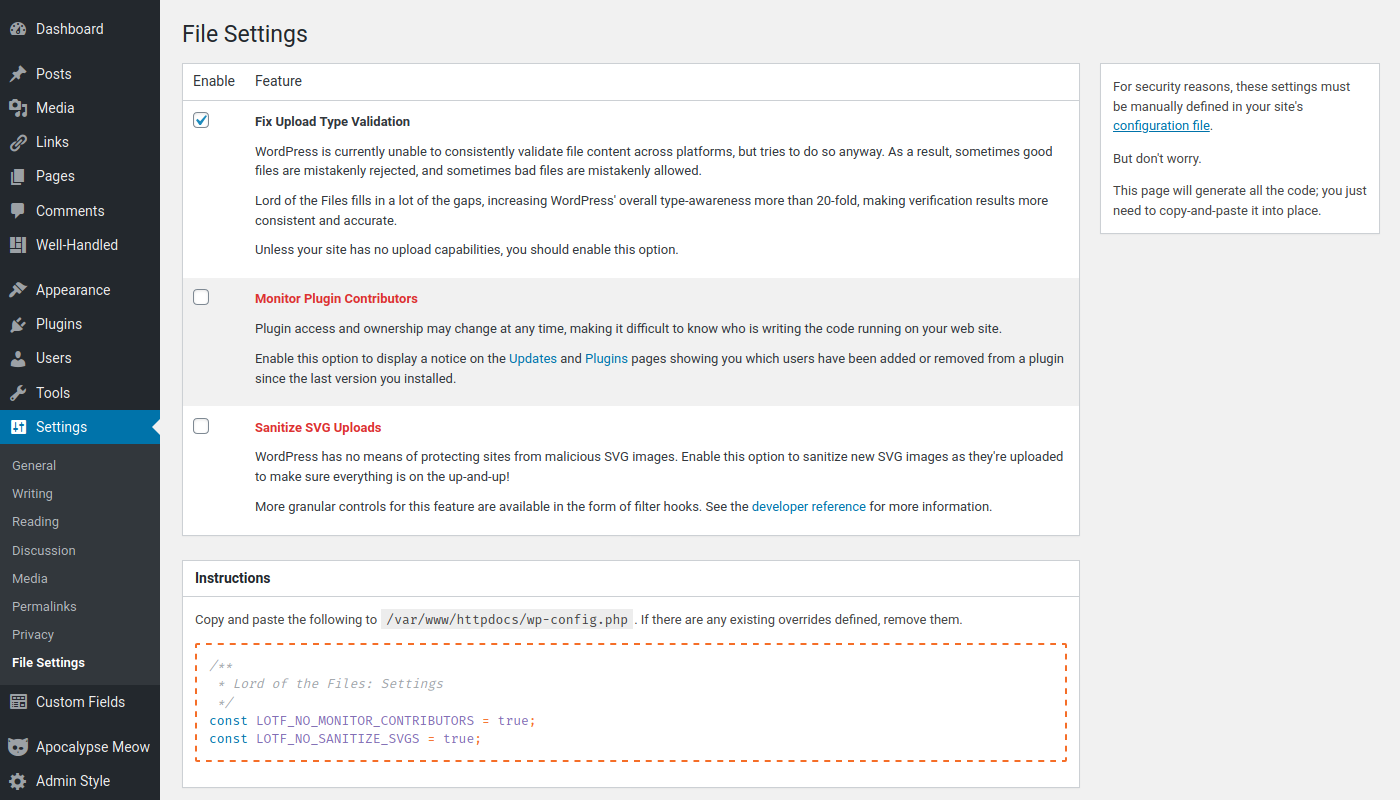
The plugin includes a settings wizard under
Settings > File Settings.
Faq
This plugin is intended to be an activate-and-forget sort of affair for most users. All features are enabled by default.
But if you’re a developer or system administrator, you might take a peek at Tools > File Validation Reference for a list of public filters you can hook into to change things up, and Settings > File Settings for global configuration overrides.
While this plugin extends MIME alias handling more than 20-fold(!), we are still busy tracking down all the edge cases.
Please go to Tools > Debug File Validation and post the output from that page into a new support ticket for this plugin.
We’ll gladly see if we can cook up a fix or workaround!
No. This plugin does not modify your site’s allowed upload types (see e.g. upload_mimes for that). However if SVGs are otherwise enabled for your site, this plugin will sanitize them at the upload stage to make sure they do not contain any dangerous exploits.
There are a number of SVG-related filters that can be used to modify the sanitization behavior. Take a look at Tools > File Validation Reference for more information.
If you find the filters too aggressive, add const LOTF_NO_SANITIZE_SVGS = true; to your wp-config.php to disable the extra sanitizing.
Reviews
Fixed Font Upload Issue
By 
This fixed an issue we were having where a valid font type wasn't uploading. Thank you.
Allows .ai file uploads now
By 
Fixed very fast
By 
Excellent for adding support to new image file formats
By 
I was skeptical at first
By 
Incredibly useful debug tool
By 
thanks!
By 
Works great network-activated on multisite
By 
Absolutely fabulous
By 
cool
By 
Changelog
1.4.2
- [Misc] Update MIME database.
1.4.1
- [Misc] Update MIME database.
1.4.0
- [Misc] Update MIME database.
1.3.21
- [Misc] Update MIME database.
1.3.20
- [Misc] Update MIME database.