BlockSpare – Gutenberg Blocks, AI Content Generator & Site Builder for news, magazine, blog and business sites

BlockSpare – Gutenberg Blocks, AI Content Generator & Site Builder for news, magazine, blog and business sites
Description
BlockSpare is a powerful Gutenberg blocks plugin built for publishers, bloggers, businesses, agencies, and content creators who want to build beautiful WordPress websites using the native Block Editor.
Whether you’re creating an online newspaper, digital magazine, personal blog, business website, corporate site, portfolio, landing page, or editorial publication, BlockSpare provides the blocks, templates, layouts, and publishing tools you need to build professional websites without relying on heavy page builders or writing custom code.
Trusted by 17,000+ WordPress users, BlockSpare includes 60+ Gutenberg blocks, 137+ starter templates, 270+ ready-made sections, and powerful tools for building content-rich websites—all designed to work naturally with the WordPress Block Editor.
With BlockSpare Pro, you can unlock AI-powered content generation, AI summarization, AI Key Q&A, AI model selection, an advanced Site Builder, Header & Footer Builder, premium starter sites, advanced post queries, dynamic content, smart visibility controls, AJAX post filters and Load More, breaking news tickers, advertisement blocks, and more.
Why Choose BlockSpare?
Unlike general-purpose block plugins, BlockSpare is designed specifically for content-rich websites, professional publishing, and flexible WordPress site building.
✅ Purpose-built for news, magazine, blog and editorial websites
✅ 60+ specialized Gutenberg blocks
✅ 100+ professionally designed starter templates
✅ 300+ ready-made sections
✅ Powerful post query and content filtering tools
✅ AI-powered content generation with multiple AI models
✅ AI summarization and Key Q&A tools
✅ AI connectors with configurable language and model settings
✅ Advanced Site Builder for managing website templates
✅ Header & Footer Builder
✅ Dynamic content and smart visibility controls
✅ AJAX post filters and Load More
✅ Breaking News Ticker and Advertisement Blocks
✅ Native Gutenberg experience
✅ No shortcode lock-in
✅ Works with modern WordPress themes
✅ Built by the creators of popular AF Themes
Build Almost Any Type of Website
BlockSpare makes it easy to create professional layouts for:
👉 Agencies
Everything You Need to Build Faster
BlockSpare brings together powerful Gutenberg blocks, AI-powered content tools, a flexible Site Builder, professionally designed starter sites, and reusable sections to help you build and publish WordPress websites faster.
AI-Powered Content Tools
Create, improve, and understand your content with AI directly inside WordPress.
✓ AI Content Generation
✓ AI Content Summarization
✓ AI Key Questions & Answers
✓ Multiple AI Model Support
✓ Custom AI Generation Prompts
✓ Multiple Language Support
Use your connected AI providers and preferred models to generate content, summarize posts, and discover useful questions and answers.
Advanced Site Builder
Build and customize your website using the native WordPress Site Editor with flexible template controls.
✓ All Templates
✓ Header Templates
✓ Footer Templates
✓ Front Page Templates
✓ Singular Templates
✓ Archive Templates
✓ Search Results Templates
✓ Category Templates
✓ Author Templates
✓ Tag Templates
✓ Date Archive Templates
✓ 404 Page Templates
Create and manage templates for different parts of your website without relying on heavy page builders or custom code.
Professional Publishing Blocks
Create engaging news, magazine, blog, and editorial layouts using:
✓ Hero Banners
✓ Breaking News Tickers
✓ Trending Posts
✓ Post Grids
✓ Post Sliders
✓ Post Carousels
✓ Post Lists
✓ Express Lists
✓ Masonry Layouts
✓ Timeline Layouts
✓ Featured Categories
✓ Large Featured Sections
Perfect for online newspapers, digital magazines, blogs, editorial websites, and other content-rich publications.
Business & Utility Blocks
Build professional business pages and content sections with:
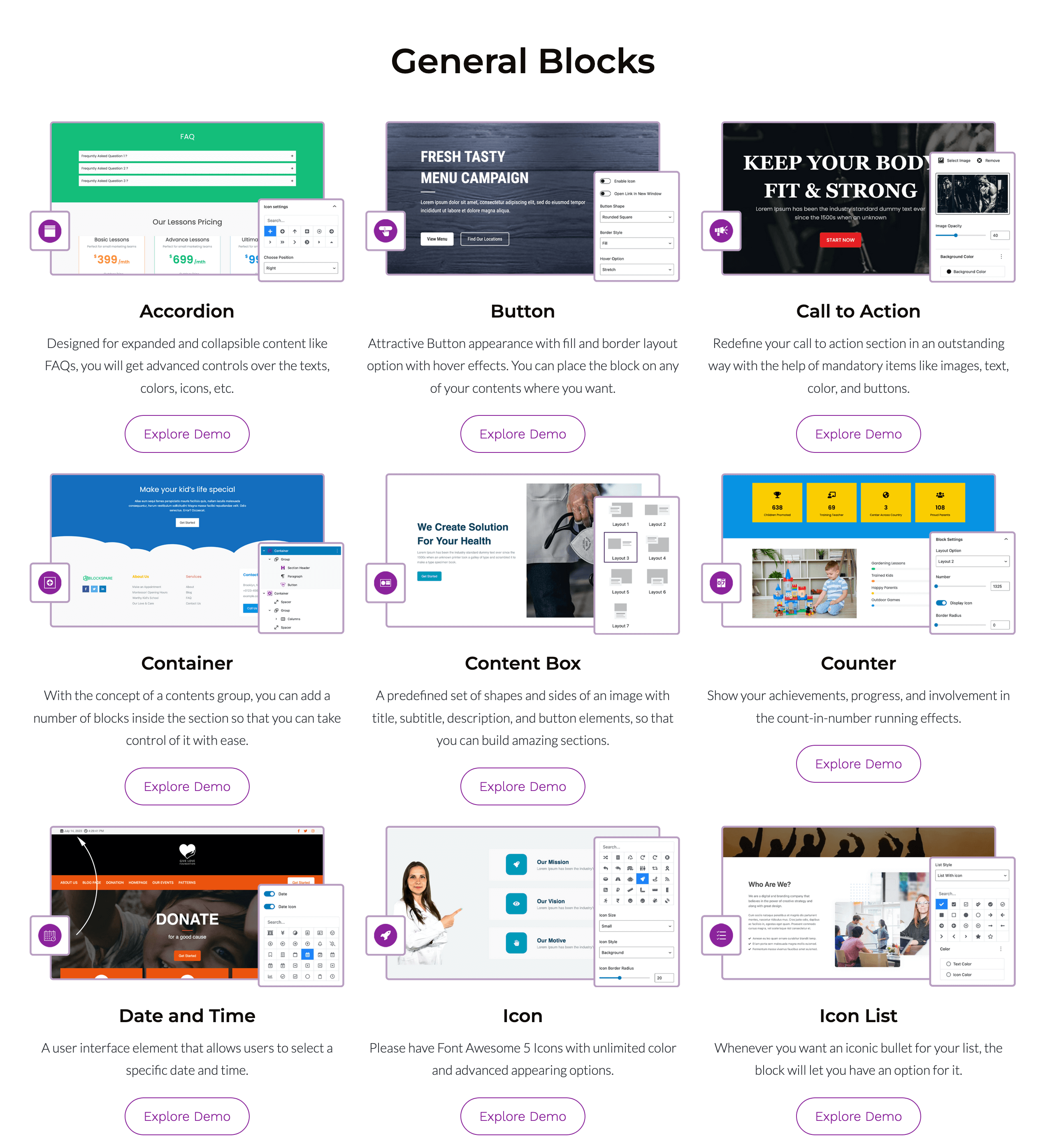
✓ Containers
✓ Section Headers
✓ Content Boxes
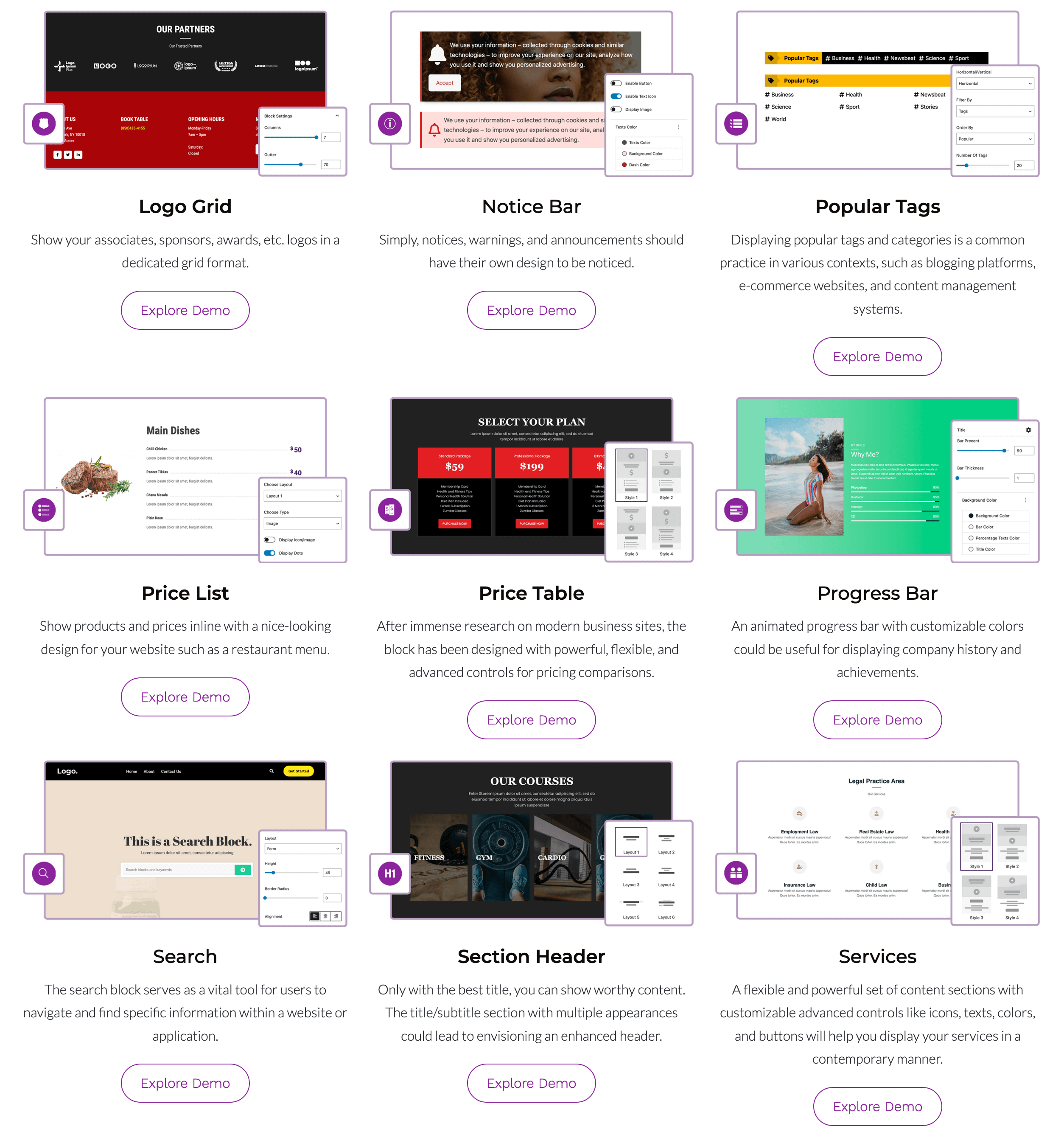
✓ Pricing Tables
✓ Price Lists
✓ Call to Action
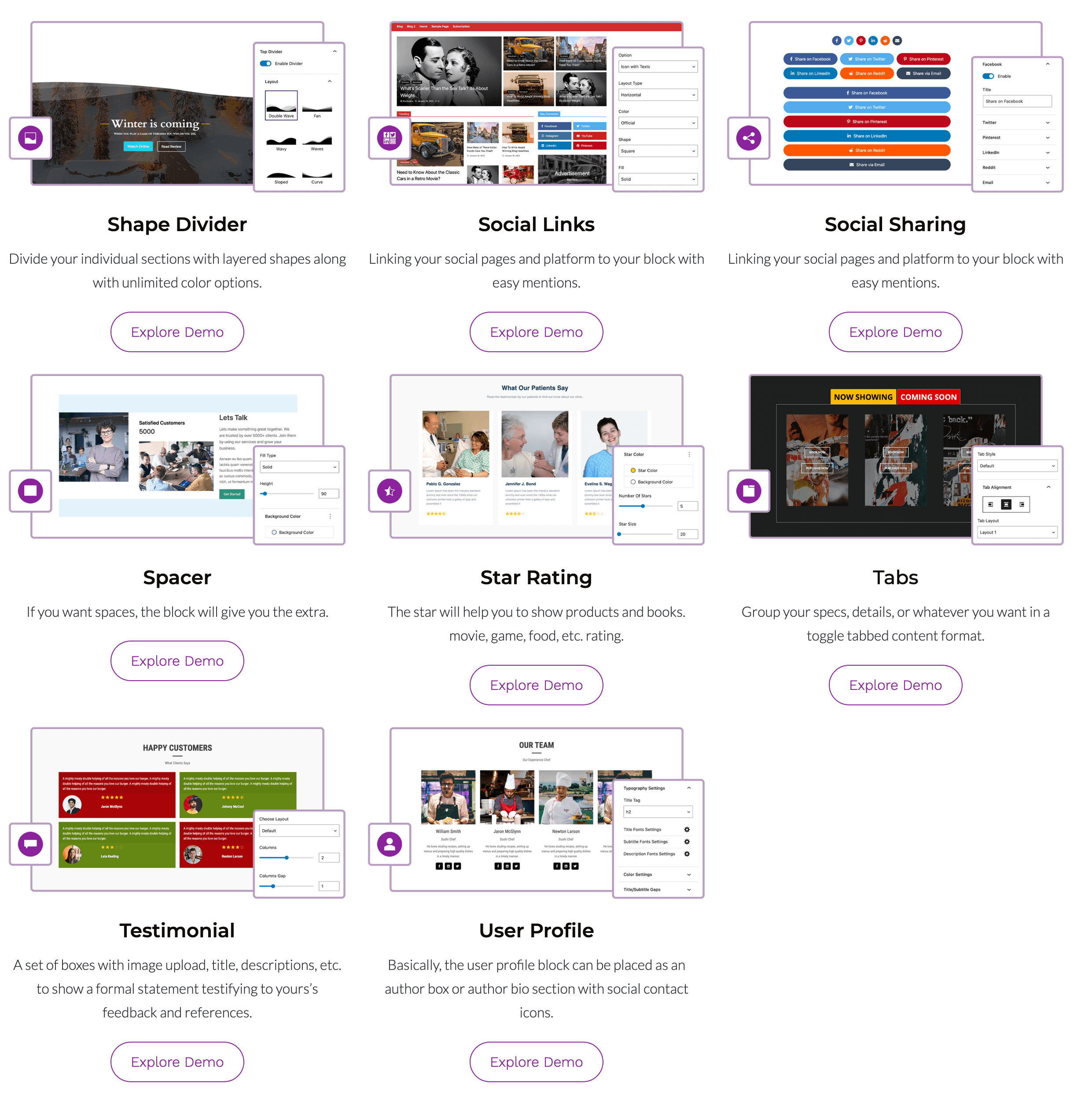
✓ Testimonials
✓ Services
✓ Buttons
✓ Icon Lists
✓ Counters
✓ Progress Bars
✓ Accordions
✓ Tabs
✓ Notice Bars
✓ Author Profiles
Create everything from business pages and landing pages to service sections, pricing pages, and calls to action.
Image & Media Blocks
Showcase images and visual content with:
✓ Image Slider
✓ Image Carousel
✓ Masonry Gallery
✓ Logo Showcase
✓ Responsive Media Layouts
Create attractive visual sections while keeping your layouts responsive across devices.
Flexible Design Controls
Customize your blocks and layouts with powerful design options including:
👉 Typography & Fonts
👉 Colors & Backgrounds
👉 Animations & Transitions
👉 Spacing & Layout
👉 Borders & Shadows
👉 Responsive Visibility
👉 Hover Effects
👉 Device Controls
Professional Starter Sites
Start faster with over 137 professionally designed starter templates and 270+ reusable sections.
Import complete websites or individual layouts in just a few clicks.
Build websites faster using:
👉 Homepages
👉 Landing Pages
👉 About Pages
👉 Contact Pages
👉 Business Websites
👉 Magazine Layouts
👉 Blog Pages
👉 Editorial Sections
👉 Header & Footer Designs
👉 Reusable Content Sections
Simply import, customize, and publish.
Powerful Post Query Builder
Create flexible content layouts using the powerful post query builder.
Display and organize posts by:
👉 Categories
👉 Tags
👉 Authors
👉 Date
👉 Modified Date
👉 Popular Posts
👉 Featured Posts
👉 Custom Ordering
👉 Random Posts
👉 Include & Exclude Posts
Choose from multiple layouts and control which content appears on your pages.
Dynamic Content & Visibility
Create flexible content experiences with dynamic blocks and display controls.
Use dynamic content to:
👉 Display custom content and fields
👉 Create dynamic buttons and labels
👉 Build dynamic section headings
👉 Customize content based on your data
Control block visibility based on:
👉 User Role
👉 Device
👉 Date Range
👉 Display Conditions
Create more flexible layouts that show the right content to the right visitors.
Built for Performance
BlockSpare is designed to work naturally with the WordPress Block Editor without unnecessary complexity.
Features include:
✓ Native Gutenberg blocks
✓ Lightweight frontend output
✓ Responsive layouts
✓ Clean HTML markup
✓ Optimized CSS
✓ Lazy loading compatible
✓ SEO-friendly structure
✓ Accessibility improvements
✓ Translation ready
✓ RTL support
✓ Developer friendly
✓ Compatible with caching plugins
Why Publishers Love BlockSpare
Whether you’re launching your first blog, building a business website, or managing a large online publication, BlockSpare gives you the tools to build and publish faster with Gutenberg.
Create content with AI, build complete websites with the Site Builder, start from professionally designed templates, and create engaging news, magazine, blog, and business layouts with flexible Gutenberg blocks.
From breaking news homepages and featured stories to business websites and landing pages, BlockSpare is designed to work seamlessly with the WordPress Block Editor.
Why Publishers Love BlockSpare
Whether you’re launching your first blog or managing a large online publication, BlockSpare helps you build faster with professional layouts that are optimized for readability, engagement, and performance.
From breaking news homepages and featured stories to business websites and landing pages, everything is designed to work seamlessly with the WordPress Block Editor.
Unlock More with BlockSpare Pro
Upgrade to BlockSpare Pro to unlock AI-powered content tools, advanced Site Builder features, premium starter sites, powerful publishing tools, dynamic content controls, and advanced design options for professional WordPress websites.
AI-Powered Content Tools
Create, improve, and understand your content directly inside WordPress with integrated AI tools.
✅ AI Content Generation
✅ AI Content Generation Blocks
✅ AI Summarization
✅ AI Key Q&A
✅ Multiple AI Model Selection
✅ AI Connector Support
✅ Configurable Default Language
Use your preferred AI provider and model to generate content, summarize posts, and identify useful questions and answers from your content.
Advanced Site Builder
Build and manage templates for different parts of your website with the BlockSpare Site Builder.
✅ All Templates
✅ 404 Page
✅ Header
✅ Footer
✅ Front Page
✅ Singular
✅ Archive
✅ Search Results
✅ Category
✅ Author
✅ Tag
✅ Date Archive
Create and customize website templates using Gutenberg without relying on heavy page builders or custom code.
Premium Starter Sites
Start your website with professionally designed complete websites and ready-made layouts.
✅ 137+ Starter Templates
✅ Complete Website Designs
✅ News & Magazine Websites
✅ Blog Websites
✅ Business Websites
✅ Corporate Websites
✅ Agency Websites
✅ Landing Pages
✅ Portfolio Websites
✅ Reusable Sections
Import a complete starter site or individual sections, then customize everything with Gutenberg.
Advanced Publishing Tools
Build powerful news, magazine, blog, and editorial layouts with advanced content tools.
✅ Premium News & Magazine Blocks
✅ Advanced Post Queries
✅ AJAX Post Filters
✅ AJAX Load More
✅ Advanced Ordering
✅ Author Queries
✅ Taxonomy Queries
✅ Include & Exclude Posts
✅ Breaking News Ticker
✅ Advertisement Blocks
Create flexible content layouts and control exactly which posts and content appear on your pages.
Dynamic Content & Visibility
Create more flexible and personalized layouts using dynamic content and display controls.
✅ Dynamic Content Blocks
✅ Custom Fields
✅ ACF Integration
✅ Dynamic Buttons & Labels
✅ Dynamic Section Content
✅ User Role Visibility
✅ Device Visibility
✅ Scheduled Visibility
✅ Conditional Display
Show the right content in the right place based on your content, visitors, devices, and display conditions.
Advanced Design Controls
Get more control over the appearance and behavior of your Gutenberg layouts.
✅ Premium Block Controls
✅ Advanced Typography
✅ Advanced Container Settings
✅ Responsive Controls
✅ Block Animations
✅ Block Hover Effects
✅ Image Hover Effects
✅ Additional Layout Options
Create polished, responsive layouts with flexible controls directly in the WordPress Block Editor.
Premium Experience
Get more from BlockSpare with ongoing product improvements and dedicated support.
✅ Priority Support
✅ Regular Feature Updates
How BlockSpare Pro Works
Build your website your way with Gutenberg.
-
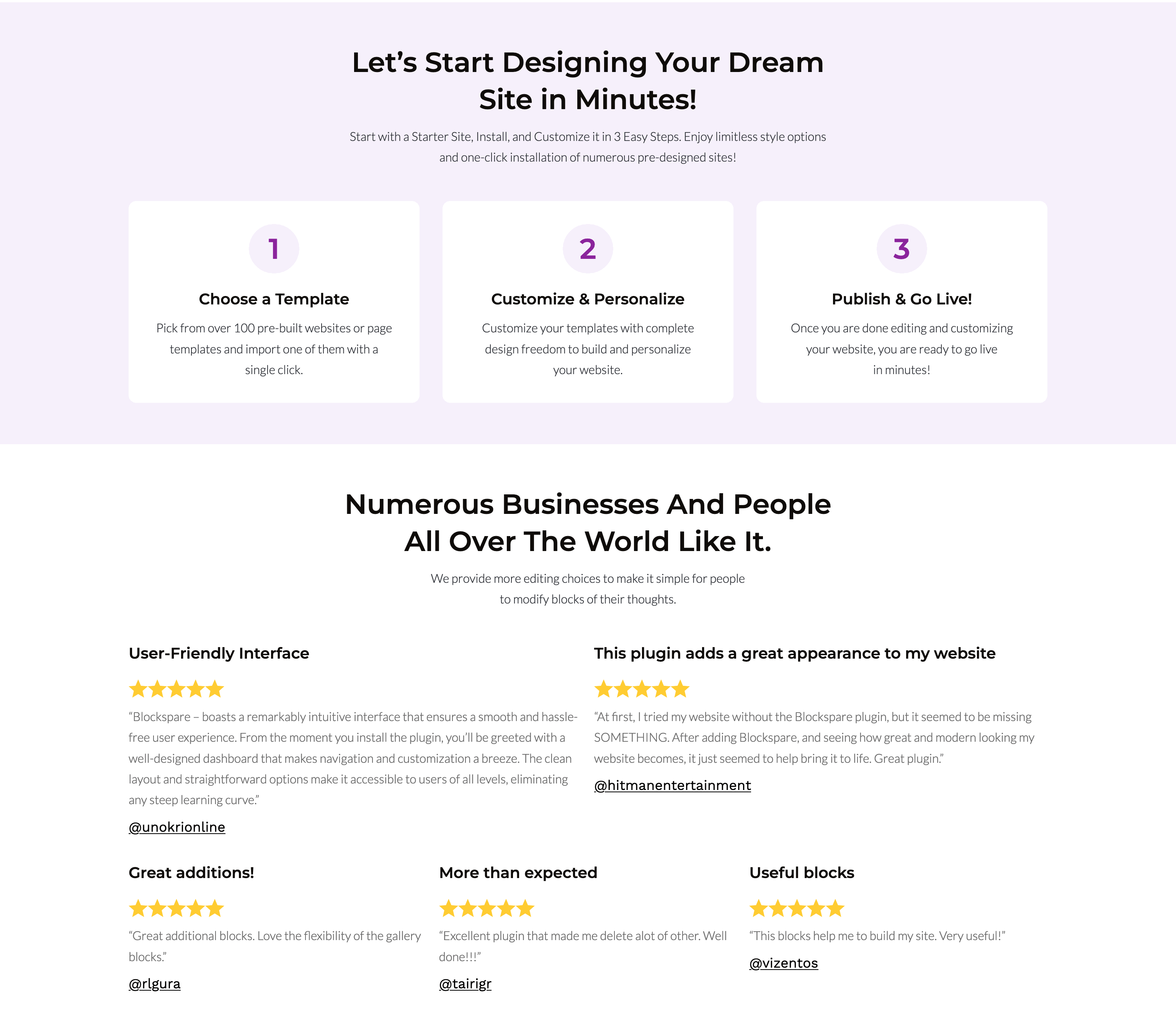
Start with AI, a starter site, template, or block and choose the tools you need.
-
Build and customize your website using the Site Builder, Gutenberg blocks, dynamic content, and advanced design controls.
-
Create, refine, and publish content using AI-powered tools and advanced publishing features.
Recommended Themes
BlockSpare works with all modern WordPress themes and has been tested with:
✓ NewSpare
✓ CoverNews
✓ ChromeNews
✓ MoreNews
✓ ReviewNews
✓ Newsphere
✓ Twenty Twenty-Five
✓ Astra
✓ Ocean WP
✓ Blocksy
✓ Kadence
✓ Generatepress
✓ Neve
✓ And all themes from AF Themes
Other Plugins by AF themes
If you find BlockSpare useful, you may also like:
TemplateSpare: 1000+ starter templates and full site import/export solution.
EleSpare: News, magazine, and blog addons for Elementor.
WP Post Author: Author box, co-authors, and guest author management.
AF Companion: Starter Sites, Speed Booster & Growth Suite for Professional Publishing.
AF Translate: AI Translation Editor, PO Editor & POT Generator for WordPress.
Installation
- Install the plugin via the WordPress plugin installer or upload the
blocksparefolder to/wp-content/plugins/. - Activate BlockSpare from the Plugins menu.
- Open the Gutenberg editor on any page/post.
- Use the BlockSpare blocks (in the block inserter) or open the Patterns Library/design library from the plugin panel.
- Import a starter template or insert blocks, then customize.
Screenshots
Editor view — BlockSpare blocks in Gutenberg.
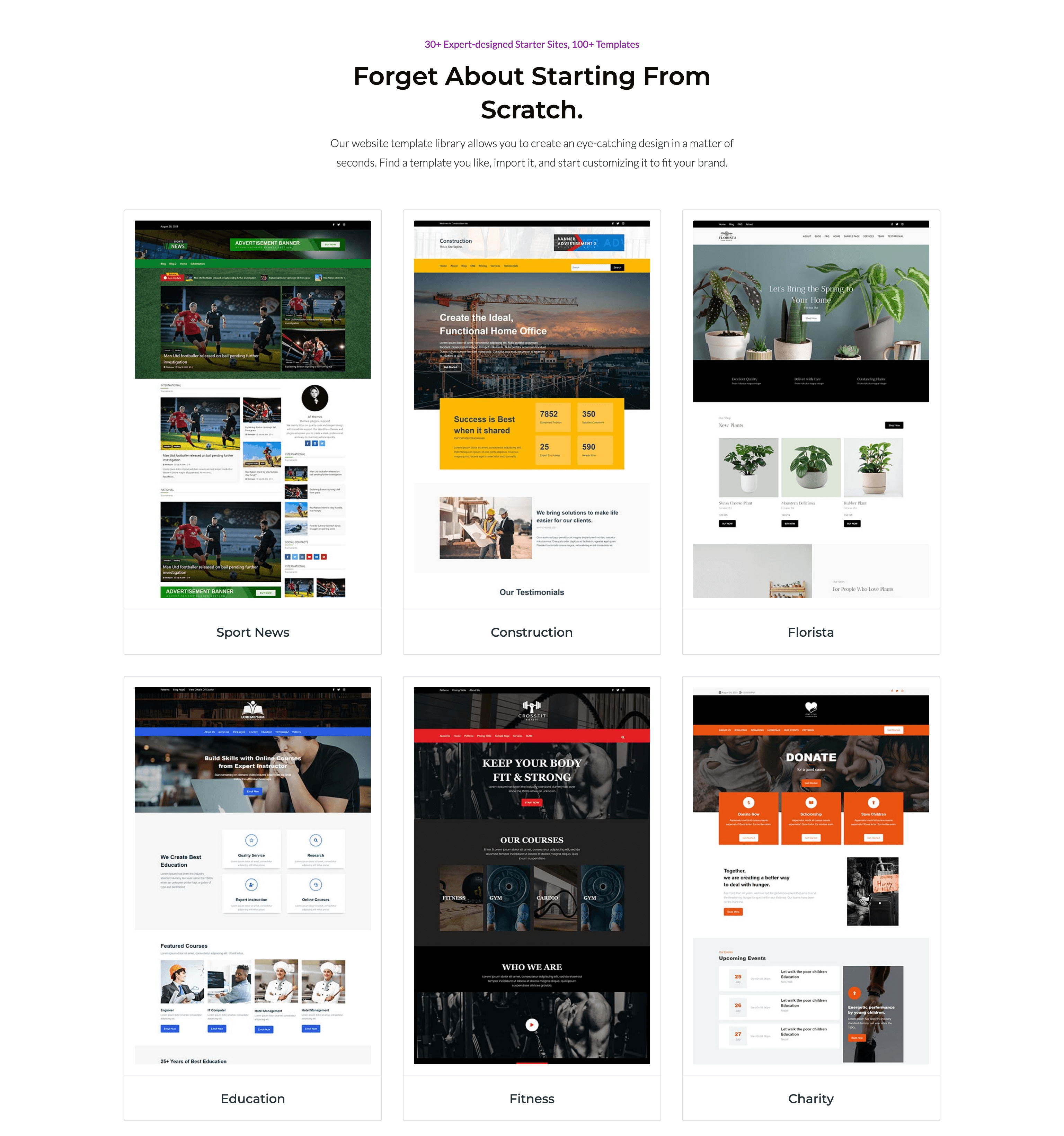
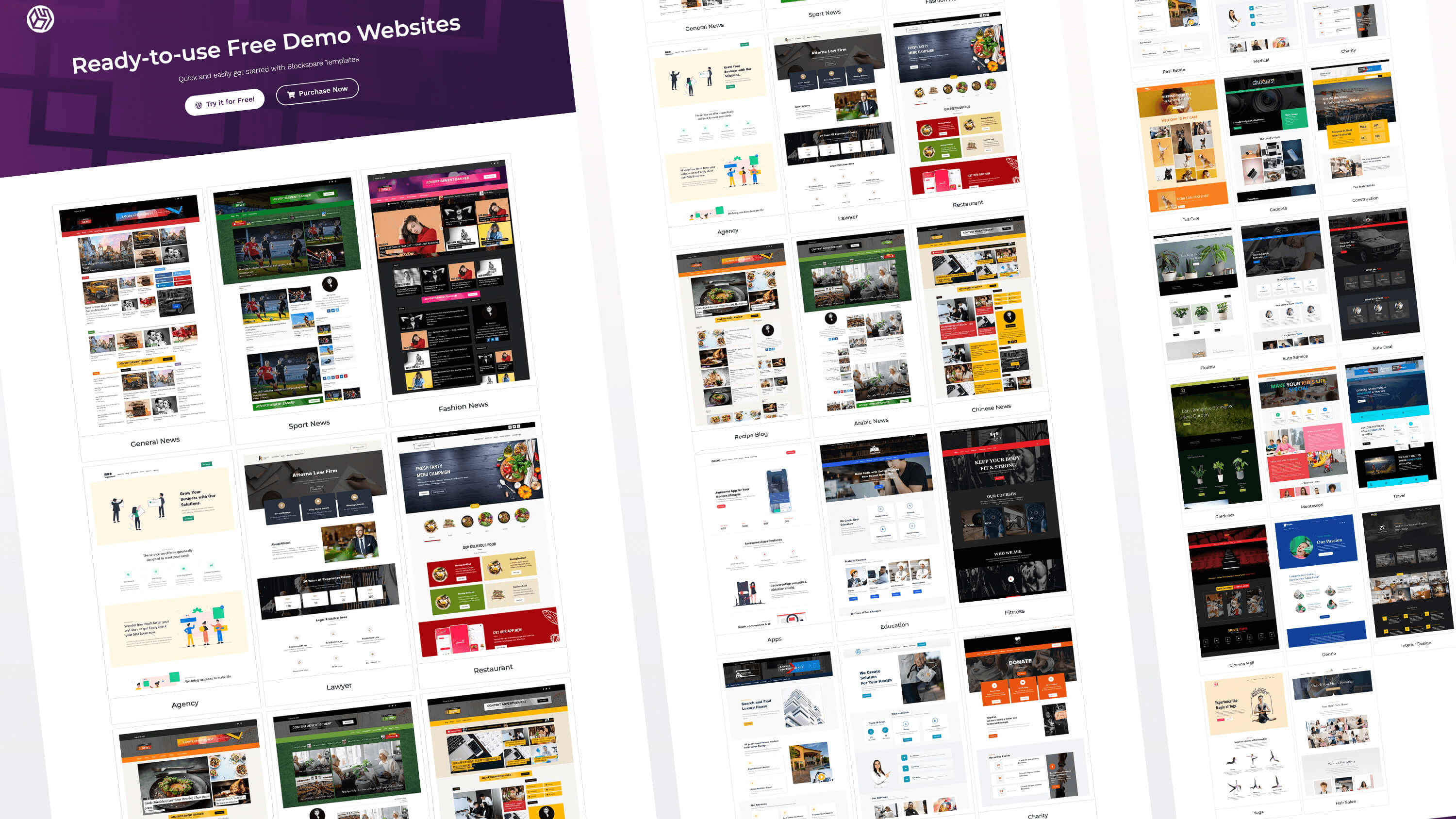
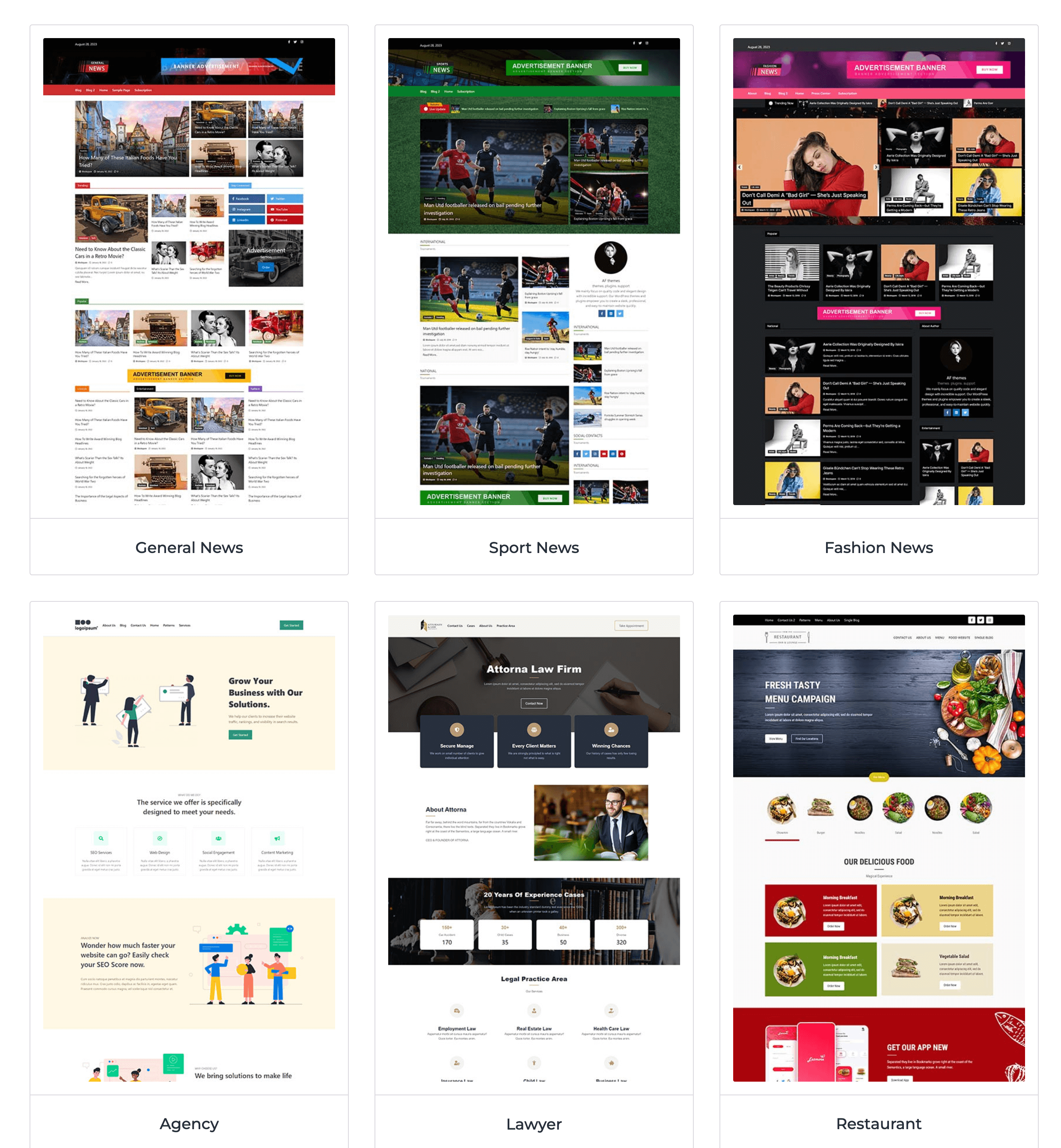
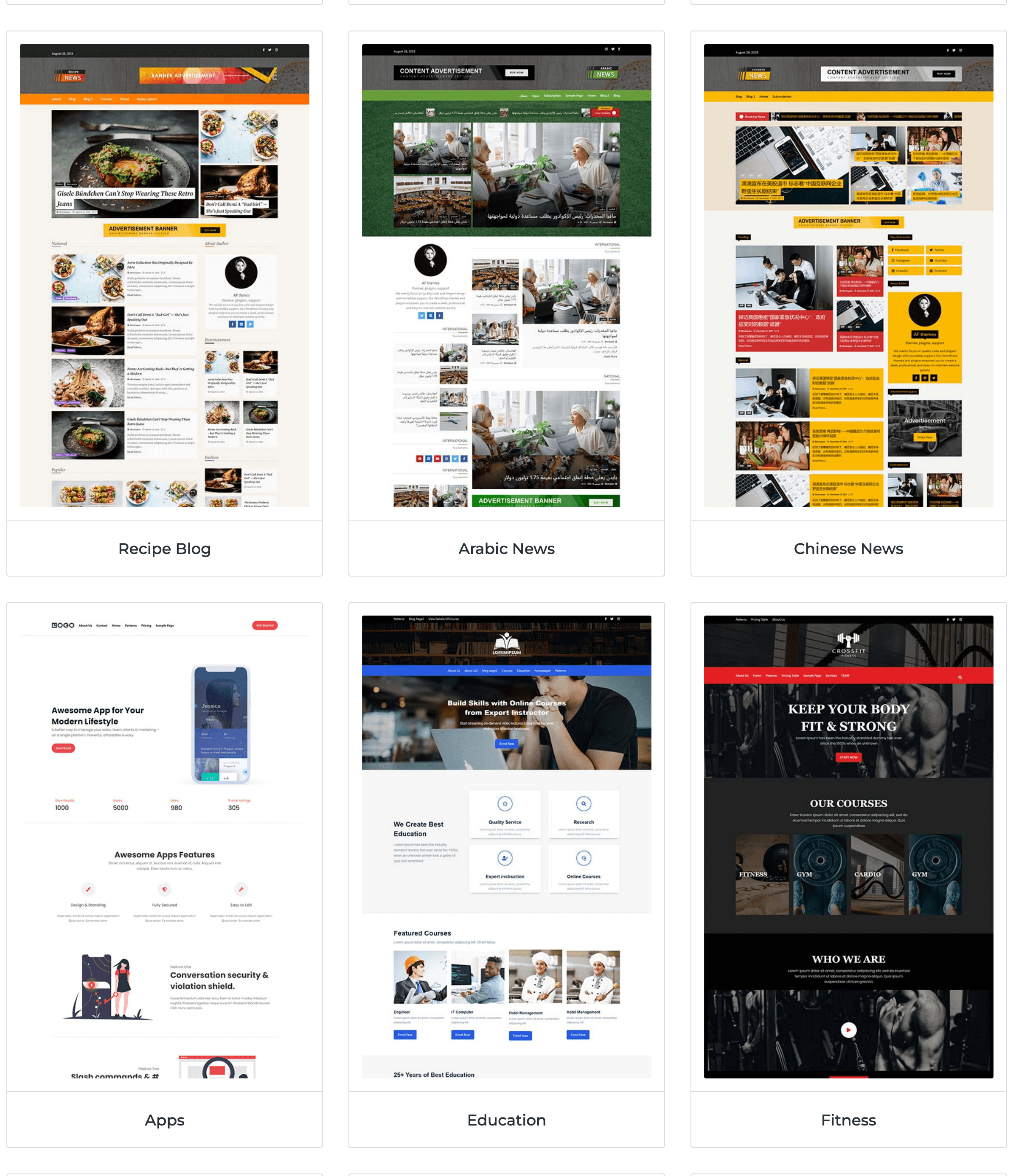
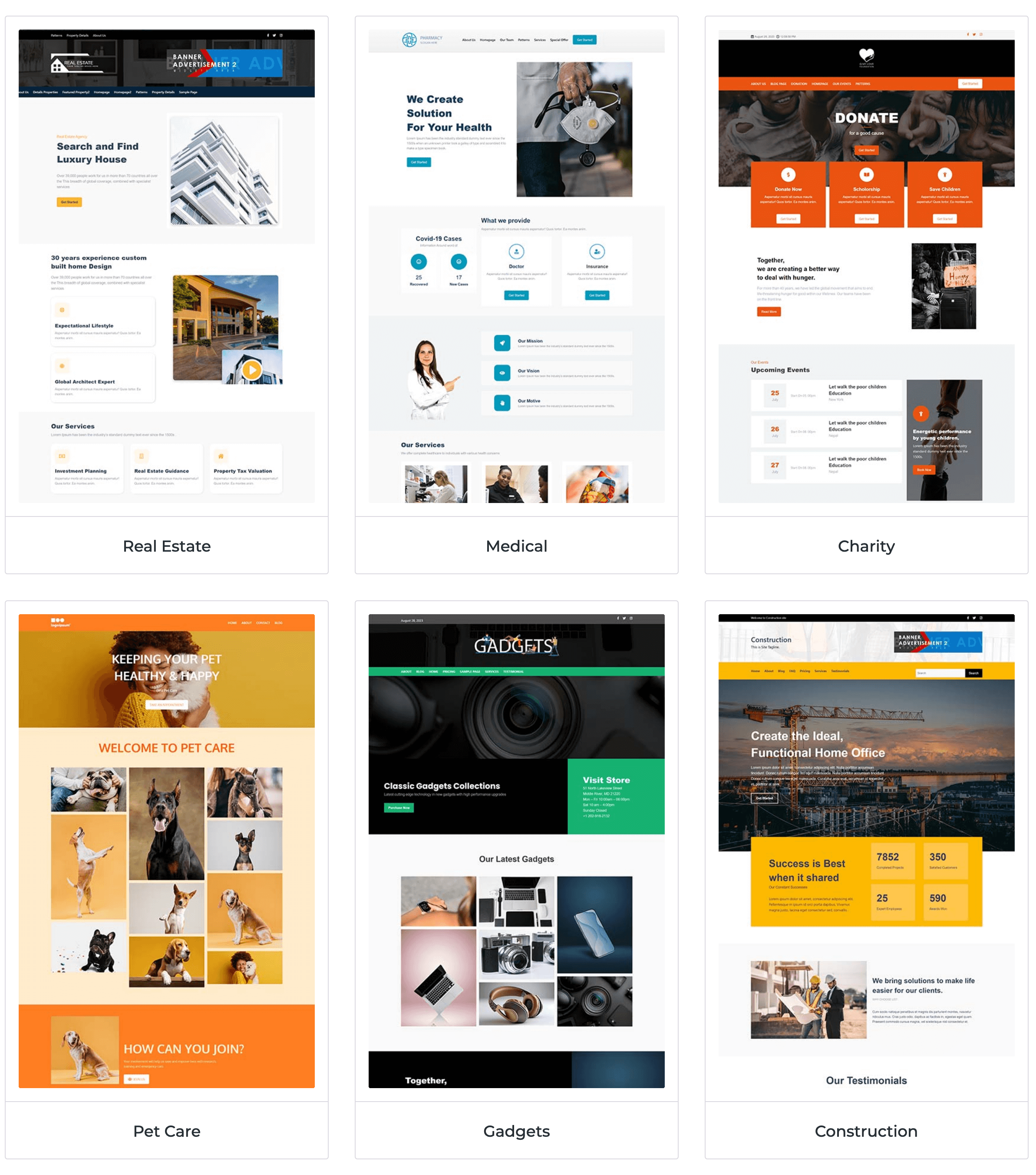
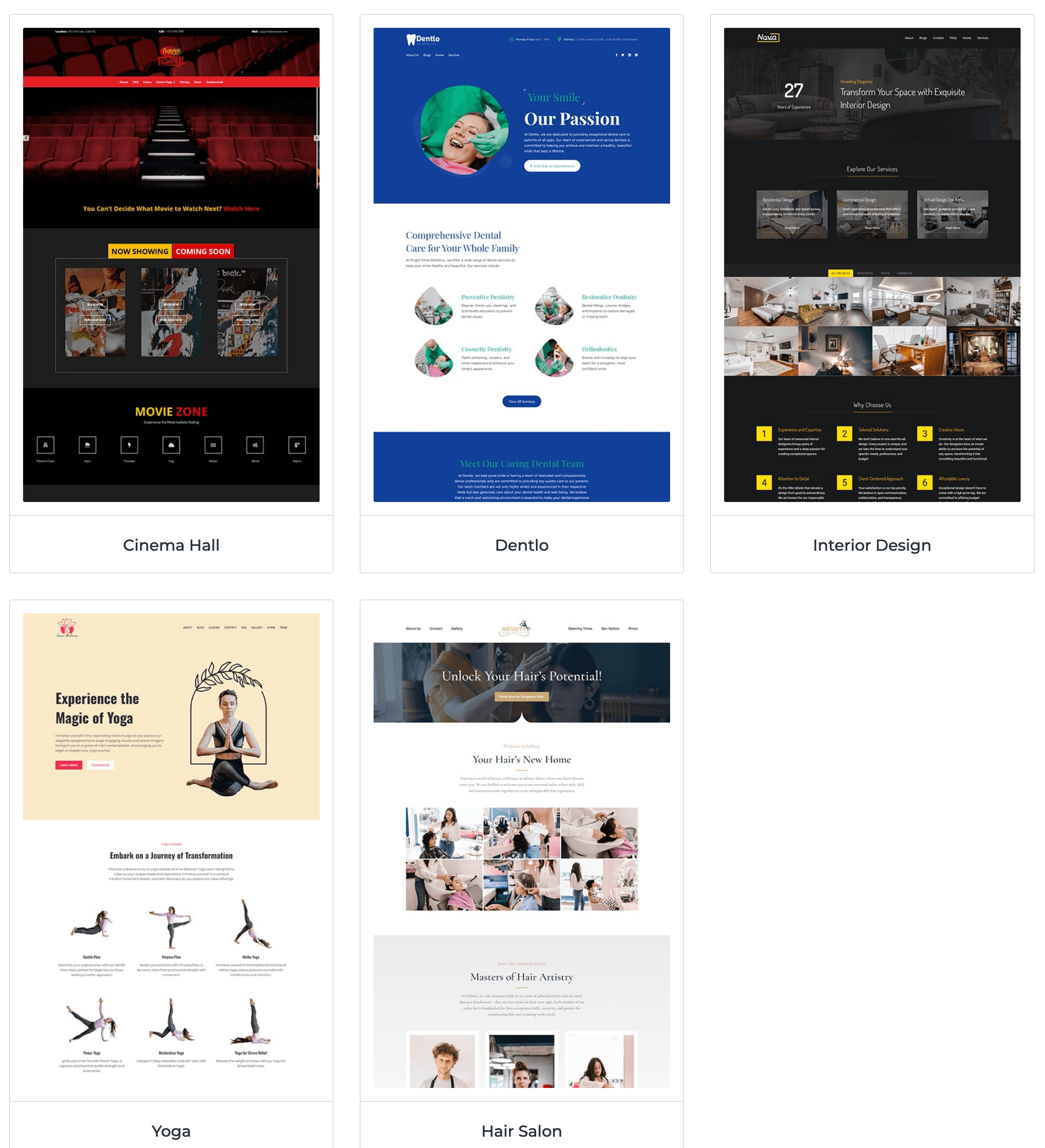
Starter templates gallery .
Sample homepage imported from a template.
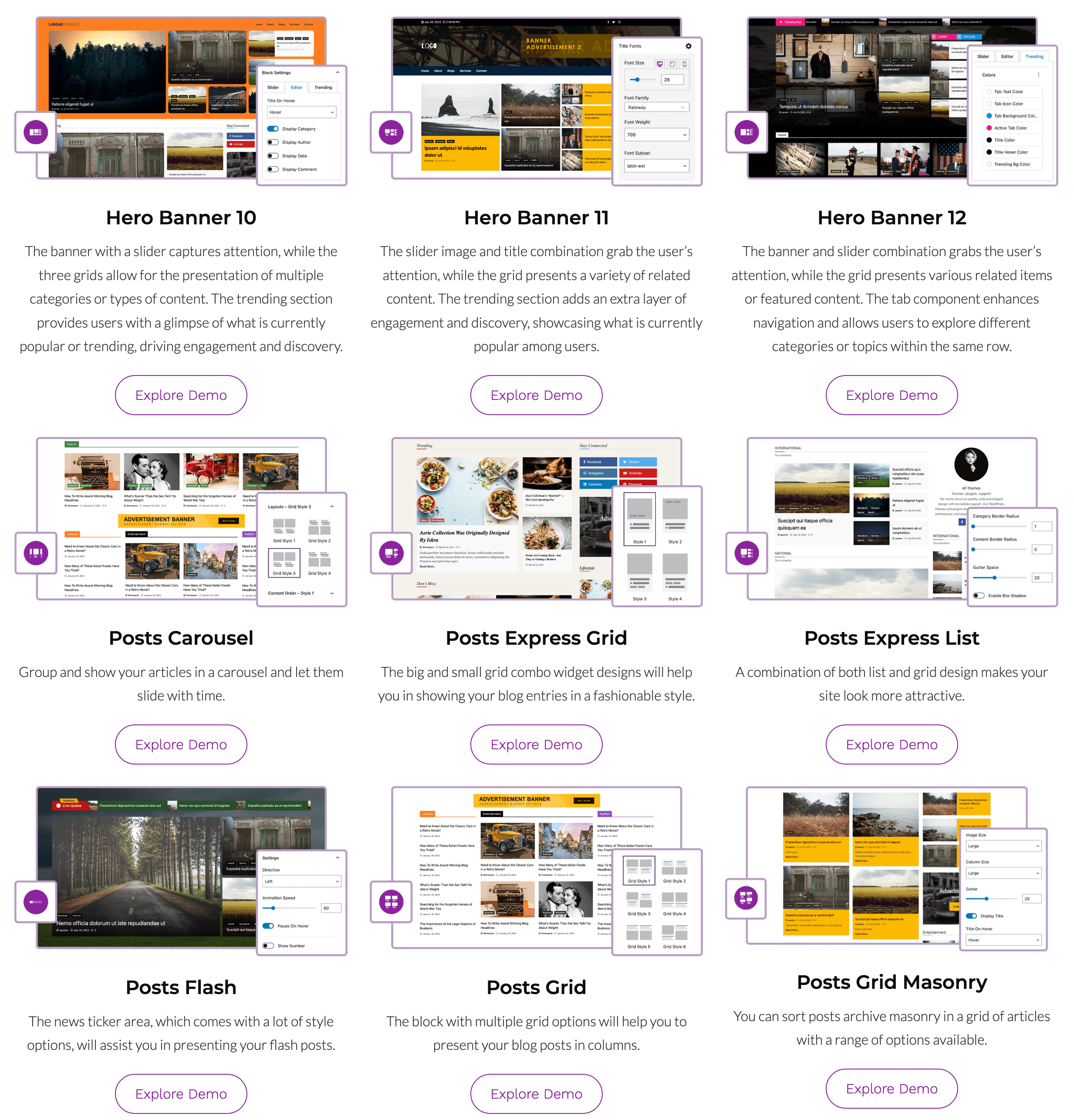
Post Grid and Post Slider examples.
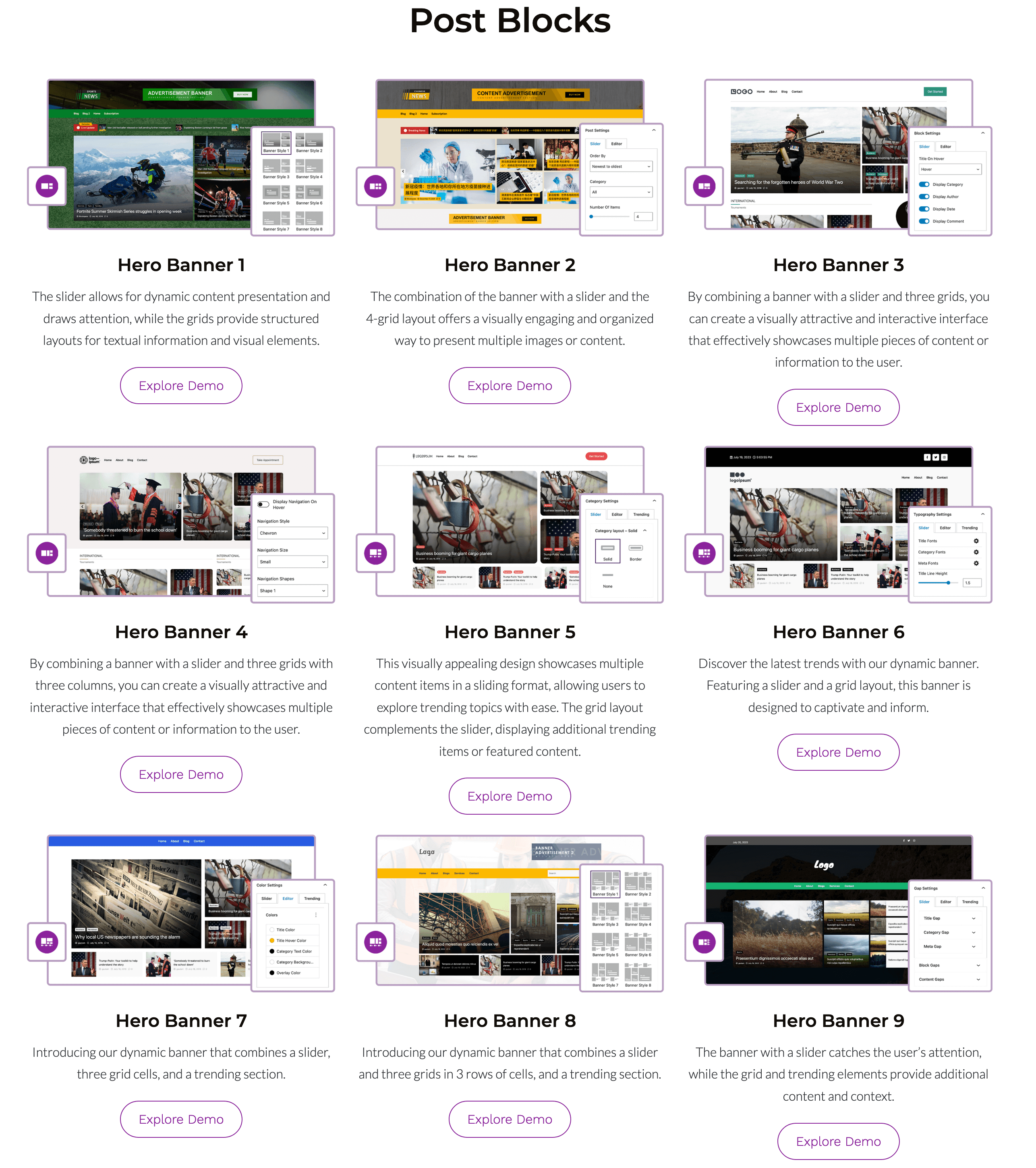
Hero Banner + Trending section.
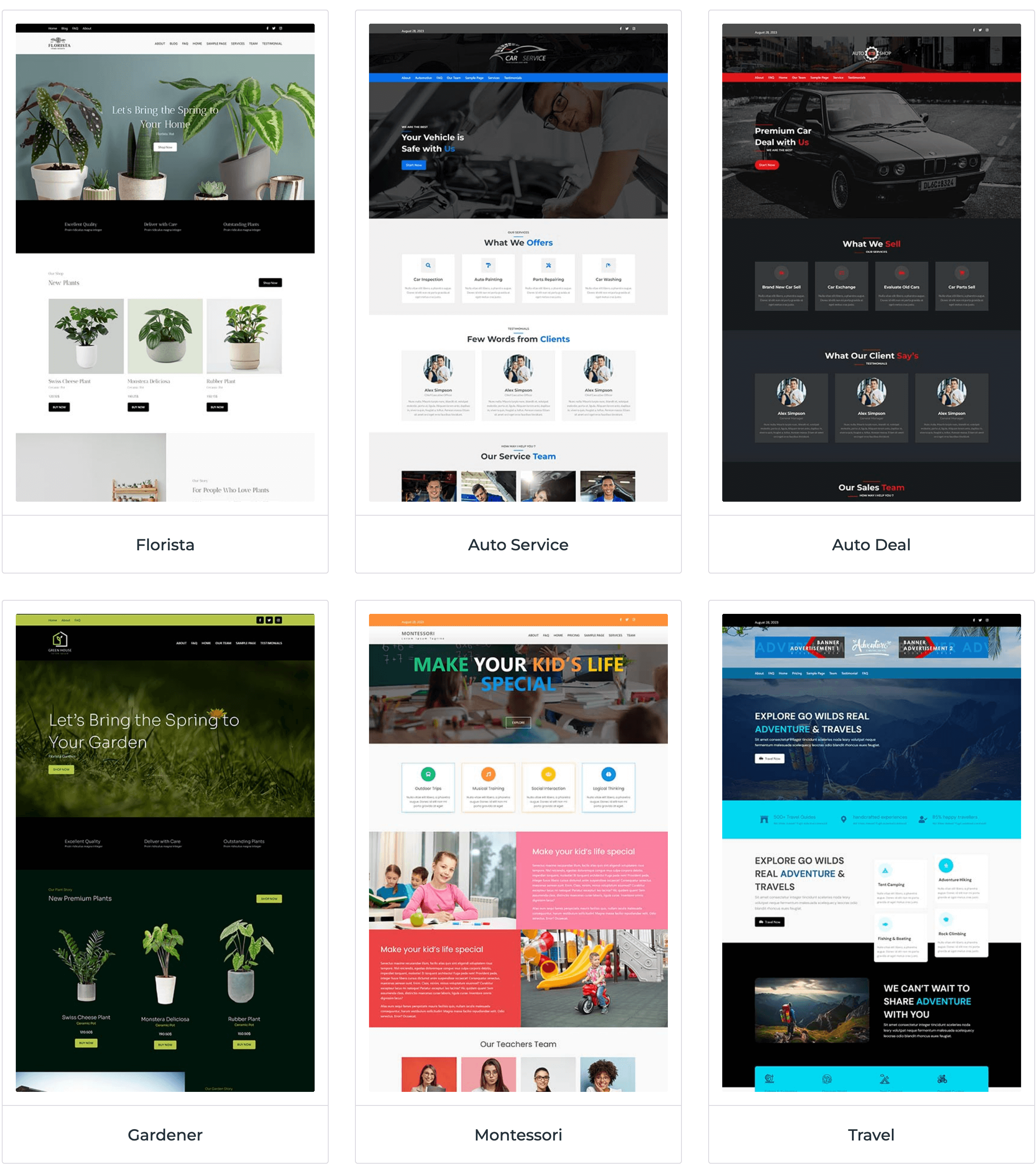
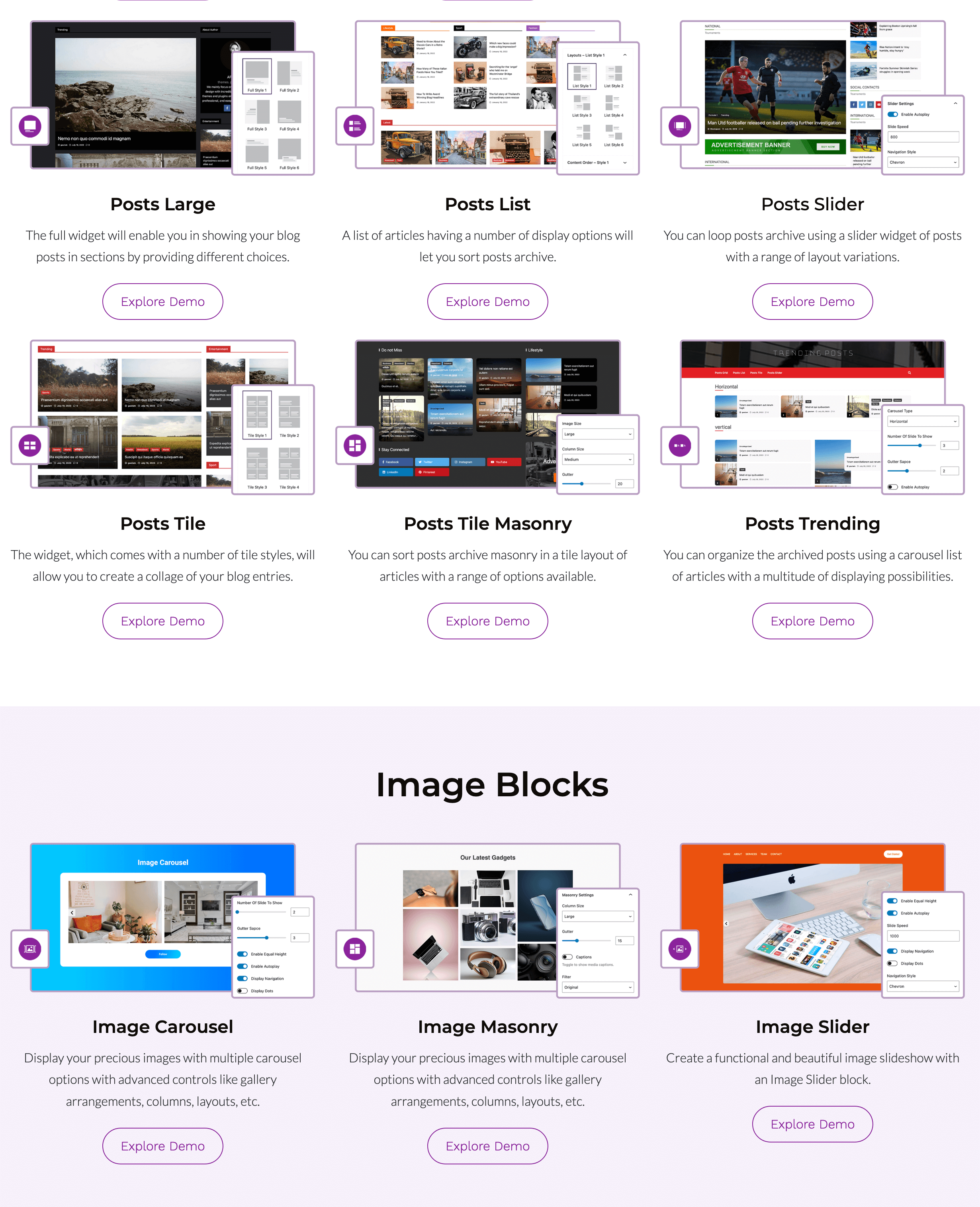
Image carousel and masonry gallery.
Business blocks: Pricing table & Testimonials.
Patterns Library import flow.
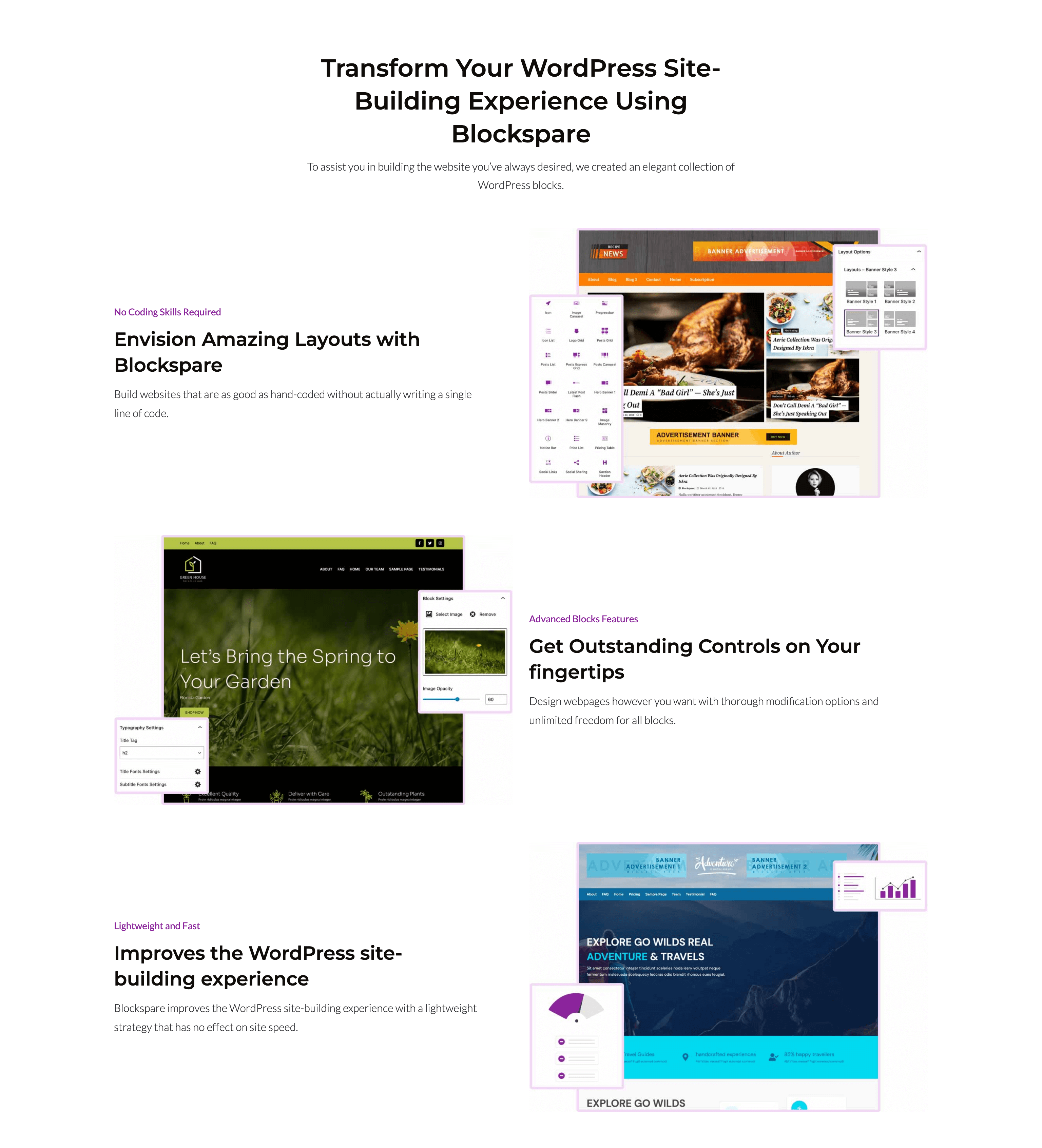
Block controls and responsive options.

Save & reuse patterns.
Faq
BlockSpare is a Gutenberg blocks plugin for WordPress that helps you build professional news, magazine, blog, editorial, business, portfolio, landing page, and content-rich websites using the native Block Editor. It includes 60+ blocks, 137+ starter templates, 270+ ready-made sections, and powerful publishing and design tools.
BlockSpare is designed for bloggers, publishers, online magazines, news websites, businesses, agencies, freelancers, educators, nonprofits, and anyone who wants to build professional WordPress websites with Gutenberg without relying on heavy page builders or custom code.
Yes. BlockSpare is purpose-built for news, magazine, editorial, and blog websites. It includes Hero Banners, Breaking News Tickers, Trending Posts, Post Grids, Post Lists, Sliders, Carousels, Masonry layouts, Timeline layouts, Featured Sections, and other publishing-focused blocks.
Yes. BlockSpare includes business-focused blocks such as Containers, Content Boxes, Pricing Tables, Testimonials, Services, Call-to-Action sections, Counters, Progress Bars, Tabs, Accordions, Buttons, and other flexible content blocks for creating professional business websites and landing pages.
BlockSpare Pro adds advanced website-building and publishing features, including AI-powered content tools, AI model selection, the Site Builder, Header & Footer Builder, premium starter sites, advanced post queries, AJAX filters and Load More, dynamic content, smart visibility controls, advertisement blocks, and additional design controls.
BlockSpare Pro includes AI-powered tools for creating and working with WordPress content.
AI features include:
- AI Content Generation
- AI Summarization
- AI Key Q&A
- AI Content Generation Blocks
- AI Model Selection
- AI Connector Support
- Configurable Default Language
You can use connected AI providers and your preferred AI model to generate content, summarize posts, and identify useful questions and answers from your content.
Yes. BlockSpare Pro provides AI model selection, allowing you to choose an available model from your connected AI provider for AI-powered content tools.
Yes. BlockSpare Pro includes a configurable Default Language setting for its AI content tools. The selected language is used when generating and working with content through the AI features.
The BlockSpare Site Builder helps you create and manage templates for different parts of your WordPress website using Gutenberg.
The Site Builder supports:
- All Templates
- 404 Page
- Header
- Footer
- Front Page
- Singular
- Archive
- Search Results
- Category
- Author
- Tag
- Date Archive
You can create and customize templates for different parts of your website without relying on heavy page builders or writing custom code.
Yes. BlockSpare Pro includes Header & Footer Builder functionality through the Site Builder, allowing you to create and customize header and footer templates using Gutenberg.
Starter Templates are professionally designed website layouts that help you launch a website quickly. BlockSpare includes 137+ starter templates and 270+ ready-made sections. You can import complete website designs or individual layouts and customize them using Gutenberg.
No. BlockSpare is designed for visual editing with Gutenberg. You can build and customize websites without writing HTML, CSS, JavaScript, or PHP.
Yes. BlockSpare works with modern block themes and Full Site Editing (FSE), while also providing Gutenberg blocks that can be used with compatible classic themes.
BlockSpare is designed to work with modern Gutenberg-compatible WordPress themes. It integrates especially well with AF Themes while remaining usable with other compatible WordPress themes.
Yes. BlockSpare can be used alongside WooCommerce to create shop layouts, promotional sections, product landing pages, and other content sections.
Yes. BlockSpare includes multiple publishing blocks for Post Grids, Lists, Tiles, Sliders, Carousels, Breaking News Tickers, Trending Posts, Masonry layouts, Timeline layouts, and Featured Sections.
Yes. BlockSpare provides post query options for displaying content by categories, tags, authors, dates, popularity, featured posts, random order, custom ordering, and other criteria. BlockSpare Pro adds advanced query controls, AJAX filtering, AJAX Load More, and additional content controls.
Yes. BlockSpare Pro includes AJAX post filters and AJAX Load More functionality, allowing visitors to browse and load additional content without a full page reload.
Yes. BlockSpare Pro includes dynamic content features and support for Advanced Custom Fields (ACF), allowing you to use custom field data in supported dynamic content features.
BlockSpare Pro includes dynamic content and visibility controls that allow you to create more flexible layouts and control when and where content is displayed.
Depending on the feature, you can use dynamic content with custom fields and control visibility based on user role, device, date range, and other display conditions.
Yes. BlockSpare provides flexible design controls for typography, colors, spacing, backgrounds, borders, layouts, responsive settings, hover effects, animations, and other block-specific options.
Yes. BlockSpare blocks and starter templates are designed to create responsive layouts that work across desktop, tablet, and mobile devices.
BlockSpare is built with performance in mind and uses native Gutenberg blocks with optimized frontend assets. Actual website performance also depends on your hosting, theme, images, caching configuration, and other plugins.
BlockSpare is designed to work with WordPress best practices and popular SEO plugins. Its Gutenberg-based blocks generate structured HTML markup, while overall SEO performance also depends on your content, theme, site configuration, and SEO setup.
Yes. BlockSpare is translation ready and supports RTL (Right-to-Left) languages.
Yes. BlockSpare includes a powerful free version with Gutenberg blocks, starter templates, ready-made sections, and design controls. BlockSpare Pro adds advanced AI tools, Site Builder features, premium starter sites, advanced publishing tools, dynamic content, and additional design options.
The free version provides a collection of Gutenberg blocks, starter templates, sections, and essential design controls. BlockSpare Pro adds advanced features such as AI-powered content tools, AI model selection, Site Builder, Header & Footer Builder, premium starter sites, advanced post queries, AJAX filters and Load More, dynamic content, smart visibility, and additional premium controls.
Yes. BlockSpare can be used for personal websites, business websites, and client projects according to the applicable BlockSpare Pro license terms.
You can explore BlockSpare starter templates, website demos, and available designs through the BlockSpare website.
BlockSpare documentation includes information about installation, configuration, blocks, templates, Site Builder, AI features, and other available features.
You can get support through the AF Themes support form or the official documentation. Feature requests and feedback are welcome and help guide future BlockSpare improvements.
Reviews
Prawie wszystko pro - masa opcji i niedosępna
By 
Po co wyświetlają się opcje pro skoro są niedospane, to tylko zaśmieca widok. Mnie nie zachęca coś takiego do zakupu gdzie już na start jest przeładowanie i nachalność.
Advertisments don't disapear.
By 
It works not bad , but in the WordPress Dashboard always apears an Advertisment which will not disapear.
After several contacts to the Support, after every Update the same Problem. It bothers so much, that i'm looking for a spare Plugin and leave Blockspare.
A top tier free publishing tool
By 
A very helpful plugin for optimizing homepage presentation when you don't have a major budget or the time resources to write your own code.
good
By 
very good
It is very easy and great
By 
It is very easy and great
Good piece of software anyday!
By 
As a journalist building news blog and website, i strongly recommend this plugin. My 5star rating granted with a thumbs up
GREAT!!!!!
By 
This is a great plugin.
Ótimo design
By 
Usuário satisfeito
still trying to figure it all out
By 
i feel like i've written this review 3 times already
Great Plugin 👍
By 
Fantastic job and well done
Changelog
5.1.2
- Fixed a security vulnerability related to stored cross-site scripting (XSS) in the author icon block attribute.
- Improved REST API permission checks for saving templates.
- Strengthened input sanitization and output escaping for author icon attributes.
5.1.0
- Added AI model selection interface and improved AI generator controls.
- Improved AI content generation with enhanced prompts and system instructions.
- Added support for selecting post types in relevant content settings.
- Added user role settings for improved control over plugin features.
- Improved block previews for Accordion, Content Box, CTA, Services, and Testimonial blocks.
- Improved default designs and layouts for Accordion and Testimonial blocks.
- Improved popup designs and interface consistency across block generators.
- Improved testimonial image handling, aspect ratios, alignment, and image generation.
- Improved CTA opacity and visual presentation.
- Improved compatibility between the free and Pro versions.
- Improved interface text, icons, spacing, and overall design consistency.
- Fixed various UI and design issues across block generators and previews.
5.0.0
- Added AI-powered content generation.
- Added AI model selection support.
- Added a dedicated AI settings panel.
- Added AI content generation blocks and controls.
- Added Header and Footer template support in the Theme Builder.
- Improved Theme Builder dashboard and template management interface.
- Improved Theme Builder template selection and display.
- Improved Theme Builder responsive design and user interface.
- Added additional security checks for AI and content generation features.
- Improved template include and display conditions.
- Improved AI content generation interface with additional links, icons, and controls.
- Fixed undefined array key issues.
- Fixed tab and template display issues.
- Fixed frontend console errors related to WordPress Interactivity.
- Fixed various Theme Builder interface and layout issues.
- Improved plugin code structure and removed unused code.
- Fixed a security vulnerability that could allow authenticated users with Subscriber-level access or higher to create arbitrary posts due to an incorrect authorization check.
- Improved template import with include and exclude options.
- Improved archive template handling.
- Fixed tabs and accordion display issues.
- Excluded My Templates from the post selection dropdown.
- Improved interface text spacing and messaging.
4.2.0
- Improved query builder with enhanced taxonomy and author filtering.
- Improved typography controls and cross-device editor experience.
- Improved banner typography with compact layouts.
- Improved latest post, Express List, and Full Style CSS.
- Improved inspector panel design and overall editor UI.
- Improved customizer compatibility and REST field handling.
-
Improved package configuration and build process.
-
Fixed taxonomy query and exclude query issues.
- Fixed exclude functionality with pagination.
- Fixed Flash News exclude queries and title tags.
- Fixed vertical Trending block edit query.
- Fixed frontend query handling across blocks.
- Fixed array-to-string conversion issues.
- Fixed Customizer scripts and settings issues.
- Fixed typography CSS inconsistencies.
- Fixed meta URL handling.
- Fixed icon typos and miscellaneous editor errors.
- Fixed title tag support in Post Grid and Flash News.
-
Fixed feature compatibility with WordPress editor updates.
-
Optimized CSS across Latest Post and Express List layouts.
- Optimized inspector styles and overall editor performance.
- Removed unused code, console logs, and unnecessary components.
- Reduced default post query limit for improved editor performance.
4.0.0
- Added new default designs for Post Grid, Post List, Express List, Post Carousel, and Trending Carousel blocks.
- Added new default styles for Flash News, Latest Post, Post Full, and Post Slider blocks.
- Added redesigned Banner block layouts for Banner 1–12.
- Added default masonry and tile masonry layout designs.
- Added dashboard icons and improved empty state icons.
- Added admin menu enhancements and updated demo template links.
- Added deprecated handling and transform support for Pricing Table description blocks.
- Added attempt recovery improvements and updated translation makepot support.
-
Added webpack start support for development workflow.
-
Improved Trending Carousel thumbnail sizing and layout consistency.
- Improved Express Grid and Express List mobile responsiveness.
- Improved branding colors and overall block styling consistency.
- Improved Post Slider Wide and Exclusive Text layout presentation.
- Improved Banner block default appearances and style reviews.
- Improved code structure and optimized development workflow.
-
Improved compatibility with WordPress 7.0 changes.
-
Fixed icon display issues across blocks and dashboard.
- Fixed masonry layout and image masonry rendering issues.
- Fixed feature image upload issues.
- Fixed font family styling issues.
- Fixed Pricing Table “Add More” functionality issue.
- Fixed webpack/build-related issues.
- Fixed styling inconsistencies across multiple blocks.
- Fixed attempt recovery handling.
- Fixed deprecated functionality and compatibility issues.
-
Fixed various layout and design inconsistencies in carousel, banner, and masonry blocks.
-
Updated demo links and template resources.
-
Updated default layout styling for multiple content blocks.
-
Added modern block architecture and upgraded core plugin structure.
- Added new display options for Banner and Latest Post blocks.
- Added dashboard icons and improved admin menu experience.
- Added styles design component, popovers, and device visibility controls.
- Added date range controls and improved responsive display options.
- Added demo template/page links and updated demo data.
- Added support for useBlockProps() in layouts.
- Added translation improvements with makepot support.
-
Added recovery handling for failed attempts.
-
Improved branding colors and dashboard UI styling.
- Improved line-height and typography styling across blocks.
- Improved block editor experience and empty state icons.
- Improved image handling and optimized asset imports.
- Improved webpack development workflow and package configuration.
-
Updated Slick slider library from v1.8.0 to v1.8.1.
-
Fixed pricing table “Add More” issue.
- Fixed icon display issues in blocks and dashboard.
- Fixed “No Posts Found” block selection issue.
- Fixed category filtering issues.
- Fixed masonry layout and image masonry issues.
- Fixed excerpt rendering issue.
- Fixed banner navigation colors and trending carousel arrow colors.
- Fixed font family dropdown styling issue.
- Fixed Flash News font styling issue.
- Fixed shape divider color issue.
- Fixed pricing header issue.
- Fixed editor image hover issue.
- Fixed duplicate errors and webpack-related issues.
- Fixed button styling issues.
- Fixed image path and import-related issues.
-
Fixed block creation issues and block JSON inconsistencies.
-
Removed unused banner layout images.
- Removed unnecessary Pro option references.
- Removed date icon from UI where unnecessary.
- Removed deprecated imports and unused webpack configurations.
- Removed build folder and stopped tracking package-lock.json.
3.3.0
- Update: Multiple accessibility improvements across blocks (pricing table, price list, icon list, progress bar, content box, CTA, accordion, buttons, date & time, social share, slider buttons).
- Update: Added missing alt tags, aria-hidden attributes, and aria-labels for improved screen reader compatibility.
- Update: Improved color contrast and fixed minor accessibility errors.
- Update: Added sprintf usage and fixed text-domain issues.
- Update: Added register_block_type for all blocks and introduced new block category.
- Update: Grouped banner blocks into a single unified block.
- Update: Flash news CSS refinements and reverted incorrect CSS change.
- Fix: Twitter color issue, progress bar issue, and flash news spacing issue.
- Fix: Date and time console error.
- Update: Updated category font sizes.
- Update: Added frontend JS to assets folder.
- Update: Fix Canvas template and Full Width template, including improvements to both.
- Update: README file updates.
3.2.14
- Update: Readme improvement
3.2.13
- Update: Security improvement
- Update: New patterns on library
3.2.10
- Update: Security improvement
- Update: New patterns on library
3.2.8
- Update: Security improvement
- Update: New patterns on library
3.2.5
- Update: Security improvement
- Update: New patterns on library
3.2.4
- Update: Security improvement
- Update: New patterns on library
3.2.3
- Update: Security improvement
- Update: New patterns on library
3.2.2
- Update: Canvas resposive improvement
- Update: Design library improvement
3.2.1
- Update: WP 6.6 Compatibility
- Update: Security improvement
- Update: New patterns on library
3.2.0
- Update: Texts improvement
- Update: Design library improvement
- Update: Custom Patterns improvement
3.1.5
- Update: WP 6.5 Compatibility
- Update: SDK Improvement
3.1.4
- Update: Posts blocks query improvement
- Update: Design library improvement
- Update: Custom Templates improvement
- Update: Space improvement
- Update: Color improvement
3.1.3
- Update: Posts blocks category improvement
- Update: Design library improvement
- Update: Plugin dashboard improvement
- Update: Custom Templates improvement
- Update: Space improvement
- Update: Color improvement
3.1.2
- Update: Design library improvement
- Update: Plugin dashboard improvement
- Update: Custom Templates improvement
- Update: Space improvement
- Update: Color improvement
3.1.1
- Update: Design library improvement
- Update: Plugin dashboard improvement
- Update: Custom Templates improvement
- Update: Space improvement
- Update: Color improvement
3.1.0
- Update: Design library improvement
- Update: Plugin dashboard improvement
- Update: Custom Templates improvement
- Update: Block and assets improvement
- Update: Alignment improvement
- Update: Overflow improvement
- Update: Space improvement
- Update: Color improvement
3.0.0
- New: Dashboard for Patterns Library
- New: News and Magazine design templates added
- New: Bussiness and Agency templates added
- New: Header and Footer templates added
- New: Section templates added
- New: Import or Copy Pattern functionality added
- New: User customized templates saving functionality added for reuse
- New: Image hover animation added for post blocks
- Update: Block and assets improvement
- Update: Alignment improvement
- Update: Overflow improvement
- Update: Space improvement
- Update: Color improvement
2.8.0
- Update: Code optimization
- Update: Block editor and assets improvement
- Update: Alignment improvement
- Update: Overflow improvement
- Update: Space improvement
- Update: Color improvement
2.7.3
Update: WP 6.4 Compatibility
Update: Assets Improvement
2.7.2
- Update: Code optimization
- Update: Block editor and assets improvement
- Update: Alignment improvement
- Update: Overflow improvement
- Update: Space improvement
- Update: Color improvement
2.7.1
- Update: Speed optimization
- Update: Social links and social sharing block improvement
- Update: Posts carousel block improvement
- Update: Services block improvement
- Update: Date block improvement
- Update: Price list block improvement
- Update: Banner slider block improvement
- Update: Testimonial block improvement
- Update: Title block improvement
- Update: Block editor and assets improvement
- Update: Alignment improvement
- Update: Overflow improvement
- Update: Space improvement
- Update: Color improvement
2.7.0
- New: BlockSpare dashboard with helpful information
- Update: Added deprecated in social links
- Update: Added deprecated in user profile
- Update: Search input improvement
- Update: Header layout image improvement
- Update: Notice logo color improvement
- Update: Counter icon gaps improvement
- Update: General information improvement
2.6.6
- Update: 6.3 compatibility
- Update: General information improvement
2.6.5
- New: News and Magazine design templates added
- New: Header and Footer templates added
- New: News and Magazine block added
- New: RTL design improvement
- Update: Testimonial Block gaps improvement
- Update: Header design improvement
- Update: Button block color improvement
- Update: Counter block gaps improvement
- Update: Pricing Table block gaps improvement
- Update: Social Share block gaps improvement
- Update: Social Links block gaps improvement
- Update: Content Box block gaps improvement
- Update: Call to Action block gaps improvement
- Update: Banner block height improvement
- Update: Typography improvement
- Update: Loadmore improvement
- Update: Pagination improvement
- Update: Alignment improvement
- Update: Overflow improvement
- Update: Space improvement
- Update: Color improvement
2.6.4
- Fixes: Font loading mechanism improvement
- Update: Container gap improvement
- Update: User Profile gaps improvement
- Update: Button gaps improvement
- Update: General gaps improvement
2.6.3
- Update: Frontend meta whitespace improvement
- Update: Button icon color display condition improvement
- Update: Popular-tags styles improvement
- Update: Banner trending default tab improvement
- Update: Typography improvement
- Update: Loadmore improvement
- Update: Pagination improvement
- Update: Alignment improvement
- Update: Overflow improvement
- Update: Posts excerpt improvement
- Update: Space improvement
- Update: Color improvement
2.6.2
- New: Media import improvement
2.6.1
- New: Details update
2.6.0
- New: Patterns Library added
- New: Animation effects option for all blocks added
- New: Hover effects option for all blocks added
- Fixes: Some design glitch
- Update: Compatibility check with latest WP 6.2
2.6.0
- New: Patterns Library added
- New: Animation effects option for all blocks added
- New: Hover effects option for all blocks added
- Fixes: Some design glitch
- Update: Compatibility check with latest WP 6.2
2.5.0
- New: Blank canvas page template added
- New: Full-width page template added
- New: Date and Time block added
- New: Papular tags/categories block added
- New: Flash/Ticker News block added
- New: Search block added
- Update: Banner design improvements
- Update: Gaps control min and max value
- Update: Pricing table price default color
- Update: Different category and title hover color control
- Update: Date-time inspector control
- Update: Post-express-grid inspector control
- Update: Post-carousel inspector control
- Update: Date-time inspector control
- Fixes: Some design glitch
- Update: Compatibility check with latest WP 6.1
2.4.0
- Update: Design improvements
2.3.0
- Update: Design improvements
2.2.0
- Update: Design improvements
2.1.0
- New: Load more paginations for Post Grid Block
- New: Load more paginations for Express Post Grid Block
- New: Load more paginations for Post List Block
- New: WP Post Aauthor Multi-author supports
- Update: Compatibility check with latest WP 6
2.0.1
- Update: Auto recovery mode on Price List block
- Update: Auto recovery mode on Progress Bar block
2.0.0
- Update: Compatibility check with latest WP 5.9
- New: Banner 1 block added
- New: Banner 2 block added
- New: Posts Carousel block added
- New: Posts Slider block added
- New: Posts Express Grid block added
- New: Image Slider block added
- New: Margin/Padding settings for all blocks have been added
- Update: Posts blocks design updated
1.3.0
- New: Auto recovery mode enabled
- New: Minimum margin value down to -100
- Update: Post grid and the list continue reading link color
- Update: Updated social links color on user profile
- Update: Updated icon border-radius style of services
- Fixes: Conflicts with Yoast SEO
- Fixes: Image carousel issue fixing
- Fixes: Latest post title line height issue
- Fixes: Services header alignment issue solved
- Fixes: Pricing add image button issue fixed
- Fixes: Some minor functional glitch
- Fixes: Some design glitch
- Update: Compatibility check with latest WP 5.7
1.2.1
- Fixes: Tabs and Services recovery issue
- Update: Compatibility check with latest WP 5.6
1.2.0
- Update: Compatibility check with latest WP 5.6
- Update: Added new price table block design method
- Update: Added fallback for old price table block
- Update: Added new services block design method
- Update: Added fallback for old services block
- Update: Fixed Tabs block issues
- Update: Compatibility check with latest WP 5.5
- Update: Added fallback function for category selection on Posts Grid block
- Update: Added fallback function for category selection on Posts List block
- Update: Improved design of desktop/tab/mobile Typography option
- Update: Added Typography options for Button blocks
- Update: Added show excerpt option for Posts Grid block
- Update: Added show excerpt option for Posts List block
- Update: Added show Continue Reading option for Posts Grid block
- Update: Added show Continue Reading option for Posts List block
- Update: Introduced 3 columned Services blocks
- Update: Introduced 3 columned Prices blocks
- Update: Introduced 3 columned Testimonial blocks
- Update: Introduced new color option for Section Title blocks
- Update: Introduced background color option for User Profile blocks
- Fixes: Addressed recovery mode for buttons
- Update: Optimized responsive view
- Update: Optimized font controls
- Update: Button hover option added
- Update: Optimized resource size
1.0.1
- Updates: WordPress 5.4 compatibility
1.0.0
- Initial release