BMI Adult & Kid Calculator
BMI Adult & Kid Calculator
Description
BMI Adult & Kid Calculator puts a body mass index (BMI) calculator on any page of your WordPress site. Visitors enter their height and weight (and, for children, age and sex) and see their BMI, the weight category it falls in and a healthy weight range for their height.
The plugin includes two separate calculators: one for adults aged 20 and over, and one for children and teenagers aged 19 and under, where the result is based on the child’s age and sex instead of a single adult scale.
Features
- BMI calculator for adults (20 years and over) with underweight, healthy, overweight and obese categories
- BMI calculator for children and teenagers (0 to 19 years) that takes age and sex into account and shows the BMI percentile for age
- Healthy weight range for the entered height (and for the child’s age)
- Metric units, imperial units, or a unit switch that offers both
- Shortcode generator in the admin area, no coding required
- Editable labels: change any text of the calculator and add more languages from the plugin page
- Font family and text colors can be changed in the admin area
- Optional redirect to another page after the calculation
- Responsive layout that works on phones and tablets
How to use
Open the “BMI Calculator” page in your WordPress admin menu, choose a language, the calculator (adult or child) and the units, then click “Generate shortcode”. Paste the generated shortcode into a page, post or shortcode block. Examples:
[BMIAKC_adult_calc lang="English" units="metric"]

[BMIAKC_kid_calc lang="English" units="metric"]
The units attribute accepts metric, imperial or both. The id_calc attribute only needs to be set if you place more than one calculator of the same type on a page; the generator fills it in for you.
Who it is for
Health and fitness blogs, clinics, nutrition and sports coaches, schools and parenting sites that want a ready-to-use BMI calculator without a third-party embed.
Disclaimer
BMI is a screening figure, not a diagnosis. The calculators are for general information and do not replace advice from a doctor or other health professional.
Installation
- Upload the plugin to the
/wp-content/plugins/directory, or install it through the WordPress plugins screen. - Activate the plugin through the ‘Plugins’ menu in WordPress
- Open “BMI Calculator” in the admin menu, generate a shortcode and paste it on your page
Screenshots

The adult BMI calculator form (metric units).
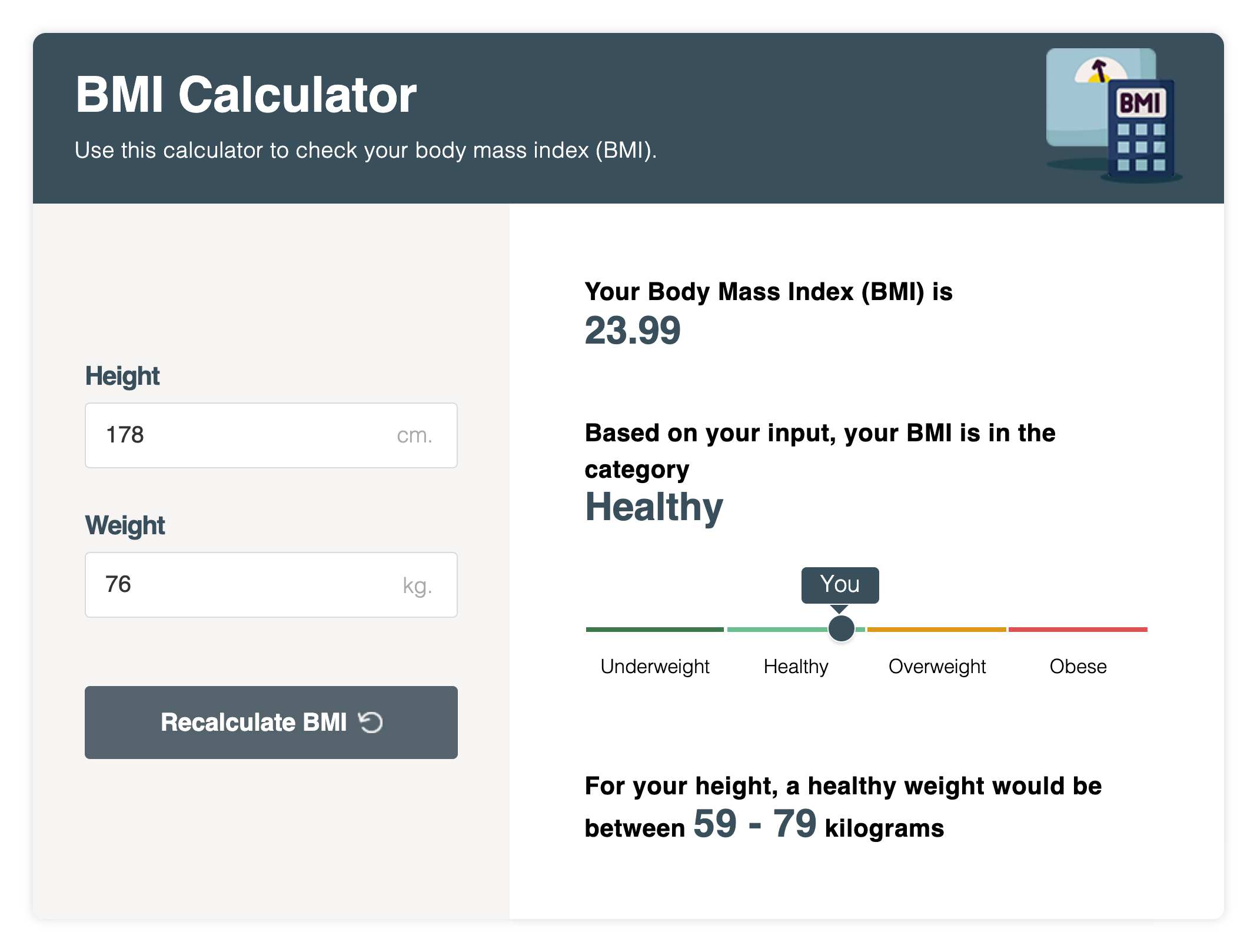
Result with the BMI value, the weight category scale and the healthy weight range.
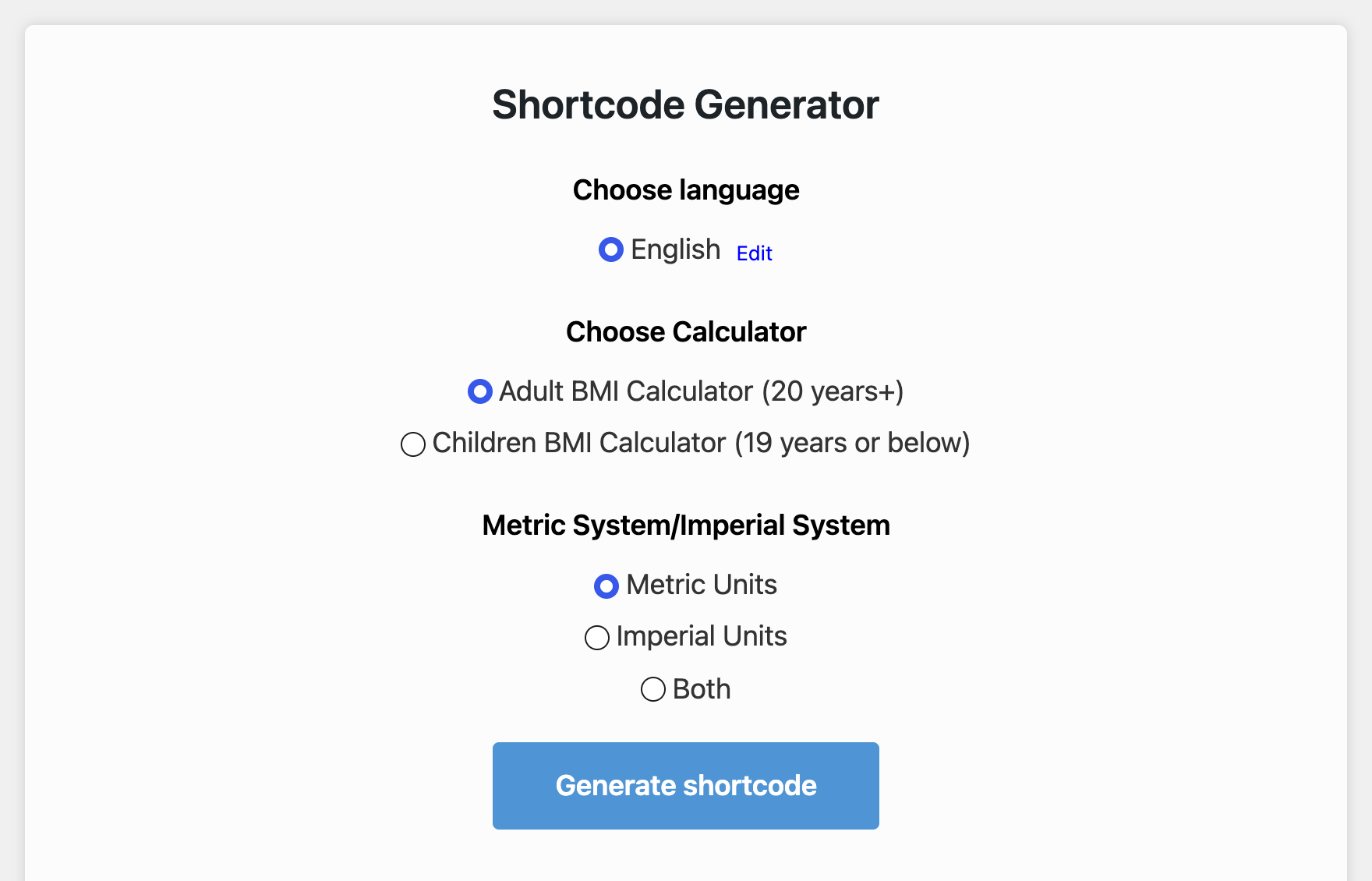
The shortcode generator in the admin area: language, adult or child calculator, and units.
Faq
BMI is weight in kilograms divided by height in metres squared. For adults the result is placed in the categories underweight (below 18.5), healthy (18.5 to 24.9), overweight (25 to 29.9) and obese (30 and above).
For children and teenagers up to 19 years the result depends on age and sex, so the calculator compares the child’s BMI with reference percentile tables for boys and girls and reports the percentile for that age. Enter the child’s age in years and months and select boy or girl.
No. The calculation runs in the visitor’s browser and nothing they enter is saved in your database or sent to a server. If you enable the redirect option, the entered values are passed to the page you chose as part of its address.
Yes. Set units="metric", units="imperial" or units="both" in the shortcode. With both the visitor can switch between the two.
The calculator ships with English. On the plugin page in the admin area you can edit every label and add further languages, then select the language in the shortcode with the lang attribute.
Reviews
Not working as before
By 
Hi, I just saw that you have updated to a new version but the children's bmi is not working anymore, no results are generated. A Jquery error of the wp-includes occur. I tested on your website too, no results are generated in both adults and children. And beside that, the adults color bars are not in the right dimensions according to the results. I hope you can fix that. Thanks.
The best in terms of BMI that you will get in wordpress!
By 
Changelog
1.2.5
- Fixed: the kid BMI calculator did not work (its script stopped with a JavaScript syntax error); calculator ids now always start with a letter.
1.2.4
- Security: result-link query arguments are validated as numbers before they reach the page script (reflected XSS).
- Security: shortcode calculator ids are reduced to letters, digits and underscores; stored font and colour settings are whitelisted before output.
- Admin AJAX handlers unslash and validate their input; removing a language that does not exist no longer drops the first one.
- uninstall.php now removes the plugin options on uninstall.
- Output escaping and function prefixing fixes reported by Plugin Check.
1.2.3
- Tested with WordPress 7.1. Outbound credit links now carry rel=”nofollow”.
1.2.2
- Tested with WordPress 6.4.3
1.2.1
- Tested with WordPress 6.4.2
1.1.1
- Add imperial units
1.0.1
- Initial