BoldForm – Drag & Drop Form Builder, Contact Form, Survey & Multi-Step Forms
BoldForm – Drag & Drop Form Builder, Contact Form, Survey & Multi-Step Forms
Description
BoldForm is a fast, lightweight drag-and-drop form builder for WordPress. Build any form you need in a visual editor — no code — then embed it anywhere with a shortcode, a Gutenberg block, or an Elementor widget. Every submission is stored safely in your WordPress database and managed right from your dashboard.
From a simple contact form to a form with conditional logic, spam protection, and email-marketing sync, BoldForm gives you the tools professional forms need — without the bloat that slows your site down.
- Live Demo | Documentation | Roadmap | Support | Community | Upgrade to Pro
Why BoldForm?
- Drag & drop — build and reorder fields visually, configure each one instantly, and watch your styling update live as you work.
- Conversational forms, free — turn any form into a one-question-at-a-time experience with a single switch. No rebuild, no separate form type, no add-on.
- Lightweight by design — assets load only where a form appears, the analytics chart uses the browser’s native canvas (no charting library), and each form is queried once per request.
- No lock-in — export and import your forms, entries, and settings as JSON at any time.
- Yours to control — submissions live in your own database, with built-in tools to export or erase personal data on request.
- Extend anywhere — a clean, documented action/filter API lets add-ons and developers hook into every stage of the form lifecycle.
Perfect for contact forms, quote requests, registrations, feedback forms, surveys, job applications, event sign-ups, and newsletter opt-ins.
Drag & Drop Form Builder, Contact Form, Survey & Multi-Step Forms
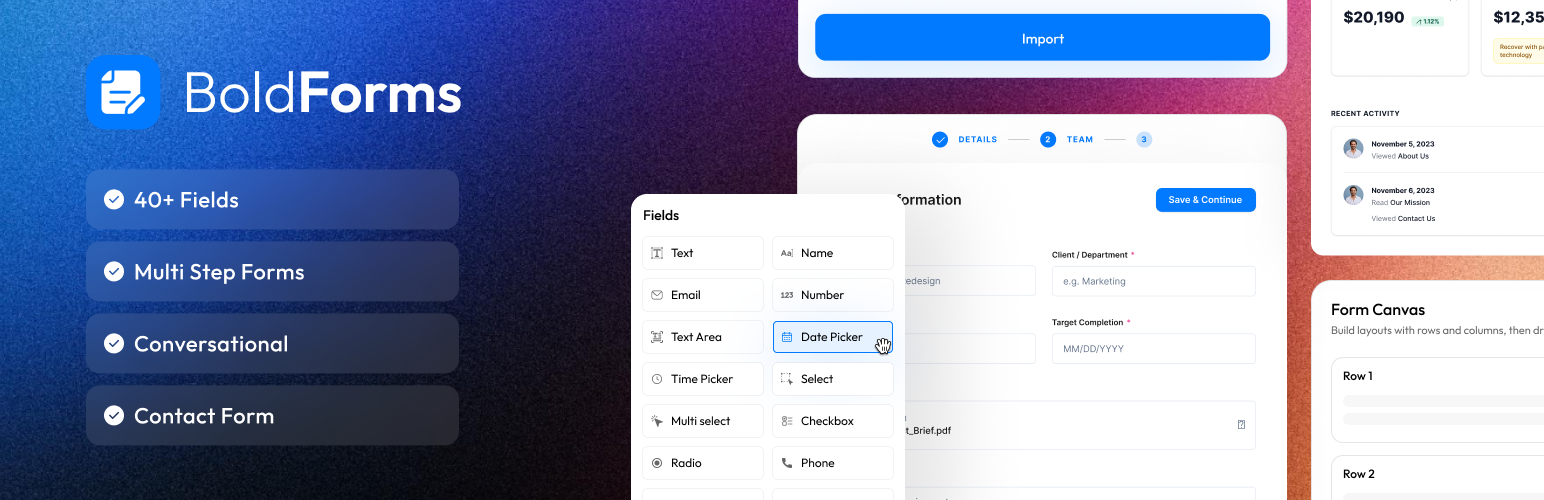
Build forms visually without writing a single line of code. Drag fields from the sidebar, drop them into multi-column rows, reorder with a handle, and configure every field in its own settings panel.
- Multi-column layouts — arrange fields in flexible rows and columns with adjustable widths.
- Live Style tab — field, label, and button styling updates instantly beside the controls, with Normal / Hover / Focus / Checked states, selectable design themes, gradient backgrounds, and per-device (desktop / tablet / mobile) responsive values.
- Custom submit button — set your own text, a Dashicon or custom SVG icon, and the icon colour.
- Form templates — start from one of 11 ready-made templates instead of a blank canvas, then customise from there (see below).
Form Template Library
Skip the blank canvas. BoldForm ships 11 ready-made forms, grouped into General, Business, Events & Booking, and HR & Surveys — import any of them into the builder with a single click, then make it yours.
- General — Contact Form, Newsletter Signup, Feedback Form, Registration Form.
- Business — Lead Capture Form, Support Ticket, Order / Quote Request.
- Events & Booking — Event RSVP, Booking / Appointment.
- HR & Surveys — Job Application, Customer Survey.
All the Fields You Need
Standard
* Text, Email, URL, Phone, Number, Numeric, Textarea
Choice
* Select (single or multi-select custom dropdown), Multi Select, Checkbox, Radio, Country
Date & Time
* Date picker and Time picker (powered by the bundled Flatpickr)
Rating & Range
* Star Rating (per-field colours and size), Slider / Range (with an optional dual-handle min–max mode)
Advanced input
* Input Mask for formatted text entry
* File Upload with a configurable size cap, stored in your WordPress uploads
Identity & address
* Name (structured first / middle / last)
* Address (structured multi-line address)
Layout & content
* Section Break (heading + description divider), Paragraph / Static Text, HTML Editor, Terms & Conditions
Conversational Forms
Show any form one question at a time, like a conversation. Flip one switch in Form Settings and the form you already built is presented as a guided sequence of screens — the same fields, the same layout, the same conditional logic, the same notifications. Switch it off and the form goes straight back to normal.
- Works on forms you already have — nothing is rewritten and nothing is duplicated. Your conditional logic keeps working, and a question whose field is currently hidden is skipped rather than shown as an empty screen.
- Welcome screen — open with a title, a short intro and a Start button instead of dropping the visitor straight into question one.
- Progress your way — a bar, dots, a counter or a percentage, or none at all. Position it left, centre or right, and colour the unfinished part.
- Keyboard first — Enter moves to the next question, Shift+Enter starts a new line in a paragraph field, and an optional on-screen hint tells visitors so.
- Design per screen — give any screen its own image, placed left, right or behind the question, and its own background, question and answer colours. Anything you don’t set follows the form’s defaults.
- Degrades safely — with JavaScript unavailable the form renders as an ordinary single-page form and still submits.
Smart Form Features
- Conditional Logic — show or hide any field based on the visitor’s previous answers, with AND / OR rules per field.
- AJAX Submission — forms submit without a full page reload for a smooth, fast experience.
- Duplicate Prevention — optionally block repeat submissions based on a chosen field, such as email address.
Entries Management
Every submission is saved to a custom database table — a permanent record, independent of email delivery.
- View, filter, and read submissions from BoldForm Entries.
- Mark entries Read, Unread, Starred, or Spam, with a dedicated Spam tab.
- Trash & restore — move entries to a Trash tab instead of deleting them outright, then restore them (with their original status intact) or delete them permanently, so an accidental delete is recoverable.
- Bulk actions — mark many entries at once, move them to Trash, or — from the Trash tab — restore or permanently delete them.
- CSV export — export all entries, or just the ones you select.
- Reports & Analytics — a dashboard of total forms, total entries, and per-form stats, charted with the browser’s native HTML5 Canvas (no external library loaded).
Spam Protection
- Honeypot — Invisible hidden field catches bots automatically, no setup required
- Google reCAPTCHA v2 — Checkbox challenge; requires a site key and secret key from Google
- hCaptcha — Privacy-friendly alternative to reCAPTCHA; requires keys from hCaptcha
- Cloudflare Turnstile — Modern, no-puzzle captcha from Cloudflare; requires keys from the Cloudflare dashboard
- Math Captcha — Simple arithmetic challenge, works out of the box with no API keys
Email Marketing Integrations
- Email Notifications — send an admin notification on every submission, with a custom “From” name, reply-to, subject, and message body. Test delivery straight from the settings panel.
- SMTP — route outgoing mail through your own SMTP server for reliable delivery.
- Mailchimp — add contacts to any audience list with email, first-name, and last-name mapping.
- Brevo (formerly Sendinblue) — add contacts to any Brevo list with field mapping.
Configure connections under BoldForm Settings Integrations, then assign one to each form.
Embed Anywhere
- Shortcode —
[boldform id="123"] - Gutenberg Block — insert the BoldForm block in any page or post (Block API v3, with a styled in-editor preview).
- Elementor Widget — a native widget with full styling controls for fields, labels, buttons, and more, editable right in the Elementor panel.
Import, Export & Tools
Move your work between sites with one click. From BoldForm Tools, export all forms, a single form together with its entries, or your global settings as a JSON file, and import them back on any other site.
Developer Friendly
BoldForm ships a documented action/filter API so add-ons and custom code can hook into validation, submission, entry storage, integrations, and rendering — without touching core. Register custom field types, resolve auto-populate keys, defer post-save actions, and render rich entry values in the admin.
Privacy & GDPR Ready
- Submissions stay in your database; nothing is sent anywhere unless you configure one of the external services listed below.
- A personal-data exporter and eraser are registered with WordPress’s privacy tools, keyed on the submitter’s email address.
- Optional “remove all data on uninstall” cleanup.
Translation & Multisite
- Every string uses the
boldform-litetext domain and is ready for translation. - Network-activate on multisite and tables are created automatically for each new subsite.
Meet BoldForm Pro
Ready for more? BoldForm Pro unlocks advanced tools for professionals and agencies — all inside the same drag-and-drop builder you already know.
Advanced form building
- Multi-page (step) forms with progress indicators
- Advanced fields — Rich Text, Signature, Repeater, Calculation, Geolocation, NPS and more
- Auto-populate & hidden data fields
- Form scheduling with open / close dates
- Advanced analytics — form views and conversion tracking
- Webhooks to send form data to any external URL
Payments
- Stripe and PayPal — accept one-time and recurring payments right inside your forms.
30+ integrations — connect a form to the apps you already use:
- Email marketing — ActiveCampaign, Kit (formerly ConvertKit), AWeber, GetResponse, MailerLite, Constant Contact, Drip, and Moosend (in addition to Mailchimp and Brevo from Lite).
- CRM — HubSpot, Salesforce, Zoho CRM, Pipedrive, Freshsales, FluentCRM, Help Scout, and monday.com.
- Automation — Zapier, Make, and Pabbly Connect.
- Productivity — Notion, Airtable, Trello, and Asana.
- Storage — Google Sheets, Google Drive, and Dropbox.
- Messaging & notifications — Slack, Discord, Telegram, and Microsoft Teams.
Plus priority support and automatic updates.
See everything in BoldForm Pro
Bundled Libraries
All JavaScript and CSS assets are bundled locally within the plugin directory. No scripts or styles are loaded from a CDN or any remote server except for the explicitly documented external services listed below.
Bundled third-party libraries:
- Flatpickr (
assets/js/flatpickr.min.js,assets/css/flatpickr.min.css) — MIT License — https://github.com/flatpickr/flatpickr
Local copy used for the date and time picker fields. Not fetched from any CDN.
First-party scripts:
assets/js/sortable.js— a small first-party drag-and-drop helper written for this plugin (used for field ordering in the builder). It is original BoldForm code, not the third-party SortableJS library, and is GPL-licensed with the rest of the plugin.
The submissions chart on the Reports page is rendered using the browser’s native HTML5 Canvas API. No external charting library is loaded.
External Services
This plugin can optionally connect to the following third-party services. No data is transmitted to any external service unless you have explicitly enabled and configured that service in BoldForm settings.
Google reCAPTCHA
Protects forms from spam and bot submissions.
When a page containing a reCAPTCHA-enabled form is loaded, Google’s reCAPTCHA script is loaded from Google’s servers. On submission, the plugin sends the reCAPTCHA token and the visitor’s IP address to Google’s verification API.
- Data sent: reCAPTCHA response token, visitor IP address
- When: Each form submission with reCAPTCHA enabled
- Condition: Only when “Google reCAPTCHA” is selected in BoldForm > Settings > Captcha and valid keys are entered
- Service provider: Google LLC
- Terms of Service: https://policies.google.com/terms
- Privacy Policy: https://policies.google.com/privacy
hCaptcha
Privacy-friendly alternative for spam protection.
When a page with an hCaptcha-enabled form is loaded, the hCaptcha script is loaded from hCaptcha’s servers. On submission, the token and visitor IP are sent to hCaptcha’s verification API.
- Data sent: hCaptcha response token, visitor IP address
- When: Each form submission with hCaptcha enabled
- Condition: Only when “hCaptcha” is selected in BoldForm > Settings > Captcha and valid keys are entered
- Service provider: Intuition Machines, Inc.
- Terms of Service: https://www.hcaptcha.com/terms
- Privacy Policy: https://www.hcaptcha.com/privacy
Cloudflare Turnstile
Modern, privacy-friendly spam protection with no visual puzzles.
When a page with a Turnstile-enabled form is loaded, the Turnstile script is loaded from Cloudflare’s servers. On submission, the token and visitor IP are sent to Cloudflare’s verification API.
- Data sent: Turnstile response token, visitor IP address
- When: Each form submission with Turnstile enabled
- Condition: Only when “Cloudflare Turnstile” is selected in BoldForm > Settings > Captcha and valid keys are entered
- Service provider: Cloudflare, Inc.
- Terms of Service: https://www.cloudflare.com/website-terms/
- Privacy Policy: https://www.cloudflare.com/privacypolicy/
Mailchimp
Adds subscribers to a Mailchimp audience on form submission.
- Data sent: Email address, and optionally first name and last name (only fields you map)
- When: Each submission of a form with an active Mailchimp integration
- Condition: Only when a Mailchimp connection with a valid API key is configured under BoldForm > Settings > Integrations
- Service provider: The Rocket Science Group LLC (Mailchimp)
- Terms of Use: https://mailchimp.com/legal/terms/
- Privacy Policy: https://mailchimp.com/legal/privacy/
Brevo (formerly Sendinblue)
Adds contacts to a Brevo list on form submission.
- Data sent: Email address, and optionally first name and last name (only fields you map)
- When: Each submission of a form with an active Brevo integration
- Condition: Only when a Brevo connection with a valid API key is configured under BoldForm > Settings > Integrations
- Service provider: Brevo SAS
- Terms of Use: https://www.brevo.com/legal/termsofuse/
- Privacy Policy: https://www.brevo.com/legal/privacypolicy/
Privacy
When a visitor submits a form, BoldForm Lite stores the submission in your site’s own database (no data is sent anywhere unless you have configured one of the external services listed above). Each stored entry includes:
- The values the visitor entered in the form fields (which may include personal data such as name, email address, phone number, address, and any uploaded files).
- The submitter’s IP address and browser user-agent string, recorded for spam-prevention and auditing.
- The logged-in user ID, when the form is submitted by a logged-in user.
Entries are retained until you delete them. You can remove individual entries (or all of them) from BoldForm > Entries at any time. If you enable “Remove all data on uninstall” in the settings, all stored forms and entries are deleted when the plugin is uninstalled.
BoldForm Lite integrates with WordPress’s built-in privacy tools: under Tools > Export Personal Data and Tools > Erase Personal Data, an administrator can export or erase the form entries associated with a given email address to help fulfil data-subject requests.
BoldForm – Drag & Drop Form Builder uses Appsero SDK to collect some telemetry data upon user’s confirmation. This helps us to troubleshoot problems faster & make product improvements.
Appsero SDK does not gather any data by default. The SDK only starts gathering basic telemetry data when a user allows it via the admin notice. We collect the data to ensure a great user experience for all our users.
Integrating Appsero SDK DOES NOT IMMEDIATELY start gathering data, without confirmation from users in any case.
Learn more about how Appsero collects and uses this data.
Installation
- Upload the plugin files to
/wp-content/plugins/boldform-lite/, or install it directly through Plugins Add New in the WordPress admin. - Activate the plugin through the Plugins screen.
- Go to BoldForm in the admin sidebar and create your first form.
- Copy the shortcode shown in the form editor and paste it on any page, or add the form with the Gutenberg block or Elementor widget.
Screenshots

Add New Form

Drag & Drop Builder

Form Preview

Form Confirmation Settings

Form Global Settings

Form Analytics

Form Integration

Form View On Page
Faq
You have three options: paste [boldform id="123"] into any page or post, insert the BoldForm Gutenberg block, or drag the BoldForm widget into any Elementor layout.
Yes. Open the form, go to Form Settings Conversational and switch it on. Nothing about your form is rewritten — the same fields, layout, conditional logic and notifications keep working exactly as before; only the way the form is presented changes. Switch it off and the form goes straight back to normal, with your conversational settings kept in case you want them again.
The form still works. Visitors with JavaScript disabled see the ordinary single-page form, complete and fully submittable — they simply do not see it one question at a time.
Go to BoldForm Entries in the WordPress admin. Click any row to open the full submission detail. You can mark entries as read, unread, starred, or spam, run bulk actions, and export to CSV.
Yes. Every submission is saved to a custom table, so you always have a permanent record — independent of whether the notification email is delivered.
Go to BoldForm Settings Captcha and choose a provider. Honeypot protection is always active with no setup. You can also enable Math Captcha (no keys needed), Google reCAPTCHA v2, or hCaptcha (both require your own API keys).
Yes. Add a connection under BoldForm Settings Integrations, then assign it to a form and map the email, first-name, and last-name fields. Subscribers are added automatically on submission.
Go to BoldForm > Settings > Captcha. Choose your preferred provider (Honeypot is always active). Enter API keys for reCAPTCHA, hCaptcha, or Cloudflare Turnstile if you select those.
Yes. When the plugin is network-activated, it automatically creates the necessary database tables for each new subsite.
Yes. Submissions stay in your own database, and BoldForm registers a personal-data exporter and eraser with WordPress’s privacy tools so you can fulfil data-subject requests by email address. See the Privacy section below for details.
Yes — BoldForm Pro adds payments (Stripe, PayPal), multi-page forms, advanced field types, webhooks, and 30+ integrations. See the Meet BoldForm Pro section above, or visit themewant.com/plugins/boldform.
Reviews
Changelog
1.1.7
New features:
* New: Conversational Forms — show any form one question at a time. Turn it on per form; your fields, layout and conditional logic stay as they are.
* New: Conversational forms can open with a welcome screen, and show a progress bar, dots, a counter or a percentage.
* New: Position the Back and Next buttons and the progress indicator, and colour them.
* New: Every screen can have its own image — left, right or behind the question — and its own colours.
Improvements:
* Improve: A required dropdown left empty is now caught before the form is sent.
* Improve: Add-ons can show their own admin notices on BoldForm’s screens.
* Improve: Locked field, template and export prompts have their own switches, so an add-on that is installed but not yet active can word them for activation.
* Improve: The Tools Entries export format selector no longer disappears when such an add-on is installed.
* Improve: Every upgrade prompt now goes through the same filters, so an add-on can repoint them all at once.
* Improve: A new Set Amount Limits switch on the Custom Amount field. Off by default, so a pay-what-you-want field shows no minimum or maximum it doesn’t use.
* Improve: Custom Amount now has its own Placeholder setting, and starts empty instead of pre-filled with 0.00.
Fixes:
* Fix: Field errors now appear under the field they belong to, not only in a summary at the top.
* Fix: The error summary now sits at the foot of the form, next to the submit button.
Developer:
* Developer: New filters — boldform_admin_notices, boldform_show_locked_fields_teaser, boldform_show_locked_templates_teaser, boldform_show_locked_export_teaser, boldform_export_lock_hint, plus lock title/text filters for the field library, templates, integrations and upgrade modal. boldform_upgrade_label gains a context argument.
1.1.6
New features:
* New: Form Migrator — import your Contact Form 7 forms in one click. Re-import anytime without creating duplicates.
* New: Page Break settings — a title per step, three progress-indicator styles with colours, and Next/Previous button styling.
* New: A checkbox can be shown as a Switch, per field. The tick box stays the default.
Improvements:
* Improve: The template library now lists premium templates with a padlock, and four previously empty categories appear.
* Improve: The Forms list gains search, sortable columns and paging.
* Improve: Templates are grouped into collapsible categories, and one that needs a disabled module says so before you import it.
* Improve: Locked integrations show “Locked” with a link to activate, instead of an upsell.
* Improve: The “BoldForm Pro is here” notice appears only on BoldForm’s own screens.
Fixes:
* Fix: A form exported with quoted markup or special characters no longer imports with empty fields.
* Fix: A required Terms & Conditions checkbox now shows the red required asterisk.
* Fix: Clearing Slider Height, Star Size or Maximum File Size restores that setting’s default instead of its minimum.
* Fix: On Entries, Apply now stays disabled until both a row and an action are chosen.
* Fix: A file dragged onto a File Upload field is no longer ignored.
* Fix: Applying a Design Theme now recolours the whole form.
* Fix: The submit button’s alignment is honoured when the button sits as a field in the layout.
* Fix: The User Confirmation email section reveals its options reliably.
* Fix: A checkbox or radio option in the template preview no longer shows a doubled tick.
* Fix: The BoldForm sidebar item highlights the page you are actually on.
Developer:
* Developer: New boldform_migration_sources filter — register an importer for another form plugin through the BoldForm_Lite_Migration_Source interface.
1.1.5
Security:
* Fix: An email field now rejects an invalid address instead of quietly saving a different one. Genuine addresses are unaffected.
* Fix: Cc and Bcc on the confirmation email are re-validated the same way the admin notification’s already were.
Developer:
* Developer: New BoldForm_Lite::supports( $capability ) — check for a hook instead of comparing version numbers. Declares admin_email_attachments and user_email_attachments.
* Developer: New boldform_lite_admin_email_attachments and boldform_lite_user_email_attachments filters — attach files to either notification. Returned paths are re-validated against the uploads directory.
* Developer: New boldform_lite_admin_email_to filter — route the admin notification by what was answered. Addresses are re-validated and anything carrying CR/LF is discarded.
* Developer: The Email Notification tab renders .boldform-email-attachment-slot and .boldform-email-routing-slot containers for add-ons.
1.1.4
New features:
* New: Rich thank-you message — write the confirmation in a full visual editor, with a Code view for hand-written HTML. Existing messages keep working.
Security:
* Fix: The confirmation message shown without JavaScript is no longer passed through the page URL, so a crafted link can no longer put fake wording under your form.
Improvements:
* Improve: A new BoldForm logo, updated everywhere in the admin at once.
* Improve: The plugin’s name now spells out what it does, so it is easier to find.
* Improve: BoldForm has a home of its own at wpboldform.com.
* Improve: Padding, margin, radius and border-width controls start with their four sides linked.
* Improve: A Reply-To set on a notification now takes precedence over the site-wide SMTP Reply-To.
* Improve: Form Settings tabs keep a consistent order and use standard WordPress icons.
* Improve: The Add New form screen uses the same toolbar as every other screen.
* Improve: Locked previews for Excel/PDF export, thank-you shortcodes, the custom email editor, premium integrations and premium fields. Free version only.
Fixes:
* Fix: The Integrations tab count badge now shows the connections actually assigned to that form.
Developer:
* Developer: The Email Notification tab renders a .boldform-email-pro-slot container in each email block for per-email add-on controls.
* Developer: The notification email filters now pass the saved entry ID, plus new boldform_lite_admin_email_headers and boldform_lite_user_email_headers filters.
* Developer: New entries-list hooks — boldform_entries_list_columns, boldform_entries_where_clauses, boldform_entries_filter_controls and boldform_entry_status_badge_after.
* Developer: New bulk-action hooks — boldform_entries_bulk_actions and boldform_bulk_entry_action.
* Developer: Form Settings tabs can declare their position with data-stab-order.
* Developer: New boldform_show_upgrade_cta filter — return false to suppress every upgrade prompt.
1.1.3
New features:
* New: Cloudflare Turnstile captcha — a no-puzzle alternative to reCAPTCHA and hCaptcha, verified server-side on every submission.
Improvements:
* Improve: A shorter, clearer BoldForm Pro notice that no longer appears on the Upgrade page.
* Improve: Refreshed the Upgrade to Pro page header.
* Improve: With Pro active, every upgrade prompt is hidden.
* Improve: The Entries “Export Selected” actions are now a single dropdown.
* Improve: Tidied the SMTP settings screen.
* Improve: Entries now go to a Trash and can be restored, instead of deleting immediately.
Fixes:
* Fix: The Forms list row-actions menu is no longer clipped by the table card.
Developer:
* Developer: New boldform_entry_detail_sidebar and boldform_entry_detail_enqueue_assets actions for the single-entry screen.
1.1.2
Improvements:
* Improve: Added an Upgrade to Pro page comparing Free and Pro features.
* Improve: The Entries list supports bulk actions — Read, Unread, Starred, Spam or delete.
* Improve: Export just the checked entries to CSV.
* Improve: Tools is split into Forms and Entries tabs, with a standalone entries export.
* Improve: A Documentation menu in the toolbar links to the User and Developer guides.
* Improve: The Elementor widget gains Range Slider styling and input typography controls.
* Improve: Exporting a form bundles the submit button’s custom SVG icon, so it survives the move.
* Improve: Importing an export with entries now reports how many entries were imported.
Fixes:
* Fix: Page-redirect type, duplicate prevention and field style no longer reset after saving.
* Fix: Saving one Settings tab no longer clears the others.
* Fix: Custom column widths are kept when a form is saved.
* Fix: Scheduled open and close windows behave correctly.
* Fix: The submit button’s Icon Color applies to both Dashicon and custom SVG icons.
* Fix: An icon-only submit button is no longer reset to “Submit” after saving.
* Fix: Tidied spacing and alignment across the field settings panel.
* Fix: The Documentation menu also appears on the Integrations page.
* Fix: Importing entries no longer loses or alters submission data.
Maintenance:
* Update: Removed unused files and empty folders from the plugin package.
1.1.1
Improvements:
* Improve: Redesigned the Integrations dialog, and a connection now switches on as soon as you save it.
* Improve: The Forms and Entries tables scroll within their card on small screens.
* Improve: The Entries menu shows an unread-submissions count badge.
* Improve: Expanded the User and Developer guides with setup steps and screenshots.
Fixes:
* Fix: Conditional Logic rules now save reliably, including multi-condition rules and the ALL/ANY mode.
Developer:
* Developer: New hooks — boldform_defer_post_save_actions, boldform_auto_populate_value and boldform_entry_value_admin_html, plus a boldform_form_reset event after a successful AJAX submit.
* Developer: The bundled Appsero SDK moved to includes/appsero/.
1.1.0 and earlier
Entries for 1.1.0 and earlier have been trimmed to keep this changelog within the length WordPress.org displays. See the release notes on the plugin page for the full history.