Pinpoint Booking System – Version 2
Pinpoint Booking System – Version 2
Description
If you have a service (accommodation, event or anything else) or product that has to be booked in advance, the Pinpoint Booking System is the best way to help your clients make a reservation – directly from your WordPress website. The booking calendar can be customized in any way you like, from the design to its functionalities, with add-ons.
It’s never been easier to schedule a service – with this booking system, your clients can book an appointment directly from your website, with the help of an AJAX powered, clean and intuitive calendar, with a responsive interface. This booking system makes renting a product a matter or a couple of clicks – all in one page.
If you’re in the accommodations business, this booking system is perfect for you. Reservations can be customized by days or by nights – with morning check-outs. You can add extra amenities or services to your client’s bookings, or offer them discounts and vouchers.
Being an administrator of this booking calendar is just as easy. Pinpoint Booking System is a match for both big and small companies, due to its easily manageable, flexible and intuitive administration area.
FREE vs PRO
The FREE version is limited to 1 calendar. Some functionality is limited by this restriction, but almost all features are available.
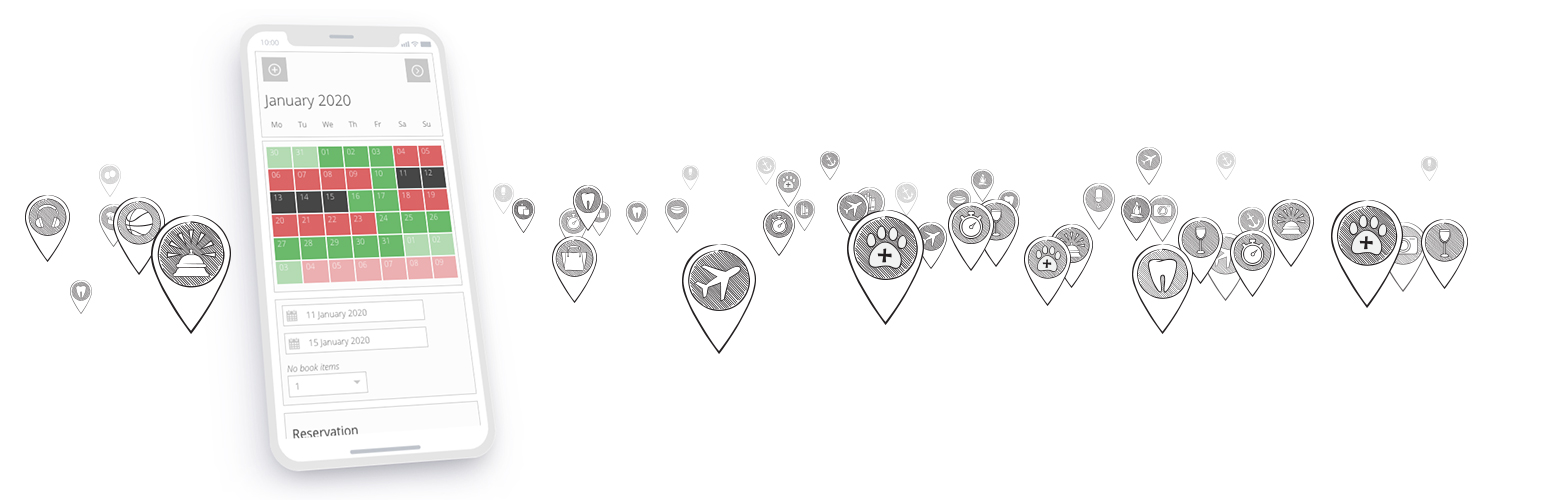
Responsive Booking Calendar
With this WordPress booking calendar plugin, your clients will be able to book your services and check for their availability directly from your WordPress website. This AJAX simple calendar makes it easier for your clients to make appointments because there is no need to refresh the page to make any updates.
This user friendly WordPress booking calendar is perfect for any of your clients – it’s responsive, so it can be viewed on any device and it adapts to your customer’s time zones.
The Pinpoint booking calendar can be customized to a great extent: the client can select how many months to view in the calendar and there is a sidebar, where your customers can search for availability, select the number of rooms or items that they need, use coupons or select extras.
Your client is able to see a summary of their reservation and, if necessary, you can add a custom form that they can fill in – directly in the booking calendar.
Book Days
In your booking calendar, days are displayed with one out of 5 types of availability: none, available, booked, special or unavailable. You can set a special price for groups of days, or select the minimum or the maximum number of days that can be booked.
Book Nights
This feature is perfect for you if you’re in the accommodation business. The booking calendar offers support for morning check-outs. Your clients will have the option of checking-in in the afternoons and checking-out in the mornings – and the prices and availability will be displayed accordingly.
Book Hours
With Pinpoint, you can control your reservations by hours. Hours are treated exactly the same as days, with 5 types of availability, special prices for groups of hours or a minimum or a maximum number of bookable hours.
Book Hours Intervals
Pinpoint booking calendar lets you adjust the reservation time interval even more – with the help of the time slot. You can set hour intervals for your bookings, down to the minute. This gives you increased precision and control over your client’s reservations.
Reservations management
Booking management has never been easier. Booking calendar administrators can add, cancel, edit, reject or delete reservation requests. Bookings can be instantly approved or rejected, but can never overlap – and the booking calendar will update accordingly.
You can choose between a list view or a calendar view to display your clients’ reservations, and they can be printed or exported in 4 types of formats – CSV, XLS, JSON, and ICS.
BOOKING CALENDAR EXTENSIONS
Extras
With Pinpoint, you can add extra amenities, services or others to your client’s bookings, either with a price or for free. You can set default values for the extras, and whether they are mandatory or not. Also, multiple extras groups can be made to be used with your booking calendar.
Forms
In case you need more information from your clients, you can create a custom form that your customers can fill in directly in the booking calendar. You can have text fields, text areas, checkboxes, dropdowns and even custom fields in your form. It’s worth knowing that you can create an unlimited number of custom forms for your calendar.
Discounts
In this booking calendar, you can create discounts according to the time interval the reservation is made for. You can decide how the discounts will be calculated – once by day or hour, fixed or a percent – and their default amount.
Taxes and fees
If reserving your product or service comes with extra taxes or fees – you can add them to your booking calendar. You can decide their value, and if they will be included or not in the overall reservation price.
Coupons
Another useful feature Pinpoint has is the creating of vouchers or coupons for your customers. You can set their default value, the terms and conditions of how they can be used and add them directly into the booking calendar.
WooCommerce Bookings
This booking calendar can be greatly extended with the WooCommerce plug-in. With this, you can make the most of the shopping cart, the specific payment gateways and all the other extra features that come with the WooCommerce WordPress plug-in. Additionally, all your reservations data is saved both in Pinpoint and WooCommerce orders.
Other WordPress Booking System Features
Synchronization via iCal files
For better reservation management, the Pinpoint Booking Calendar can be synchronized with other calendars – Mac Calendar, Outlook, Google Calendar, iCalendar or Airbnb, via iCal format data.
Notifications for Booking Requests
You can send your clients’ reminders and notifications form your booking calendar, either by email or SMS. You can set up text messages to be sent, either to you or your customers – with Clickatell SMS gateway. For an email notification, you can create custom templates for any type of notice or language, and they will be sent with STMP, PHPMailer class or PHP mail function.
Support for multiple languages
If your local language is different from English, or you need to offer your services in multiple languages, the Pinpoint booking system offers support for a couple of languages already. However, if you find that yours is not, you can modify or translate your own texts with a simple “to-do” tool.
Support for multiple currencies
You can use any currency with our Pinpoint booking system. However, if you need to, you can customize your own currency to fit your needs, using hooks.
Online Payment Getaways
Even though payment cannot be mandatory when a client makes a reservation, it can be an option. With this booking calendar, PayPal is the default payment method, but if you have another preference, you can change that with add-ons. There are 6 payment gateways to choose from – Stripe, WePay, 2Checkout, Authorize.Net, Braintree, ICEPAY and Mollie.
Installation
Upload the folder booking-system from the zip file to “wp-content/plugins” and activate the plugin in your admin panel or upload booking-system.zip in the “Add new” section.
Faq
Click here to view Pinpoint Booking System WordPress Plugin Documentation.
Reviews
Waiting for an answer on ticket 4474
By 
I've been waiting for a reply to a support ticket for a month now and I'm on the verge of abandoning this plugin for something else. Please can somebody reply with support or at least tell me that you're unable to help?
Thanks.
Horrible technical support
By 
I recommend not to buy the premium version of this plugin. They have a terrible technical service. They take an average of a week to reply to solve nothing and refer you to the documentation. We have a serious problem with the booking system on our website and the only solution will be to change the system for another plugin and reinstall it from 0.
Inoperable payments and no support
By 
I think the only thing still functioning with this organization is their ability to take your money. While the plugin works fairly well if you don't want to accept payments on its own, its paid Authorize.net plugin is broken, as is its included PayPal functionality. The changelog for the plugin was last updated in 2018 and it relies on an obsolete version of omnipay.
Multiple support requests to try to get it working went unanswered.
Plugins die, I get that, but if the thing doesn't work, don't accept money for it. That's why I consider Pinpoint, "The #1 WordPress Booking Plugin," fradulent. If you find yourself in our position its worth it to call your bank and try to claw your money back.
It's a shame too, because there's a lot to be said for the UX of this plugin. The UI is out-dated and not super accessible, but you can tell that at some point a talented team cared about this plugin.
support not worth
By 
i tried to use this plugin in the paid version and had some (in my opinion: simple) questions after buying - got no solutions after almost a year of waiting.
after expiring of my license - and, of course, not extending cause the missing answers - additional i've lost the right to download my paid version again: the website do not offer the button anymore.
also i've got no answer to my emails to the team regarding this for weeks, so lost the paid plugin for ever...
the functions of the system are not bad, but having trouble with it, users are lost. poor!
Error 120 costed me towsands of dollars in lost buisness
By 
I'd suggest to not get the permenant licence beacause the customer service will disappear. I've had multiple requests done to fix this error 120. none could be done to fix this so I had to pay for a new plugin
Very good support
By 
Very good and prompt support.
If NO support, it's a useless plugin
By 
If as soon as something does not work for us and despite giving them everything they ask for, data, photos, administrator access… They disappear and do not provide a solution… We have to pull our hair out, get frustrated and unfortunately have to look for another tool, which may be worse, but it will work thanks to its SUPPORT… and change. A plugin that DOES NOT work DOES NOT USE ANYTHING. Thank you USELESS PINPOINT support. We are glad that they treat us with this CONTEMPOR because it means that they do not need us. THANK YOU!
Si en cuanto no nos funciona algo y a pesar de darles todo lo que piden, datos, fotos, acceso de administrador... Desaparecen y no dan solución... Nos tenemos que tirar de los pelos, frustrarnos y lamentablemente tener que buscar otra herramienta, que quizás sea peor, pero funcionará gracias a su SOPORTE... y cambiar. Un plugin que NO funciona NO SIRVE DE NADA. Gracias Soporte INUTIL de PINPOINT. Nos alegramos de que nos traten con este DESPRECIO pues significa que no nos necesitan. ¡GRACIAS!
Good for now
By 
best I tried for free
Reglas colocar día especifico de reserva
By 
Super
By 
Changelog
2.9.9.6.9
- Reservations are now canceled correctly when the related WooCommerce order is canceled, bug fixed.
- Reservation export to XLS format has been improved.
- The bug affecting reservation export in CSV format has been fixed.
- The bug related to the initial Google Calendar synchronization authorization request has been fixed.
- Updated the usage of the woocommerce_checkout_create_order and woocommerce_store_api_checkout_update_order_meta hooks to ensure compatibility with WooCommerce version 10.8.1.
2.9.9.6.8
- The day generation logic used for availability verification has been updated to work correctly on newer PHP versions.
2.9.9.6.7
- Reservations can be canceled or refunded after the check-in date has passed.
2.9.9.6.6
- iCal timezone transitions are now created correctly for specific timezones, bug fixed.
- License activation has been removed from the free version. The PRO version must be installed for this feature to work.
- Reservations are now added correctly, and new hooks have been implemented for the latest versions of WooCommerce.
- The mktime() function is now used correctly, bug fixed.
- The widgets is displayed correctly on the page, bug fixed.
2.9.9.6.5
- A number of issues that can return 120 errors have been resolved.
- Compatibility with different WordPress email plugins has been verified, and any issues and incompatibilities have been fixed.
- Reservations without form data now display correctly in the admin.
- The XLS export bug has been fixed.
2.9.9.6.4
- Add-on files now load correctly, bug fixed.
- Total price is now displayed correctly in email notifications, bug fixed.
2.9.9.6.3
- Individual calendar permissions are now saved correctly, bug fixed.
- The Add Reservation section is displayed correctly in the admin area, bug fixed.
- The PayPal bug has been fixed.
2.9.9.6.2
- Coupon validation is handled correctly, bug fixed.
2.9.9.6.1
- Small bugs have been repaired.
2.9.9.6.0
- Modifications have been made to ensure compliance with WordPress guidelines.
- IMPORTANT! PHP 8 is required.