BookPod Author Tools

BookPod Author Tools
Description
BookPod Author Tools allows authors and publishers to connect their WooCommerce store directly to the BookPod print-on-demand service.
With this plugin, you can:
* Upload book content (PDF) and cover files directly to BookPod.
* Automatically sync product metadata (prices, dimensions, paper type).
* Send orders automatically to BookPod for printing and shipping.
* Offer specific shipping methods (Home Delivery or Pickup Points) fully integrated with BookPod’s logistics.
Important: This plugin is an integration tool for the BookPod service. A BookPod account is required to use this plugin.
Service Description
This plugin relies on the BookPod service to function. It acts as a bridge between your WordPress site and BookPod’s manufacturing and logistics systems.
- Service Name: BookPod
- Service URL: https://bookpod.co.il/
- Data Sent: When you create a book or an order is placed, the plugin sends product details (PDFs, metadata), order details (shipping address, customer name), and store credentials to BookPod’s servers via API.
- Terms of Use: https://bookpod.co.il/%d7%aa%d7%a7%d7%a0%d7%95%d7%9f-%d7%9אתר/
- Privacy Policy: https://bookpod.co.il/%d7%9e%d7%93%d7%99%d7%a0%d7%99%d7%95%d7%aa-%d7%a4%d7%a8%d7%98%d7%99%d7%95%d7%aa/
Installation
- Upload the plugin files to the
/wp-content/plugins/bookpod-author-toolsdirectory, or install the plugin through the WordPress plugins screen directly. - Activate the plugin through the ‘Plugins’ screen in WordPress.
- Go to the “BookPod Author Tools” settings page and enter your Store User ID and Token (provided by BookPod).
- Navigate to a WooCommerce product to link it or create a new book.
Screenshots
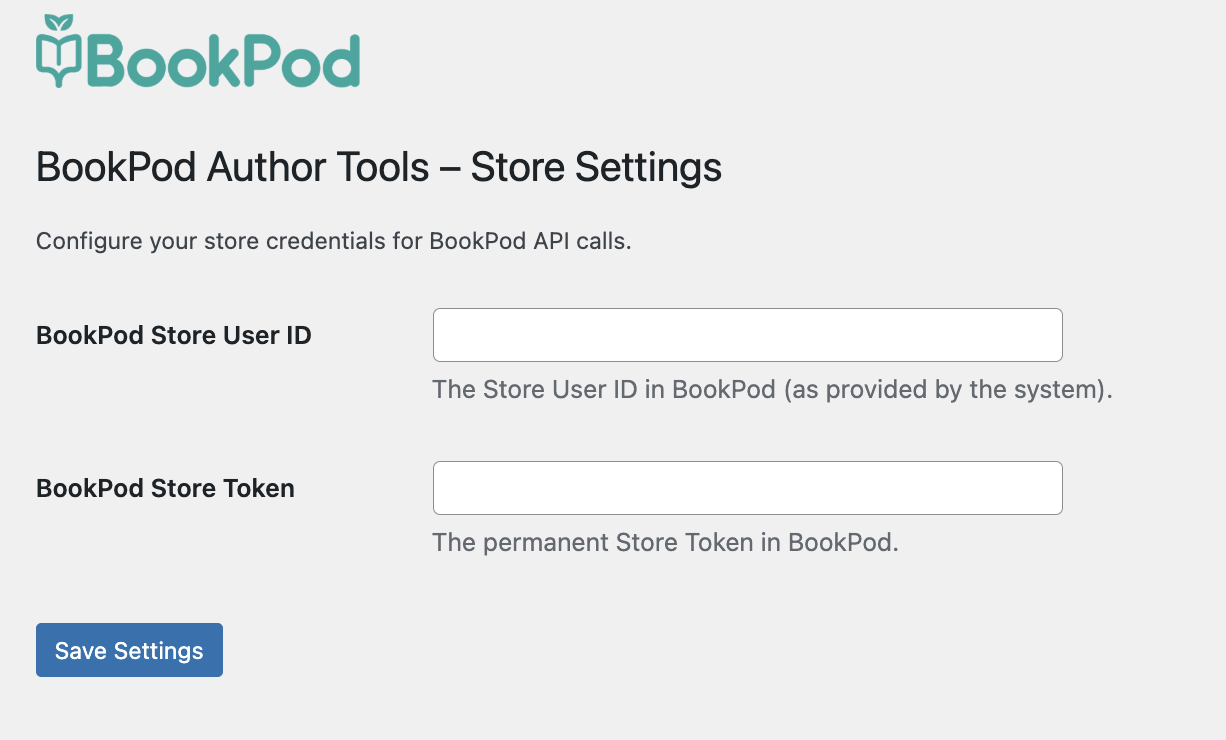
Plugin Settings Page - Enter your API credentials.

Product Setup - Link a WooCommerce product to a BookPod book ID.

Create Book - Upload PDF files and set print specifications.
Faq
Yes, you must have an active publisher account with BookPod to use this plugin.
Yes, the plugin is designed to work with the latest version of WooCommerce.
Reviews
Changelog
2.1.5
- Adding support for digital books shipping messages, emails and checkout
- fixing and updating the create book fulfillment
2.1.3
- Adding support for ehouse
- Display updates
2.1.1
- Added support for Book Sets (Bundles): Link multiple books to a single product.
- Enhanced Shipping Logic: Improved integration and validation for Home Delivery and Pickup Points.
- Bug fixes and performance improvements for API communications.
2.1.0
- Added email notifications for Admin/Warehouse regarding orders containing BookPod items.
- Added “Shipped Separately” labels in customer emails for better user experience.
- Added item picking labels within the order table for warehouse emails.
- Added “Disconnect Book” button to easily unlinked products from BookPod.
2.0.0
- Added support for digital files (EPUB).
1.0.0
- Initial release.