Boostly – Quick View, Sticky Add to Cart & Direct Checkout for WooCommerce
Boostly – Quick View, Sticky Add to Cart & Direct Checkout for WooCommerce
Description
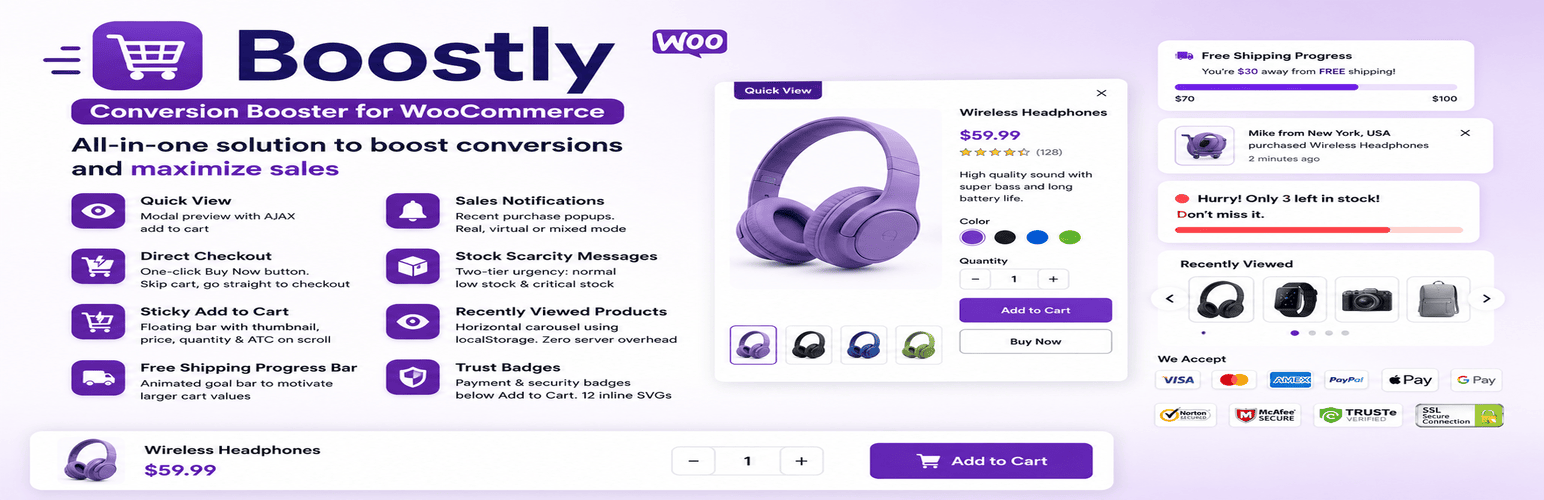
Boostly is a modular WooCommerce plugin that adds Quick View, Sticky Add to Cart, Direct Checkout, Trust Badges, Free Shipping Bar, and more to your store — in one lightweight, performance-first toolkit. Enable only the modules you need. Disabled modules load zero CSS and zero JavaScript.
📖 Documentation | 🚀 Boostly Pro
Every disabled module contributes zero CSS, zero JavaScript, and zero database queries to your page. Active modules load assets only on the exact pages where they render.
⚡ 8 WooCommerce Conversion Modules — 100% Free
1. Quick View for WooCommerce
Let shoppers preview full product details — images, description, price, variations — in a modal popup without leaving the shop page. Includes AJAX add-to-cart and full variable product support with inline variation selectors.
2. Sticky Add to Cart for WooCommerce
A floating sticky bar that keeps the Add to Cart button always visible as customers scroll. Shows product thumbnail, title, price, and quantity. On variable products, an inline variation selector lets shoppers pick size/color directly in the bar — no scrolling back up.
3. Direct Checkout / Buy Now Button
Skip the cart entirely. One click sends shoppers straight to WooCommerce checkout. Works on simple and variable products. Reduces cart abandonment for high-intent buyers.
4. Free Shipping Progress Bar
Animated progress bar showing how much more the shopper needs to unlock free shipping. v1.1.2: Updates in real-time via AJAX when items are added or removed — no page reload needed. Includes an optional 🎉 confetti burst when the goal is reached.
5. WooCommerce Sales Notifications
Recent purchase popups powered by real WooCommerce orders, virtual demo entries, or mixed mode. v1.1.2: Clicking a notification now opens the product page directly — turning social proof into a navigation tool.
6. Stock Scarcity & Urgency Messages
Two-tier urgency: a low-stock warning and a critical-stock alert with animated bar. Use {stock} in your message to auto-insert the live count — “Only {stock} left!” Includes a “X people viewing this” live counter with session-stable random number and FTC-compliant “Live estimate” disclosure.
7. Recently Viewed Products
Horizontal product carousel powered by browser localStorage — zero server load, zero database writes. Encourages return visits to products customers were considering.
8. Trust Badges for WooCommerce
12 inline SVG payment and security badges — no external CDN, no privacy risk. Supports up to 5 custom text badges with emoji icons (“Halal Certified”, “30-Day Returns”, etc.). v1.1.2: Optional checkout page placement below the Place Order button — the highest-hesitation moment in your funnel.
⚡ What’s New in v1.1.2
Shipping Bar — Real-time AJAX Update
The Free Shipping Bar now refreshes instantly when items are added or removed from the cart — in the mini cart, cart page, checkout, and sticky bar — without any page reload. This was the #1 missing feature compared to dedicated shipping bar plugins.
Shipping Bar — Confetti Celebration
When a customer unlocks free shipping, a lightweight confetti burst fires automatically. Pure CSS keyframe animation — no external library, no performance cost. Toggle it on or off in settings.
Trust Badges — Checkout Page Support
Enable badges on the Checkout page to display them below the Place Order button — the moment hesitation peaks just before payment. One checkbox in settings.
Sales Notifications — Click-to-Product
Clicking any notification popup now navigates the shopper to that product’s page. Product URLs are pulled directly from real WooCommerce order data — zero configuration needed.
🏆 Why Boostly Outperforms Separate Plugins
Most WooCommerce stores install 5–8 separate conversion plugins. Each loads its own scripts, stylesheets, and database queries — even on pages where nothing renders.
Boostly is built differently:
- Modular toggle — disabled modules are completely excluded from page output
- Page-aware loading — Quick View scripts only on shop pages; Sticky ATC only on product pages
- Vanilla JS only — no jQuery dependency for frontend modules; average module weight under 15 KB
- One settings dashboard — all 8 modules in a single admin screen with individual tabs
- WooCommerce-native hooks — no template overrides, no theme compatibility issues
- HPOS compatible — declared via WooCommerce FeaturesUtil API
- Translation-ready — 302 strings, .pot file included for GlotPress
🏆 Boostly vs. Competitors
Feature
Boostly Free
Others
Quick View + Variations
✅ Free
Paid
Sticky ATC + Inline Variation Selector
✅ Free
Paid
Direct Checkout / Buy Now
✅ Free
Paid
Free Shipping Bar (AJAX real-time)
✅ Free
Paid
Sales Notifications + Click-to-Product
✅ Free
Paid
Stock Scarcity + Viewer Counter
✅ Free
Paid
Trust Badges + Checkout Placement
✅ Free
Paid
Custom Text Badges
✅ Free
Paid
Zero bloat on disabled modules
✅
❌
One dashboard for all modules
✅
❌
🆓 Free vs. Boostly Pro
All 8 modules are fully functional in the free version. No feature is locked, no nag screen, no forced upgrade.
Boostly Pro unlocks:
- Advanced targeting — show modules by user role, device, page, cart value, or product category
- Pre-built professional design templates for each module
- Conversion analytics dashboard — impressions, clicks, and revenue per module
- Multi-threshold Free Shipping Bar milestones
- Priority email support
Installation
From WordPress.org (recommended):
- Go to Plugins Add New in your WordPress dashboard.
- Search for “Boostly” or “WooCommerce sales booster”.
- Click Install Now, then Activate.
- WooCommerce must be installed and active.
- Navigate to Boostly in your admin menu.
- Enable the modules you want and configure each one from its settings tab.
Manual installation:
- Download the plugin zip from WordPress.org.
- Go to Plugins Add New Upload Plugin.
- Upload the zip and activate.
Screenshots

Dashboard — toggle all 8 conversion modules on or off from a single admin screen.

Sticky Add to Cart — floating bar with inline variation selector, thumbnail, price, and quantity.

Quick View modal — full product preview with variations and AJAX add-to-cart.

Trust Badges — SVG payment/security badges + custom text badges below ATC and on checkout.
Faq
No. Disabled modules load zero assets — no CSS, no JavaScript, no database queries. Active modules load their assets only on pages where they render. Quick View scripts never load on the checkout page, for example.
Yes, as of v1.1.2. The bar refreshes instantly via AJAX whenever items are added or removed from the cart — no page reload needed. This works in the mini cart, cart page, checkout page, and sticky bar.
Yes. The Quick View modal renders the complete WooCommerce variation form — dropdowns, price updates, and stock messages — exactly as on the single product page.
Yes — and this is one of Boostly’s key differentiators. The sticky bar includes an inline variation selector for variable products. Customers select size and color directly in the bar without scrolling back up.
Yes. Mobile and desktop visibility are independently controlled in the Sticky Add to Cart module settings.
Yes. Enable “Show on Checkout page” in Trust Badges settings and badges will appear below the Place Order button — the highest-hesitation moment in the purchase funnel.
Add up to 5 personalized badges with your own text — “30-Day Free Returns”, “Halal Certified”, “Made in Bangladesh”, “24/7 Support” etc. Choose from 12 emoji icons and enter your label.
Yes, if enabled. Turn on “Clicking a notification opens the product page” in Sales Notifications settings and each popup becomes a clickable link to that product.
Simulated — generated client-side in the visitor’s browser. No tracking, no server request, no real user data collected. A “Live estimate” disclosure label is shown automatically for FTC compliance.
No. Every badge is an inline SVG rendered server-side. Zero external requests.
Yes. Recently Viewed uses browser localStorage only. The viewer counter is entirely browser-side. Sales Notifications virtual mode uses no real customer data.
Yes. Full HPOS compatibility declared via the WooCommerce FeaturesUtil API.
Yes. All modules inject via standard WooCommerce hooks — no theme template overrides.
All 8. Each is independent — only active modules load assets, only on the pages they render.
No. Settings are stored in the WordPress options table (one option per module). No custom tables, no scheduled cron jobs.
Post in the Boostly support forum on WordPress.org. Pro users get priority email support at webtend.net.
Reviews
Changelog
1.1.2
- New: Free Shipping Bar — real-time AJAX update via
woocommerce_add_to_cart_fragments. Bar now refreshes instantly in mini cart, cart page, checkout, and sticky bar without any page reload. - New: Free Shipping Bar — optional confetti celebration animation when free shipping threshold is reached. Lightweight pure-CSS keyframe particles — no external library.
- New: Trust Badges — “Show on Checkout page” toggle. Badges render below the Place Order button via
woocommerce_review_order_before_submithook. - New: Sales Notifications — “Clicking a notification opens the product page” toggle. Product URL sourced from real WooCommerce order data and set as a
data-product-urlattribute; JS handles the redirect on click. - Improvement: Free Shipping Bar
cart_fragments()now returns separate fragments for mini_cart, cart, checkout, and sticky contexts — each updates independently. - Note: Stock Scarcity
{stock}placeholder was already implemented in v1.1.1 — added to changelog for visibility.
1.1.1
- New: Sticky Add to Cart — inline variation selector for variable products. Customers select size, color, and quantity directly in the sticky bar without scrolling.
- New: Trust Badges — custom text badges. Add up to 5 personalized badges with emoji icons and your own text.
- New: Stock Scarcity — “X people viewing this” live counter with session-stable number, drift animation, and automatic “Live estimate” FTC disclosure.
- New: Translation template (.pot file) — 302 translatable strings for GlotPress.
- Fix: Trust Badges SVG output uses wp_kses() with explicit allowlist.
- Fix: Trust Badges admin — inline style values wrapped with esc_attr().
- Fix: Sales Notifications virtual/mixed mode shows “For demonstration purposes” disclosure on storefront.
- Fix: load_plugin_textdomain() added — translations load correctly.
- Fix: All PHPCS WordPress.Security flags resolved — 0 errors across 77 PHP files.
- Fix: “Tested up to” updated to WordPress 7.1.
1.1.0
- New: Redesigned admin dashboard — two-column module grid with status indicators.
- New: “Go Pro” action link on the Plugins screen.
- New: Plugin and WooCommerce version display in dashboard.
- Improvement: Removed promotional UI from module settings screens.
1.0.3
- Fix: Colour picker values not saving correctly on second save in Quick View and Direct Checkout design tabs.
- Fix: “Saved” confirmation incorrectly shown when switching tabs without saving.
1.0.0
- Initial release — 8 modules: Quick View, Direct Checkout, Sticky Add to Cart, Free Shipping Bar, Sales Notifications, Stock Scarcity, Recently Viewed Products, Trust Badges.
- Full WooCommerce HPOS compatibility.
- Translation-ready.