BotMe AI — Add No-Code AI Assistants to Your Website
BotMe AI — Add No-Code AI Assistants to Your Website
Description
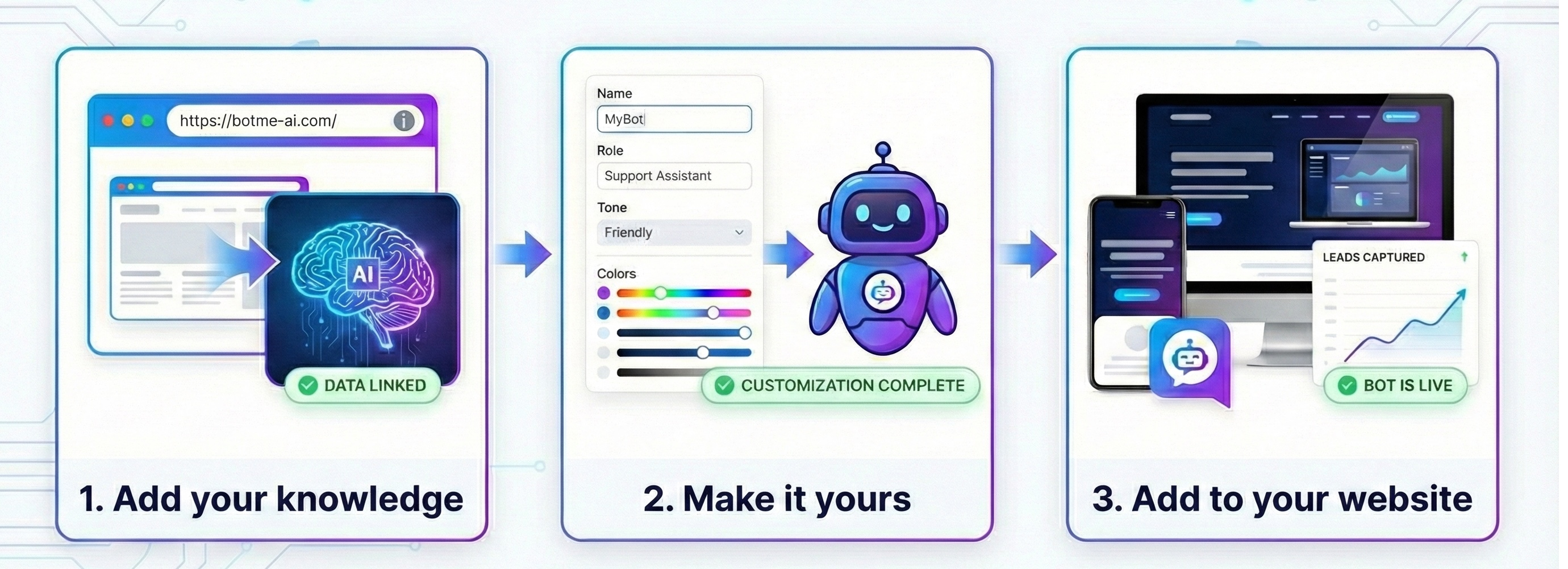
BotMe AI is a no-code AI agent creation tool that allows businesses to easily design, configure, and deploy custom AI assistants with simple and short steps. Add an AI-powered chat bot to your website to serve your site visitors and configure your bot to be your enthusiastic employee.
Key Features:
- No-Code Setup: Create AI assistants without any programming knowledge
- Easy Integration: Add AI chat to your WordPress website with just a few clicks
- Customizable AI Agents: Configure your bot’s personality, knowledge, and behavior
- Automatic or Manual Placement: Display as a floating button or embed anywhere on your site
- Flexible Positioning: Choose corner placement, size, and spacing for the floating widget
- Professional Support: AI-powered assistance for your website visitors 24/7
Who This Helps:
This plugin is perfect for businesses and organizations that want to enhance their website with AI-powered customer support:
- E-commerce websites looking to assist shoppers
- Service businesses providing instant answers to common questions
- Educational platforms offering student support
- SaaS companies automating customer onboarding
- Any website wanting to improve visitor engagement with AI
Developed by BotMe AI – Making AI assistants accessible to everyone.
Support
For support and more information about BotMe AI, please visit:
- Website: https://botme-ai.com
- Get API Key: https://botme-ai.com
External Services
IMPORTANT: This plugin connects to the BotMe AI external service to provide AI chat functionality. A BotMe AI account and API key are required for the plugin to work.
What the service is and what it is used for:
The BotMe AI SDK provides an AI-powered chat interface that allows website visitors to interact with custom AI assistants. The SDK is loaded from https://botme-ai.com/js/agent-chat-plugin.min.js and is required to display the chat interface when users interact with the bot.
What data is sent and when:
* The plugin loads the BotMe AI SDK JavaScript file on pages where the bot is displayed
* Your API key is sent to authenticate and connect to your configured AI assistant
* User conversations are processed by the BotMe AI service according to the AI configuration you set up in your BotMe AI account
* The SDK handles all chat interactions according to BotMe AI’s privacy practices
Service provider information:
* Service Provider: BotMe AI
* Service Website: https://botme-ai.com
* Terms of Use: https://botme-ai.com/legal/bot-owner-terms.html
* Privacy Policy: https://botme-ai.com/legal/bot-owner-privacy.html
Account requirement:
To use this plugin, you must create a BotMe AI account at https://botme-ai.com and obtain an API key. The BotMe AI service may have its own pricing and subscription plans.
Privacy & Security
This plugin integrates with BotMe AI’s external service:
- User conversations are processed by BotMe AI according to their privacy policy
- Your API key is used to authenticate requests to the BotMe AI service
- Data handling is governed by BotMe AI’s terms of service and privacy policy
- Uses secure HTTPS connections for all communications
- No conversation data is stored locally by this WordPress plugin
For detailed privacy information, please review the BotMe AI Privacy Policy at https://botme-ai.com/legal/bot-owner-privacy.html
Installation
- Upload the
botme-aifolder to the/wp-content/plugins/directory - Activate the plugin through the ‘Plugins’ menu in WordPress
- Get your API key from https://botme-ai.com (required)
- Navigate to the BotMe AI settings page in your WordPress admin
- Enter your API key and configure your bot placement
- Your AI assistant will now be available on your website
Manual Installation
- Download the plugin files
- Upload the entire
botme-aidirectory to/wp-content/plugins/ - Activate the plugin through the WordPress admin interface
- Obtain an API key from https://botme-ai.com
- Configure your settings
Screenshots
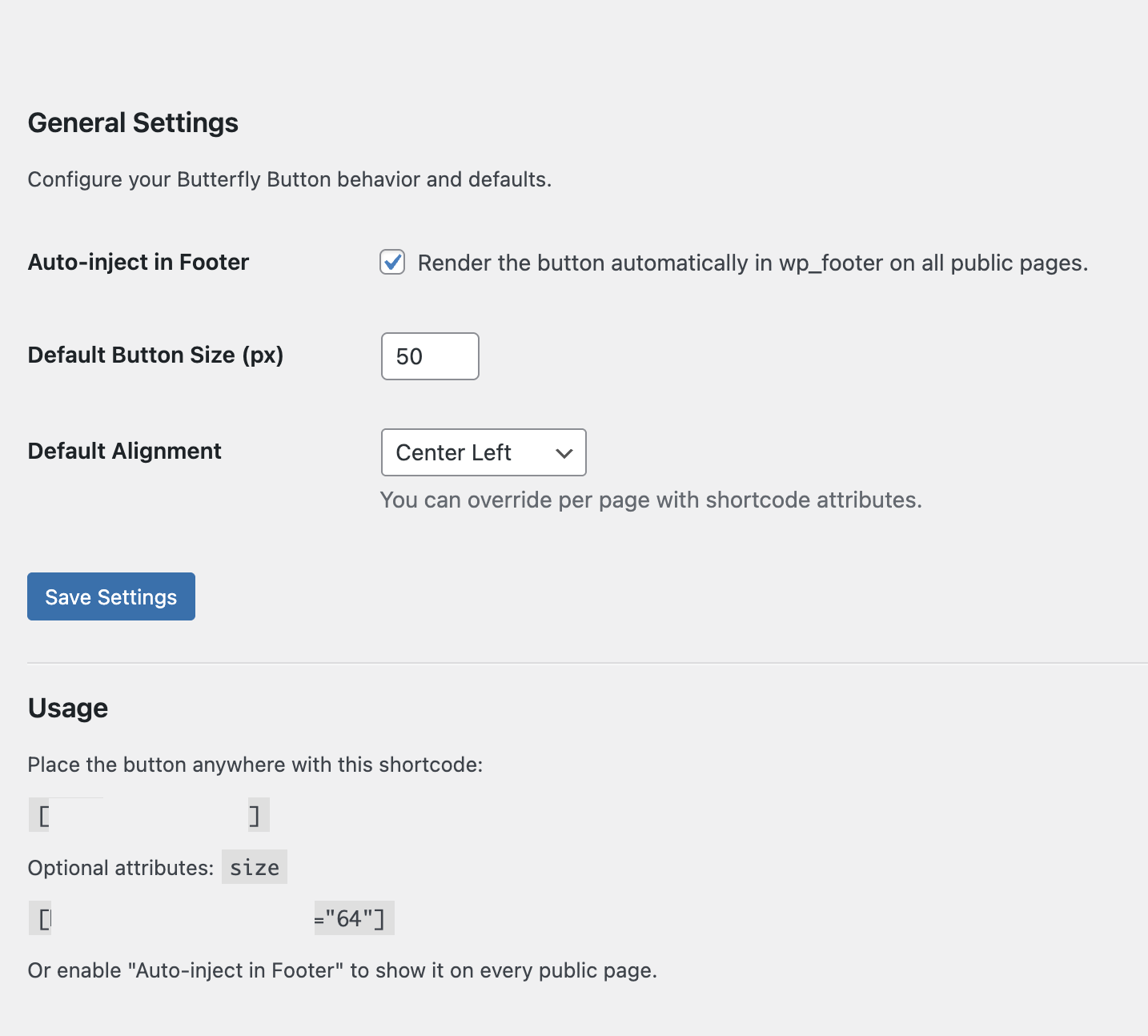
Plugin settings page in WordPress admin
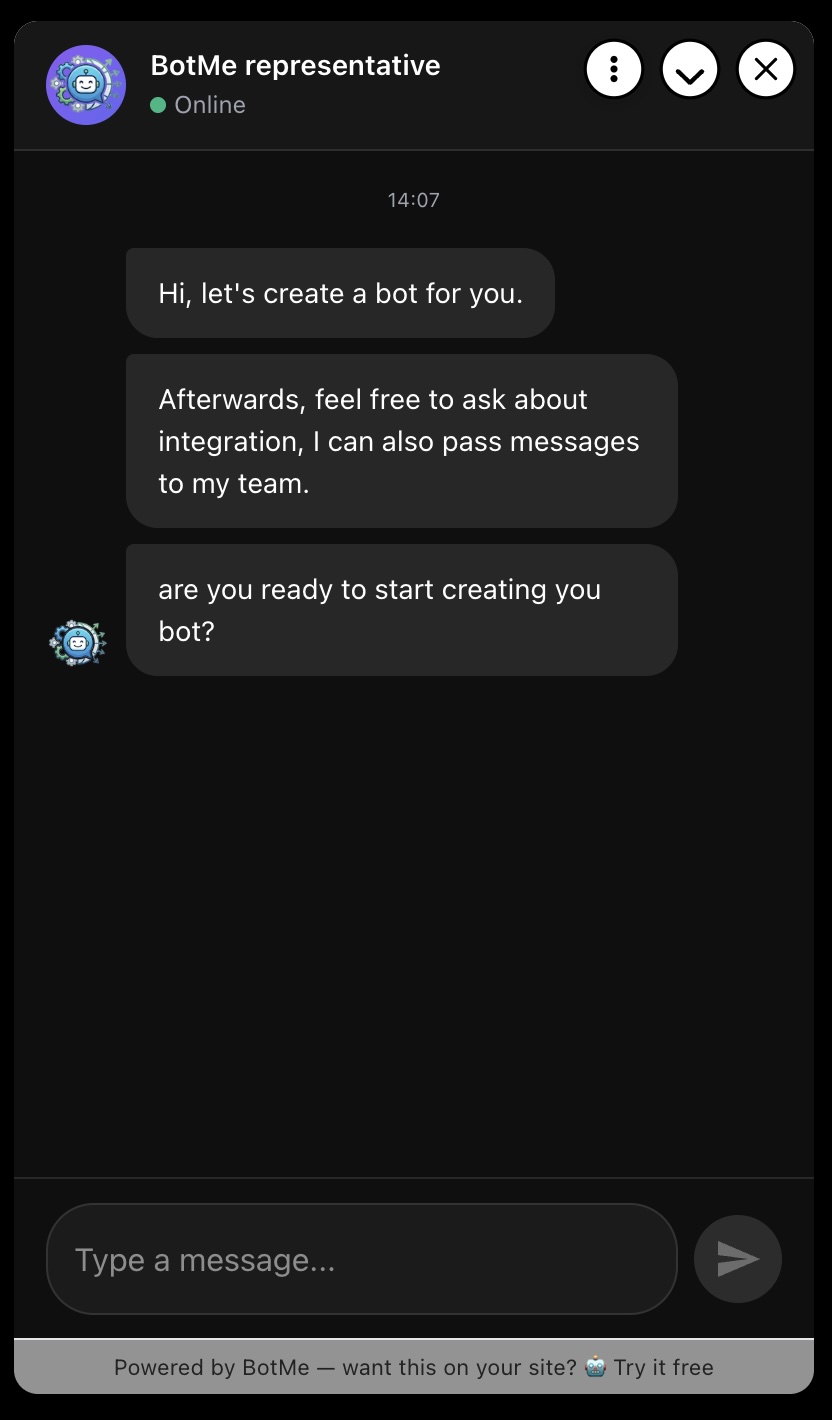
BotMe AI chat widget on website frontend
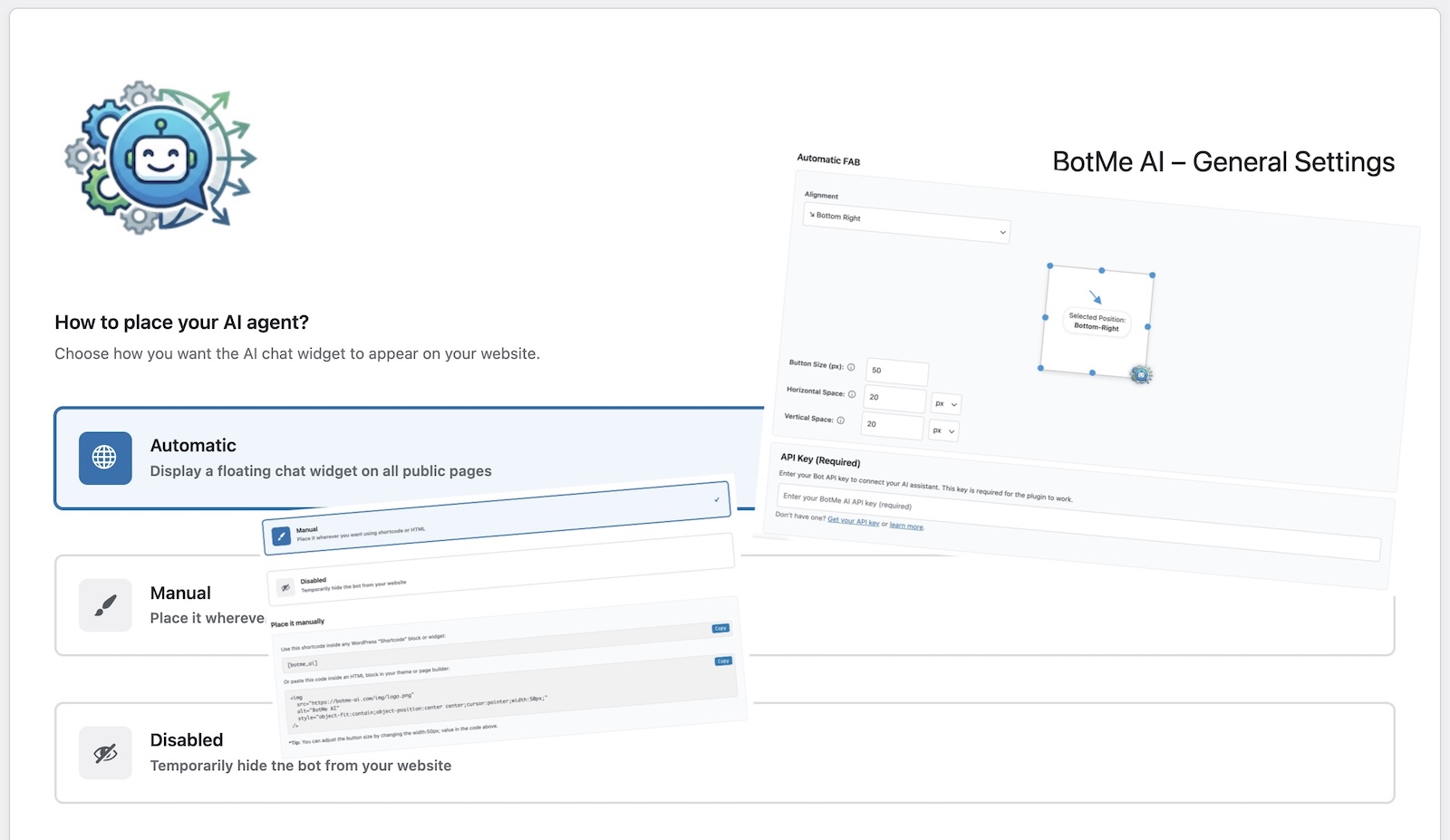
Configuration options for bot placement and appearance
Faq
Yes, you need a BotMe AI account and API key. The plugin is free, but you’ll need to sign up at https://botme-ai.com to create and configure your AI assistant.
You can choose to display the AI assistant as an automatic floating button in any corner of your site, or place it manually using a shortcode anywhere you want.
Yes! Through your BotMe AI account at https://botme-ai.com, you can customize your bot’s personality, knowledge base, behavior, and responses.
No coding required! BotMe AI is designed as a no-code solution. Simply install the plugin, add your API key, and configure the placement through the settings page.
The plugin requires an API key to function. Without it, the AI assistant will not be displayed. You can get your API key by signing up at https://botme-ai.com.
Yes! You can use automatic mode for a floating button, or use the shortcode [botme_ai] to place it anywhere on your site manually.
Reviews
Changelog
1.0.2
- 5 tags max
1.0.1
- Fix contributor username
1.0.0
- First official release on WordPress.org
- No-code AI assistant integration for websites
- Automatic floating button placement with customizable positioning
- Manual placement option using shortcode
- API key integration for BotMe AI service
- WordPress admin settings panel
- Multi-language support ready
0.1.0
- Initial beta release