Block Member Posting for BuddyPress
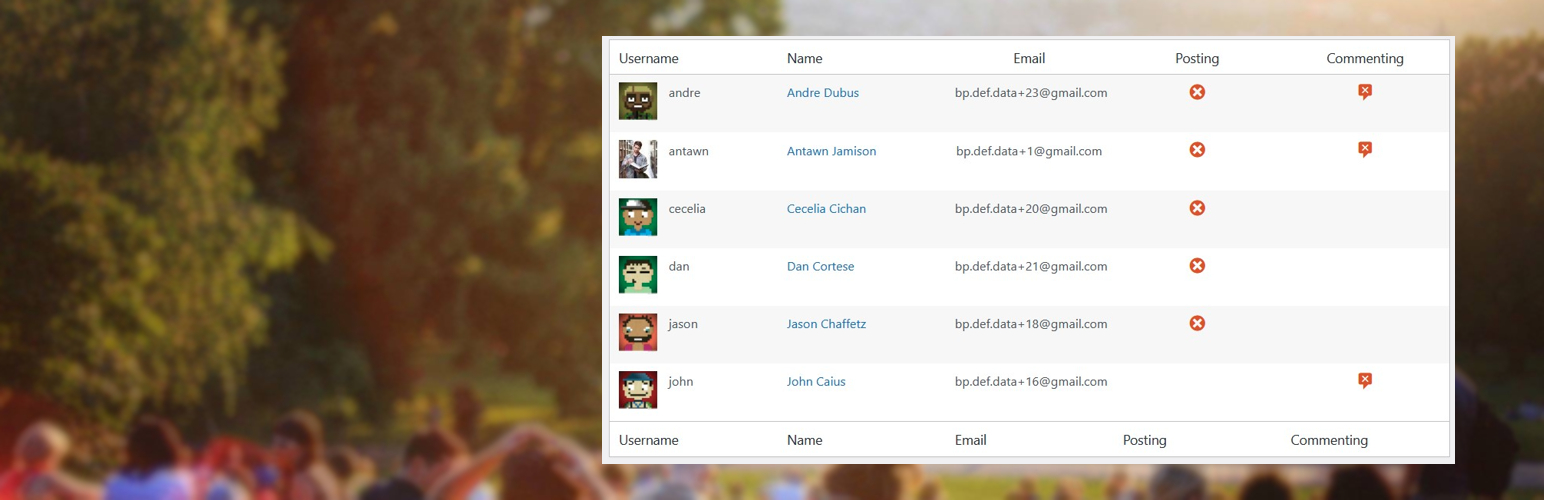
Block Member Posting for BuddyPress
Description
Allow an admin to block a BuddyPress/BuddyBoss member from posting and commenting.
You can block single members or all members belonging to a specific profile type.
Like this plugin? Please consider leaving a 5-star review.
Do you want customizations: Contact me at gianniskipouros.com.
Installation
- Upload “Block Member Posting for BuddyPress” plugin into the directory
wp-content/plugins/. - Enable “Block Member Posting for BuddyPress” plugin.
Screenshots

New post form is removed for blocked members.

Activity comment and reply buttons are removed for blocked members.

Admin Users list has new columns and filters for blocked members.

The options to block a specific member from posting.

The options to block a specific Profile Type from posting (BuddyBoss).

The options to block a specific Member Type from posting (BuddyPress).
Faq
There are no FAQ just yet.
Reviews
Changelog
1.1.3
- Security: Use prepared statements for the blocked-members admin filter query.
- Fix: Escape dynamic member/profile names with esc_html() instead of the translation functions.
- Fix: Remove duplicate member-type save handler that stored term meta twice.
- Fix: Remove enqueue of an unregistered admin script handle.
- Fix: Print the correct notice when BuddyPress is disabled on the admin list page.
- Fix: Resolve PHP 8 “undefined array key” warnings and replace the deprecated FILTER_SANITIZE_STRING.
1.1.2
- Update: WordPress 6.7.1
- Update: BuddyPress 14.3.3
1.1.0
- Add the post and comment blocking of specific member types (BuddyPress) or profile types (BuddyBoss).
- Block comment replies for members that have their comments blocked.
1.0.1
- Fix issue with function prefix
1.0
- First Edition release