Brand Voice Generator

Brand Voice Generator
Description
Instantly transform your text into high-quality, professional-grade audio content directly within your WordPress dashboard.
The Brand Voice Generator plugin leverages cutting-edge AI Text-to-Speech technology (Google Gemini 2.5 Flash) to create natural, lifelike voiceovers for your blog posts, landing pages, and educational content. Simply type or paste your text, select a voice, and generate.
It is built with a secure server-side proxy to protect your API keys and ensures strict access control for your team.
⭐ Free Features Include:
- Unlimited Generations: Generate as much audio as your Google Cloud API key allows. No plugin-side limits.
- High-Quality TTS: Leverages the Gemini 2.5 Flash TTS Preview model for clear, dynamic, and low-latency audio generation.
- Secure API Proxy: All API requests are handled server-side via WordPress AJAX, keeping your Google API Key confidential.
- Custom Voice Selection: Choose from multiple built-in voice personalities (e.g., Kore, Puck, Charon, etc.).
- Fine-Grained Audio Controls: Adjust the voice with native API parameters for Speed (
speakingRate) and Pitch (pitch). - SSML Support: Toggle for Speech Synthesis Markup Language to allow advanced audio formatting.
- Instant Playback & Download: Generate the audio, preview it immediately, and download the final
.wavfile instantly. - Role-Based Access: Control which user roles (e.g., Editors, Authors) can access the generator.
👑 Unlock Professional Workflow with Brand Voice Generator PRO:
Upgrade to the Pro version for advanced team management and audio archiving tools:
- 💾 Save to Media Library: Instantly save generated audio to your WordPress Media Library with a proper WAV header, making it ready for use in posts and pages.
- 📜 History & Audio Archiving: Automatically archives generated audio files to a dedicated folder. Download past generations anytime or restore their settings with one click.
- ✨ SSML Quick Templates: A “No-Code” dropdown to easily insert complex speech effects (Pauses, Whispers, Phone effects) without writing code.
- 🧼 Data Scrubber: Automated daily cleanup utility that deletes old audio files and logs based on your retention policy to save server space.
- 🛡️ Role Presets: Restrict specific roles (e.g., “Interns”) to specific brand-approved voices to ensure brand consistency.
- Priority Support and access to all future premium features.
External Services
This plugin relies on the Google Cloud Gemini API to generate audio from text.
* Service: Google Cloud Vertex AI / Gemini API
* Usage: Used to synthesize speech from the text input provided in the plugin dashboard.
* Data Sent: The text script you enter is sent to Google’s servers for processing. No personal user data is sent.
* Terms of Service: Google Cloud Terms
* Privacy Policy: Google Privacy Policy
Installation
- Upload the
brand-voice-generatorfolder to the/wp-content/plugins/directory. - Activate the plugin through the ‘Plugins’ menu in WordPress.
- Go to Brand Voice in the main admin menu.
- Enter your Google Cloud API Key (ensure the Gemini API is enabled).
- Select the Allowed User Roles that can access the generator.
- Add the shortcode
[brand_voice_generator]to any page or post to display the tool.
Screenshots
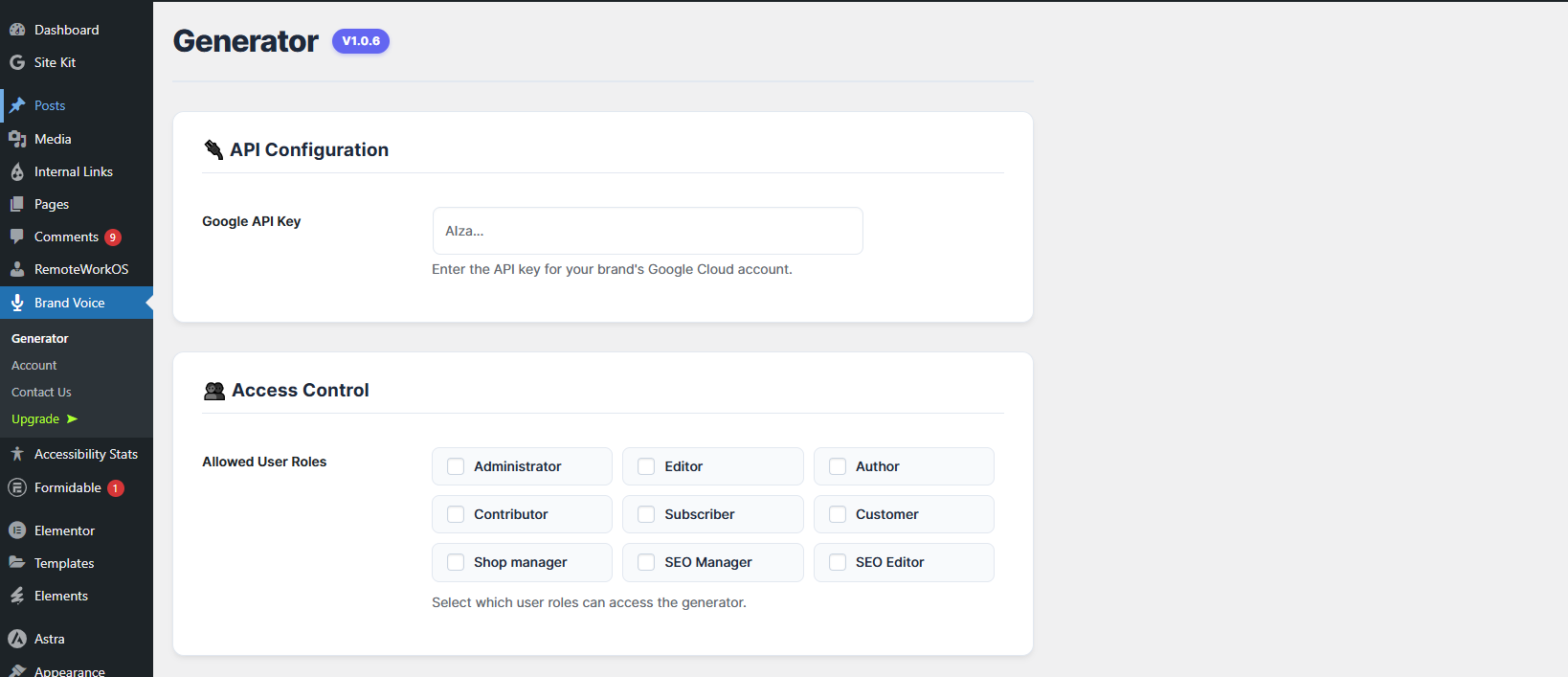
The Settings page with Role Presets matrix
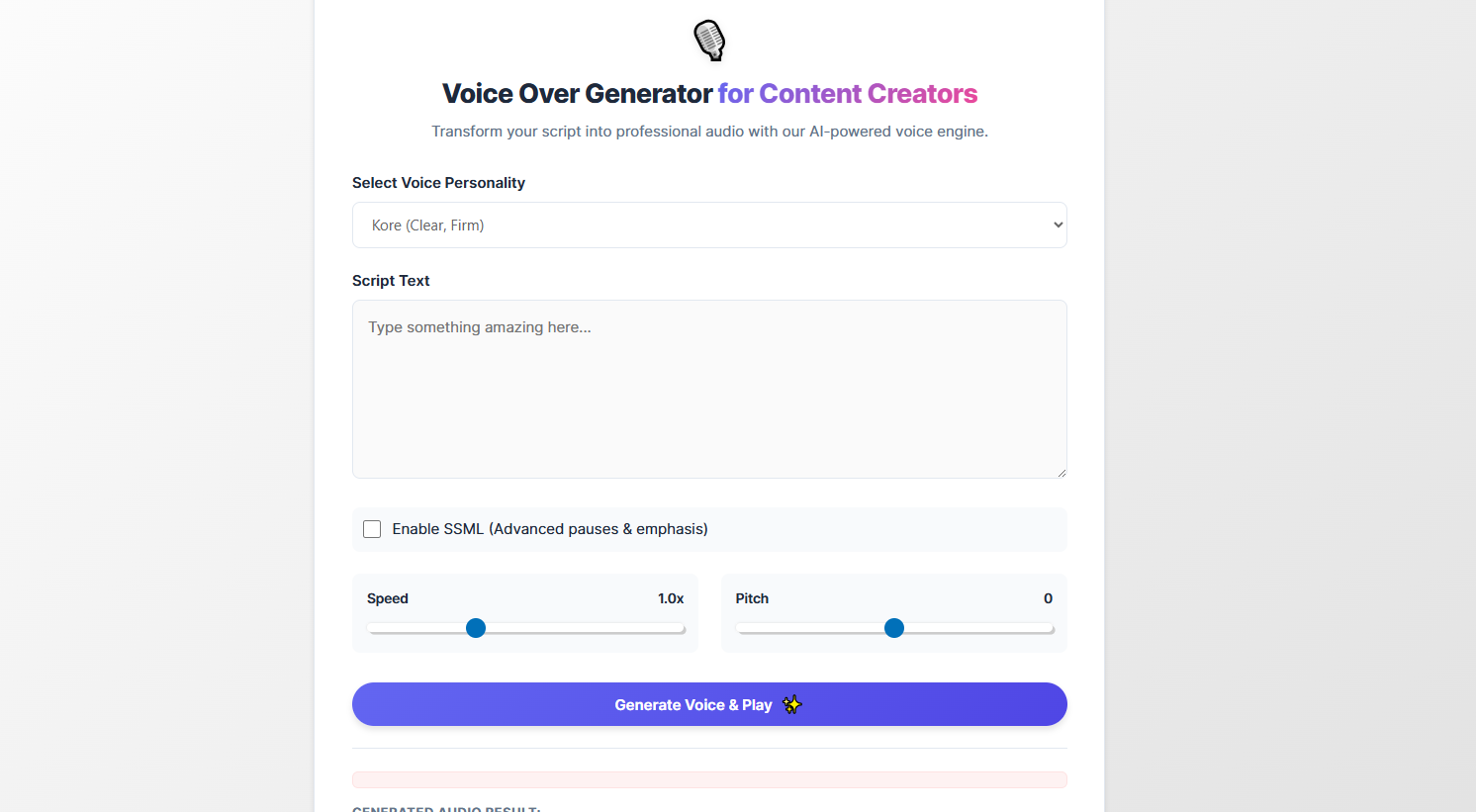
The main generator interface with Voice Selection and Pro controls.
Faq
Yes. This plugin provides the interface and controls, but requires a valid API Key from a compatible Text-to-Speech service (Google Cloud Gemini) to perform the actual audio generation.
The Daily Limit is a Pro feature that helps you manage your API costs. It is set per WordPress user role (e.g., Subscriber, Author). Once a user in that role reaches their limit of successful generations for the current day, they are blocked from generating new audio until the next day.
The Data Scrubber is a Pro feature that helps manage your server storage. Since Pro archives every generated audio file, the scrubber runs daily to delete files older than your set retention period (e.g., 90 days).
When you activate the Pro license, all Pro features (Role Presets, Media Library Save, History, SSML Quick Effects) will instantly unlock without losing any settings.
Reviews
Changelog
1.0.6
- New: Added Data Scrubber to automatically clean up old audio files (Pro).
- New: Implemented Audio Archiving – History now saves the actual file (Pro).
- New: Added “Save to Media Library” button with automatic WAV header fixing (Pro).
- New: Added SSML Quick Templates dropdown (Pro).
- Improvement: Refreshed Admin Dashboard UI with a modern card-based layout.
- Improvement: Added
can_use_premium_code()check for reliable Pro activation. - Security: Enhanced file path sanitization for audio storage.
- Initial Release.