Bricksed – Mega Menu & Mobile Menu for Bricks Builder

Bricksed – Mega Menu & Mobile Menu for Bricks Builder
Description
Bricksed adds a ready-made mega menu and mobile menu element to Bricks Builder. Drop it into your header template and get a complete responsive navigation – desktop mega dropdowns, multi-level submenus and a slide-in mobile menu – built from native Bricks elements that you style with the controls you already know.
IMPORTANT: This plugin requires the Bricks Builder theme (version 1.8.6 or higher) to be installed and activated.
Learn more and see the live demo at bricksed.com/mega-menu.
Why use Bricksed for your Bricks Builder menu?
- Mega menu in minutes – add the Bricksed element and it builds the header, logo, nav and dropdown structure for you
- Real mobile menu – slide-in navigation with your own breakpoint, direction, transition speed and background
- Native Bricks structure – uses the Nav (Nested), Dropdown and Link elements, so global classes and Bricks styling controls just work
- Works with or without Automatic CSS (ACSS) – use ACSS variables for spacing, or switch to built-in defaults
Key Features
- Fully customizable mega menu dropdowns
- Standard dropdowns and multi-level submenus
- Responsive mobile navigation with a customizable breakpoint
- Slide-in mobile menu from the left, right, top or bottom
- Customizable animations and transitions
- Last nav item button styling for desktop and mobile
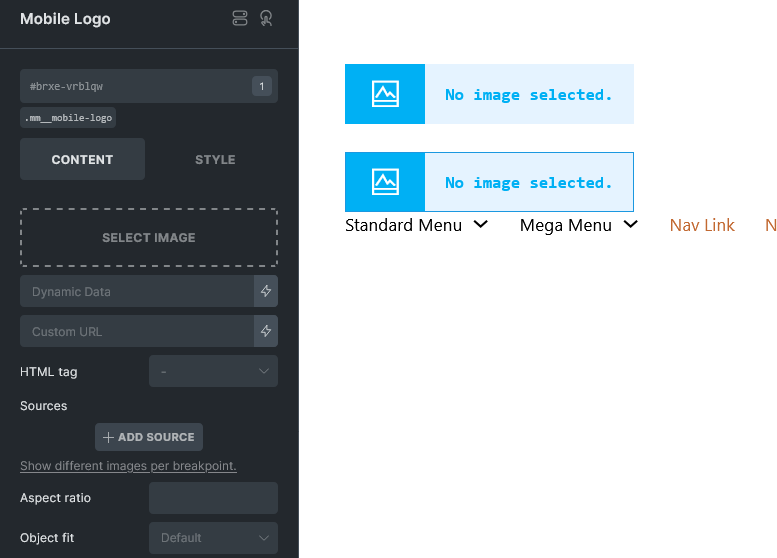
- Mobile logo support
- Custom styling controls for all menu elements
Mega Menu (Desktop) Features
- Customizable menu gap spacing
- Dropdown icon animations
- Flexible dropdown container styling
- Mega menu and standard dropdown support
- Customizable hover effects
Mobile Menu Features
- Customizable slide directions (left, right, top, bottom) for the main menu and sub-menus
- Adjustable transition durations
- Separate mobile logo with adjustable height
- Customizable mobile menu background
- Bottom-aligned button option for your call to action
- Hamburger (open) and close toggle customization
For Bricks Builder Developers and Agencies
- Automatic CSS (ACSS) variable support, with plain default values as a fallback
- Built from native Bricks elements, so global classes and the Bricks style panel apply
- Translation-ready (text domain:
bricksed) - Lightweight: one Bricks element and one small stylesheet
Installation
Required: the Bricks Builder theme (version 1.8.6 or higher) must be installed and activated.
- Upload the plugin files to the
/wp-content/plugins/brickseddirectory, or install the plugin through the WordPress plugins screen directly - Activate the plugin through the ‘Plugins’ screen in WordPress
- Open your header template in the Bricks Builder editor
- Add the Bricksed element (General category) to build your mega menu and mobile menu
- Set your mobile breakpoint, slide direction and styling in the element controls
Screenshots
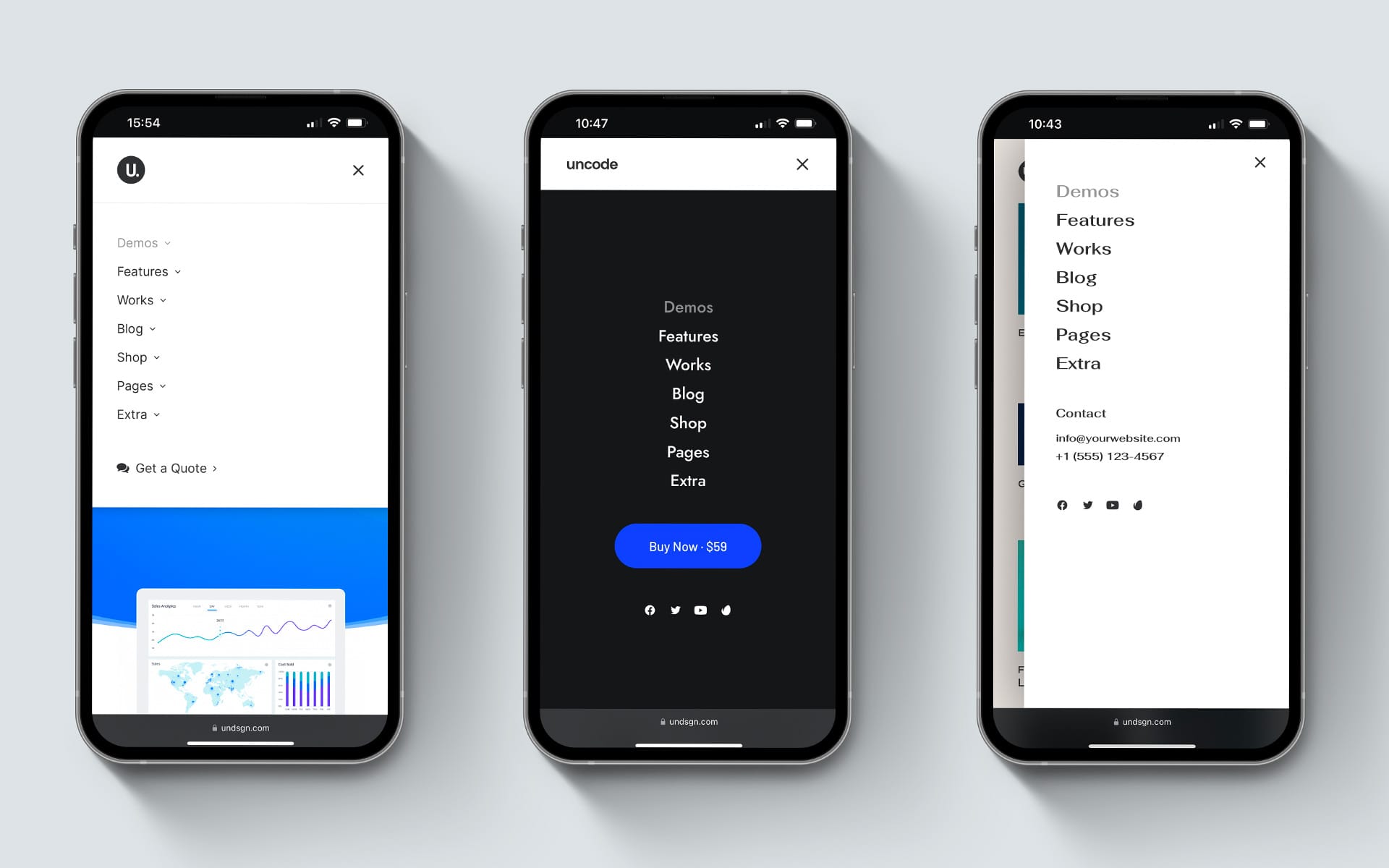
Mobile slide-in menu built with Bricksed in Bricks Builder
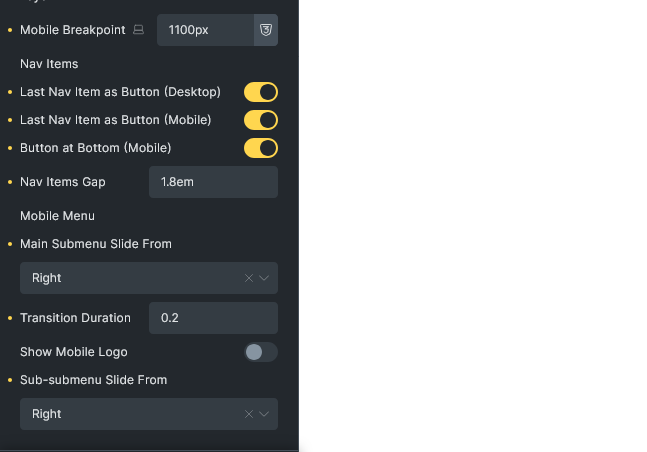
Bricksed mega menu element settings in the Bricks editor
Bricksed mobile menu settings: breakpoint, slide direction and transitions
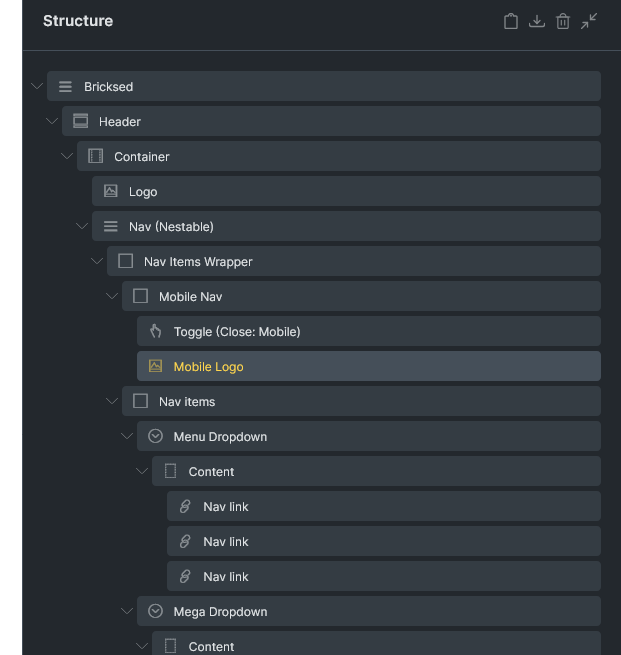
Header structure that Bricksed adds automatically to Bricks Builder
Faq
Install and activate Bricksed, open your header template in the Bricks editor and add the Bricksed element. It creates the header, logo, navigation and dropdown structure automatically. Replace the placeholder blocks inside the Mega Dropdown with your own content.
Yes, Bricksed REQUIRES the Bricks Builder theme (version 1.8.6 or higher) to be installed and activated. This plugin will not work without Bricks Builder as it is specifically designed as a Bricks Builder element.
Yes. Bricksed includes a mobile menu with a customizable breakpoint, slide direction (left, right, top or bottom), transition duration, background, logo and open/close toggles.
Yes, Bricksed supports multi-level dropdowns with customizable styling and animations for each level.
Yes, you can style the last navigation item as a button for both desktop and mobile views, with an option to position it at the bottom of the mobile menu.
Yes. In the element’s General settings choose “With ACSS” to use Automatic CSS variables, or “Without ACSS” to use default values.
No. Bricksed is built only for Bricks Builder.
Reviews
5 Tacos from me
By 
I created this account to say thank you for this awesome plugin.it worked like a charm on my bricks wesite
Changelog
1.0.1
- Improved: readme rewritten for clearer description, FAQ and screenshot captions
- Fixed: removed developer feature claims that did not match the plugin (SCSS variables, styling hooks)
- No functional code changes
1.0.0
- Initial release
- Feature: Desktop mega menu support
- Feature: Mobile responsive navigation
- Feature: Customizable styling options
- Feature: Multi-level dropdown support
- Feature: Mobile slide animations
- Feature: Last item button styling
- Feature: Mobile logo support