BrightLeaf Digital PHP Compatibility Scanner

BrightLeaf Digital PHP Compatibility Scanner
Description
PHP Compatibility Scanner helps you assess whether your site’s code (plugins and themes) is likely to run on newer versions of PHP. It performs static analysis using PHP_CodeSniffer and the PHPCompatibilityWP ruleset to flag code patterns that are incompatible with the selected target PHP version.
What the plugin does (at a glance):
– Compares your current runtime PHP (baseline) to a selected target PHP version (8.0–8.5).
– Scans plugins and themes, then highlights only the new issues that would appear on the target version (the “delta”).
– Shows results in a clear report on the Tools screen and adds small badges on the Plugins list screen.
– Lets you pause, resume, or stop a running scan.
Important limitations of static analysis:
– Static analysis can miss issues in dynamic code paths and can generate false positives. Treat results as guidance, not guarantees. Always test site functionality on a staging environment before upgrading PHP in production.
Features
- Select a target PHP version (8.0, 8.1, 8.2, 8.3, 8.4, 8.5)
- Scan all plugins or select specific ones
- Scan all themes or select specific ones, with an option to also scan a parent if a child theme is selected
- Pause/Resume/Stop controls for long scans
- Clear report of only the new issues between baseline (current runtime) and target
- Plugin list badges showing a quick summary for the last scan
Privacy
All analysis runs locally on your server. No data is sent to external services by this plugin.
Installation
- Install the plugin via Plugins Add New Upload Plugin, or place the
brightleaf-digital-php-compatibility-scannerfolder intowp-content/plugins/. - Activate the plugin through the “Plugins” menu in WordPress.
- Go to Tools PHP Compatibility Scanner.
- Choose a Target PHP version higher than your current runtime.
- Select what to scan (plugins and/or themes) and click “Run scan”.
Screenshots

The scan report on the Tools screen, listing only the new issues that would appear on the target PHP version.
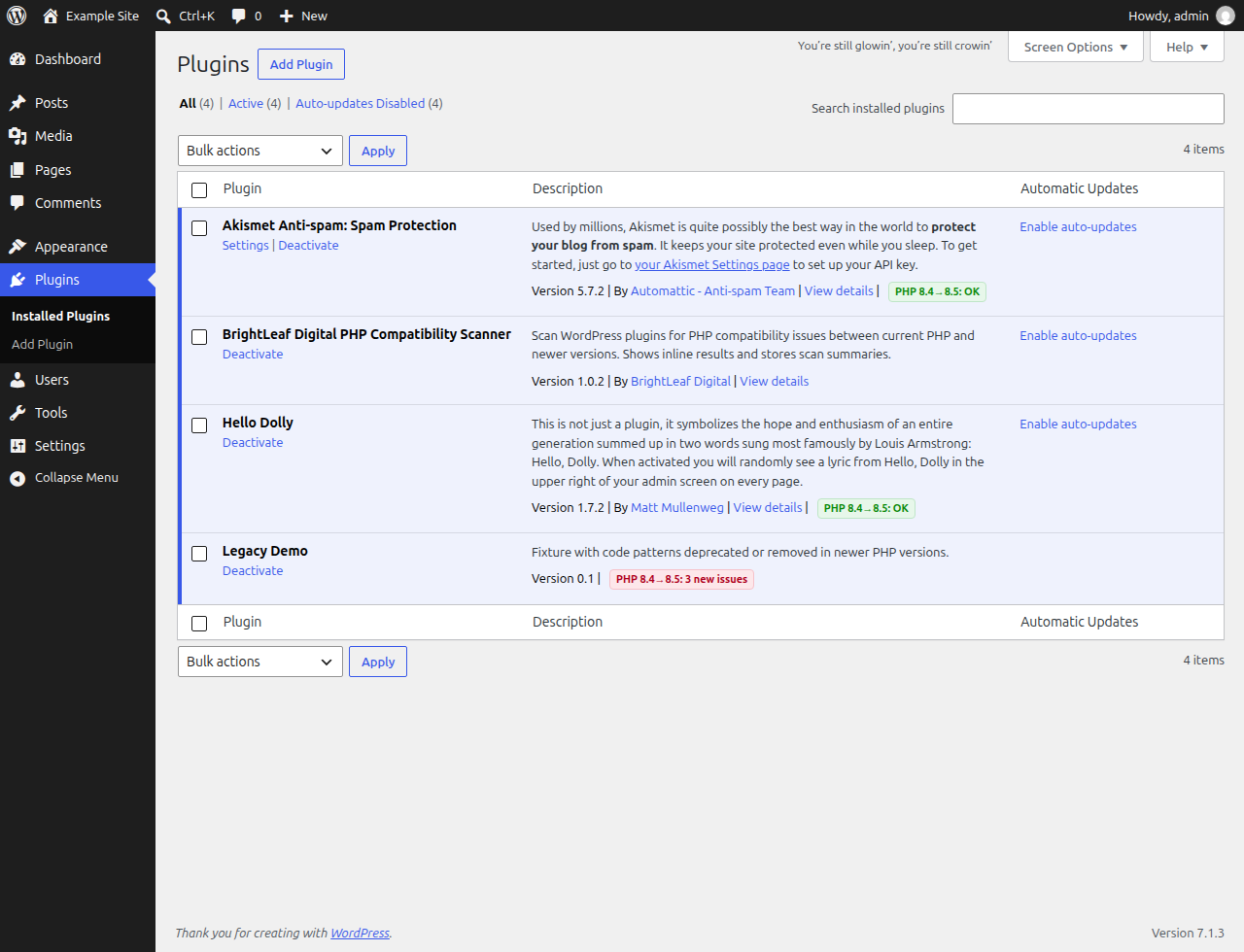
Compatibility badges on the Plugins screen summarizing the last scan for each plugin.
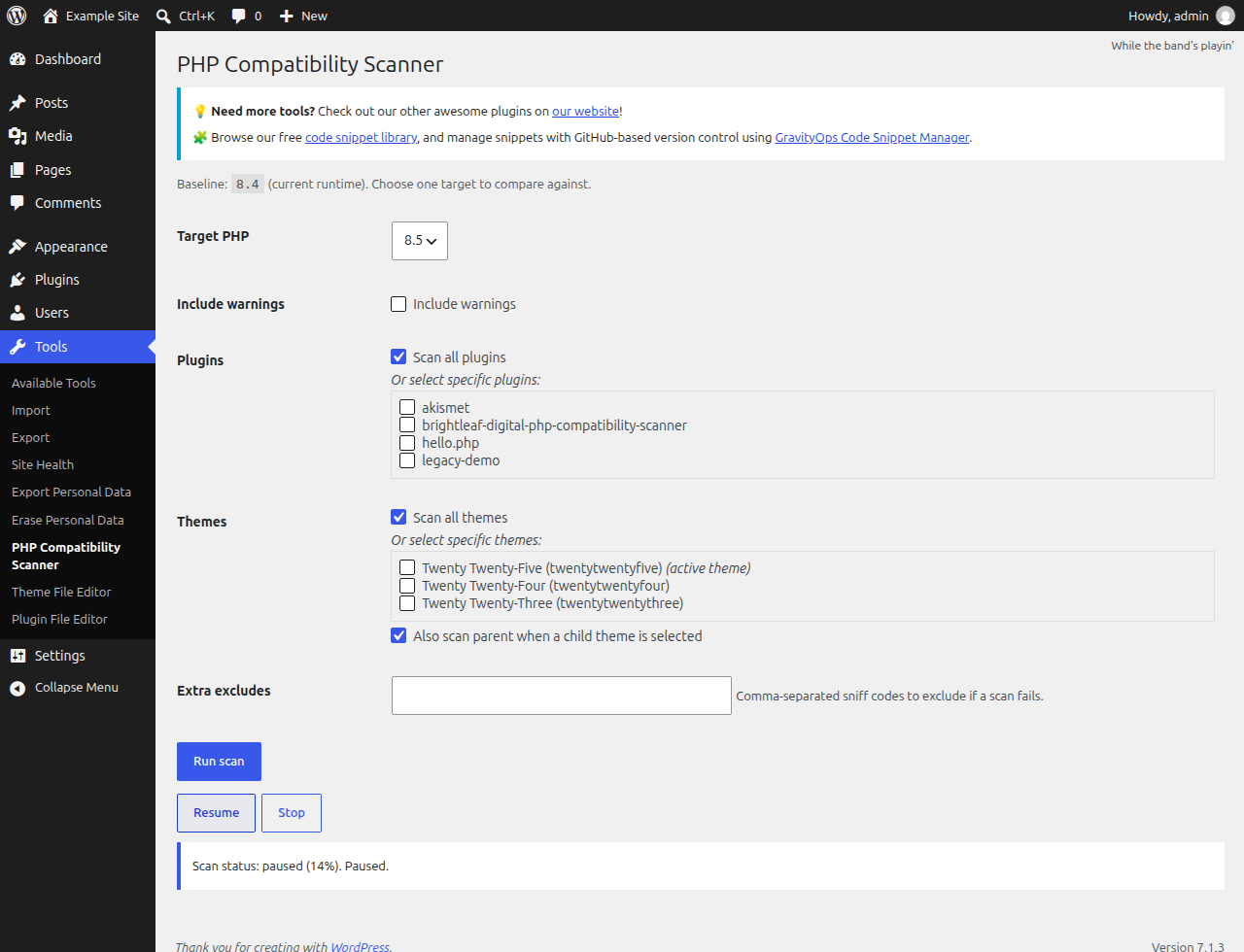
A long scan paused partway through. Scans can be paused, resumed or stopped at any time.
Faq
You can select one of: 8.0, 8.1, 8.2, 8.3, 8.4, or 8.5.
The plugin requires PHP 7.4+ to run.
No. It only analyzes code and reports findings.
Static analysis examines code without executing it. Dynamic patterns, conditional code paths, and environment-specific behavior can cause both false positives and false negatives. Use the results as guidance and verify on a staging site.
No. MU-plugins are intentionally skipped.
No. Scans advance via AJAX polling while the Tools page is open.
Reviews
Changelog
1.0.2 | Oct 22, 2026
- Fix: scans reported every plugin and theme as compatible because the scanning engine did not load.
- Fix: a scan that cannot run is now reported as failed instead of compatible.
- Single-file plugins (such as Hello Dolly) can now be scanned and show a result badge.
- Temporary scan report files are now cleaned up after each scan.
- Tested with WordPress 7.1 and PHP 8.5.
- Corrected the menu and folder names in the installation steps.
1.0.1
- Add support for PHP 8.5
1.0.0
- Initial release
- Scans plugins and themes against target PHP versions (8.0–8.4)
- Pause/Resume/Stop controls
- CLI-first engine with embedded fallback
- AJAX-driven progress (no WP-Cron)
- Plugin list badges for the last scan summary