Briqpay for WooCommerce
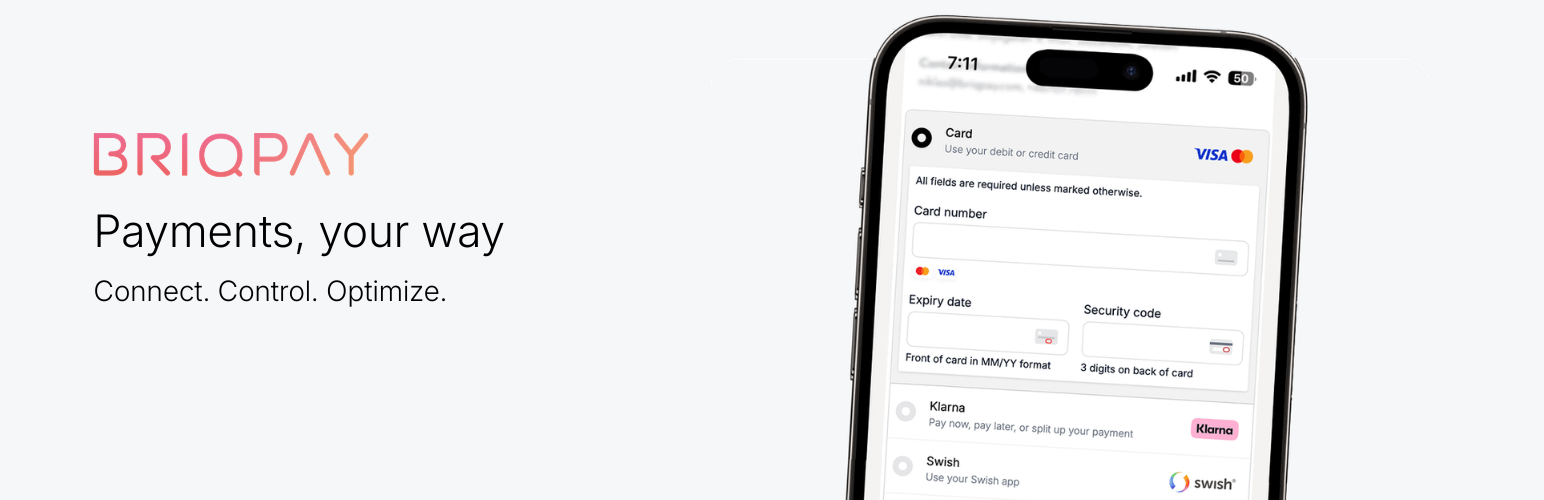
Briqpay for WooCommerce
Description
Simplify your payments with Briqpay.
Briqpay connects multiple payment providers like Adyen, Stripe, PayPal, and Klarna in one integration, removing the need for multiple plugins and reducing technical complexity. Merchants can choose the best provider per market to lower fees, increase flexibility, and improve conversion.
About Briqpay
Briqpay is the payment optimization platform that allows merchants to connect multiple payment providers through a single integration. Instead of building and maintaining separate integrations to each provider, Briqpay gives merchants a unified payment layer to combine providers, add new payment methods, and optimize the checkout experience per market.
With built-in routing, analytics, and a unified payment flow, Briqpay helps commerce teams improve conversion, reduce payment costs, and scale globally with full control over their payment setup.
Briqpay supports payment setups for all your customer types: B2C, D2C, and B2B.
Main features
- One integration instead of many: Connect to PayPal, Adyen, Stripe, Klarna and others through one integration.
- Built for international commerce: Supports all countries, payment methods, B2C and B2B. Currencies with two decimal places (SEK, EUR, USD, GBP, DKK, NOK and most others) are supported; zero-decimal currencies such as JPY and ISK and three-decimal ones such as KWD are not yet, and the gateway hides itself rather than sending incorrect amounts.
- Easy to add or switch payment providers: Add new payment methods or change payment provider without rebuilding your checkout.
- Full control over costs and routing: Control which provider to use per market, currency, or order value.
- All payment methods work together: Cards, BNPL, wallets and local payment methods work in the same checkout without conflicts.
- Always up to date: Payment methods are updated in one place, so you don’t need to maintain multiple plugins.
- Built-in analytics and insights: Analyze conversion, payment method performance, and customer payment behavior across markets in one interface.
- Consistent payment flow: Capture, refund, and order handling works the same for every payment method.
- Blocks Support: Full support for the newer WooCommerce Checkout Block and classic shortcodes.
- Hosted Payment Pages: Create a Briqpay-hosted payment link straight from a WooCommerce order in the admin — ideal for phone, email and quote orders.
- Migration-friendly B2B order data: Stores migrating from the previous Briqpay for WooCommerce plugin can keep using its B2B order meta keys (organisation number, shipping email, and related fields), so existing ERP exports and integrations keep working unchanged.
Migrating from the previous Briqpay plugin
If you’re moving from the previous “Briqpay for WooCommerce” plugin (the one hosted at
github.com/krokedil/briqpay-for-woocommerce), B2B orders can keep using that plugin’s order meta
keys so existing ERP exports and integrations that read them keep working.
Enable “Legacy B2B order meta mapping” under WooCommerce > Settings > Payments > Briqpay >
Migration / legacy compatibility. With it enabled, B2B orders additionally store:
_billing_org_nr— the company’s organisation/CIN number._shipping_email— the shipping contact email._briqpay_payment_method— the resolved payment method name._briqpay_autocapture— a truthy/empty flag mirroring autocapture status._briqpay_rules_result— kept for structural parity; the underlying feature was deprecated in
Briqpay’s v3 API, so this is always an empty JSON array.
This is in addition to, not instead of, the meta keys this plugin already writes (for example
_briqpay_company_cin and _briqpay_company_name) — other features in this plugin depend on
those. The setting is off by default and only affects B2B orders; consumer (B2C) orders are never
touched by it.
The order edit screen’s company CIN display, and hosted payment pages built from B2B orders, will
also read from the legacy _billing_org_nr key if the newer key is absent — so orders you’ve
already imported from the old plugin display correctly whether or not the setting is enabled.
External services
This plugin connects to Briqpay to process payments. Briqpay is a payment service provider that streamlines multiple payment methods into a single integration.
The plugin communicates with the following external endpoints to initialize and verify payment sessions:
- https://api.briqpay.com (Production API)
- https://playground-api.briqpay.com (Test/Staging API)
When you use this plugin, order and customer data is sent to Briqpay to enable the payment flow. This includes:
- Order Details: Product names, SKU, quantities, prices, and taxes.
- Customer Information: Name, billing/shipping address, email, and phone number.
- Transaction Data: Currency, order ID, and total amount.
Data is transmitted when a customer accesses the checkout page, updates their checkout information (e.g., shipping methods), or when a merchant processes captures/refunds via the WooCommerce admin.
The use of this service is governed by Briqpay’s legal documentation:
- Terms of Service: https://briqpay.com/terms
- Privacy Policy: https://briqpay.com/privacy-policy
- Data Processing Agreement (DPA): https://briqpay.com/dpa
Installation
- Install and activate the Briqpay plugin in WooCommerce.
- Sign up for a Briqpay account at https://briqpay.com.
- Retrieve your API credentials from the Briqpay dashboard.
- Add your credentials in WooCommerce > Settings > Payments > Briqpay.
- Configure your payment providers and methods in Briqpay.
- Test your checkout using the playground environment.
- Go live and start accepting payments.
Reviews
Changelog
1.1.13
- Fix: A VAT-exempt line was sent to Briqpay claiming the product’s normal tax rate –
taxRate2500 next to a VAT amount of zero – because the rate was looked up from the product’s tax class, which says what the product would be taxed at rather than what this customer was actually charged. The rate now comes from the tax applied to the line, so an exempt customer, a zero-rated product and a store with tax switched off all report zero, as they always should have. Coupon lines read the rate the same way. Note that a cart mixing several VAT rates still reports its whole discount at the first line’s rate. - Fix: The recurring shape of the last several releases – the checkout showing the right amount, but only sometimes, in a way that depended on timing – is addressed at its root rather than patched again. Every previous fix in this area made the browser’s own guess about when to ask the server for a fresh amount more reliable, but that guess still ran as a separate request, racing whatever else was recalculating the cart (most concretely, a VAT plugin’s own background validation call) – and whichever request finished last won, regardless of which one was actually right. The Briqpay session is now reconciled from directly inside WooCommerce’s own total-recalculation process itself, in the same request that computes the final amount, for every plugin’s recalculation and not only this one’s own – so there is no second request left to race. This runs alongside the existing sync rather than replacing it, and only while Briqpay is the checkout’s chosen payment method. Added
briqpay_sync_on_cart_recalculationto switch it off on a live store without a rollback, should it ever need it.
1.1.12
- Fix: Follow-up to 1.1.11, which stopped short of the moment the payment is completed. The VAT exemption is now also put back before the cart is recalculated as the payment is decided. That request carries only a payment session ID, so nothing re-applied the exemption and the cart was priced at full VAT for an exempt customer. That figure is what gets checked against the amount held by Briqpay, and a mismatch pushes the cart’s figure back – so the customer could be charged VAT while the order was correctly recorded as exempt. Because 1.1.11 corrected the order but not this, the charge and the order could disagree with each other; they now agree.
- Fix: A payment can no longer be decided while WooCommerce is in the middle of recalculating the checkout. It previously waited only for this plugin’s own pending updates, so in the window between WooCommerce starting a refresh and finishing one – exactly when a VAT number validated in the background changes the total – a customer clicking pay had the purchase decided against the amount from before the refresh. It now waits for WooCommerce to settle, with a ten second ceiling measured from the moment the payment was held, so neither a refresh that never reports back nor a plugin that refreshes the checkout on a timer can leave the customer unable to complete the purchase. Added
briqpay_defer_decision_during_updateto switch this off on a live store without a rollback, should it ever need it.
1.1.11
- Fix: On a checkout using a third-party VAT plugin, a customer who entered a valid VAT number could be shown – and charged – the amount with VAT still on it. Three separate things had to be right for the ex-VAT amount to reach the payment window, and each could fail on its own. First, the checkout now fires WooCommerce’s own
woocommerce_checkout_update_order_reviewaction while syncing the payment session, which is the action every plugin that adds a field to the checkout uses to apply that field – a VAT plugin sets the customer’s VAT exemption there, and because the action was never fired, it never ran and the cart kept charging VAT. Second, the check that decides whether the cart needs recalculating now takes VAT exemption and the billing address into account; both change the tax on an otherwise identical cart, so the recalculation was being skipped and the earlier figure kept. Third, the browser now re-syncs the payment session whenever WooCommerce recalculates the cart, instead of only when a checkout field changed – a VAT number is validated in the background, so by the time the exemption is applied the form looks untouched and the sync was skipped, leaving the payment window showing the total from before. - Fix: A plugin that refreshes the checkout twice for one change – a VAT plugin does exactly this, once when the number is entered and again when its VIES lookup answers – could have the second refresh dropped. If it landed while the payment session was still being created it was discarded, and nothing came along afterwards to reconcile it, so the payment window kept the amount from before the lookup. The second refresh is now always picked up, whether it arrives during the session being created or while an earlier sync is still running.
- Fix: The VAT exemption is now recorded when the amount is calculated and applied to the order from there. The request that creates the order carries only a payment session ID – there is no VAT number in it for a VAT plugin to act on – so asking at that point reported a customer who had proven their exemption as paying VAT, and the order and its confirmation were rebuilt with VAT the customer had been told they would not pay. Added the
briqpay_order_is_vat_exemptfilter to override it, andbriqpay_fire_order_review_hookto stop firing the order review action for a plugin that misbehaves on it. A plugin that throws an error on that action is logged and stepped over rather than being allowed to take the whole checkout down with it.
1.1.10
- Fix: Entering (or removing) a VAT number in the Briqpay checkout showed the correct VAT-exempt total in the payment window itself, but the order confirmation and the admin order screen still showed VAT. WooCommerce’s own checkout stamps the customer’s VAT-exempt decision onto the order before totals are calculated; this plugin’s own order-creation path skipped that step, so the order’s own tax calculation never learned about the exemption even though Briqpay had already applied it. The exemption is now stamped onto the order the same way WooCommerce’s native checkout does.
- Fix: A hosted payment page (or any other order that reaches “paid” purely through a capture confirmation, with no separate approval step beforehand) kept showing “PSP Name: N/A”, “Integration: N/A” and “Reservation ID: N/A” on the order screen forever, even after the order fully captured. That information was only ever filled in by the approval step, which a hosted payment page never receives by design. It is now also filled in when a capture is confirmed.
1.1.9
- Fix: A stock hold could be applied twice for the same order – “Stock hold of N minutes applied to…” appearing twice in the order notes, one after another. This plugin replays WooCommerce’s own
woocommerce_checkout_order_createdaction so third-party plugins receive Briqpay orders the same way they receive any other order, but WooCommerce core itself is listening on that same action to reserve stock – so the replay made core reserve the order’s stock a second time. The replay now unhooks core’s own listener for the moment it runs and restores it immediately after; every other plugin listening on that action is unaffected. - Fix: Two requests hitting the Briqpay return page within the same second – seen when the browser’s own completion redirect fires twice in quick succession – could each start the checkout-completion hooks before either had recorded that it was already running, so third-party hooks (and this plugin’s own
briqpay_payment_complete) could run twice for one order. The one-time-per-order guard is now backed by an atomic lock instead of a plain database read, so only one of the two can proceed. - Fix: The same duplicate stock-hold note could also happen on Blocks/Store API checkout, where WooCommerce had already reserved stock for the draft order before Briqpay’s decision came back; this plugin’s own reservation step now checks first and skips if stock is already held.
- Added: A B2B order’s company name and organisation/CIN number – already shown on the admin order screen – now also appear on the order confirmation email sent to the customer, and on admin notification emails.
1.1.8
- Fix: Regression in 1.1.7. On a page load where the cart had not changed since the previous one, the Briqpay checkout could fail to appear at all – a session existed but no payment window was ever drawn, and nothing was reported in the logs. Anyone running 1.1.7 should update. The optimisation that skips unchanged session updates now only applies when the browser already has the payment window open; a fresh page load always receives what it needs to render.
- Fix: Refunding a product line failed outright with “Cart item has mismatching reference” and nothing was refunded. Since this release a line is identified to Briqpay by its product and its unit price together, so that the same product at two prices in one cart stays two separate lines – but the refund was still building the old identifier, without the price. It therefore did not match what the order had been captured under, which also made the refund unable to see how much of the line was still captured. Refunds now read the identifier from the order line they belong to. Orders placed before this release, which never had the newer identifier, are unaffected either way.
- Fix: Hardened how a capture started from the order screen works out its amounts. The captured total was built by multiplying a rounded per-item price, which does not always equal the line total; a safety net further down corrected it against the payment session, so captured amounts were right in normal use, but any line the session no longer recognised skipped that safety net and went out with the miscalculated figure. Amounts are now taken from the order itself and split so that a series of partial captures always adds back up to the line total exactly. Capture amounts are also no longer read back from the browser, and the quantity is capped at what the order still has left to capture, so a capture can only ever be for what the order actually holds. Automatic capture on status change was never affected.
- Fix: A session response the browser cannot render is now logged as an error instead of failing silently.
- Fix: Two session updates could run at the same time – a shipping change landing on top of a checkout refresh – so the slower response could overwrite the newer one. Updates are now queued and the latest always wins.
- Fix: The first session request no longer waits out the debounce intended for collapsing bursts of later events, saving about 250 ms before the checkout appears.
- Fix: Adding Briqpay’s checkout body classes no longer re-runs the availability check for every installed payment gateway each time it is evaluated. That check can be slow in other payment plugins, and themes often evaluate body classes more than once per page.
- Added: Full Swedish, Danish, Norwegian, Finnish, German, Dutch, French, Spanish, Italian, Portuguese and Polish translations – all 166 strings in each language, covering the payment gateway settings, the order screen’s payment and capture panels, the hosted payment page box, the messages shown to customers during checkout, and the notes the plugin writes on an order. Previously only ten strings were translated, so a store set to one of these languages saw a mix of its own language and English in the same panel. A translation template (
languages/briqpay-for-woocommerce.pot) is included for any further languages. - Fix: The plugin never loaded its own translation files. The text domain was declared but nothing loaded it, so any bundled translation was ignored. Translations now follow the language WordPress is set to – the administrator’s own admin language if they have chosen one, otherwise the site language.
- Fix: Regional language variants no longer fall back to English. A site set to Brazilian Portuguese, Mexican Spanish, Austrian or Swiss German, Canadian or Belgian French, Belgian Dutch, Finland Swedish, Nynorsk or a formal German/Dutch variant now uses the translation for that language instead of showing English.
- Added: Creating a hosted payment page for a “Consumer” or “Business – Payment Methods Only” order now checks that the customer’s details are filled in first. Those flows show payment methods only, so the customer cannot enter an address themselves – previously the link was created, sent, and then never unlocked. The error names exactly which fields are missing and suggests “Business – Full Checkout” if you would rather Briqpay collected them. “Business – Full Checkout” is unaffected, since it gathers the details itself.
- Fix: Checkout failed completely on stores using a language WordPress ships without a country code – Finnish is the clearest case, where the locale is plain
firather thanfi_FI. Briqpay rejected every session with “body.locale pattern mismatch”. Locales are now always sent as a language-country pair (fi-fi,sv-se,de-de), including WordPress variants such asde_DE_formal. All English locales are sent asen-gb, whichever region the site is set to. Added thebriqpay_localefilter to override any of this. - Fix: Line quantities were sent to Briqpay as text rather than numbers – a quantity of 400 was sent as
"400". WooCommerce stores cart quantities as text, and because the arithmetic still worked the wrong type was only visible when the API rejected it. Quantities are now sent as numbers everywhere, on both new and existing orders.
1.1.7
- Fix: The Briqpay checkout took noticeably too long to appear, and visibly loaded twice. The iframe was drawn, then thrown away and rebuilt a second or two later.
- Fix: Removed a full second of fixed waiting before the checkout was even requested (two 500 ms timers ran back to back), and another fixed second after every session update – the iframe stayed suspended long after the API had already responded.
- Fix: Every checkout load sent a redundant second session request. Creating a session did not record what it had sent, so the next WooCommerce event always re-sent an identical payload and the response rebuilt the iframe.
- Fix: The server-side check that skips unchanged session updates could never run – it required an argument no caller passes. Unchanged updates are now genuinely skipped instead of going to the API on every field change.
- Fix: When WooCommerce refreshes the payment area, the Briqpay iframe is now redrawn from the snippet already held rather than fetched again, and overlapping initialisation is prevented so several checkout events can no longer start competing requests.
- Fix: The customer record is only saved when a field actually changed, instead of on every session sync.
- Fix: The script that hides WooCommerce’s own “Place Order” button no longer polls the page 20 times a second for 15 seconds. It now relies mainly on the stylesheet and a DOM observer, with a much lighter fallback check.
1.1.6
- Added: Orders that Briqpay flags for manual review (the
manual_reviewpayment tag) are now placed on hold instead of being moved to processing. The order stays on hold until someone releases it manually, and no later Briqpay event will advance it. - Added: An order you have put on hold yourself now stays on hold. Previously an approval or capture event from Briqpay could move it to processing, overriding your own logic – relevant for leasing, credit checks and other flows where an order must wait for a human. Applies to any on-hold order, whatever placed it there, including capture failures and amount mismatches. Use the
briqpay_respect_on_hold_statusfilter if you want the previous behaviour.
1.1.5
- Added: “WooCommerce checkout actions” setting (WooCommerce > Settings > Payments > Briqpay). Existing stores are unaffected until you turn this on. When enabled, Briqpay orders fire WooCommerce’s standard checkout actions –
woocommerce_checkout_create_order,woocommerce_checkout_update_order_meta,woocommerce_checkout_order_created,woocommerce_checkout_order_processed, the Blocks Store API equivalents, and thewoocommerce_checkout_create_order_line_item_objectfilter – so third-party plugins (custom checkout fields, ERP and invoicing connectors, delivery-date pickers, shipping brokers) receive them the same way they receive orders paid with other methods. The submitted checkout form is passed to those actions, captured during checkout and replayed, because the payment decision request carries only a session ID. - Note: before enabling the setting above, review any custom code you added to compensate for these actions being missing (typically on
briqpay_after_create_order). It will now run alongside the plugins it was standing in for, which can mean duplicate ERP exports, invoices or fees. New installs have the setting on by default because they have no such workarounds. - Added: Filters
briqpay_fire_checkout_hook(disable one specific checkout action),briqpay_superimpose_post_dataandbriqpay_order_created_via, plus afilters/checkout_hook_control.txtexample. - Added: When the setting above is on, storefront orders are recorded with
created_viaofcheckoutrather thanBriqpay, so plugins that only act on native checkout orders recognise them. Stores with the setting off keep the previous value. - Fix: Order line items now record the product’s tax class, so recalculating an order in the admin no longer taxes reduced-rate products at the standard rate.
- Fix: Shipping line items now carry the shipping rate’s own metadata and tax status. Table-rate, pickup-point and shipping-broker plugins store the customer’s selected service there, and it was previously dropped.
- Fix: Coupon line items now store WooCommerce’s
coupon_infosnapshot, so orders still display their discounts correctly after a coupon is edited or deleted. - Fix: The order comments the customer types at checkout are now saved as the order’s customer note. They were previously discarded on every Briqpay order. Works on both classic and Blocks checkout.
- Fix: Orders now record the cart hash, which WooCommerce and several plugins use to tell whether an order still matches the cart it came from.
- Fix: The
woocommerce_checkout_order_processedhandler that attaches the Briqpay session to orders created by WooCommerce’s native checkout was never registered, so it never ran. It is now registered, and hardened so it can only promote a draft order and never move an order backwards. - Fix: The payment gateway’s
process_payment()no longer always fails. If Briqpay confirms the session is paid – verified against the Briqpay API, never from local data – the order completes through WooCommerce’s own pipeline. Anything unconfirmed still directs the customer back to the Briqpay checkout, so the native button cannot bypass payment. - Added: Stock is now reserved for the order at the payment decision, and released again if the decision is rejected, so a purchase in progress cannot be oversold to the next customer.
- Added: Cost of Goods Sold totals are recalculated on WooCommerce 9.5 and later.
- Added:
woocommerce_checkout_order_exceptionfires when order creation fails, andwoocommerce_checkout_create_order_tax_itemis offered for each tax line (both behind the “WooCommerce checkout actions” setting). - Fix: Duplicate orders, captures, refunds and hosted payment pages could be created by concurrent requests. The locks that guarded these used a read-then-write sequence that two simultaneous requests could both pass. They now use an atomic claim, and captures, refunds and hosted page creation – which had no lock at all – are now serialised per order.
- Fix: A webhook that Action Scheduler failed to enqueue was silently dropped, and because it had already been marked as seen, Briqpay’s retry was discarded as a duplicate. The enqueue result is now checked and the webhook processed immediately as a fallback.
- Fix: The janitor marked stagnant orders as processing whenever the Briqpay session was “completed”. A completed session only means the customer finished the checkout – the transaction underneath can still be pending or rejected – so unpaid orders were reported as paid. It now requires an approved transaction and records payment through WooCommerce’s own
payment_complete(). - Fix: Refunds entered as an amount rather than per item assumed 25% VAT and sent a fictional physical product named “refund”. The tax rate is now derived from the order’s actual tax, and the refund is sent as an adjustment line carrying the refund reason. Added the
briqpay_amount_only_refund_itemsfilter for stores that need to allocate across specific captured references. - Fix: Automatic capture retries never ran. A failed capture scheduled its retry task with an empty order reference, so the retry aborted immediately and the order stayed on hold without further attempts.
- Fix: Amount-only refunds discarded the refund reason entered by the merchant and always used a generic label.
- Fix: An admin double-clicking “Execute Capture” could run two captures in parallel against the same capture history. Manual captures now take the same per-order lock as automatic ones.
- Fix: A failed session lookup at the payment decision left the decision lock held for its full duration, so an immediate retry after a transient API error was refused.
- Fix: A Briqpay session reported as “completed” is no longer treated as paid when its underlying transaction is pending or rejected. The webhook handler and the gateway’s payment check now verify transaction approval, matching the janitor. A session that carries no transaction detail is still accepted, so no existing payment flow stops completing.
- Fix: The
briqpay_payment_completeaction never actually ran on a normal purchase. It was only fired on a code path that a storefront order never reaches, because orders already have the “pending” status by the time the customer returns. It now fires once per order whenever payment is verified at the return. If you added custom code elsewhere to work around this, it will now run alongside your originalbriqpay_payment_completelistener – remove one, or use the newbriqpay_fire_payment_completefilter to suppress the action. Note this is a return-time signal; for “the payment is secured”, use WooCommerce’s ownwoocommerce_payment_completeor the order status transitions, which this plugin already triggers from the webhook and which fire even if the customer never returns. - Fix: A checkout page loaded with an empty cart no longer sends a session request that Briqpay is guaranteed to reject, and no longer reports the cart as out of sync as a result.
- Fix: Corrected the currency support claim above. Money conversion assumes two decimal places throughout, so the gateway now hides itself on stores configured for a different precision instead of sending amounts that are wrong by a factor of ten. Override with the
briqpay_allow_unsupported_currency_precisionfilter.
1.1.4
- Fix: Checkout could be blocked by a stale “We were unable to synchronize your cart with the payment provider” error even though the cart and the Briqpay session matched. When a session update failed, the plugin recorded the failure and then created a replacement session built from the current cart – but the recorded failure was never cleared, so the next payment attempt was refused. A successful session creation now clears it, and a failed one sets it, so the flag always reflects the last known state.
- Fix: The same stale flag could survive into a later checkout, because neither the post-purchase cleanup nor the login session reset cleared it. Both now do.
1.1.3
- Added: “Validate Terms & Conditions” setting (WooCommerce > Settings > Payments > Briqpay). When enabled, a purchase is rejected at the payment decision unless the customer ticked WooCommerce’s native Terms & Conditions checkbox. Disable it if you collect consent elsewhere – for example with Briqpay’s own terms module or a third-party consent plugin – so the customer is not asked to accept twice. Enabled by default, so existing installs keep the current behaviour.
1.1.2
- Added: “Legacy B2B order meta mapping” setting (WooCommerce > Settings > Payments > Briqpay > Migration / legacy compatibility) for stores migrating from the previous Briqpay for WooCommerce plugin. When enabled, B2B orders additionally store the organisation number in
_billing_org_nr, the shipping email in_shipping_email, and mirror the payment method/autocapture meta the previous plugin used, alongside the meta this plugin already writes. Disabled by default; existing installs are unaffected. - Added: The order edit screen shows the legacy “Billing Organization Number” field and shipping email when the setting above is enabled, matching the previous plugin’s admin screen.
- Fix: The company CIN shown on the order edit screen and used for hosted payment pages now falls back to
_billing_org_nrwhen the newer_briqpay_company_cinmeta is absent, so orders imported from the previous plugin display correctly regardless of the setting.
1.1.1
- Added: Hosted Payment Pages. Build an order in the WooCommerce admin and create a Briqpay-hosted payment link for it directly from the order screen.
- Added: Hosted Payment Pages settings section (WooCommerce > Settings > Payments > Briqpay) to enable the feature and pre-select a default flow (Consumer, Business – Payment Methods Only, or Business – Full Checkout), plus hosted page title, logo URL and show-cart preferences. The section folds until enabled to keep the settings screen tidy.
- Added: Customer billing/shipping address and company details already on the order are prefilled into the hosted page session.
- Added: For the Business – Full Checkout flow, the company and addresses confirmed on the hosted page are written back onto the WooCommerce order once payment completes.
- Added: Regenerating a hosted payment page creates a new Briqpay session and invalidates the previous link; blocked once an order is already paid (the dead link is no longer shown for paid/refunded/cancelled orders).
- Added: The Hosted Payment Page box only appears for orders created manually in the WooCommerce admin, not for regular customer/checkout orders.
- Fix: The “Briqpay Payment Details” meta box’s PSP Name now populates from the webhook, not only from the storefront return redirect.
- Fix: Internal Briqpay item/fee reference metadata no longer shows up in the order line items table.
- Added: When the payment method used auto-captures on Briqpay’s side, the order’s “Manual Capture” button is replaced with an “Auto capture in progress” notice.
- Added: All new Briqpay sessions now enable real-time processing (config.realTimeProcessing), so webhooks and status updates are delivered immediately instead of in batches.
- Fix: Orders placed through Briqpay now populate WooCommerce’s native Order Attribution data (the “Origin” column in WooCommerce > Orders), instead of always showing “Unknown”. Covers both classic (shortcode) and Blocks checkout.
1.1.0
- Fix: Scoped payment gateway hiding rules strictly to
body.briqpay-selectedto prevent hiding other payment options. - Fix: Always verify payment status and execute cart & session cleanup prior to return redirect.
- Fix: Prevented registered user address erasure on the thank-you page.
- Fix: Added robust order validation (stock, coupons, terms, per-package shipping) to prevent invalid checkouts.
- Fix: Ensured draft orders are correctly reconciled and rebuilt when items differ.
- Fix: Added session-to-order mapping and lock to prevent concurrent duplicate orders.
- Fix: Enforced address updates before tax calculations.
- Fix: Set sync-failed session flag on updates to reject out-of-sync checkouts.
- Fix: Enabled currency multiplier for zero/three-decimal currencies.
- Fix: Disambiguated references for identical items at different prices.
- Fix: Saved and preserved fee references in order-item metadata.
- Fix: Calculated refunds correctly using the entered value.
- Fix: Restructured multi-capture refunds to enforce single-capture refunds atomically.
- Fix: Persisted item metadata to prevent checkout errors on deleted products.
- Fix: Added capture failure on-hold statuses and automatic retry task scheduling.
- Fix: Hardened webhook processing with retry exception handling, monotonic status flow transitions, and unique key deduplication.
- Fix: Prevented Janitor from cancelling orders on temporary API errors.
- Fix: Hardened Blocks active checks and declared full cart_checkout_blocks compatibility.
1.0.15
- Security: Added IDOR protection check to ajax_make_decision to verify the requested session ID matches the user’s active session.
- Security: Added amount and currency matching verification to the webhook capture status handler.
- Security: Added amount verification guard to the manual backend order capture execution.
- Optimization: Removed redundant GET request by initiating PATCH request directly in get_or_create_session.
- Privacy: Suppressed full customer/order payload logs during validation checks when verbose logging is disabled.
1.0.14
- Security: Fixed guest draft order reuse vulnerability (IDOR) by securing fallback lookups, validating customer ownership, and automatically rebuilding cart items for reused untrusted drafts.
- Security: Hardened webhook processing by performing Briqpay API verification before capture and refund routing, verifying capture/refund IDs, and retrieving authoritative values directly from the API.
- Fix: Corrected order status flow so pending Briqpay orders transition correctly through pending processing completed via webhooks, instead of entering an incorrect “paused” state.
- Fix: Hidden the “Pay” button on the My Account orders page and order confirmation page for Briqpay orders awaiting webhook confirmation, preventing customers from re-initiating payment after completing checkout via the Briqpay iframe.
- Fix: Blocked direct access to the order-pay endpoint for Briqpay orders that have already been paid, redirecting customers to My Account with a notice.
- Improvement: Added verbose logging toggle in settings — when disabled, high-frequency trace logs (availability checks, script loading, cart processing) are suppressed while keeping critical diagnostics (totals, B2B flow, webhooks) in the default log level.
- Performance: Centralized plugin logging, gating debug messages behind WooCommerce gateway settings, and disabling heavy payload logs.
- Assets Optimization: Restructured admin scripts/styles to only load on Briqpay order edit views.
- Reduced Recalculations: Deduplicated Blocks checkout customer saves and introduced cart/address hashing to prevent redundant recalculations.
- B2B & Webhooks: Optimized B2B fragments and introduced a transient-based 5-minute guard to deduplicate webhook handling.
- Cron Improvements: Relocated background job schedules to plugin activation/deactivation hooks and limited cleanup actions to batches of 50.
- API Request Reductions: Skipped redundant PATCH requests for unchanged data and second GET calls when HTML snippets are available.
- Caching & Lookups: Added request-level …