BT SVG Viewer
BT SVG Viewer
Description
Embed large, detailed SVG diagrams in WordPress with an accessible viewer that supports touch-friendly zooming, panning, and centering. BT SVG Viewer keeps maps, technical drawings, and infographics sharp on every screen, while giving editors a visual preset builder so they can reuse configurations without repeating shortcode attributes.
Highlights
- Interactive zoom and pan controls with keyboard shortcuts and optional slider mode.
- Smooth, cursor-focused zoom animations with click-drag panning.
- Preset post type with live preview, copy-ready shortcodes, and color pickers for control styling.
- Fine-grained shortcode attributes for height, zoom bounds, center coordinates, titles, and captions.
- Front-end wrapper classes and CSS custom properties for deep theme integration.
- Localized UI and strings in English, German, Spanish, French, and Italian.
Shortcode Overview
Use the [btsvviewer] shortcode anywhere shortcodes are supported. Pass a direct SVG URL or reference a saved preset ID. All shortcode attributes (height, zoom limits, controls layout, button colors, etc.) can be overridden per instance. See the plugin’s admin Help tab or project README for a full attribute reference and examples. Existing shortcodes created before the rename continue to render, so archived posts don’t need to be touched.
Preset Workflow
Create a preset from BT SVG Viewer Presets in the admin. Upload an SVG, tune the controls, tweak button colors, then load the preview to dial in the initial zoom and center point. Save the preset and drop the generated [btsvviewer id="123"] shortcode wherever you need the viewer. Inline attributes always win over stored preset values, making it easy to reuse a baseline configuration.
Localization
Available translations: German (de_DE), Spanish (es_ES), French (fr_FR), Italian (it_IT).
Translations were initially produced with AI assistance; corrections are welcome via https://github.com/ttscoff/bt-svg-viewer/issues.
Installation
- Upload the
bt-svg-viewerfolder to the/wp-content/plugins/directory, or install the ZIP archive via Plugins Add New Upload Plugin. - Activate the plugin through the Plugins menu in WordPress.
- Go to BT SVG Viewer Presets to create your first reusable configuration, or place the basic shortcode
[btsvviewer src="/wp-content/uploads/diagram.svg"]in a post or page.
Screenshots
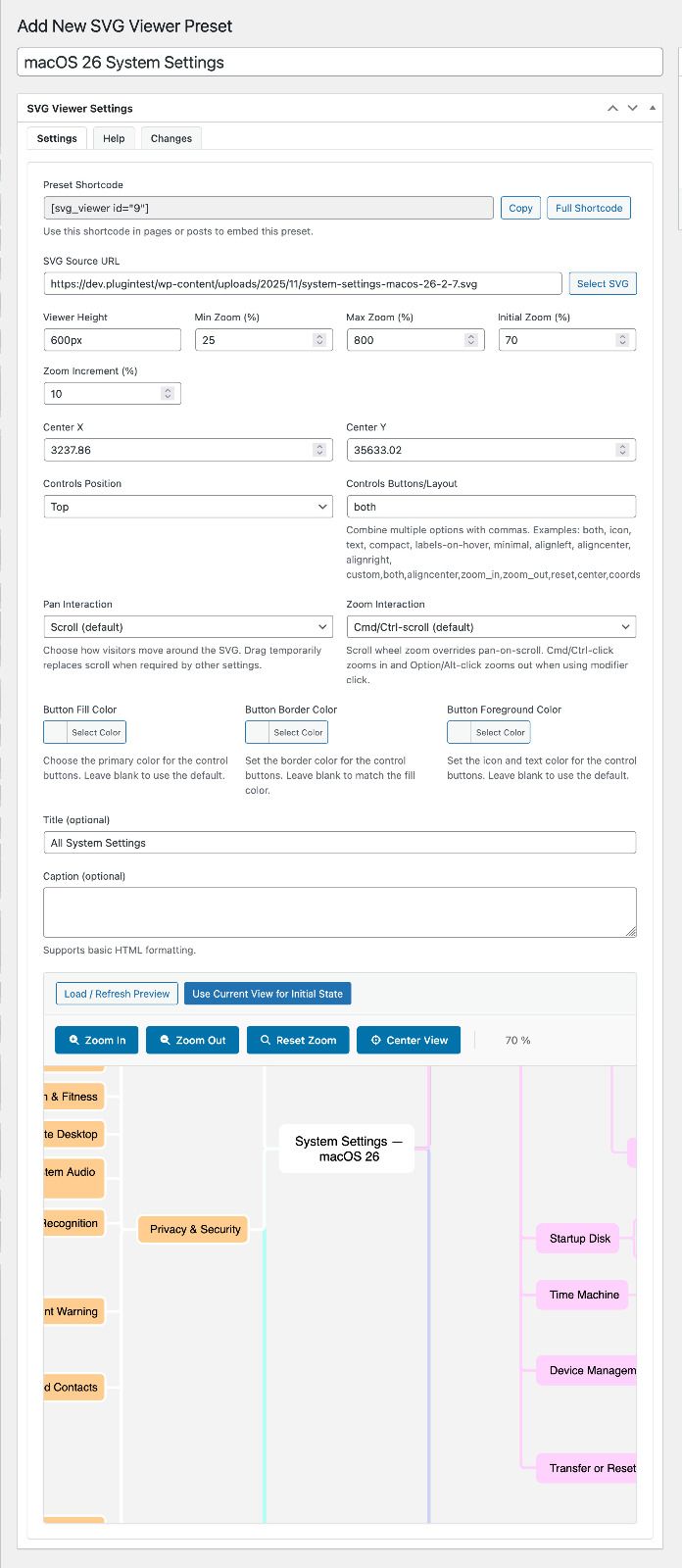
Preset editor with live preview, button color pickers, and copy-ready shortcode helper.
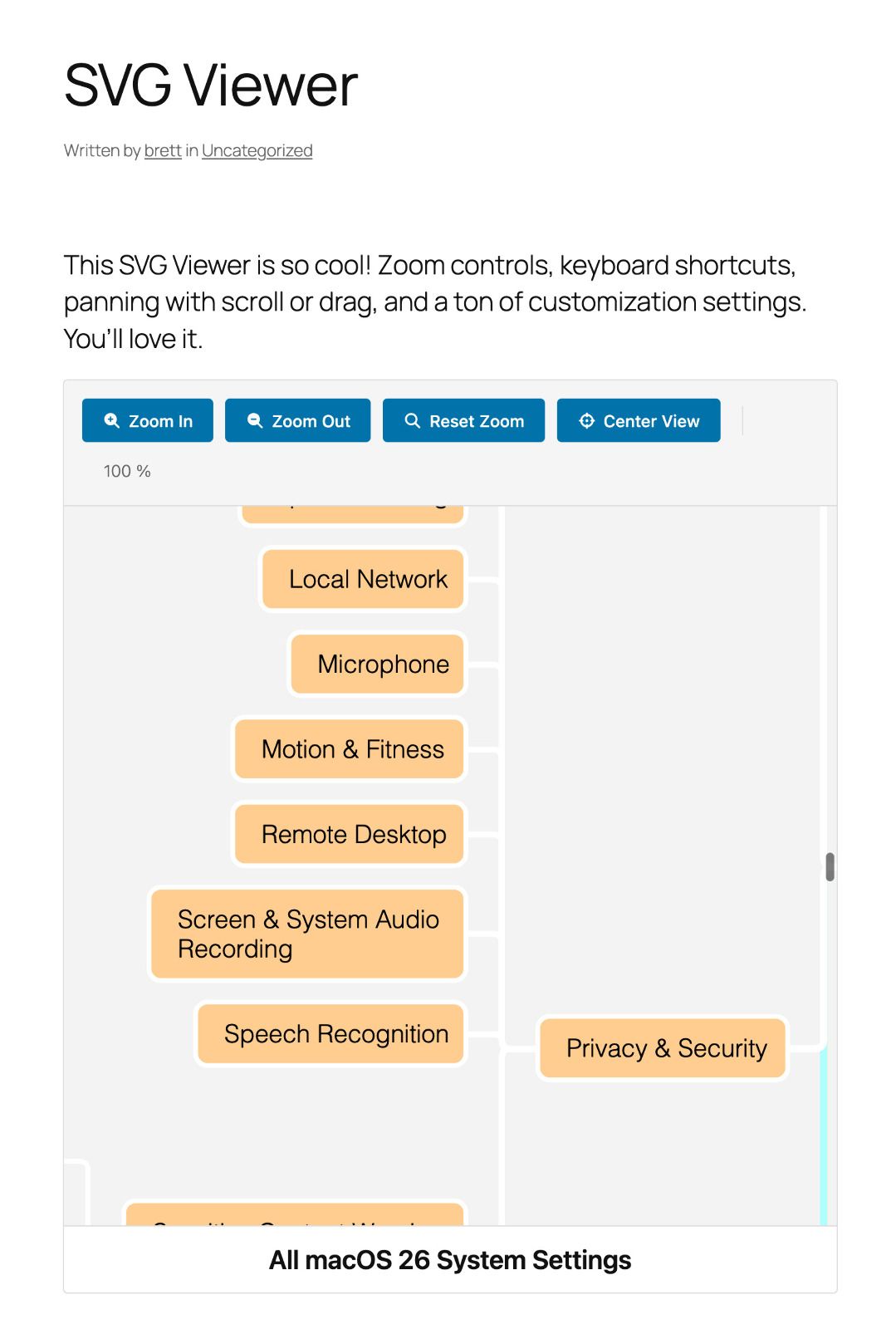
Front-end SVG viewer displaying zoom controls and caption beneath a mind map.
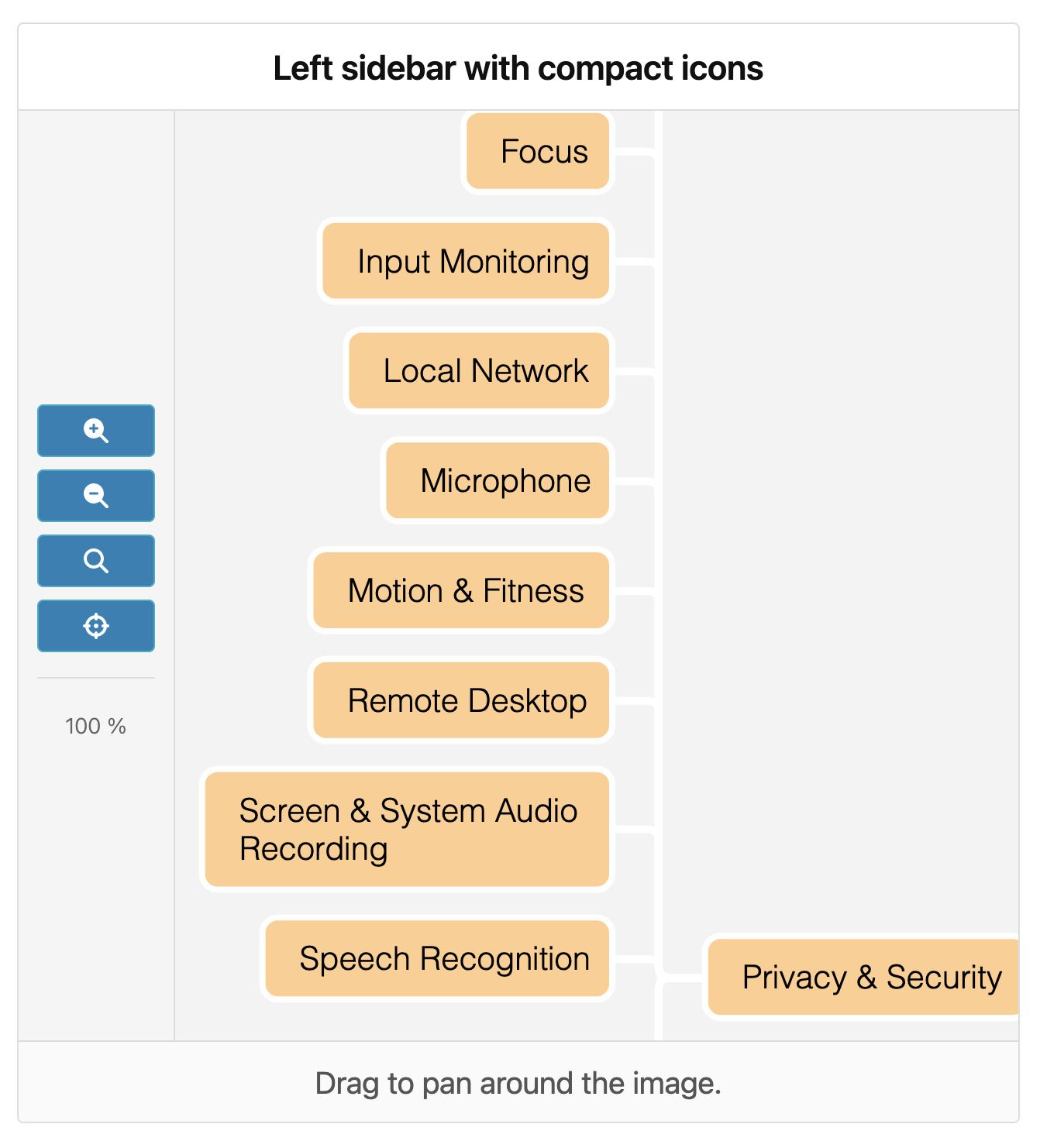
Icon-only controls stacked along the right edge using the compact preset layout.
Faq
Make sure the SVG URL is reachable by the browser. Open the path in a new tab to confirm it loads without authentication. The plugin accepts absolute URLs, /wp-content/... paths, and upload-relative paths (e.g. 2025/map.svg). Also confirm the SVG includes a valid viewBox so it can scale correctly.
Yes. Attributes you place in the shortcode always override the stored preset settings. For example, [btsvviewer id="42" controls_buttons="icon,zoom_in,zoom_out"] keeps the preset’s other values but changes the control layout.
Use the preset color pickers or shortcode aliases such as button_fill, button_border, and button_foreground. Legacy aliases button_bg and button_fg still work and map to the new properties. You can also target the wrapper’s CSS custom properties (e.g. --bt-svg-viewer-button-fill) in your theme.
Absolutely. Each [btsvviewer] instance manages its own state, so you can embed as many as you like on the same post or template.
All bundled icon markup runs through wp_kses to keep the controls safe. Uploaded SVG files are not altered, so continue following your organization’s SVG hygiene best practices.
Reviews
Changelog
1.0.12
- Add shortcode/preset pan and zoom modes with automatic gesture captions for visitors.
- Animate zoom transitions while keeping the pointer focus locked under the cursor.
- Add an “Enable asset cache busting for debugging” toggle (auto-enabled on
dev.*/wptest.*hosts). - Make drag panning 1:1 with the pointer and ignore stray wheel input during drags.
- Prevent unintended panning while zooming so the focus point stays anchored.
1.0.7
- Document shortcode aliases for button colors and include full examples in the help docs.
- Explain new pan/zoom behaviour options (drag vs scroll, gesture captions) across the docs and translations.
- Lock zoom to coordinates, smooth transitions, and disable zoom buttons when limits are reached.
- Auto-center new SVG selections, keep captured center values in sync with the preview, and refresh localization strings with the latest options.
1.0.6
- Ensure generated CSS busts cache correctly when plugin versions change.
1.0.5
- Fix file permissions in the distributed ZIP package.
1.0.4
- Stabilize the deploy pipeline to prevent incomplete releases.
1.0.3
- Remove duplicated changelog content in the admin tab.
1.0.2
- Add German, Spanish, French, and Italian translations.
- Introduce Help and Changelog tabs to the presets admin screen.
- Refresh the public documentation with shortcode and preset details.
1.0.1
- Launch the visual preset editor with live preview and reusable configurations.
- Expand control options with new placement modes, icons/text toggles, and layout keywords.
- Allow the preview to capture its current zoom and center for quick authoring.
1.0.0
- Initial release with
[btsvviewer]shortcode, zoom controls, and pan gestures.