BuddyVerified

BuddyVerified
Description
Allows admins to specify verified accounts. Adds a badge to verified usernames.
Notes
Installation
- Upload ‘buddyverified’ to the ‘/wp-content/plugins/’ directory
- Activate the plugin through the ‘Plugins’ menu in WordPress
- Then go to wp-admin > Users > Extended Profile >> and choose various settings.
Screenshots
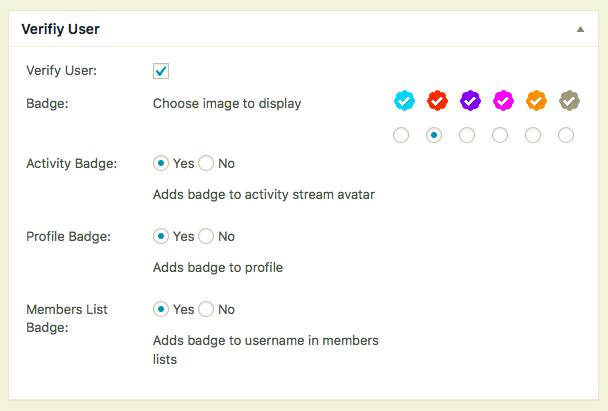
Admin user verify options

Admin listing verified

User profile verified
Reviews
The first and the best so far
By 
Very Bad Performance
By 
not working
By 
Old, crashes with other features / templates
By 
Minor incompatibility with BP Widgets
By 
Amazing Plugin!! Really useful
By 
Great add on to your BP site that adds value to your site
By 
Thx
By 
Non funziona
By 
DOMMAGE !
By 
Changelog
2.4.1
remove old files fixes duplicate function error
2.4.0
Fix for settings not saving
Moved badge to username. Too many issues with avatar placement
Added template tag to display badge. bp_verified_image( $user_id )
Added setting to display badge in members lists
Added bp_is_verified( $user_id ) function to check if a user is a verified account
Added bp_get_verified_image filter for custom badge
A lot of code changes to make it better, efficient
2.3.1
fixed missing non verified avatars * props Brajesh
2.3
Update to CSS for WP yearly themes.
Added option to add custom CSS for badge placement. Settings -> BuddyPress, click option tab.
2.2
removed tooltip as is caused to many conflicts. verfied text no in member header
2.1
All new plugin