BugFu Console Debugger

BugFu Console Debugger
Description
Log/Debug the PHP code in your Theme/Plugin with your Browser Console (no extension needed). Made for themes and plugins developers.
HOW TO CHECK IF BUGFU IS WORKING
Open your Browser Console, if you see this header, BugFu is working properly
################################
#### BugFu Console Debugger ####
################################
HOW TO OPEN YOUR BROWSER JAVASCRIPT CONSOLE
If you’ve never used the Browser JavaScript Console before, here’s how you open it:
- Chrome PC shift+ctrl+j – Chrome Mac alt+cmd+j
- Firefox PC shift+ctrl+k – Firefox Mac alt+cmd+k
- Safari PC shift+ctrl+c – Safari Mac alt+cmd+c
HOW TO USE BUGFU WITH WORDPRESS
Call the log static method from wherever you are within the WordPress PHP code
<?php /* WORDPRESS CODE HERE */

/* Call it with no arguments to only output some backtrace info */
BugFu::log();

/* Call it with a string argument to output that string content */
BugFu::log($my_string_content);

/* Call it with a non-string argument to output the structured
   representation of that argument - it uses var_export() */
BugFu::log($my_object-array-variable);

/* Call it with the second optional argument set to "false"
   to turn off the backtrace info (which is on by default) */
BugFu::log($my_content, false);
DEVELOPERS
Official Github repository:
https://github.com/fedeandri/bugfu-console-debugger
Installation
- Unzip the plugin file bugfu-console-debugger.zip
- Upload the unzipped folder “bugfu-console-debugger” to the
/wp-content/plugins/directory of your WordPress blog/website - Activate the plugin through the ‘Plugins’ menu in WordPress
Screenshots
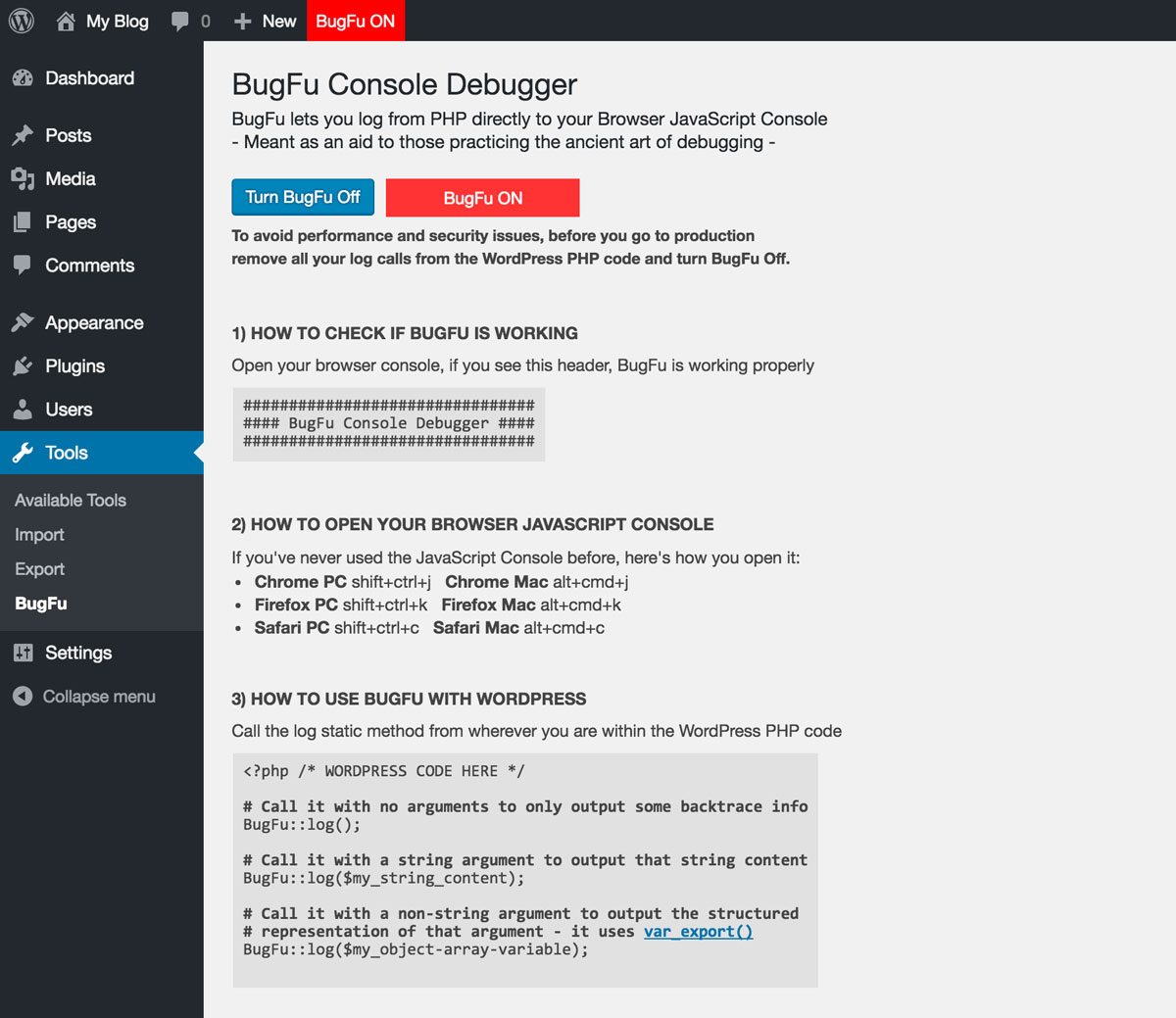
The admin page when BugFu is ON

The Browser JavaScript Console when BugFu is ON

The admin page when BugFu is OFF
Reviews
Nice when it works, often doesn't
By 
Totally broken with Litespeed cache, instantly causes out-of-memory errors and other seriously unreliable operation including failure of pages to load with "there has been a critical error on this website". Abandoned many years ago, developer hasn't responded in support forum in 6 years and github repo not updated in 3 years. Too bad, it was an extremely useful plugin when it worked.
Easy to use & very helpful
By 
Exactly what I need
By 
Great for quick debugging
By 
Easy to use and works well
By 
The plugin to have.
By 
Beautiful, Simple, Life saver
By 
simple and functional
By 
if you write PHP for WordPress, you'll want it
By 
Very useful !
By 
Changelog
1.3
- Adds the ability to log from the WordPress login page
- Fixes a minor CSS issue
1.2.4
- Adds compatibility with old PHP versions (tested from 5.3)
1.2.3
- Updates and simplifies the AJAX calls debugging feature
1.2.2
- Prevents PHP notice when not logging from a class
1.2.1
- Update the AJAX calls debugging feature to avoid CPU overload
1.2
- Adds the ability to debug AJAX calls
1.1
- Fixes a bug that made it look like BugFu constantly needed to be updated (thanks to Jonathan Bossenger)
- Adds a second optional argument to the log method, in order to allow you to turn off the backtrace info which is on by default
1.0
- First version, log your debug messages from PHP directly to your browser JavaScript console