Bulk Media Register

Bulk Media Register
Description
Bulk register files on the server to the Media Library.
Register to media library
- Maintain folder structure.
- This create a thumbnail of the image file.
- This create a metadata(Images, Videos, Audios).
- Change the date/time.
Sibling plugin
Note
- If you want to use a multi-byte file name, use UTF-8. The file name is used as the title during registration, but is sanitized and changed to a different file name.
How it works
Installation
- Upload
bulk-media-registerdirectory to the/wp-content/plugins/directory - Activate the plugin through the ‘Plugins’ menu in WordPress
Screenshots
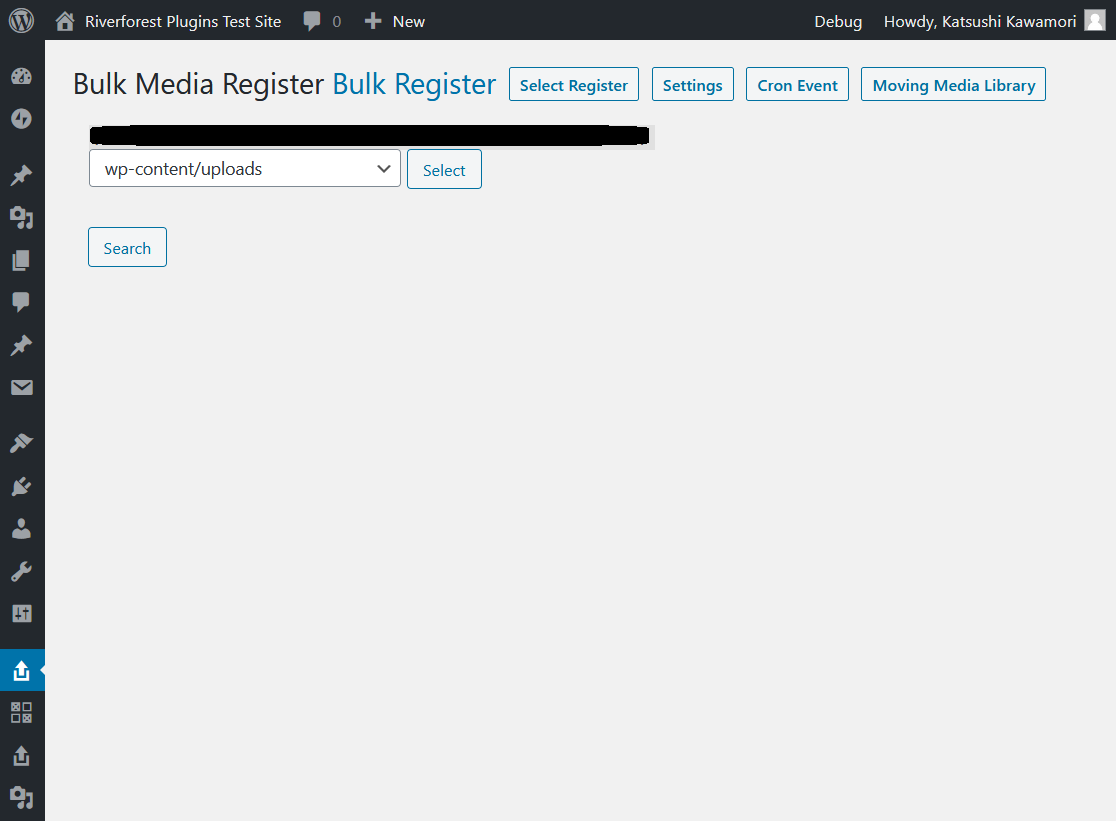
Search for Bulk Register
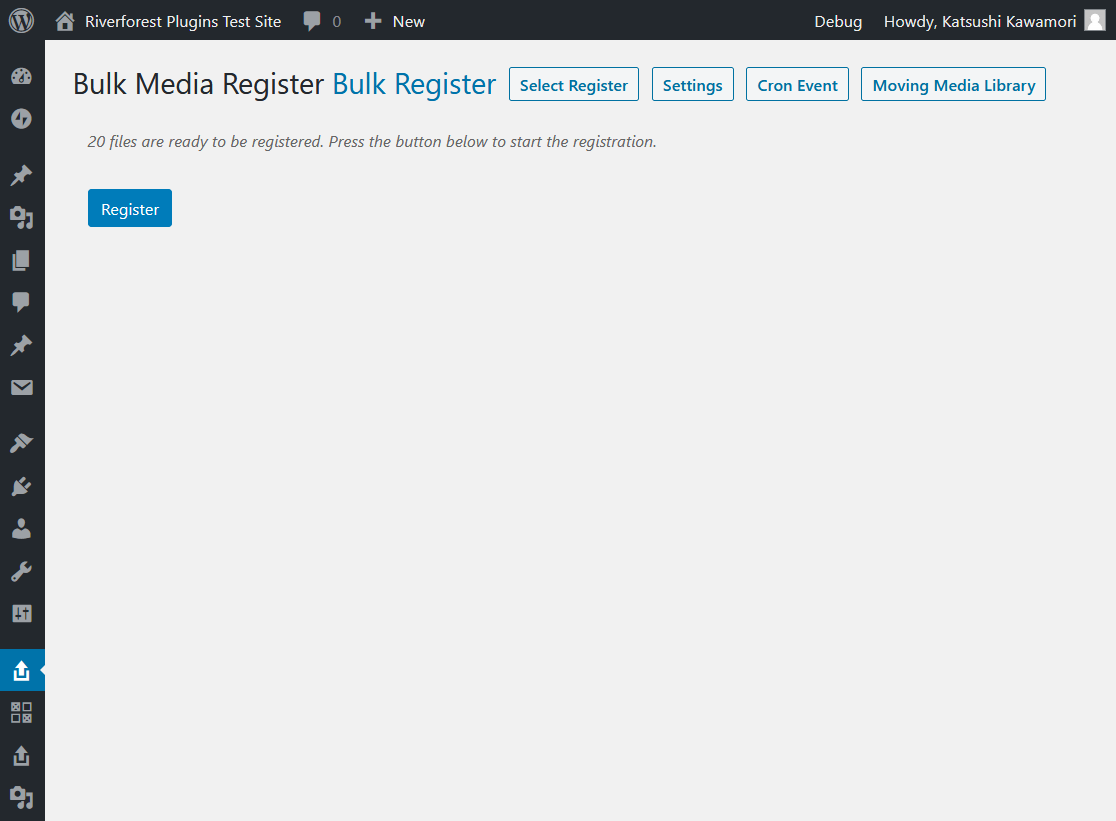
Bulk Register
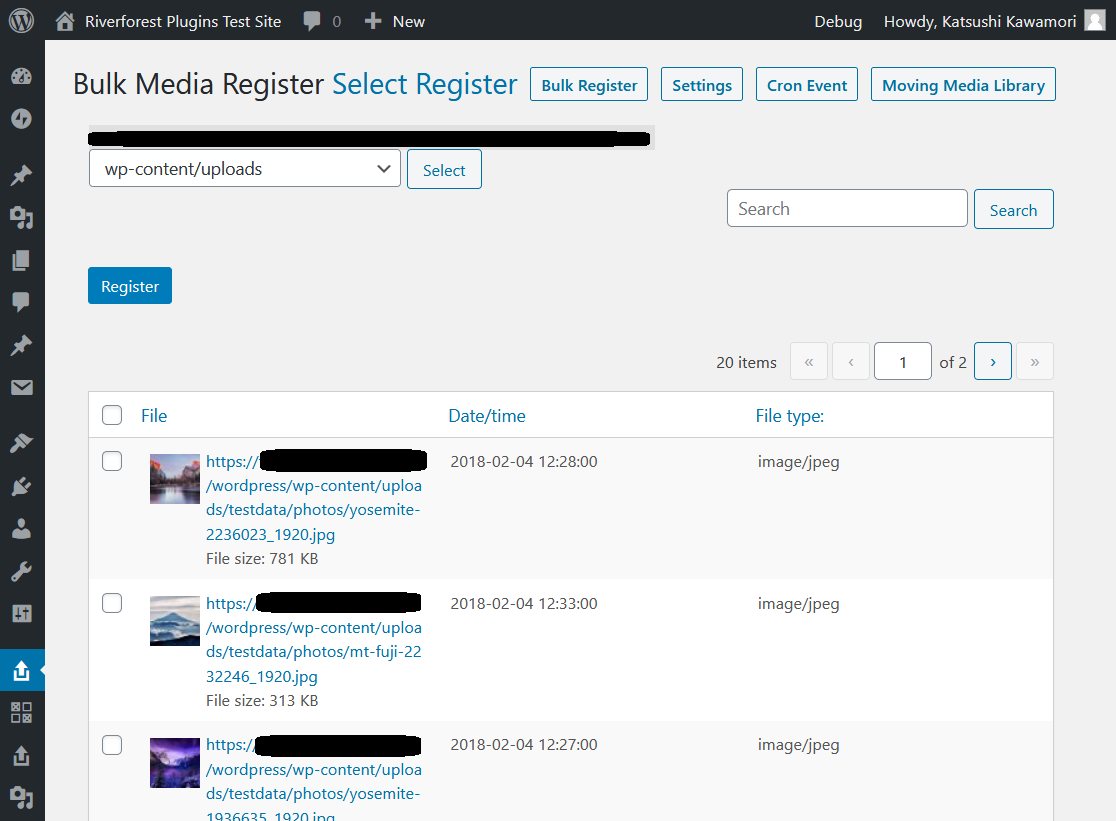
Select Register
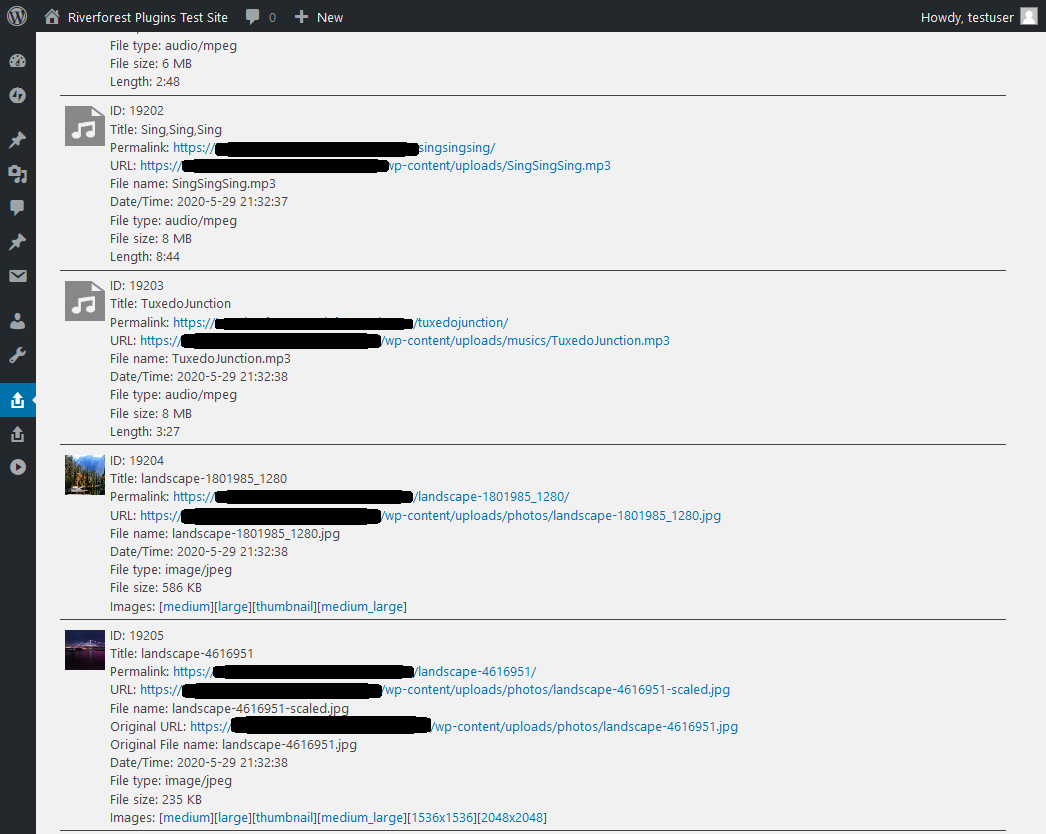
Register to Media Library
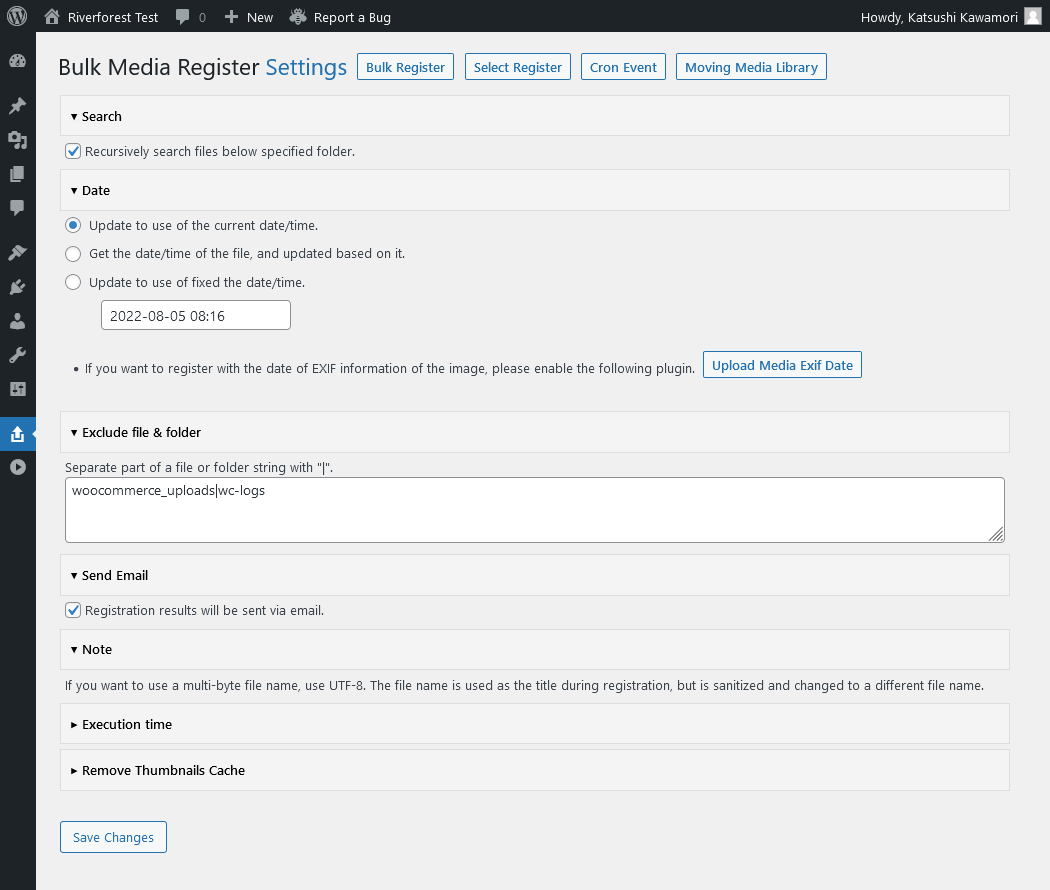
Settings
Faq
none
Reviews
Excellent Plugin
By 
It helped me put a file that I'd accidentally deleted back into the upload folder in the same place and then make it available again in the system in the old place.
impossible to register even one picture
By 
Idea of the plugin is great. I don't know how to register a picture. Such program could be helpfull.
I have instalation on Debian 12 running PHP8.2 MySQL 8.0.27 and WP 6.5.3. On my separate drive(/home/username/media) there are about 650 pictures with most of them are registered. If I tried to registered them all process stopped, but nothing else happened. No one picture has been additionally registered. In selection section all pictures are invisible even if registered and shown in media library. Also it is impossible to register even one.
Thank you so much
By 
After a backup through ftp all db entries of the media were gone. This plugin fixed just right that!
Do have a tip to improve: it would be nice to get the date of the image created and set than one because now all media files are from the date of today 😉 but hey, if that is the worst thing
Bug on cannot 100% upload the Meda Files and how to fix the bugs
By 
Hi ,
As raised out by commentor "synthezoid" , I faced the same problem that the Plugin can only successfully register some of the files selected.
Having investigating different parameters (e.g. File Extension Type / Upload Folder / FTP File Permission) , and I found out that one of the reasons (i don't know whether it has more than 1 reason or not) is that if the there is any " " (i.e. the "space") or "-" inside the File Name , the File will be failed to register in wordpress.
I hope the author can fix the bug and it will be a good plugin again.
Before author fix the bug, i suggest you can avoid using " " (spacde) and "-" inside the file name to avoid the bug.
Should be called "Some media register"...
By 
...because it does not "bulk" register media, it bulk registers "some" of your media. Some it just leaves out. Doesn't tell you what it's leaving out, either, you have to hunt for it. All in all any time you save bulk uploading will be lost trying to find & reupload the things it didn't upload.
MODERATOR: THIS IS NOT A SUPPORT REQUEST. I AM NOT LOOKING FOR SUPPORT WITH THIS PLUGIN. I AM NOT TRYING TO REPORT AN ISSUE TO THE DEVELOPER OR GET HELP FROM THEM. I AM REVIEWING MY EXPERIENCE OF IT FOR BENEFIT OF FUTURE PROSPECTIVE USERS.
Perfect + nice + awesome plugin...
By 
Perfect + nice + awesome plugin…
Not working with .webp
By 
I'm not giving a 1 star out of frustration or annoyance, but to get the developer's attention. In my case I uploaded 377 images using FTP. They are all in webp format. The extension is recognized by the plugin. After "Select & Register" the images are registered. However, when I go to the library, all I see are empty frames with the file name of the images, plus an extra string that is probably added by the registration process. If I want to use the plugin "Regenerate Thumbnails" to create images so I can see them in the library, it won't work. The string appended to the file name prevents the plugin from finding the original file on the server. I hope that with this information the developer can improve his plugin. I`m happy to change the amount of stars when this issue is solved. Thank you for your contribution.
Exceptional plugin
By 
Worked perfectly!
Step 1: Ask your hosting company to move all the media files from wp content -> uploads of the old site over to the new site
Step 2: Use the Bulk Media Register on the old site to export a json file
Step 3: Use the Bulk Media Register on the new site to import a json file
DONE! All the images appear in the new media library with their correct date, alt text and title.
Recognizes existing thumbnails, etc.
By 
What I liked:
- Recognizes existing thumbnails versions of the image and keeps them intact
- Ajax operation, so not as likely to run into PHP timeout
- Correctly recognizes if files are registered or not
- Choose folder or subfolders to scan with "Select Register"
Thanks for a great plugin!
Recommended <3
By 
Love this plugin.
Changelog
[1.41] 2025/04/16
- Fix – Loading the management screen.
[1.40] 2024/03/03
- Fix – Added nonce when sorting.
- Fix – Changed file operations to WP_Filesystem.
1.39
Fixed CSV file output issues.
1.38
Fixed CSV file output issues.
1.37
Fixed CSV file output issues.
1.36
Fixed a problem with sending e-mail.
1.35
Supported WordPress 6.4.
PHP 8.0 is now required.
1.34
Fixed translation.
1.33
The result CSV file is now attached to the registration result email.
1.32
Fixed problem of Path traversal.
1.31
Added exception handling for directory and file searches.
An option to send email or not has been added to the settings.
1.30
Registration results are now sent via email.
Fixed a path problem when searching for files.
1.26
“Exclude file & folder” saving issue fixed.
Removed code related to version checking.
1.25
Fixed a timeout problem during registration on poor servers.
1.24
Fixed a pagination problem when searching for text.
Moved the position of the pagination setting.
1.23
Added error handling when a file is not selected.
Fixed translation.
1.22
Fixed an issue that caused rotated files to be searched again.
1.21
Fixed uninstall.
1.20
Supported XAMPP.
1.19
Supported XAMPP.
1.18
Fixed an issue with database prefixes.
1.17
Fixed the length of the “filter by text” input field.
1.16
Added extension filter.
Added filter by text to the “Bulk Register”.
1.15
Fixed problem of metadta.
1.14
Fixed problem of metadta.
1.13
Change readme.txt
Small changes in Javascript.
1.12
Added disallow search in the temporary directory by “robots.txt”.
1.11
“Select Register”, search error handler has been added.
1.10
Changed file search method.
Added “Select Register”.
1.09
Added “Execution time” to the settings.
1.08
Changed file search method.
Changed the exclusion method.
1.07
Fixed search problem.
1.06
Added a message when the file does not exist.
1.05
Changed file search method.
1.04
A folder search box has been added to the settings screen.
1.03
Fixed problem of metadta.
Add add-on link.
1.02
Fixed search timeout issue.
1.01
Fixed problem of metadta.
Splited the hooks.
1.00
Initial release.