Bulk-Select Featured Image

Bulk-Select Featured Image
Description
Set featured images for several posts without opening each post’s editor. In the Media Library’s List view, select your images, choose “Set featured images” from Bulk actions, then click Apply.
Each selected image becomes the featured image of the post shown in its “Uploaded to” column. Existing featured images are replaced. The familiar “Use as featured image” row action is also available for individual images.
- Uses WordPress’s existing checkboxes and bulk-action menu.
- Supports posts, pages and custom post types that allow featured images.
- Reports updated, unchanged and skipped items after each action.
- Skips ambiguous selections instead of choosing an image at random.
- Checks permission to edit both the image and its attached post.
- No settings page, external services, tracking or extra JavaScript.
Installation
- Install and activate Bulk-Select Featured Image.
- Open Media > Library and switch to List view.
- Check the “Uploaded to” column. Use Attach for images that have no attached post.
- Select one image per post, choose “Set featured images”, then click Apply.
Requires WordPress 6.8+ and PHP 8.2+. Your theme and the attached post type must support featured images.
Screenshots
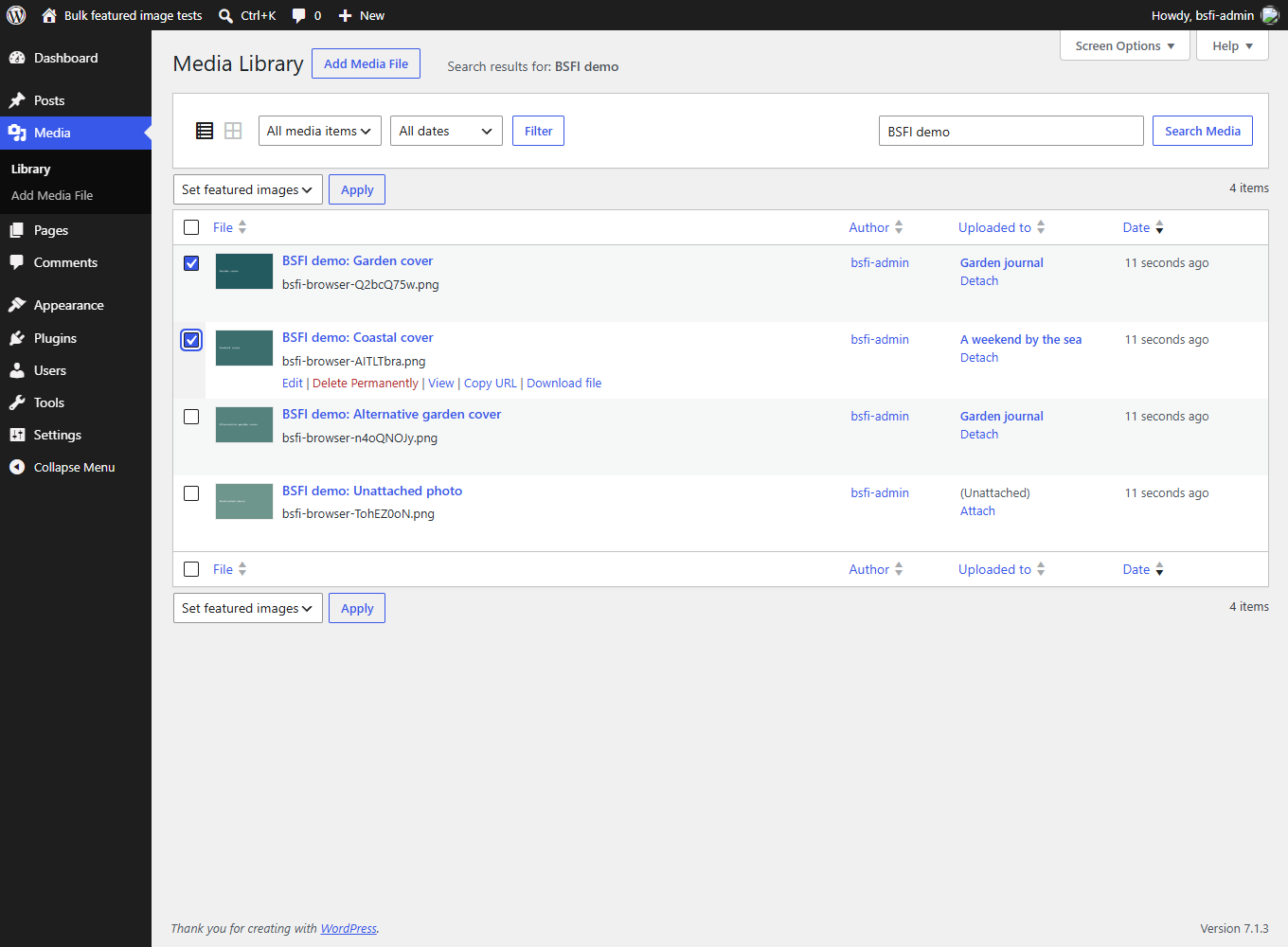
Select one image per attached post in the Media Library's List view, choose "Set featured images", then click Apply.
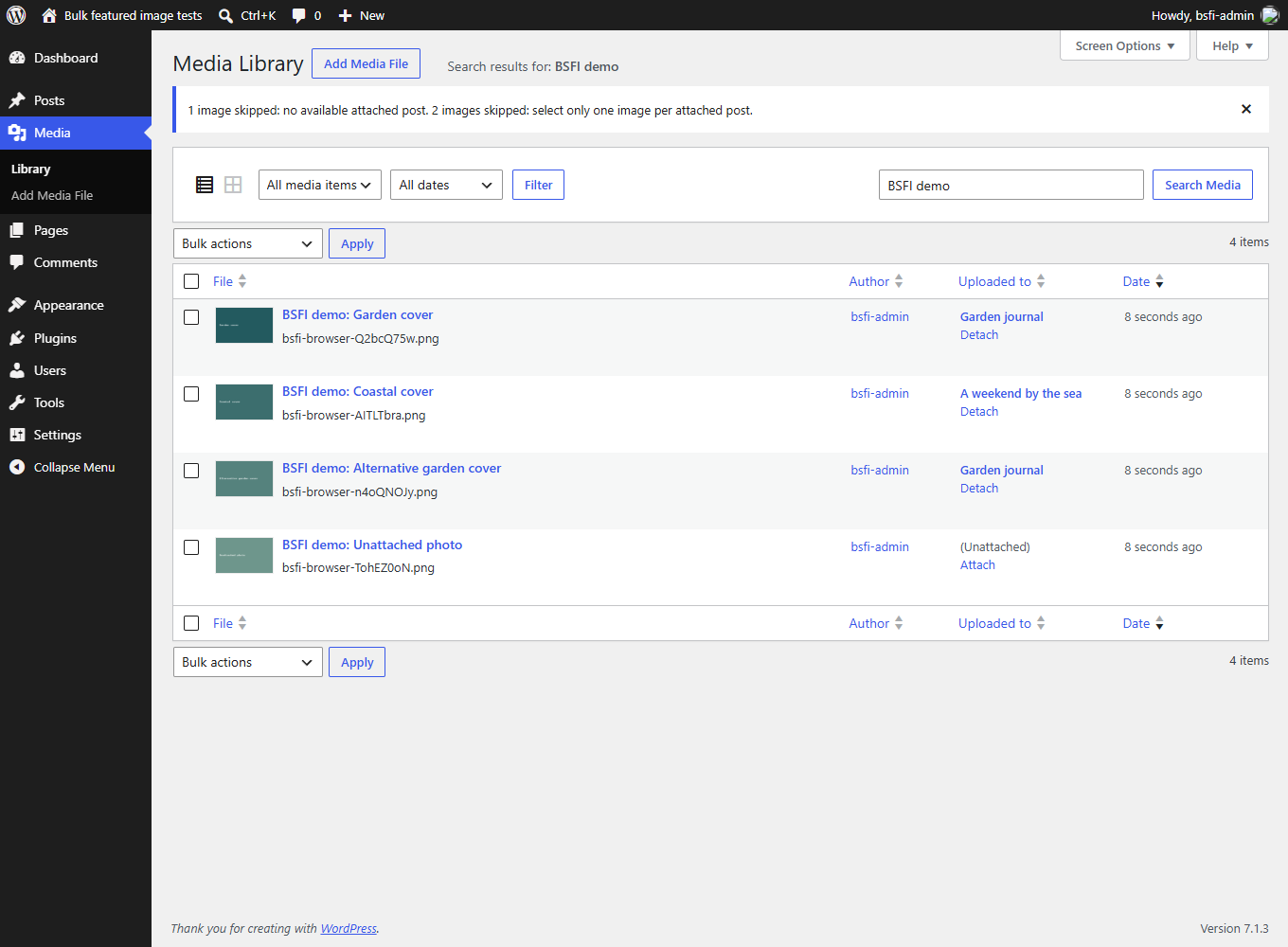
Result notices explain skipped images, including unattached images and multiple selections for the same post.
Faq
The post listed under “Uploaded to” in the Media Library. An attachment has one parent post. The plugin does not search post content, guess from filenames, or assign an image to every post where it appears.
Inserting an existing Media Library image in another post does not necessarily change its attachment. Check “Uploaded to” before applying the action.
Yes. Both the bulk action and the individual row action replace the attached post’s current featured image. An image that is already featured is reported as unchanged. There is no automatic undo; you can assign the previous image again if needed.
A post has only one featured image. If multiple eligible selected images are attached to the same post, all of those images are skipped and that post stays unchanged. Select just one image for that post and apply the action again. Other unambiguous selections are still processed.
Unattached images, missing or trashed parent posts, trashed media, non-image files, unsupported post types, and items you cannot edit. Images that WordPress cannot render as thumbnails or save are reported as failed; an unrenderable image does not clear an existing featured image.
Use List view for the plugin’s row and bulk actions. WordPress’s grid selection has a different interface. The Media Library link on the Plugins screen opens List view directly.
Yes, when the theme and post type support featured images. The plugin updates WordPress’s standard featured-image assignment, so it works independently of the editor. It no longer forces featured-image support on themes that have not enabled it.
The action processes the selected items on the current List view page. Adjust Screen Options to change the page size. For large libraries, work in manageable batches; the plugin does not run a background library-wide operation.
Assigned featured images stay in place. The plugin does not create permanent settings or custom tables. Temporary per-user result notices expire after one minute.
Reviews
Bulk-Select Featured: Awesome!
By 
Does not work
By 
Title misleads
By 
The title misleads!
Time-saver!
By 
Saved me so much time doing this in one fell swoop!
Changelog
1.2.0
- Added a real bulk action to the Media Library List view, assigning each selected image to its attached post.
- Added deterministic conflict handling: multiple eligible images for one post are skipped together.
- Added clear outcome notices and Media Library help explaining attachment mapping and replacement.
- Replaced legacy global JavaScript overrides with native WordPress admin actions.
- Added nonce validation and permission checks for both images and their attached posts.
- Added validation for non-images, missing or trashed posts, unsupported post types and failed assignments.
- Stopped forcing featured-image support on themes.
- Modernized PHP, escaping, translations and plugin metadata for WordPress 6.8+ and PHP 8.2+.
- Preserved the plugin filename and the individual Media Library action.
1.1.1
- Fixed an activation error.
1.1
- Attempted to support themes without post thumbnails.
1.0
- Public release.