BulkPress – Export

BulkPress – Export
Description
Export taxonomies into formatted file compatible with BulkPress plugin.
Installation
- Upload the folder ‘bulkpress-export’ to the ‘/wp-content/plugins/’ directory
- Activate the plugin through the ‘Plugins’ menu in WordPress
- Go to “Tools->BulkPress – Export” menu and export taxonomies you need.
Screenshots

View of admin page
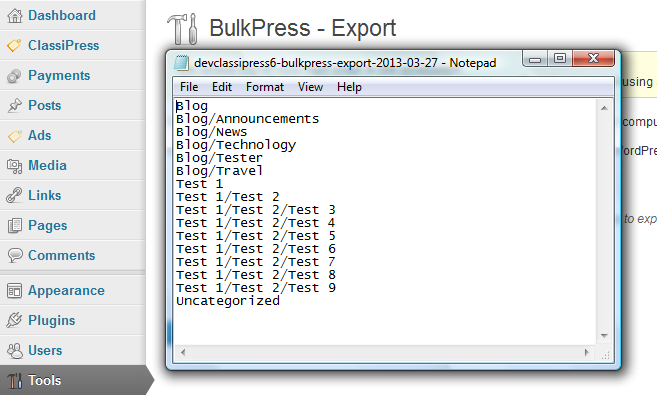
View of generated file
Faq
Report it with details on support forum.
Reviews
Brilliant - working on WP 5.0.3
By 
Saved me a days work... brilliant and working on WP 5!
You might need the Bulkpress Import too... if you are migrating information from an old site.
I added 910 Categories with parent/child in less than 30 seconds!
Works like a charm 😉
By 
Tested on WordPress 4.7.3, thanks 😉
Changelog
0.4
- Removed language files, as they are handled by WordPress.org translation system
- Fixed coding standards issues reported by CodeSniffer
- Rewritten admin page
- Added use of namespace
0.3
- Fixed security issue CSRF on admin page
- Fixed loading textdomain too early
0.2
- Added validation of incoming data
0.1
- Initial release