Business Box Booking

Business Box Booking
Description
Business Box is booking software for small businesses in Japan. This plugin puts your Business Box booking page on your WordPress site, so visitors can choose a time and book without leaving your page.
- A block and a shortcode. Add the “Business Box Booking” block in the block editor, or use
[business_box]in the classic editor and page builders. - Inline or popup. Show the booking calendar on the page, or a button that opens it in a popup.
- Japanese and English. Follow the visitor’s language, or fix it to 日本語 or English.
- Fits the page. The booking calendar grows to fit, with no inner scrollbar.
- Paid bookings work. If your event type takes card payment, visitors are taken to Stripe’s secure payment page to pay.
- Teams. One booking page can be shared by your whole team; each booking goes to whoever is free.
You need a Business Box account (there is a free plan with no time limit). Create your event types in Business Box, then paste the link to the booking page into the block.
Shortcode
[business_box url="https://app.marubox.jp/your-name/consultation"]
Options:
type="popup"shows a button instead of the calendar. The default isinline.button="予約する"sets the button text.lang="ja"orlang="en"fixes the language.details="0"hides the event name, length and price.title="Booking"sets the accessible title of the booking frame.
External services
This plugin embeds booking pages from Business Box (https://marubox.jp/), a booking service operated by App Dev Plus G.K. in Tokyo, Japan. It is needed to show the booking calendar and take bookings.
- What is loaded: when a visitor views a page that contains the block or the shortcode, their browser loads the booking page from
https://app.marubox.jp/embed/…inside a frame (inline), or when they click the popup button. In the block editor, the block also shows a preview loaded from the same address. Nothing is loaded on pages without the block or shortcode, and the plugin itself sends no data from your WordPress site. - What is sent: the request for the booking page (as with any web page: the visitor’s IP address, browser details and the page language), and, if the visitor books, the details they enter in the booking form (such as name, email and answers to your questions). These go to Business Box, not to your WordPress site.
- Terms of use: https://marubox.jp/terms
- Privacy policy: https://marubox.jp/privacy
Paid bookings are paid on Stripe’s payment page (https://stripe.com/). See Stripe’s privacy policy: https://stripe.com/privacy
Installation
- Install the plugin from Plugins Add New, or upload the
business-box-bookingfolder to/wp-content/plugins/. - Activate it.
- In Business Box, open Booking Event types and copy the link to the event type.
- In WordPress, add the “Business Box Booking” block to a page and paste the link. Or use the shortcode.
Screenshots
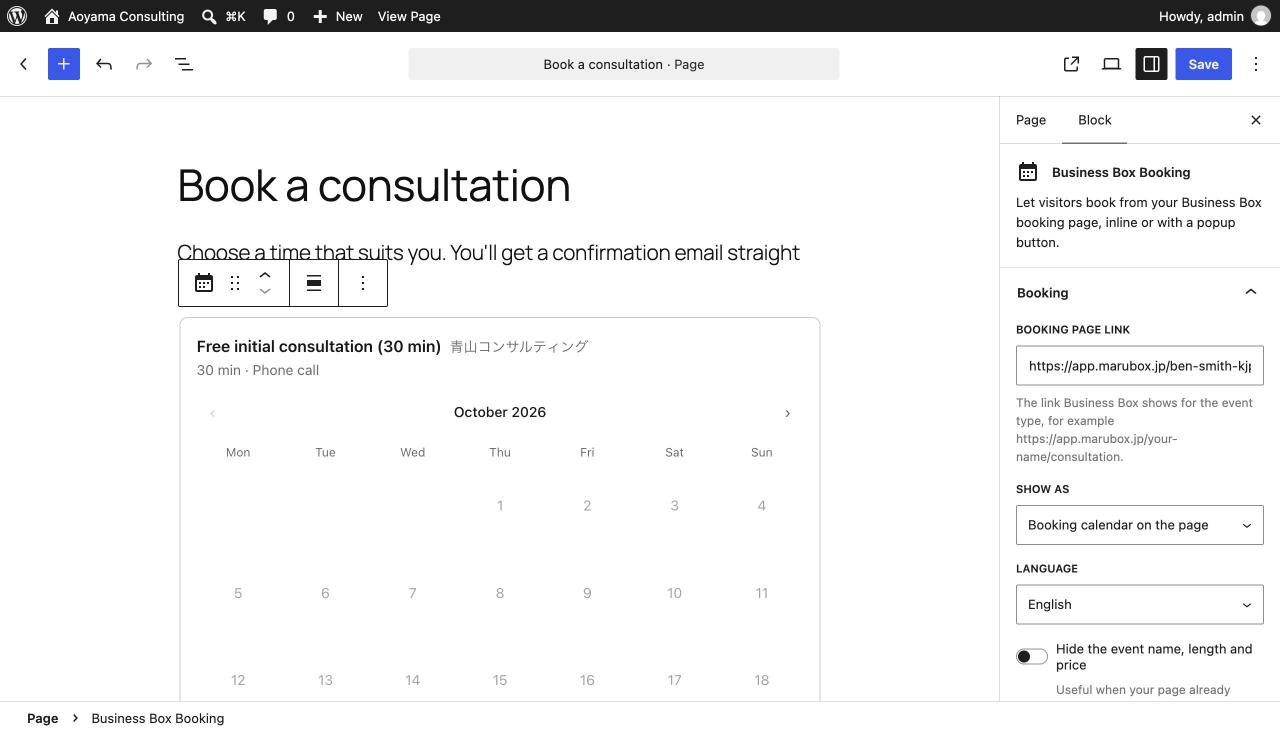
The Business Box Booking block in the editor, with its settings.
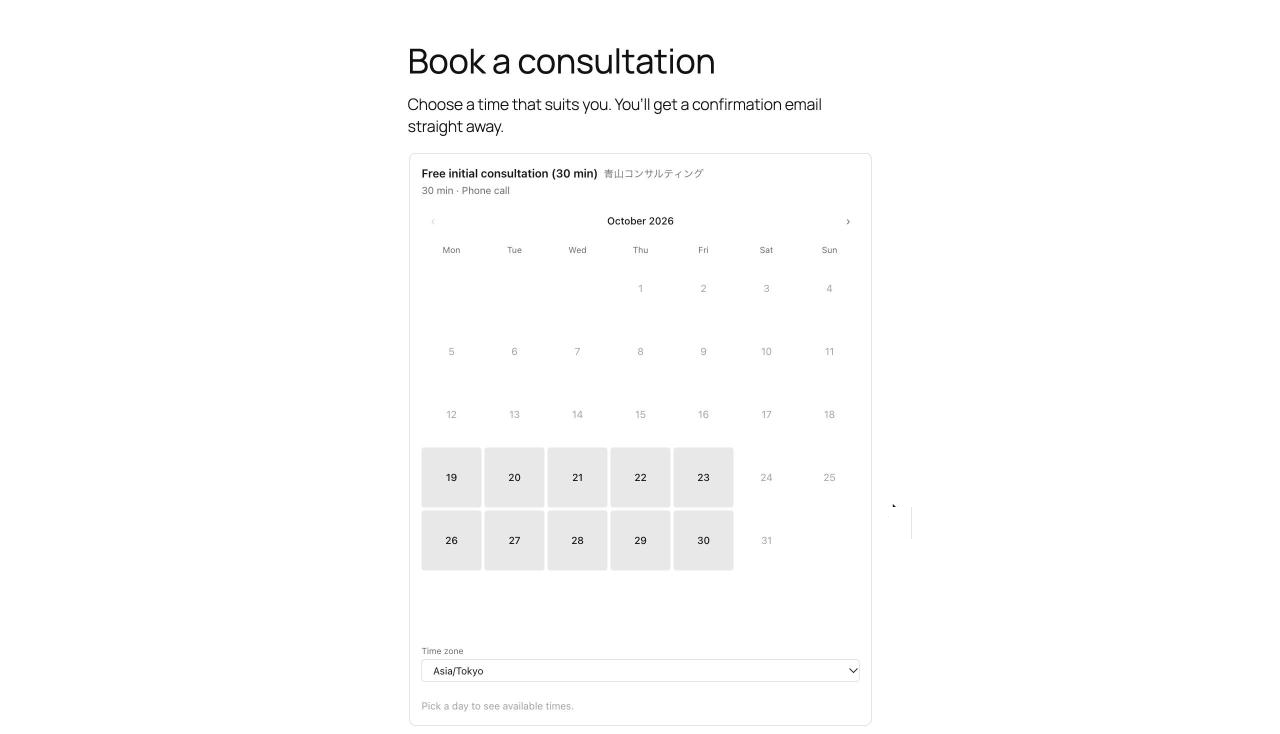
The booking calendar on a page.
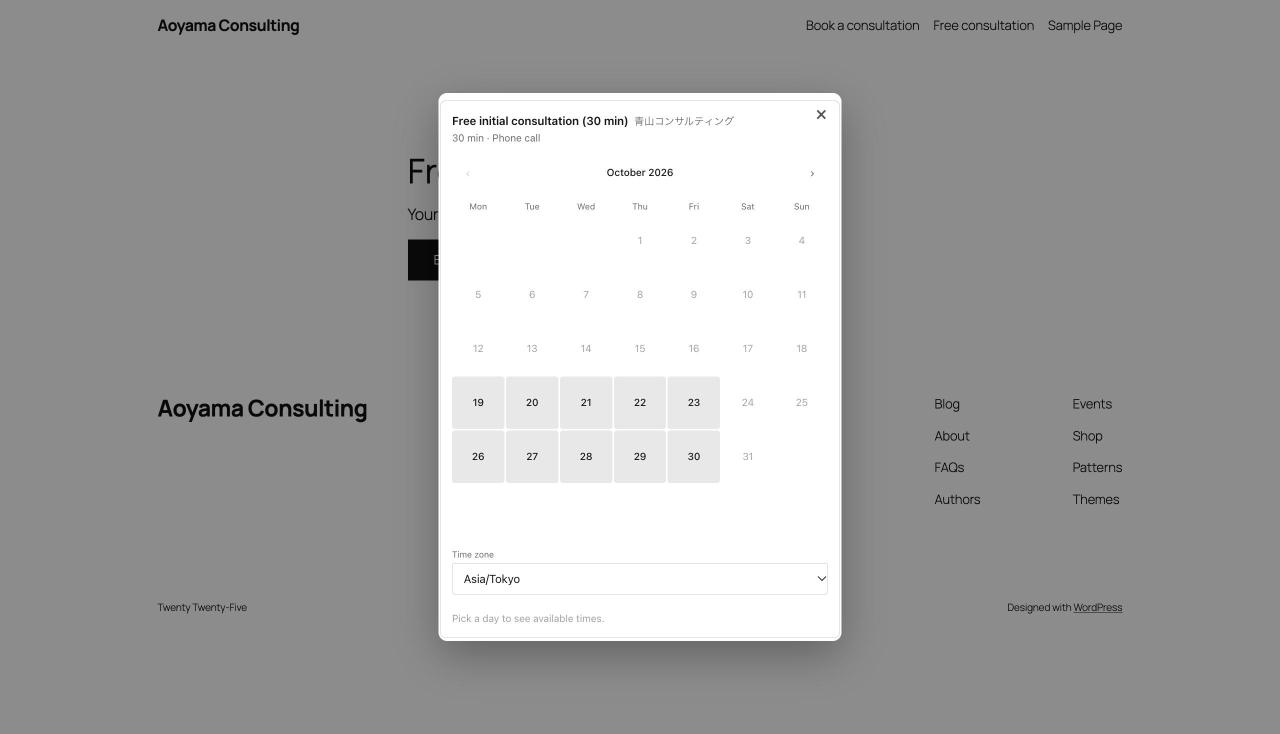
The popup that opens from the booking button.
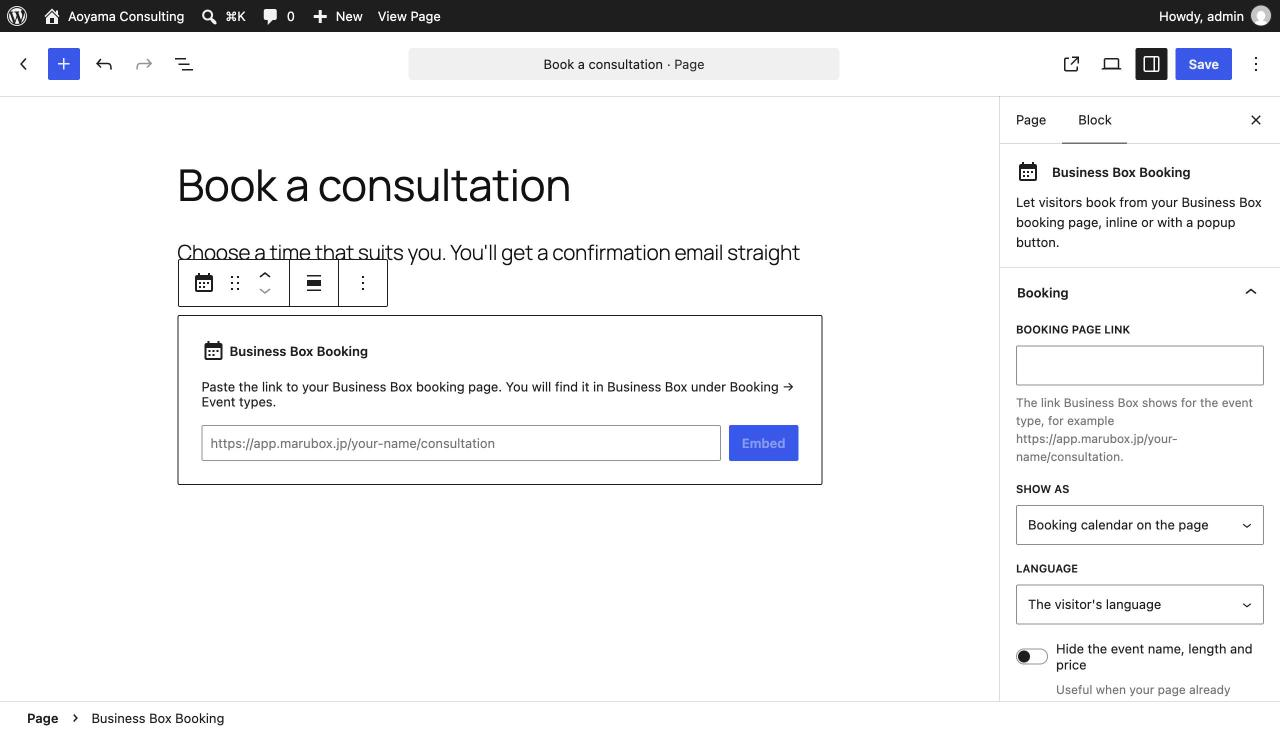
Adding the block: paste the link to your booking page.
Faq
Yes. The free plan has no time limit and needs no card: https://app.marubox.jp/login
In Business Box, under Booking Event types. Each event type has its own link, such as https://app.marubox.jp/your-name/consultation.
When a visitor confirms a paid booking, the page hands over to Stripe’s secure payment page. Card details are never entered on your WordPress site. Payments go straight to your own Stripe account.
Yes. Set the colours, and whether to hide the event details, in Business Box under the event type’s Embed tab. The plugin always shows your current settings.
No. It adds no tracking or analytics of its own and adds no credit links to your site.
Reviews
Changelog
1.0.0
- First release: block and shortcode, inline and popup, Japanese and English.