Buttons to Edit Next/Previous Post

Buttons to Edit Next/Previous Post
Description
This plugin will add easy shortcut buttons to edit next and previous post in admin edit-post page. You can directly navigate to next and previous post.
Installation
To install this plugin follow below steps
- Upload the plugin files to the ‘/wp-content/plugins/’ directory, or install the plugin through the WordPress plugins screen directly.
- Activate the plugin through the ‘Plugins’ screen in WordPress
- That’s it, no other settings needed.
Screenshots

Edit Post Without This Plugin
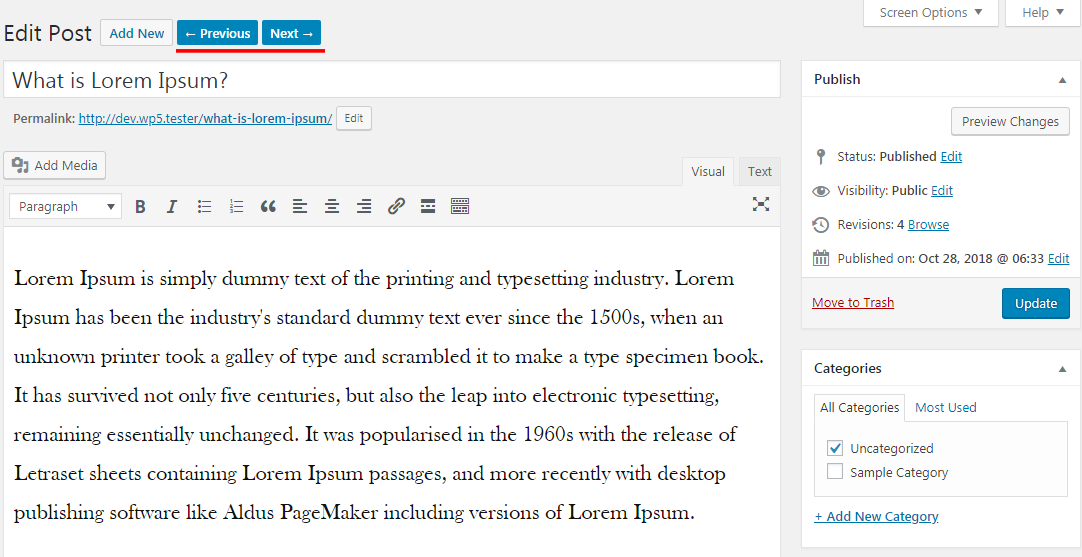
Edit Post With This Plugin For Older Version
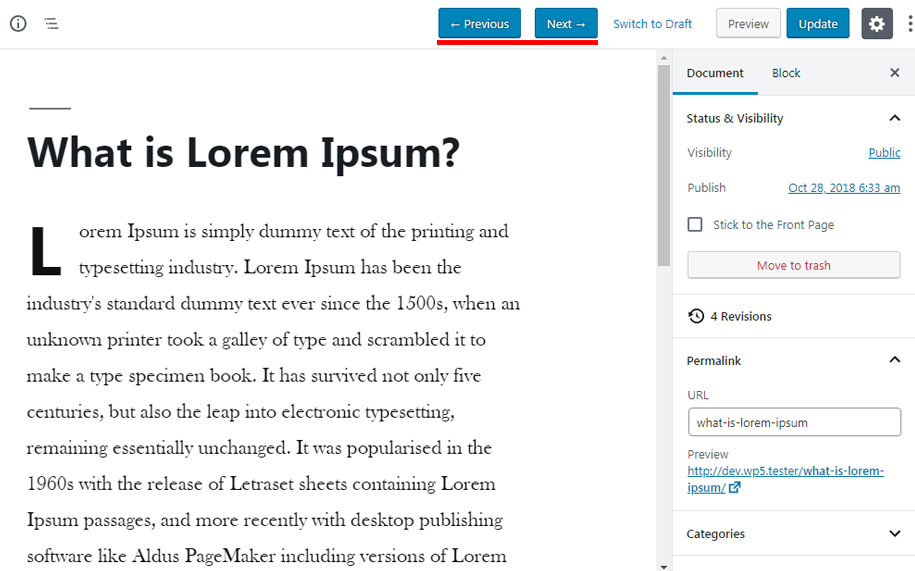
Edit Post With This Plugin For Newer Version
Faq
This plugin is useful when you need to add buttons to easily navigate to next or previous post from edit_post page.
This plugin is totally free.
Yes it is supported for older as well as newer versions of WordPress.
Yes.
Create a support ticket at WordPress forum and I will take care of any issue.
Reviews
once upon a time it worked - but no more
By 
I kept this one deactivated in the hope that its functionality would come back after an update - or with a message that this and that prevents it from working due to an incompatibility. When it worked it was such a pleasure - but no more. First it still worked in classic editor - but not even that is working now. I tried it the last time about 2 years ago. There was an update 5 months ago. Not sure what changed - but alas it is over. The time spend to desperately try get it to work should be saved for doing actual work. Like going back and forth to the post list and choosing the next one.
Bye bye old friend, I will set you on your ship and light the fire.
works well with WooCommerce products and custom post types (CPT)
By 
$supported_types = array('page', 'post');I have WooCommerce products and CPT testimonials, then it becomes to
$supported_types = array('page', 'post','product','testimonials');dear Aftab Muni, you will win more the "5 stars" if your FAQ list covers WooCommerce products and CPT.
Not compatible with Custom Post Type
By 
Great - Does exactly what it says
By 
Works great!
By 
Works as Advertised
By 
Exactly what I needed
By 
Add the buttons for media ?
By 
Very Limited
By 
Works great on 5.2.3
By 
Changelog
1.2
- Fix: Added fix for WP 5.5 release.
1.1
- New: Added navigation support for Pages post type as well.
1.0
- First public release.