Calculate Prices based on Distance For WooCommerce

Calculate Prices based on Distance For WooCommerce
Description
Looking for a free WooCommerce Distance Rate Shipping alternative? Calculate Prices based on Distance For WooCommerce is the ultimate high-performance solution to automatically calculate delivery fees by KM (Kilometers) or Miles using the live Google Maps API.
Stop losing money on flat-rate shipping. Whether you run a local pizza delivery, grocery store, furniture shop, or courier service, this plugin allows you to charge your customers accurate shipping rates based on the exact road distance from your store to their doorstep.
Unlike older plugins, this is fully compatible with the modern WooCommerce Block Checkout and includes a built-in Delivery Date & Time Picker completely free.
🔐 CRITICAL SECURITY NOTICE (API KEYS)
To prevent your Google Maps API key from being stolen and abused by third parties, this plugin uses an advanced Dual-Key security architecture:
1. Public Key (Web Restricted): Used for front-end features like Maps JavaScript & Places Autocomplete API.
2. Private Key (IP Restricted): Used securely on the server side for Geocoding, Routes, & Directions API.
📌 Step-by-Step: How to Get your Google Maps API Keys safely
🔥 Why Switch from Paid Distance Rate Shipping Extensions?
Most distance shipping plugins cost upwards of $150/year. This lightweight, powerful plugin gives you premium local delivery logistics features for FREE, making it the best alternative to official WooCommerce Distance Rate Shipping, WPCargo, and Flexible Shipping.
🌟 Free Version Features
- Accurate Distance Shipping Calculation – Automatically calculates shipping costs based on real-world driving routes via Google Maps.
- Charge Per Kilometer (KM) or Mile – Seamlessly switches between Metric and Imperial units to match your regional delivery setup.
- Google Maps Address Autocomplete – Speeds up user checkout and stops failed deliveries by suggesting verified addresses in real time.
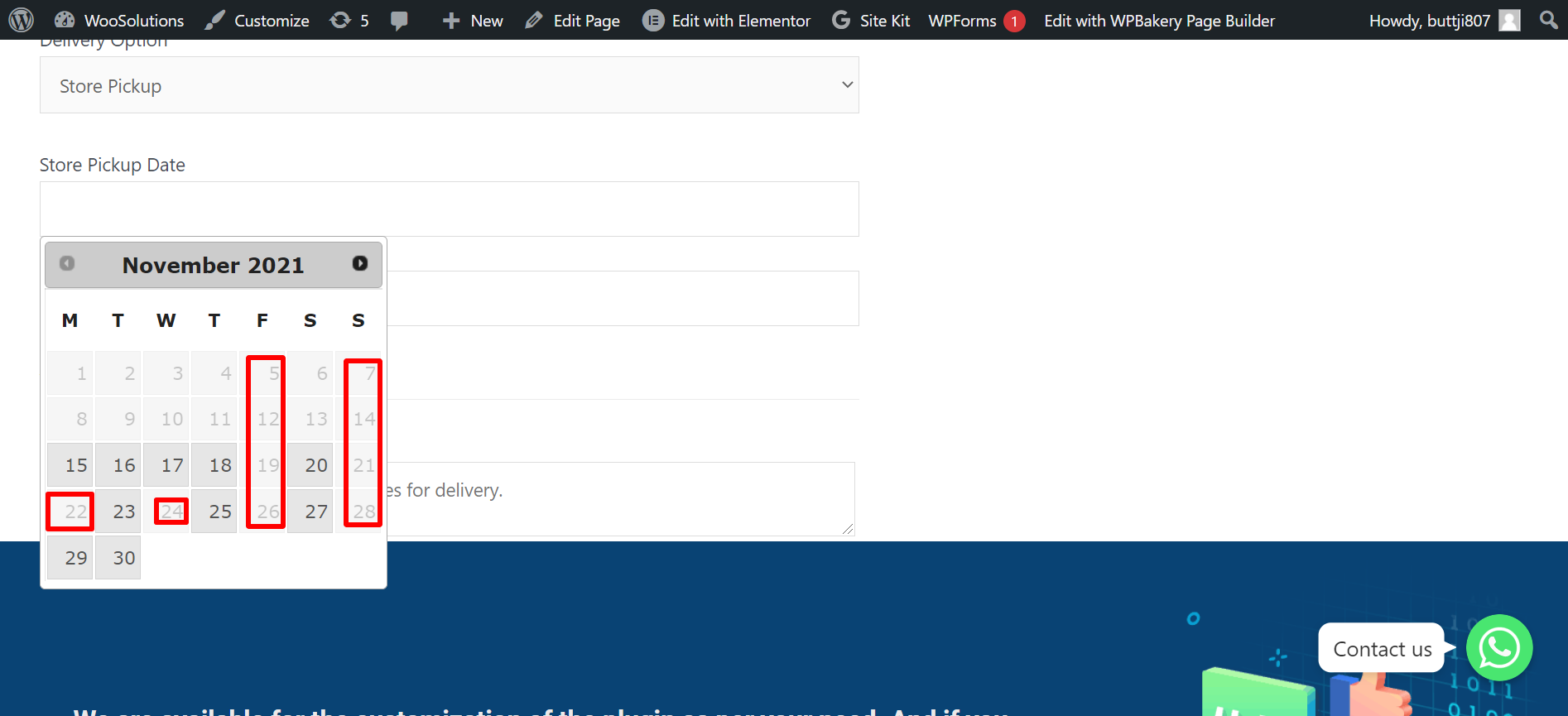
- Free Delivery Datepicker & Timepicker – Let customers schedule their preferred local delivery day and time slot right on the checkout page.
- Live Dynamic Shipping Rates – Customers see their delivery fees adjust instantly as they type their delivery address.
- WooCommerce Blocks & Classic Checkout Support – Works flawlessly with traditional checkout pages and the new modern Gutenberg Cart/Checkout blocks.
🚀 Advanced Features in PRO Version
Take total control of your delivery zones and complex logistics routing:
* Tiered Distance Pricing Rules – Set up complex brackets (e.g., $5 flat for 0–5 KM, then $1.50 per additional KM up to 15 KM).
* Maximum Delivery Radius Restriction – Set a hard mileage or KM limit to block orders from customers living outside your delivery zone.
* Store-to-Store & Custom Dual Addresses – Calculate delivery rates between two completely custom locations (perfect for point-to-point courier services).
* White-Label Custom Admin Labels – Change checkout text fields and delivery fee labels to match your store’s branding perfectly.
* Free Delivery Threshold by Cart Total – Offer free shipping by distance once a user spends a specific amount (e.g., Free delivery over $100 within a 10km radius).
* Force Checkout Address Verification – Prevent orders from processing until an accurate distance rate has been queried.
👉 Unlock Advanced Pricing Brackets – Upgrade to PRO
📽️ Proof & Live Demos
🎬 Watch our 3D Animated Explainer: Watch on YouTube
🚀 Test the Plugin Live (Free vs PRO Comparison): Try Live Demo
Installation
- Search for Calculate Prices based on Distance For WooCommerce in your WordPress dashboard, or upload the files to
/wp-content/plugins/. - Activate the plugin through the ‘Plugins’ menu in WordPress.
- Navigate to WooCommerce > WC Distance Calculator in your sidebar.
- Input your Public & Private API keys following our secure restriction guide.
👉 Read the Complete Setup & Configuration Guide
Screenshots
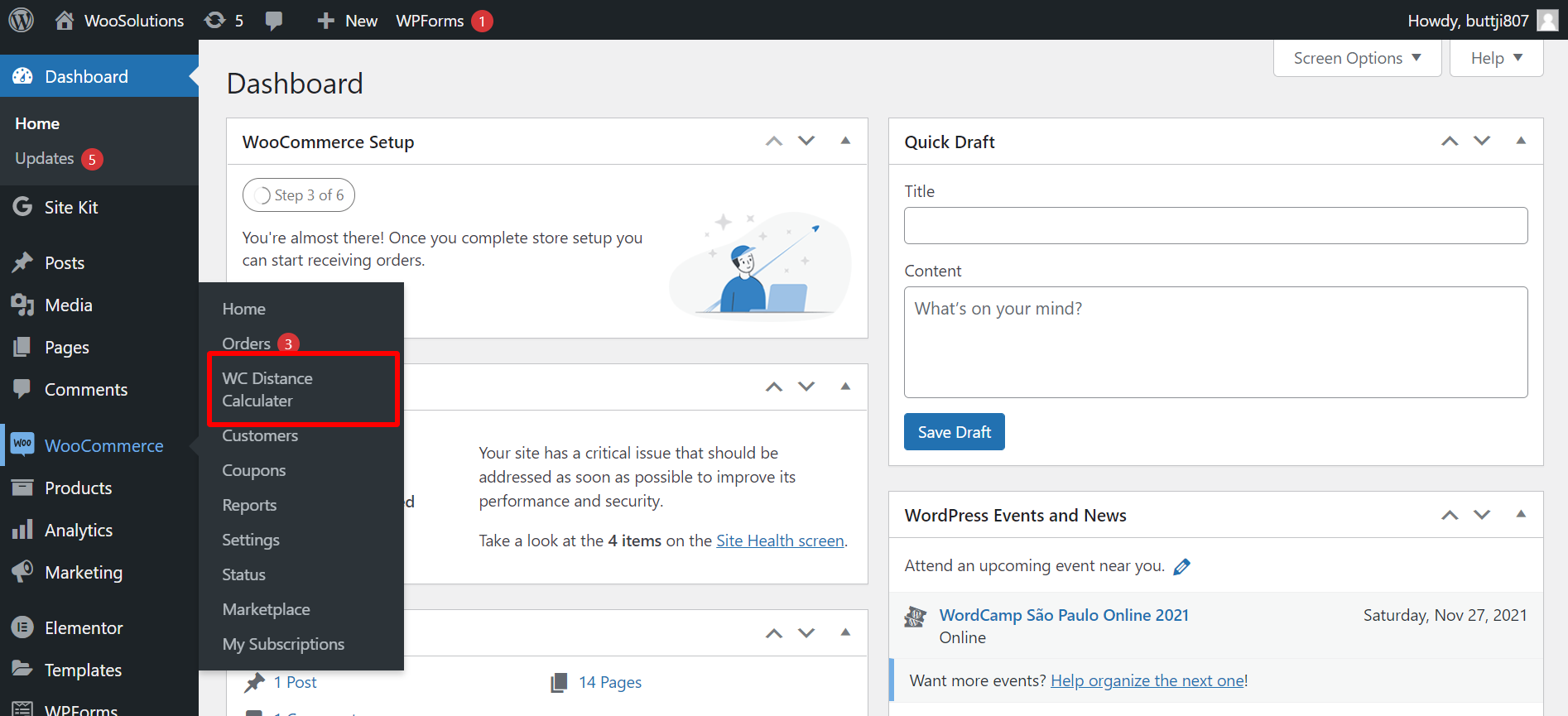
Admin Dashboard - Simple configuration for Public and Private API keys.
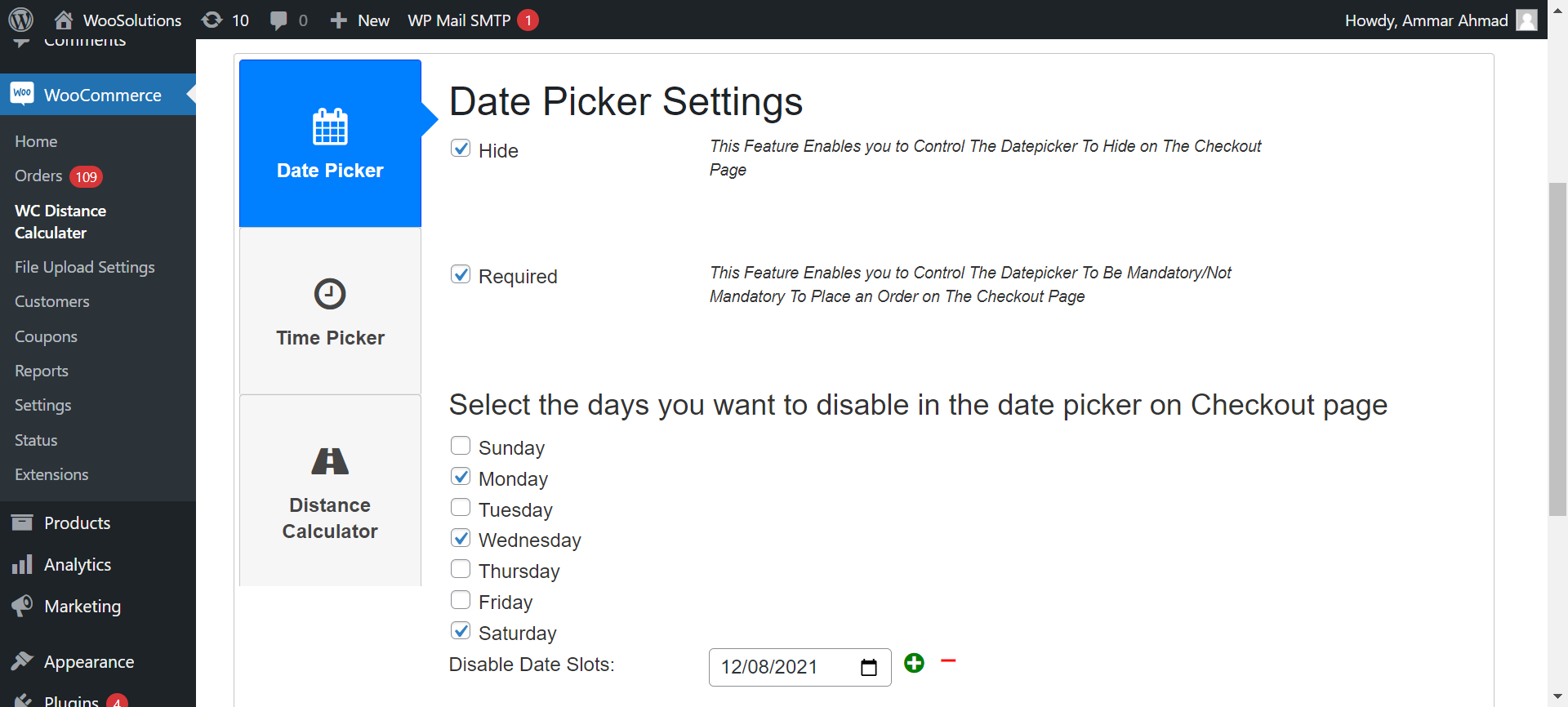
Distance Rules - Setting up your delivery price per KM/Mile.
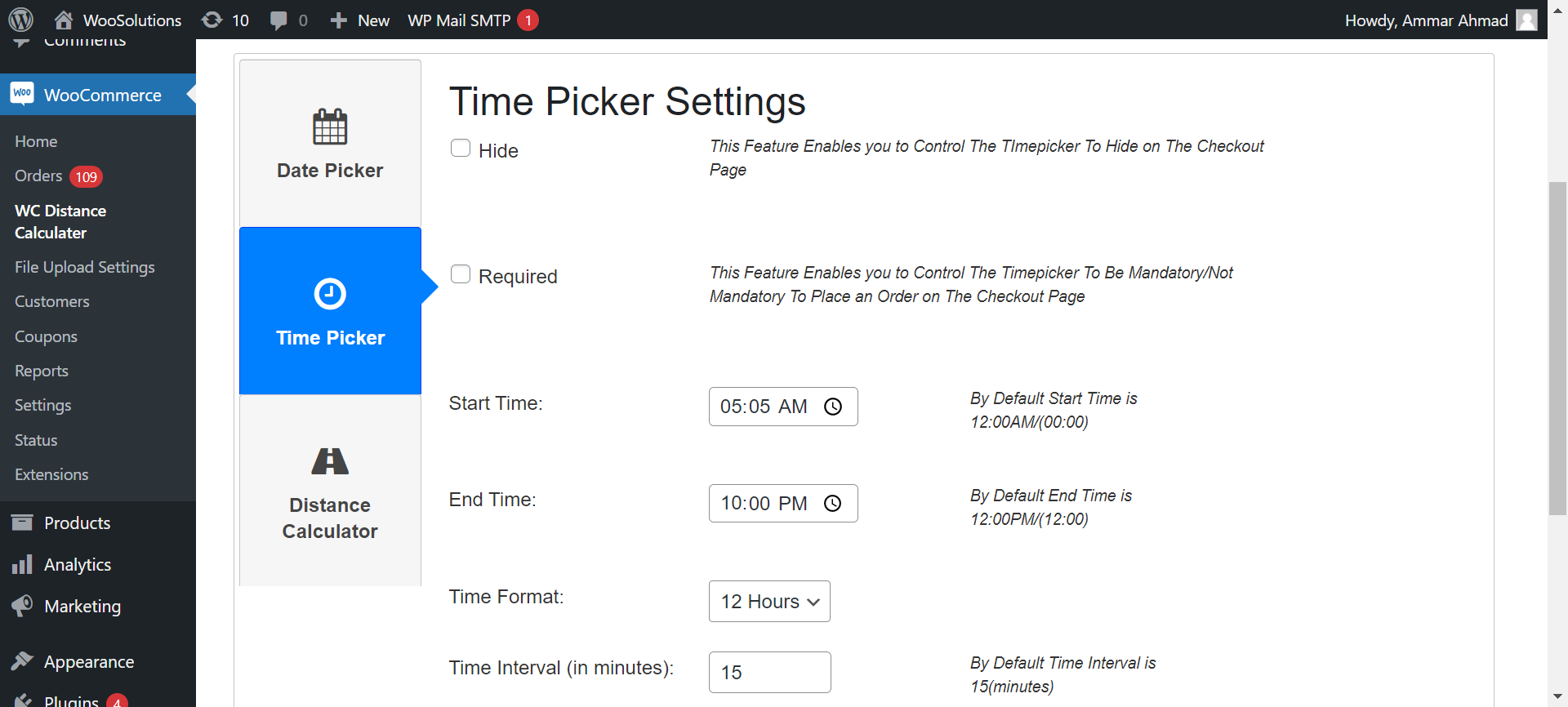
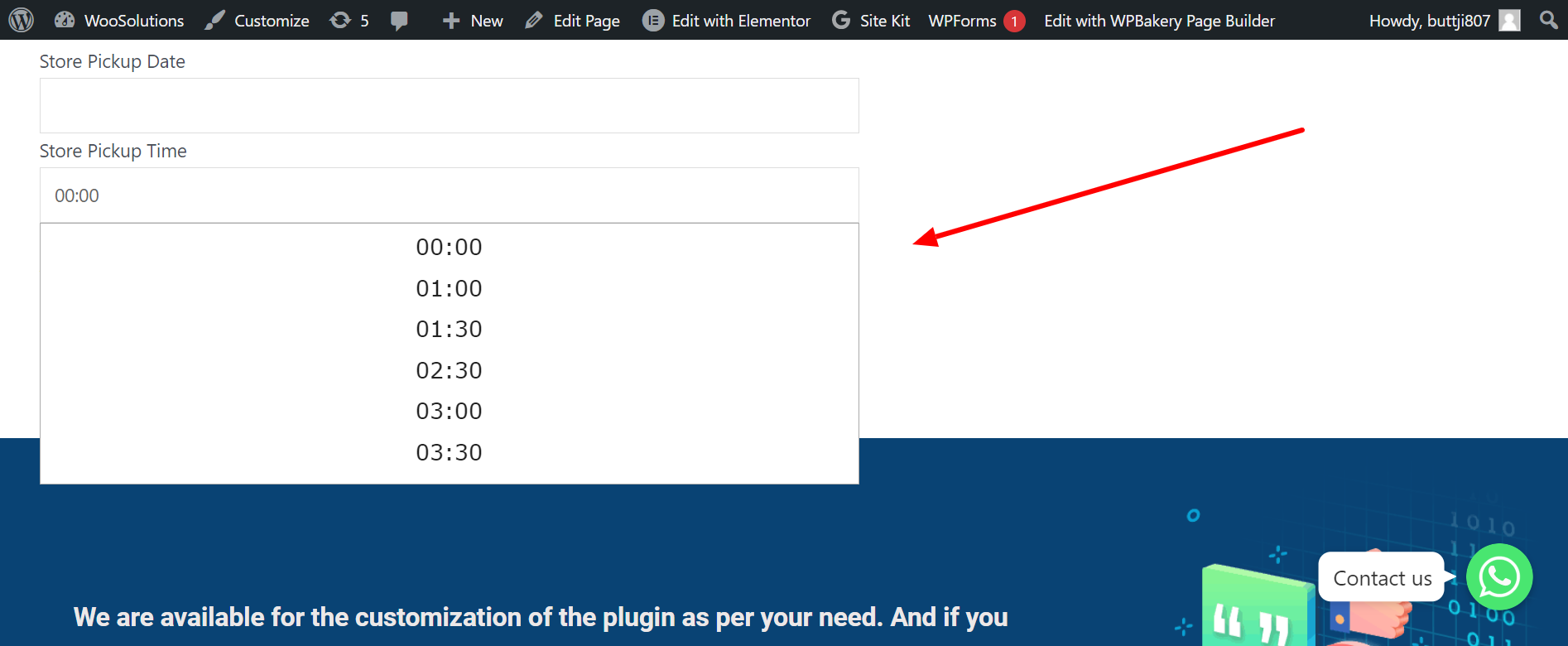
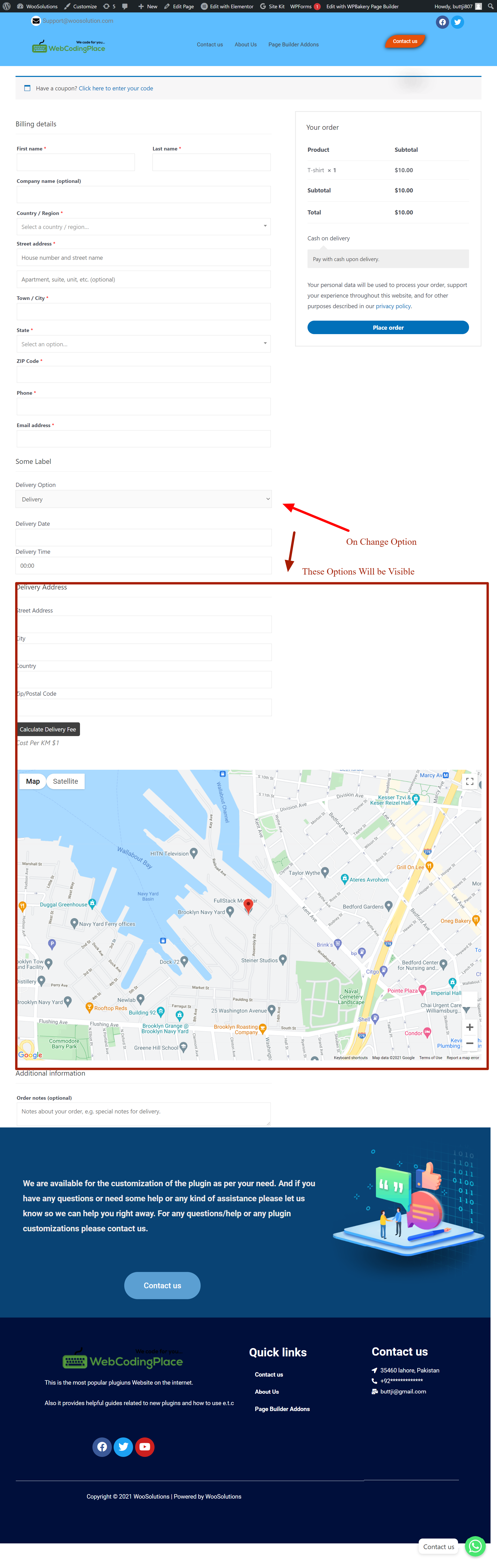
Date & Time Picker - Customer-facing local delivery scheduler on checkout.

Block Checkout - Seamless integration with modern Gutenberg-built online stores.
Faq
Yes! This plugin serves as a highly optimized, fully functional free alternative to the official $150/year WooCommerce Distance Rate Shipping extension. It provides core mileage and kilometer-based calculations without forcing you into an expensive annual subscription.
Inside the plugin settings page (WooCommerce > WC Distance Calculator), you can choose your preferred unit of measurement (Kilometers or Miles). Once selected, you can set your base flat rate and cost per unit of distance.
Yes. Unlike many legacy shipping plugins that break on modern WordPress setups, this plugin completely supports both the traditional WooCommerce Classic Checkout shortcode and the new high-conversion Cart and Checkout Blocks.
Security is our priority. If you use a single API key for map rendering and distance calculations, malicious users can scrape your key from the front-end code and use your billing account for their own apps. By splitting it into a Public Key (Web Restricted) and a Private Key (IP/Server Restricted), your Google Cloud billing is 100% safe from theft.
Limiting your delivery zone to a maximum radius (e.g., refusing to deliver past 25 Miles) is supported natively in our PRO version, which lets you block checkouts for addresses that fall outside your operational range.
Yes! Unlike other plugins that charge extra for scheduler modules, our Free version includes a built-in, lightweight Delivery Datepicker and Timepicker that embeds directly into your checkout page.
Not at all. The distance queries are optimized to fire asynchronously only when a valid address is typed. It utilizes the latest ultra-fast Google Routes API endpoint, ensuring your page speed scores and SEO metrics remain perfect.
Reviews
Helped diligently with complex request
By 
These guys provided tireless support for a pretty complex request that I made. They stuck with me and hgelped me through it till I got what I wanted. Well done!!!!
Excellent support ! A custom plugin solution done perfectly !
By 
Ammar perfectly customized the Calculate Prices Based on Distance for WooCommerce plugin for my store. His work was fast, efficient, and fully tailored to my needs. Thank you for your excellent work — highly recommended for any WordPress or WooCommerce customization!
Excellent Support and Dedication
By 
We initially experienced some issues getting the Calculate Prices Based on Distance for WooCommerce plugin to work with our setup. However, the Route Pricing team was extremely responsive and supportive throughout the process. They worked diligently to identify the issue, provided a temporary API key to ensure our shipping operations could continue without disruption, and ultimately released a new plugin update that fully resolved the problem. Their commitment to customer service, frequent communication, and technical expertise were outstanding. Highly recommended!
Fantastic Plugin for WordPress Sites
By 
This plugin is a gamechanger! It works seamlessly, is easy to configure, and enhances the functionality of my WordPress site. Highly recommend it to anyone looking for a reliable and efficient plugin
Excellent
By 
cool!
Disappointed. Appears to be a scam.
By 
This appears to be a scam. The download plugin button doesn't work and there is no way to cancel the subscription. The email confirmation doesn't include a download link either. The submit a ticket function in the portal is broken so I had to send a message via the contact form. We'll see what they say or if I need to contact my credit card company.
A perfect match plugin what we need
By 
I was looking for a plugin which helps me to calculation the price according to disctance. I found this one, i was facing some issue then i contacted to support and they really replied me within 24 hrs, and also helps me. Strongly recommended this plugin who is looking for shipping cost base on distance or distance based shipping charges or fee. really amazing.
they also customize plugin according our need ofcourse they charge for extra work but they fair according to the worked must try if you need distance based shipping charges plugin this one is best.
Above and beyond service!
By 
Working with this developer in addressing some minor issues we had with the out of the box pro version of this plug-in was absolutely amazing. The plug-in out of the box was great, but we did require some slight modifications which was not a problem for the developer. This plug-in does exactly what we need and works better than every other option we tried to meet our requirements. Setting calculations based on price per distance in Miles with given parameters for prices is now a breeze. Highly recommend.
An Absolutely Stellar Plug-in with 24/7 Support!
By 
Super Plugin and super support.
By 
Changelog
1.3.6
- 🔐 Security: Mandatory Separate Public & Private API keys to prevent front-end key theft.
- 🚀 Performance: Upgraded to the new Google Routes API for faster calculations and lower latency.
- 🛠 Compatibility: Fully tested and verified with WordPress 6.9+ and WooCommerce 9.0+.