Call Now Button – The Free Click to Call Button for WordPress
Call Now Button – The Free Click to Call Button for WordPress
Description
Call Now Button puts a floating call button on your website. On a phone, one tap starts the call. On a desktop, it’s a standard click-to-call link that opens in the visitor’s calling app. Either way, nobody has to hunt for your contact page or copy a number by hand.
It has been doing exactly that since 2013, on more than 200,000 websites.
Set it up in under a minute
Install, enable the button, type your phone number, save. There is no account to create, no code to paste, and nothing more to configure before it works.
From there you can make it yours:
- Label it: Leave the label empty for a clean, circular phone button or add text. The text can sit in a bar across the top or bottom of the screen or in a bubble beside the round button.
- Color it: Pick your own button and icon colors.
- Place it: Choose from 8 preset screen positions or spread the button across the full width of the top or bottom of the screen.
- Size it: Use one slider to set the button size and another to place the button behind other page elements when something else, such as a cookie notice, needs to sit on top.
- Show it where it belongs: Enter post and page IDs to show the button only on those pages or to exclude those pages.
- Show it to the right devices: Choose mobile only, desktop only, or both.
- Measure it: Send clicks to Google Analytics or fire a Google Ads conversion tag so that a call counts as a conversion. Using Google Tag Manager instead? There’s a guide for that.
All of the above is free and works without an account.
What you get, by plan
Free: plugin only, no account
- One call button
- Labels, colors, all 8 positions, button size, layering
- Google Analytics click tracking and Google Ads conversion tracking
- Include or exclude specific posts and pages
- Mobile, desktop, or both
Free with a NowButtons account
Everything above, plus:
- Up to 5 buttons, with one visible per page (showing multiple buttons on the same page requires PRO)
- More actions: SMS/Text, Email, Maps, Links, Scroll to point
- Chat and social actions: WhatsApp, Messenger, Telegram, Signal, Zalo, Viber, Line, WeChat
- More advanced display rules for deciding where buttons appear
- Live preview while you edit
PRO: paid, with a 14-day free trial
Everything above, plus:
- Up to 100 buttons, and more than one button on the same page
- Multi-action buttons: Buttonbar (up to 5 actions), Multibutton, Button Dots, Button Flower
- WhatsApp chat window and Messenger chat widget
- Live chat (beta)
- Slide-in content windows, iframe embedding and form embedding
- Intercom chat integration
- A weekly scheduler that controls when each button appears
- Geo targeting: include or exclude countries
- Icon picker, custom images on buttons, button animations
- Appear after scrolling
The account and PRO features are set up inside your WordPress dashboard. No need to leave the plugin to use them.
Our cloud service: NowButtons.com
The account and PRO features above are powered by our cloud service NowButtons. The plugin does not contact our servers at all until you choose to connect it. The button your visitors see is rendered entirely by your own site. It makes no external requests, fetches nothing from us and performs no tracking beyond the Google Analytics or Google Ads tags you configure yourself.
When you do connect, the plugin sends an email address and your domain to our servers to create your account, and your button configuration is then stored on and served from our servers. Requests identify your WordPress and PHP version and your site URL.
- Terms & Conditions: https://nowbuttons.com/legal/terms/
- Privacy statement: https://nowbuttons.com/legal/privacy/
Separately, the plugin can send anonymous error reports and usage statistics to help us fix bugs. This is off by default and only starts if you switch on “Errors and usage” under Settings. It is never enabled on your visitors’ pages.
More about our cloud service at NowButtons.com.
Installation
- From your WordPress Dashboard go to ‘Plugins’ > ‘Add new’ and search for ‘Call Now Button’.
- Click ‘Install Now’ under the title of the Call Now Button plugin
- Click activate
- Go to ‘Call Now Button’ from the sidebar, check the box to activate the button and enter your phone number.
- Click ‘Save’ and you’re done!
Or:
- Upload the
call-now-button-folder to the/wp-content/plugins/directory - Activate the plugin through the ‘Plugins’ menu in WordPress
- Go to ‘Call Now Button’ from the sidebar, check the box to activate the button and enter your phone number.
- Click ‘Save’ and your Call Now Button is live!
Screenshots
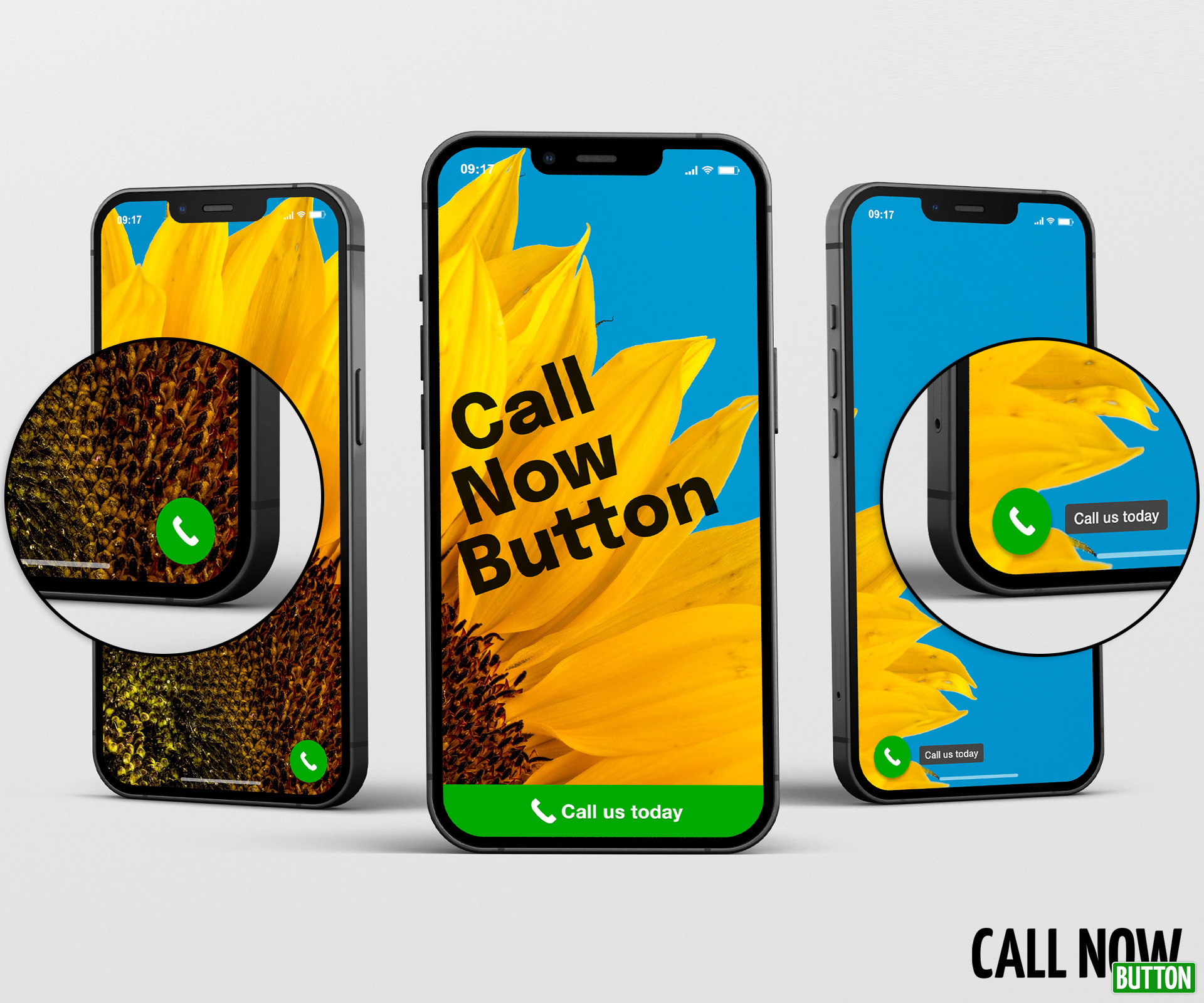
The 3 variations of the Call Now Button
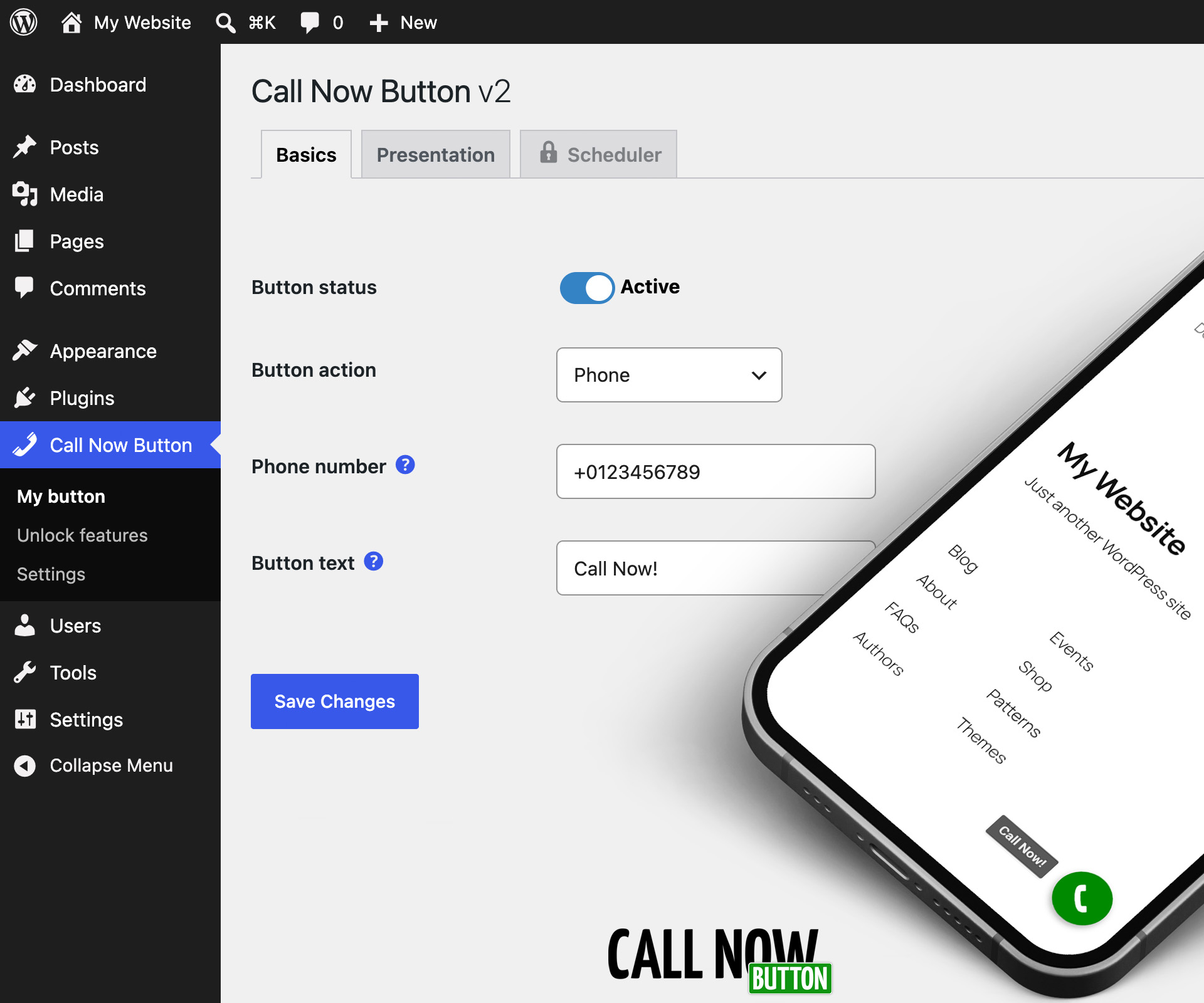
Super simple set up: Only 2 essential fields
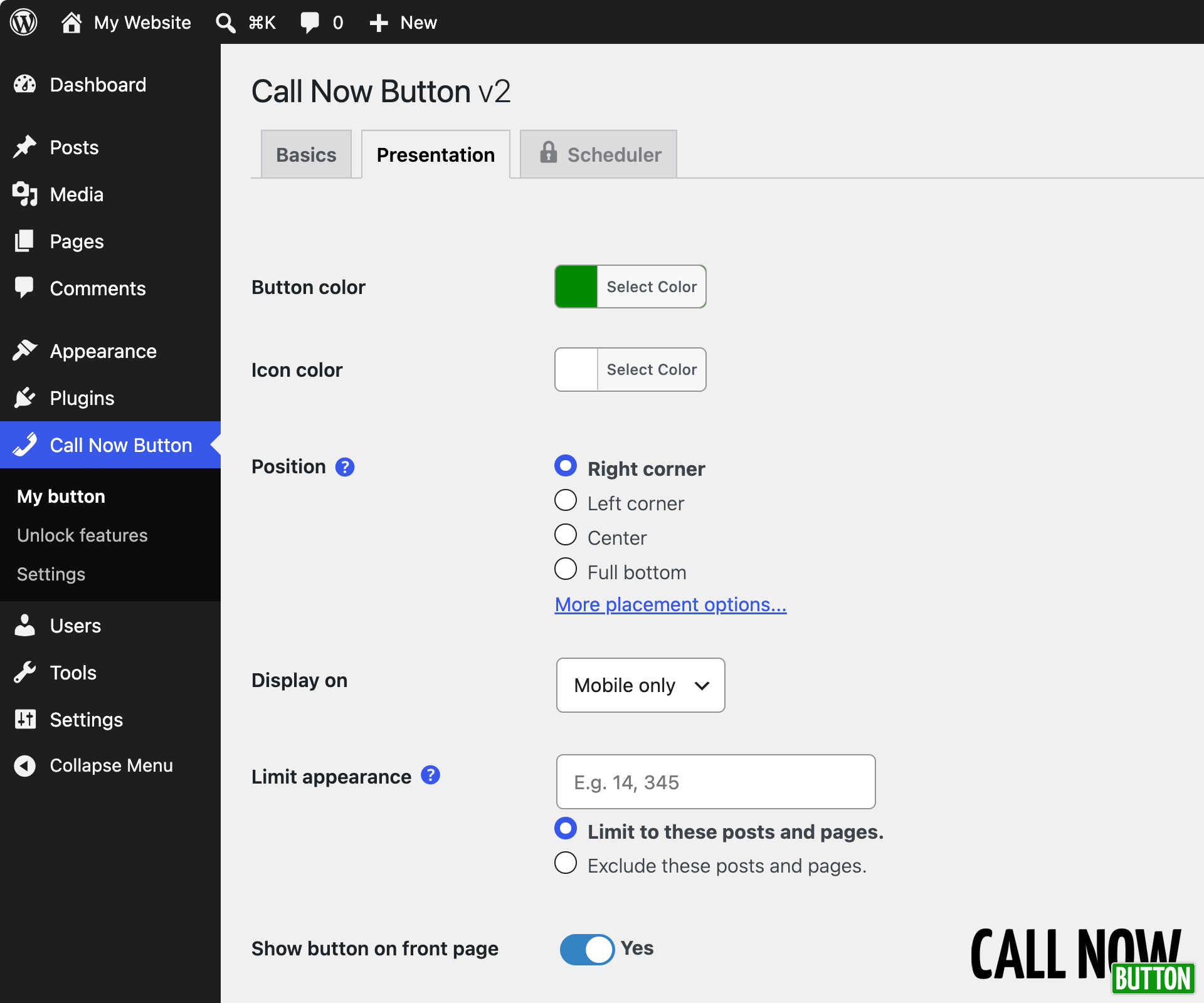
Optional adjustments of the button presentation

3 implementations of the Call Now Button: Non-intrusive, professional, and still effective
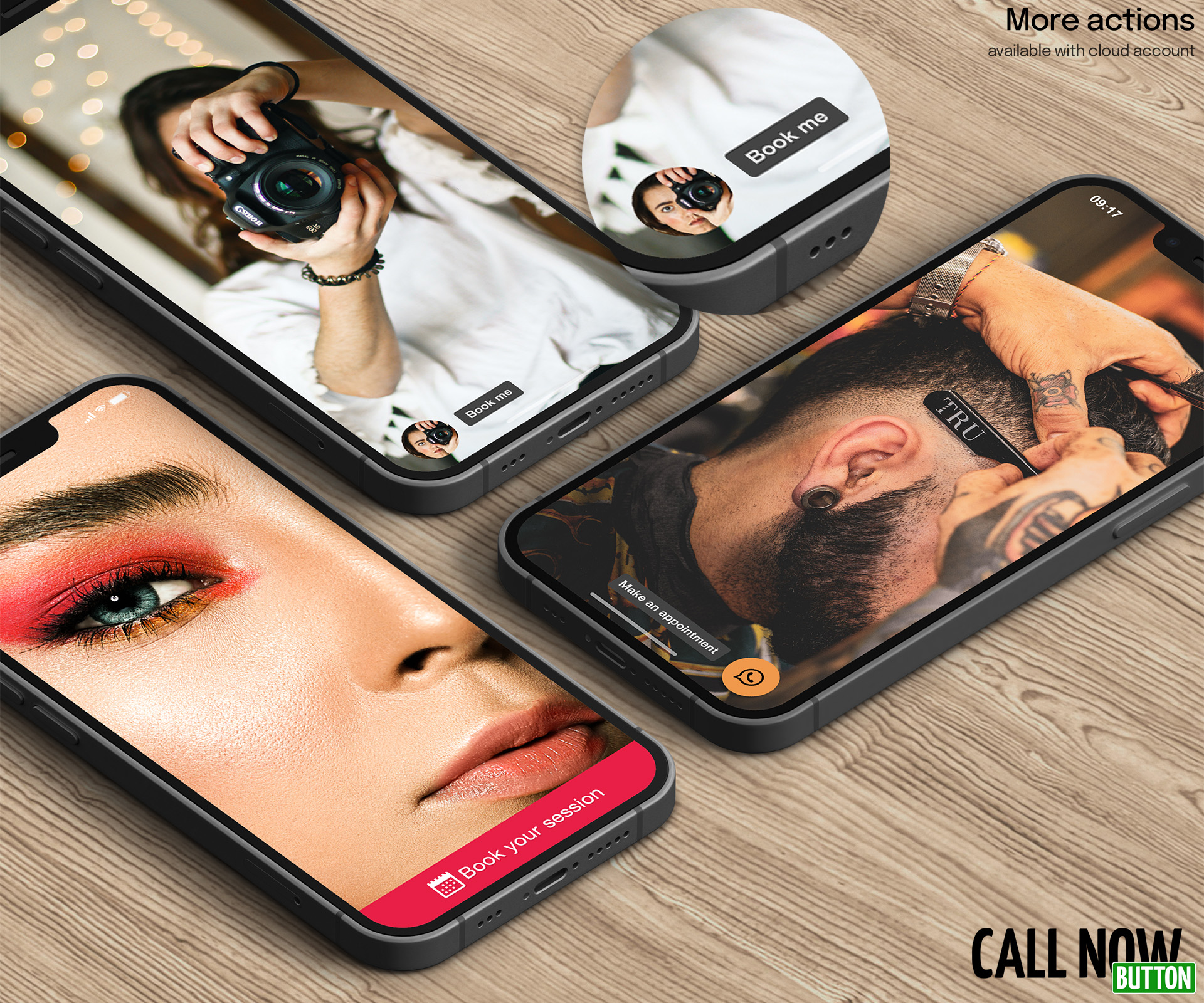
More actions and button face customization (PRO)
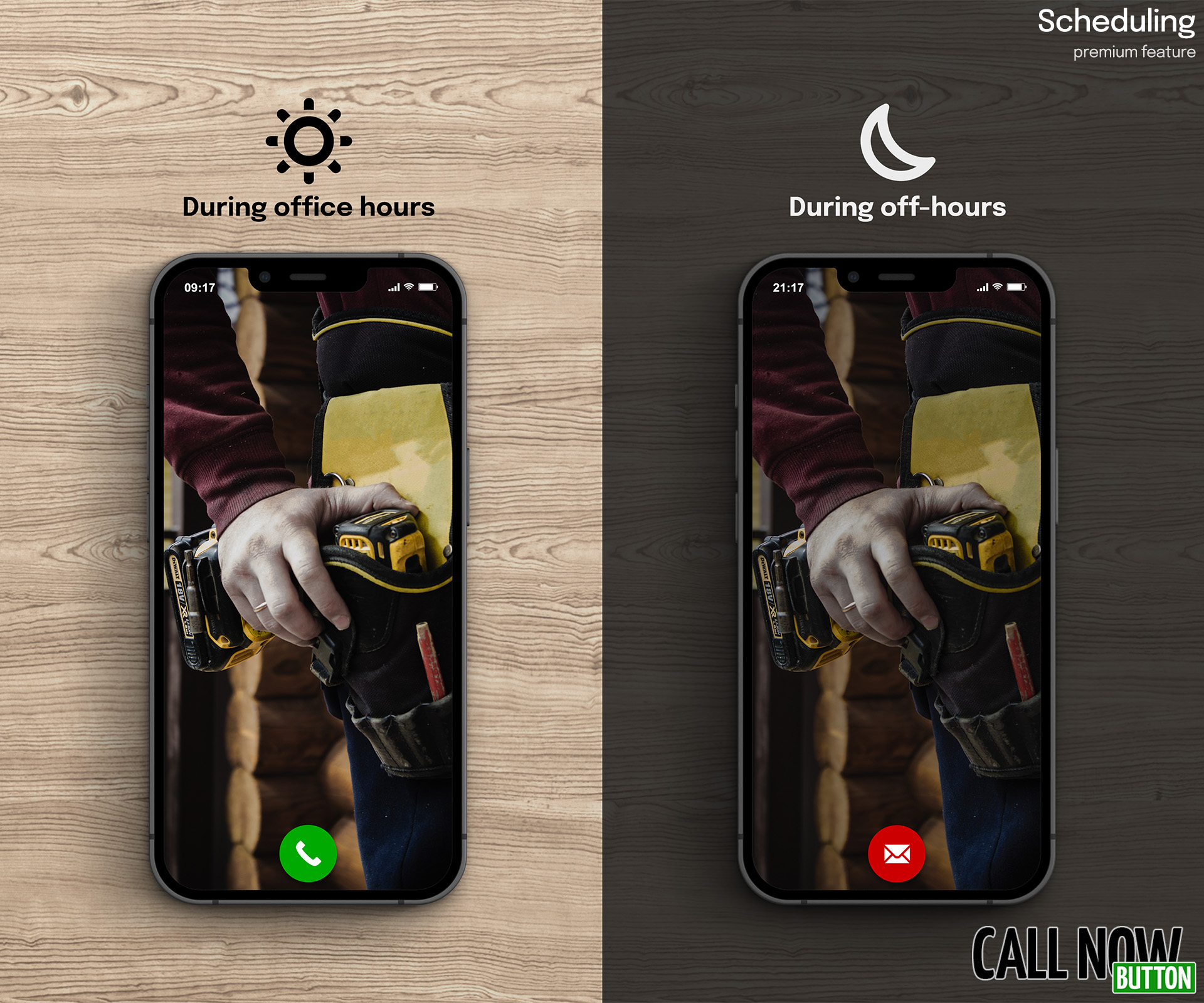
Schedule your buttons (PRO)
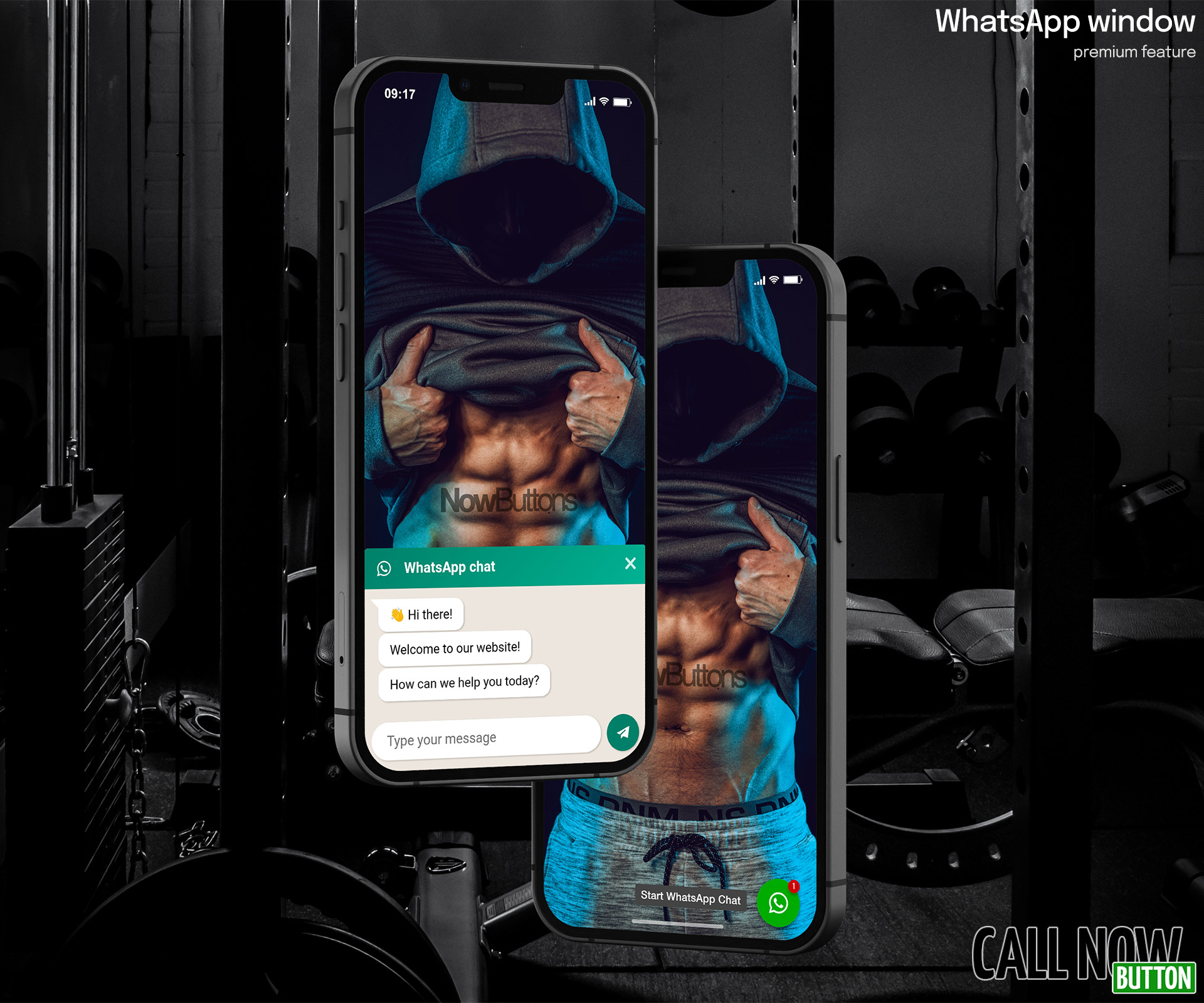
The WhatsApp chat window with notification bubble (PRO)
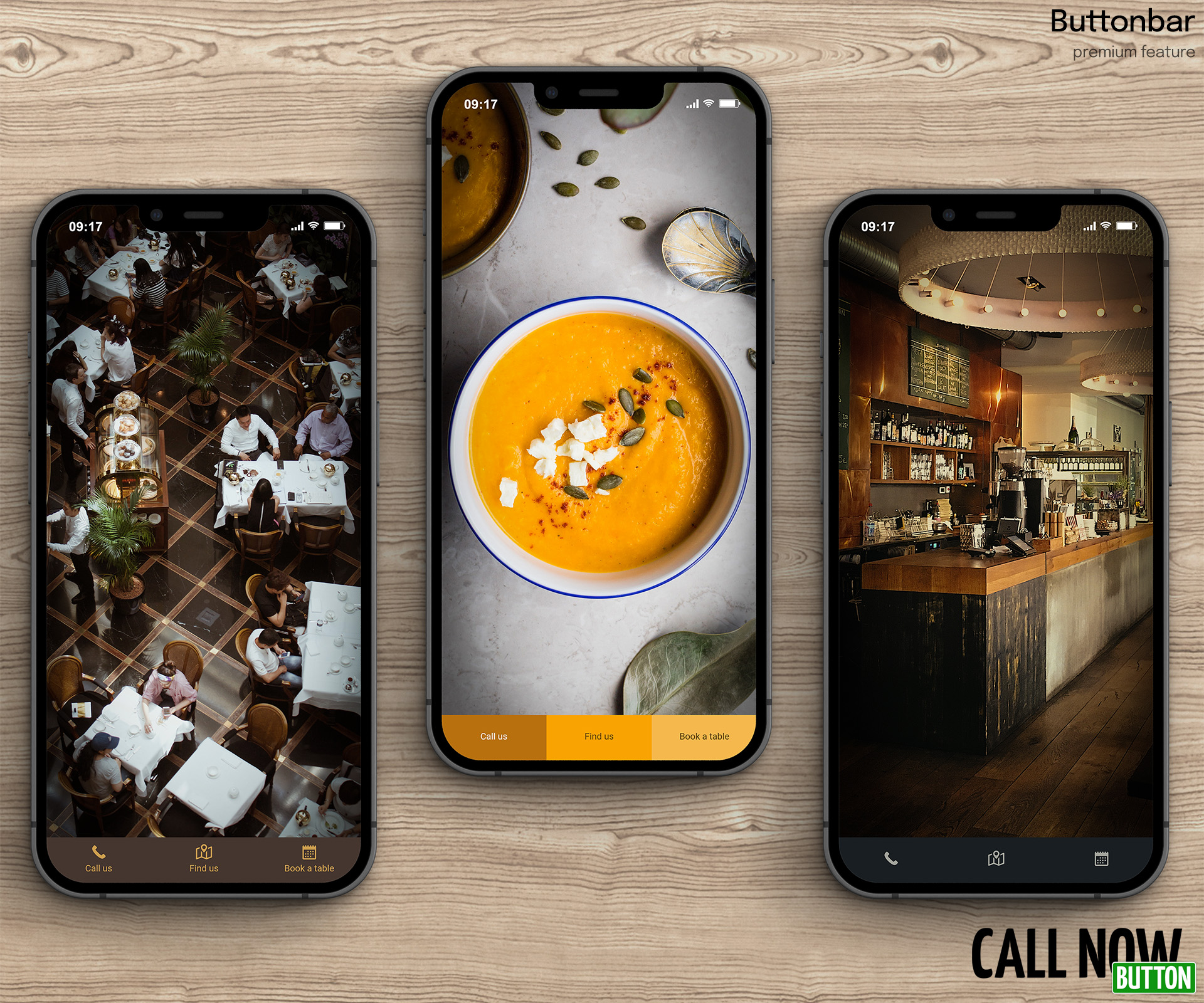
The Buttonbar with 3 actions (PRO)
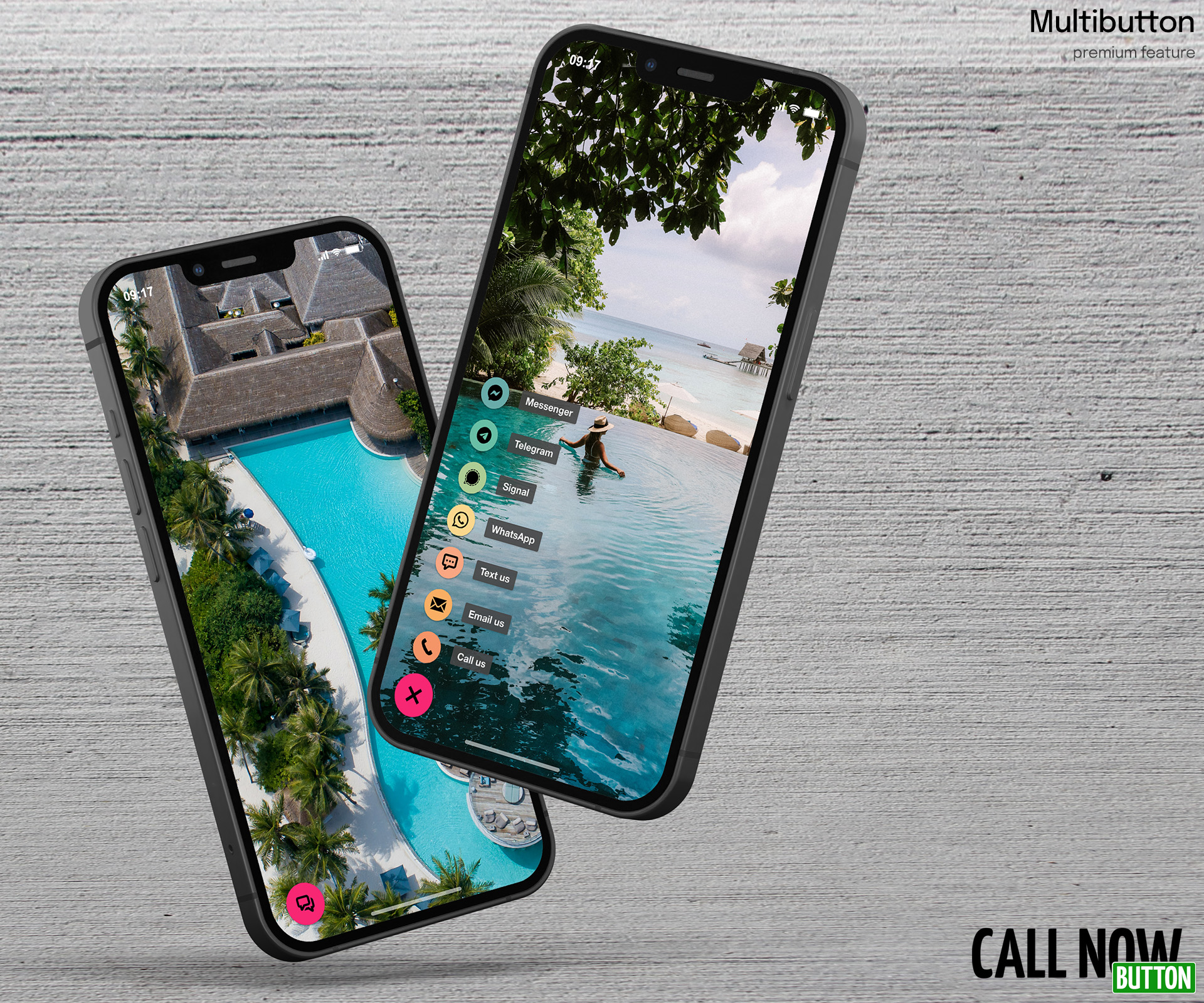
The Multibutton with 7 actions (PRO)
Faq
Yes. Without an account you get one call button with labels, your own colors, all 8 screen positions, button size and layering controls, include/exclude by post and page ID, mobile/desktop control, Google Analytics click tracking and Google Ads conversion tracking. No account, no signup, no code. Connecting to a free NowButtons.com account is still completely free and adds more buttons and more action types (see the plan list in the Description).
Yes. You choose whether the button shows on mobile only, desktop only, or both. On mobile a tap starts the call directly. On desktop the button is a standard tel: link, the same kind used across the web. The visitor’s computer opens it in whichever app handles calls, such as Teams, a softphone or a phone-linked app like Phone Link on Windows or Handoff on a Mac.
No. Without an account, no external service is contacted at all. The button is rendered by your own site and nothing is fetched from us. If you connect to an account, your button configuration is served from a CDN, loaded asynchronously and cached in WordPress rather than fetched on every page view.
Yes. The button is added to the page independently of your theme or page builder, so it works alongside all of them. The only requirement is a responsive theme. If you have to zoom in to read your site on a phone, the button will not behave correctly.
Without a NowButtons.com account the plugin sets no cookies, collects no personal data and makes no external requests. The button is rendered by your own site. Nothing about your visitors reaches us and nothing is loaded from our servers.
Two things to be aware of:
- If you enable Google Analytics click tracking or Google Ads conversion tracking, those are your own tags under your own consent policy. The plugin sends the event; it does not install the tracking scripts.
- If you connect a NowButtons.com account, your button configuration is stored on and served from our servers, and requests identify your site URL, WordPress version and PHP version. No visitor data is involved. See our Privacy statement.
Anonymous error and usage reporting is off by default and never runs on your visitors’ pages.
When you create an account, the email address you enter and your site’s domain are sent to us. After that, your button configuration is stored on and served from our servers, and requests identify your WordPress version, PHP version and site URL. Nothing is sent before you connect. See the Privacy statement and Terms & Conditions.
You’ll find Call Now Button in your sidebar. Click on it to reveal the button configuration page.
You don’t have to, but we recommend that you do to increase your options internationally.
In most countries you’ll be fine using either but there are some exceptions. To be on the safe side we recommend using the plus sign.
Yes, it is possible to add text to your button. You can choose to show the text inside the full width button across the bottom or top of the screen. It’s also possible to add a text bubble next to the circular button. This works for all placements with the exception of the center button positions at the top and bottom of the screen.
Yes! You can easily change the color of the button and make it sit in any of the 8 preset locations across the screen of a phone. You also have the option to spread it out over the full bottom or top of the screen.
Yes, you can enter the IDs of posts and pages you wish to include or exclude.
First step is to check if the button is enabled – this is the first checkbox on the configuration page.
Next thing is to make sure that your theme is responsive. Responsive means that the website adapts to the size of the screen it’s being viewed on. Simply put, if you need to zoom in to be able to read the text of your website on your mobile phone, the plugin will not work.
Last thing to check is if you have a caching plugin installed. Caching plugins make your website faster by showing a copy of your website instead of the actual website. As a consequence you will not see the Call Now Button because the copy was made before the button was installed. To fix this, go to your cache plugin settings page and empty the cache (sometimes called flush or purge). After doing this you should see the button. Do the same thing each time you make changes to the button.
You have a caching plugin active on your website and the cached pages are showing an older version of your website. Delete/empty the cache and reload the pages.
Another option could be that you have set the Call Now Button to only appear on specific pages. Go into the Call Now Button configuration, open the Presentation tab and check that the field next to Limit appearance is empty.
Yes, you can connect the plugin to our cloud service. That already enables a bunch of extras for free. From there you can upgrade to PRO. Read the plan list in the Description to see what’s included in PRO, or check out NowButtons.com.
Reviews
Does what it says on the tin
By 
Easy to set up and deploy, loads of options with the paid plan and well worth the small cost in my opinion.
No support, deceptive claims
By 
The plugin ad copy claims that if you connect your account at their company to the plugin, you'll get five buttons. But what they don't tell you is that the buttons can't appear on the same page (unless you pay). That's deceptive. My support inquiry has gone unanswered now for about a week. Look into "tel:" and "skype:" and "signal.me:" links a little and you'll find you can make your own buttons easily within WordPress.
Site is Experiencing a Technical Issue
By 
First, I love your plugin.
Second, I just got an email with this message:
When seeking help with this issue, you may be asked for some of the following information:

WordPress version 6.5

Active theme: Hello Elementor (version 3.0.1)

Current plugin: Call Now Button (version 1.4.7)

PHP version 8.2.17

Error Details

=============

An error of type E_ERROR was caused in line 338 of the file /home3/corneta4/public_html/wp-content/plugins/call-now-button/src/admin/action/CnbActionController.php. Error message: Uncaught Error: Call to undefined method WP_Error::has_role() in /home3/corneta4/public_html/wp-content/plugins/call-now-button/src/admin/action/CnbActionController.php:338

Stack trace:

#0 /home3/corneta4/public_html/wp-includes/class-wp-hook.php(324): cnb\admin\action\CnbActionController->filter_action_types(Array)

#1 /home3/corneta4/public_html/wp-includes/plugin.php(205): WP_Hook->apply_filters(Array, Array)

#2 /home3/corneta4/public_html/wp-content/plugins/call-now-button/src/utils/CnbAdminFunctions.php(81): apply_filters('cnb_get_action_...', Array)

#3 /home3/corneta4/public_html/wp-content/plugins/call-now-button/src/admin/templates/class-template-view.php(43): cnb\utils\CnbAdminFunctions->cnb_get_action_types()

#4 /home3/corneta4/public_html/wp-content/plugins/call-now-button/src/admin/templates/class-template-router.php(13): cnb\admin\templates\Template_View->render()

#5 /home3/corneta4/public_html/wp-includes/class-wp-hook.php(324): cnb\admin\templates\Template_Router->render('')

#6 /home3/corneta4/public_html/wp-includes/class-wp-hook.php(348): WP_Hook->apply_filters('', Array)

#7 /home3/corneta4/public_html/wp-includes/plugin.php(517): WP_Hook->do_action(Array)

#8 /home3/corneta4/public_html/wp-admin/admin.php(259): do_action('buttons0_page_c...')

#9 {main}

  thrown
Great plugin! Great support!
By 
We've tried several plugins that offer similar features and have made Call Now Button our go-to WP plugin for clients that want/need those features for their websites. CNB is loaded with options, very easy to use, and the few times we've had to contact them the CNB team has been great. They're quick to respond, professional, knowledgable, friendly, and, most importantly, accurate. These guys know their plugin inside and out and will go out of their way to help customers and keep them happy. Thanks!
Removing text beside the button
By 
Hi , thansk for developing this plugin
I want to disable text beside of the button. And just displays the button. Would you mind if told me how to disable that section in free versionof this plugin
Awesome Plugin
By 
This plugin is very easy to use and gives just a nice user experience at a go! It's just a perfect tool at a glance for new WordPress users! Cheers to the developer!
Awesome support
By 
works with no problem,good
By 
Call button doesn't show on mobile
By 
Good ++ Nice ++
By 
Changelog
2.0.4
- Click tracking is now a simple on/off toggle for Google Analytics 4 (gtag.js)
- Fixed a blank page when opening an activation link while signed out of WordPress; you are now sent to the login screen first
- Fixed the styling of the activation buttons and the confirmation message after requesting an activation email
- Fixed the day and time selector on the button preview, which did not update the preview
2.0.3
- Tested with WordPress 7.1
- The form provider’s script no longer loads on the settings pages unless a form is shown
- Updated the plugin listing with a clearer overview of the free, free-account and PRO features
2.0.2
- Ready for WordPress 7.0
2.0.1
- Prevent icon from being lazy loaded
- Prepare contact form addon for Content Window
2.0.0
- Raised PHP compatibility from 5.4 to 7.4
- Raised WordPress compatibility from 4.1 to 6.1
- Reverted WordPress React library from 6.5 to 6.1
- Bumped major version to 2.0
1.5.5
- Additional security improvements
1.5.4
- Small bugfixes and improvements
1.5.3
- Small bugfixes and improvements to the CI
- Ready for WordPress 6.9
1.5.2
- Small bugfixes and improvements
1.5.1
- Update to the Live chat beta window
1.5.0
- Live chat beta release for PRO customers
- Option to switch from monthly to annual plan