Campayn email newsletter sign-up

Campayn email newsletter sign-up
Description
The Campayn plugin makes it easy to add subscribe forms for your Campayn lists, or subscribe your commenters to a list.
Campayn is similar to MailChimp, Aweber and Constant Contact but has a Free for Life plan and the lowest cost paid plans. You can sign up for a free account here.
After installation the setting page will guide you through the setup and you can have your subscription form on your blog within minutes!
Installation
- Unzip our archive
- Upload the entire
campayn-email-newsletter-signupdirectory to the/wp-content/plugins/directory - Activate the plugin through the ‘Plugins’ menu in WordPress
- Find the Campayn menu in the settings page
- Fill in your API key
- Use the shortcodes or find Campayn in Appearance->Widgets and drag it to one of your widget areas.
Screenshots
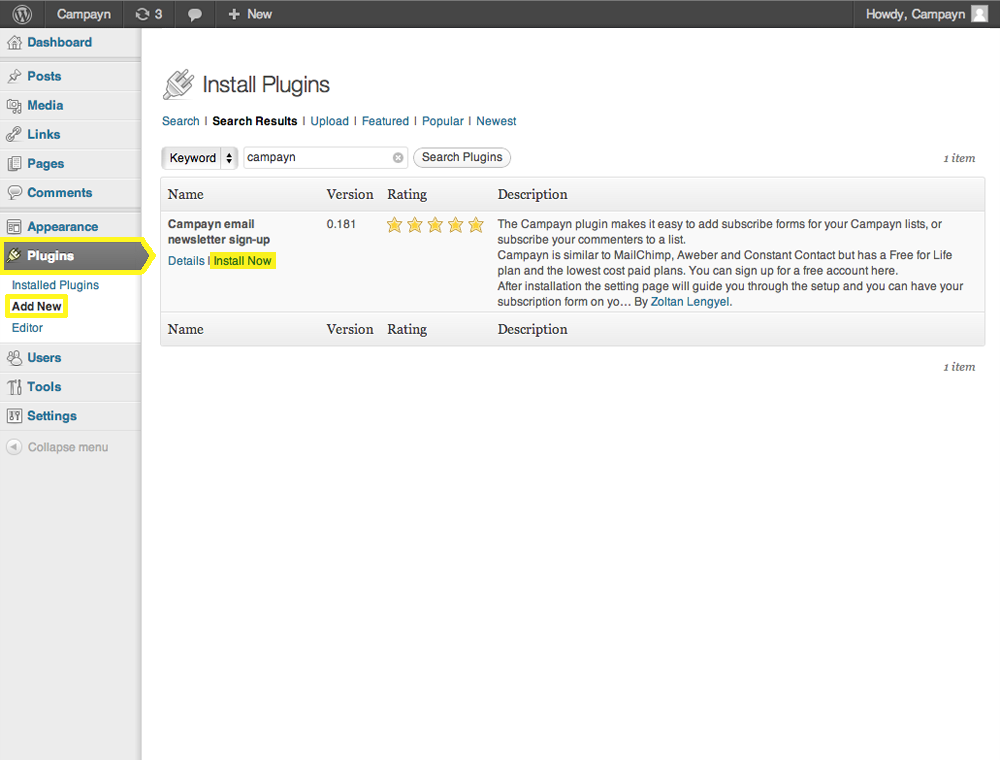
After uploading the directory to your wordpress, you should click "Install Now" on the Plugins page

After installing click on "Activate Plugin"

You can edit the plugin settings by clicking 'Edit' on the Plugins page.


Faq
What’s Campayn?
With Campayn you can create, share and track email newsletters.