SilentShield – Captcha & Anti-Spam for WordPress (CF7, WPForms, Elementor, WooCommerce)
SilentShield – Captcha & Anti-Spam for WordPress (CF7, WPForms, Elementor, WooCommerce)
Description
SilentShield is a unified captcha and anti-spam plugin for WordPress.
It works with the most popular form builders and protects login, registration, and comment forms – without slowing your site.
Why choose SilentShield?
– Invisible defense – Captcha, honeypot, and blacklists working silently.
– Instant results – Install, activate, and stop spam.
– Universal support – Works with Contact Form 7, WPForms, Elementor, Formidable, Ninja Forms, Forminator, Kadence, WooCommerce, and more.
– Privacy-first – No cookies, no tracking, built for GDPR / DSGVO-compliant use.
SilentShield doesn’t just protect forms.
It protects your time, your customers, your business.
Core Features
- Invisible Captcha (Arithmetic, Honeypot, Image)
- Smart IP Blocking & Blacklists
- Spam filters for links, code & keywords
- Whitelisting for admins & customers
- GDPR-ready, no cookies, no tracking
Supported Form Plugins & Integrations
SilentShield protects forms from all major WordPress form builders and core features:
Form Builders:
– Contact Form 7 (CF7)
– WPForms / WPForms Lite
– Elementor Pro Forms (classic widget and v4 “atomic” forms)
– Gravity Forms
– Fluent Forms
– Formidable Forms
– Ninja Forms
– Forminator
– JetFormBuilder
– Kadence Blocks (Advanced Form)
– Jetpack Forms (contact form block and shortcode)
– Avada (Fusion Builder) Forms
Newsletter:
– MC4WP – Mailchimp for WordPress (signup forms)
WooCommerce:
– Checkout – block (the default for new shops since WooCommerce 8.3)
– Checkout – classic (incl. PayPal Payments)
– Login
– Registration
– Lost password
– Account details
– Works with Germanized for WooCommerce (order button, legal checkboxes, EU withdrawal form)
WordPress Core:
– Login form (wp-login.php)
– Registration form
– Lost password form
– Comment forms (including WooCommerce product reviews)
Communities & Forums:
– bbPress (new topics and replies)
– BuddyPress (member registration)
Donations:
– GiveWP (classic donation form; the visual-builder form is not yet covered)
Other:
– Ultimate Member (Login & Registration)
– WP Job Manager (Job Applications)
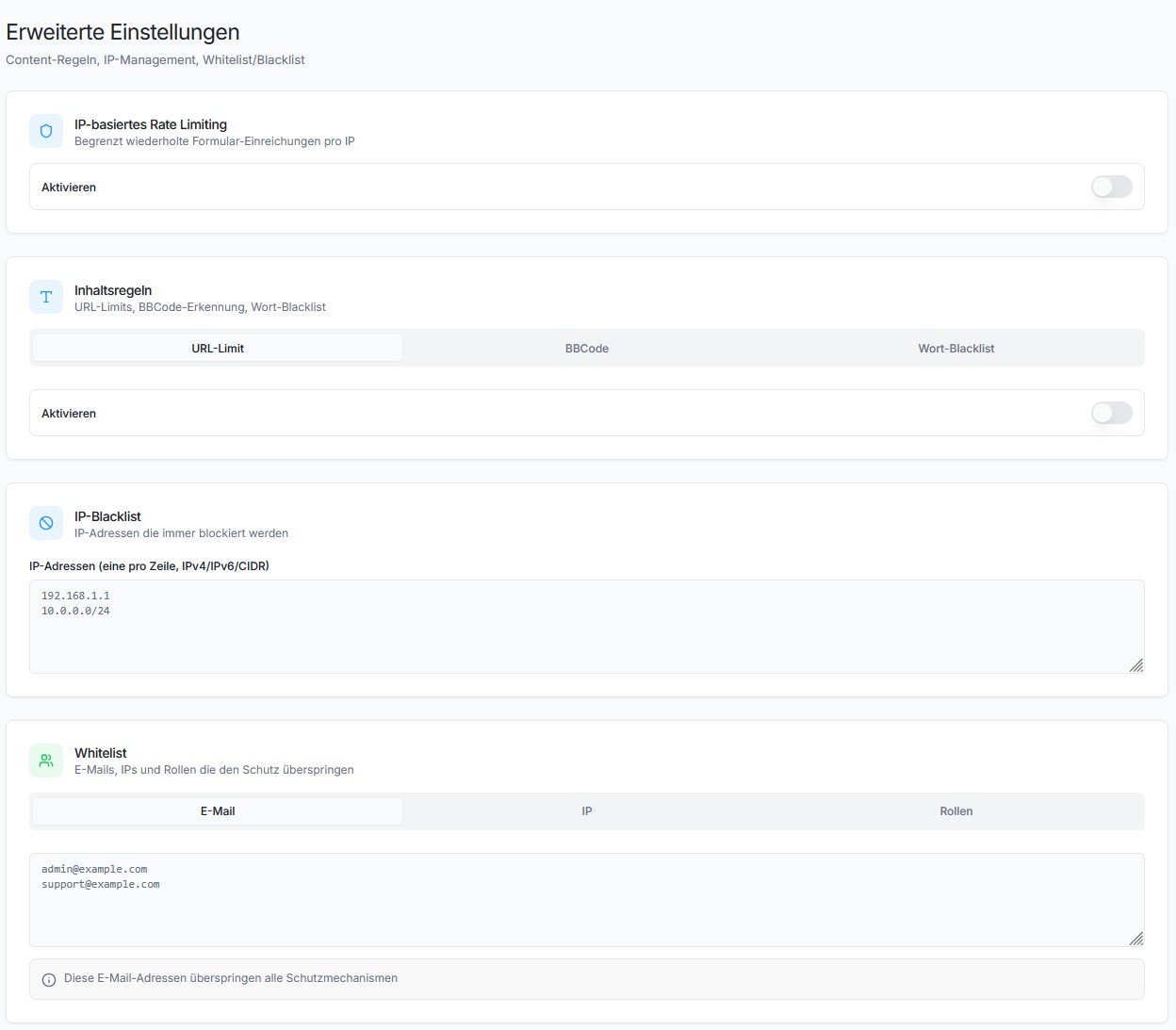
Each integration can be enabled or disabled individually under Settings > Extended.
Protection Layers
SilentShield uses 10+ protection mechanisms working together:
- Captcha – Arithmetic math, honeypot, or image-based captcha
- JavaScript Protection – Detects submissions from bots without JS support
- Browser Detection – Validates User-Agent strings
- Timer Protection – Blocks submissions faster than a human can type
- Multiple Submission Protection – Prevents rapid duplicate submissions
- IP Rate Limiting – Limits requests per IP and time window
- IP Blacklist – Block known bad IPs
- Content Rules – Limit URLs, block BBCode, keyword blacklist
- Gibberish Detection – Recognises submissions filled with random characters, the kind a bot writes when it only needs the form to go through. Unlike every other check it does not depend on the sender’s browser, so a bot driving a real browser cannot pass it by playing along. Starts in observation mode and blocks nothing until you switch it on.
- Whitelist – Skip validation for admins, logged-in users, or specific emails/IPs
- SilentShield API – Cloud-based spam detection (silentshield.io)
The Promise
SilentShield is not “just another plugin.”
It’s an invisible wall against the background noise of the internet.
Activate once – and your forms are human again.
Want more? SilentShield API
Everything above is free and stays free. No feature is held back, no submission limit, no account needed.
What the free plugin cannot do is recognise a bot that behaves like a person — one driving a real browser, solving the captcha, typing at human speed. Rules can only catch what looks wrong, and those do not.
The SilentShield API answers that with behaviour analysis and browser fingerprinting, scored in the cloud, and it usually decides without showing anyone a captcha at all. Switch it on and the local protections stay exactly where they are as a fallback — if the API is ever unreachable, your forms are still protected.
There is a free plan and a trial, and you can see what it would have caught before you pay for anything: turn on Comparison Mode and the plugin logs what the API would have decided, alongside what your local rules actually did.
👉 Plans and free trial at silentshield.io
Privacy & Telemetry
- No cookies, no user tracking.
- Encrypted IP storage (max. 2 months, only for spam defense).
- Every transmission described below is optional and can be switched off in the plugin settings.
- The plugin’s built-in Privacy page shows which of these are active on your site, what that means, and gives you ready-made privacy-policy snippets in 25 languages.
1. Plugin statistics (setting “Telemetry”)
Anonymous, no personal data, sent at most once a day:
– plugin_slug, plugin_version
– snapshot_date
– settings_json (anonymized config – only boolean/integer flags, no free-text)
– features_json (enabled features)
– created_at, first_seen, last_seen
– counters_json (spam events)
– wp_version, php_version, locale
2. AI-crawler observation (setting “Observe AI crawlers”, on by default; SILENTSHIELD_OBSERVER to force off)
Sent only for requests identified as an AI crawler — never for your human visitors. Delivered after the page has already been sent to the visitor:
– ua (the crawler’s User-Agent), ip, path (without query string), method
– The IP address is pseudonymised on the server (daily keyed hash) and never stored in the clear.
3. Blocked-request reports (only with “Block AI crawlers (enforce)” on; follows the observation setting above)
Same fields as (2), plus the outcome (deny / throttle), for every request enforcement turned away. Note that a block rule which is not restricted to a specific crawler can also catch a human visitor — that request is then reported in the same way.
4. Form assessment (only with the SilentShield API enabled)
See the API snippet on the plugin’s Privacy page for the full description.
Installation
- Upload to
/wp-content/plugins/. - Activate via WordPress “Plugins” menu.
- Configure protection settings under Settings > SilentShield.
For detailed setup instructions, see docs/installation.md.
Screenshots
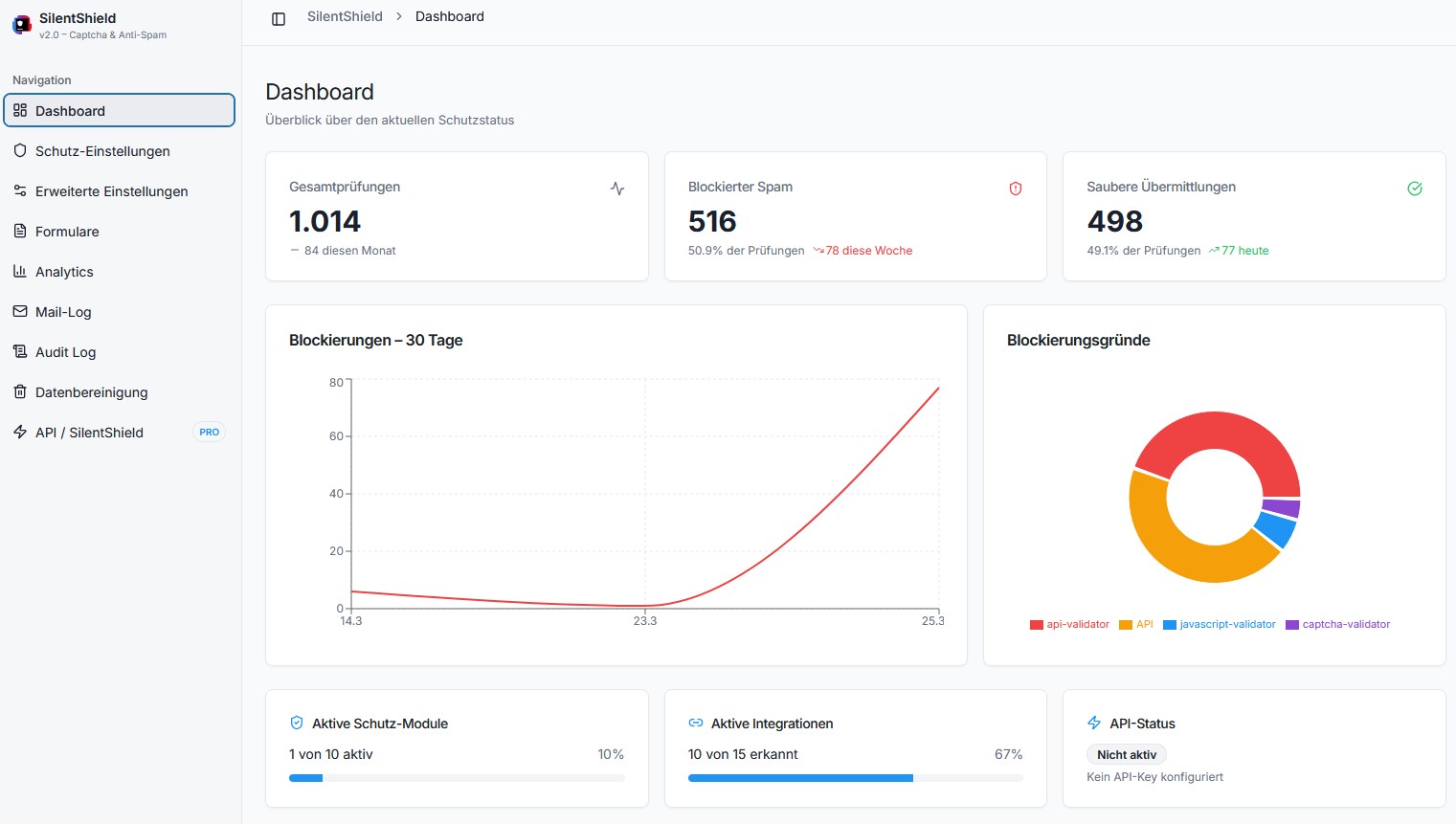
IP Protection settings
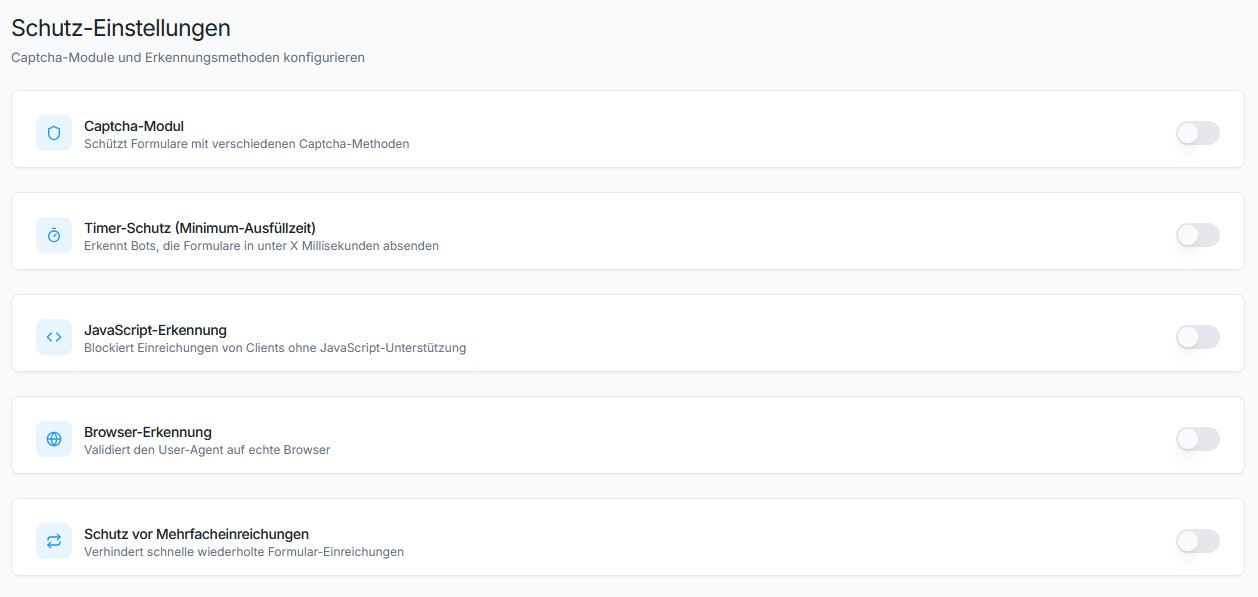
Spam protection in comments
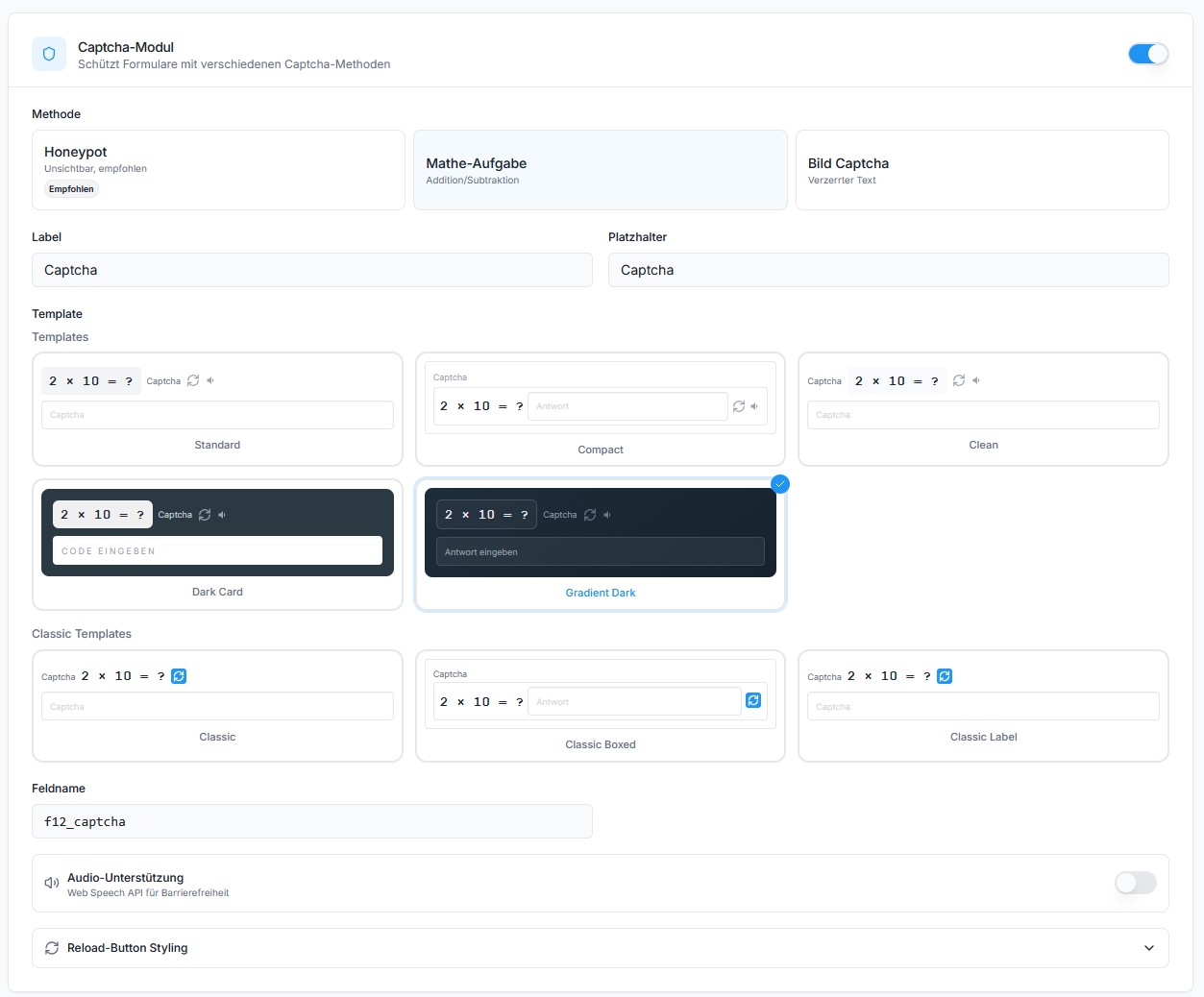
Contact Form 7 integration
Avada Forms integration
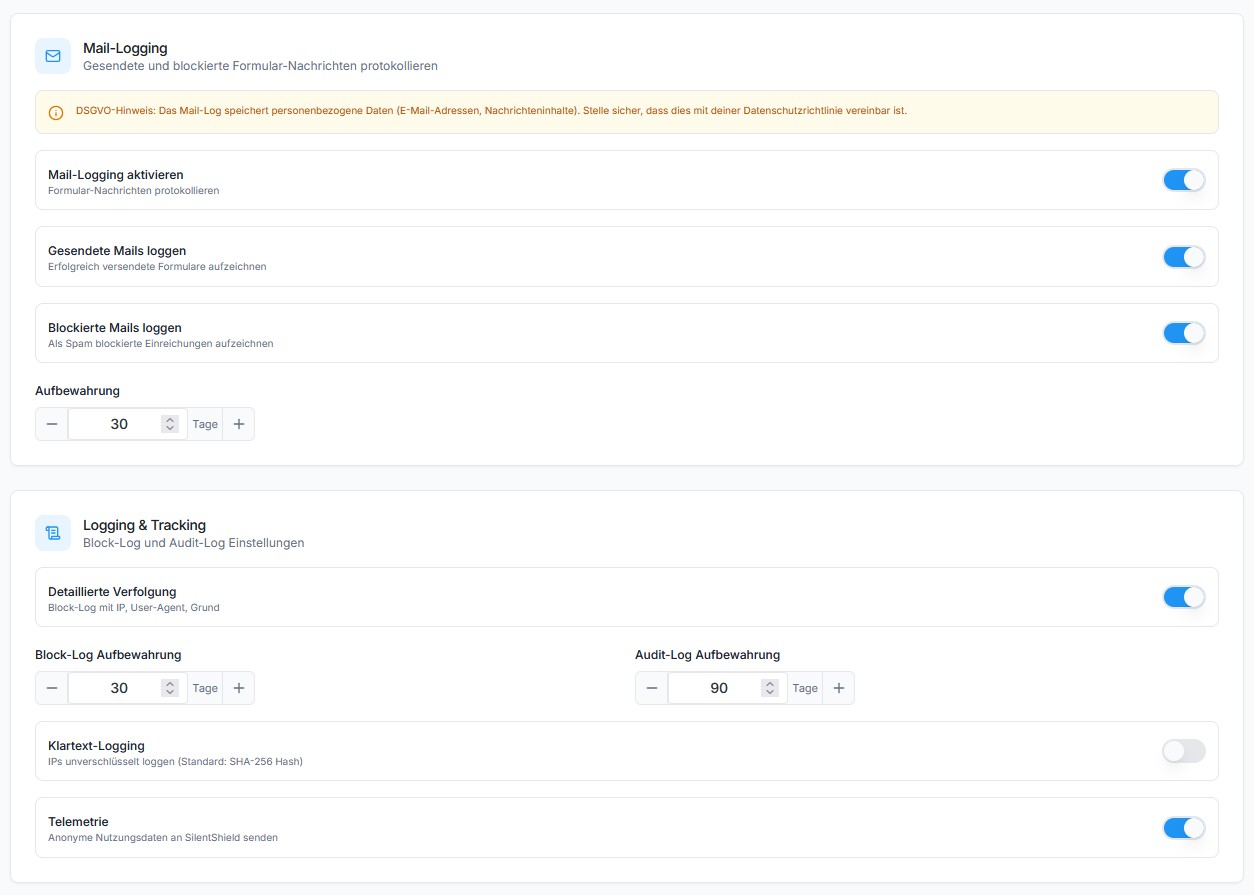
Image Captcha example
Arithmetic Captcha example
Honeypot Captcha example
Faq
Not all, but it drastically reduces it. SilentShield combines multiple detection layers (captcha, honeypot, IP blocking, JavaScript detection, timer, content rules) for maximum coverage.
It can be used in a GDPR-compliant way: no cookies, no tracking. IP addresses are stored encrypted (pseudonymised, not anonymised) for at most 2 months, only for spam defense. If you use the SilentShield API, a data processing agreement is available and the Privacy page gives you a ready-made privacy-policy snippet. See the Privacy section below.
No. Everything is managed via WordPress Dashboard.
Yes. SilentShield automatically injects JavaScript protection timestamps into PayPal checkout requests. Both PayPal Standard Buttons and Card Fields are supported.
Yes, in the classic and the block checkout. Germanized replaces WooCommerce’s order button with its own (“Buy Now”) and adds the mandatory terms checkbox; the captcha appears directly above that button, and Germanized’s own checks keep working alongside it. If a customer forgets the terms checkbox, a new captcha is loaded automatically so the corrected order goes through. Germanized’s EU withdrawal form is left untouched, also when login and registration protection are switched on.
Yes. Choose from 3 built-in templates, customize the label and placeholder text, and select a reload icon color (black/white). Developers can further customize the output via filters.
Yes. Every protection mechanism (captcha, timer, JavaScript, browser, IP, rules, etc.) can be individually enabled or disabled.
Under Settings > Extended > Whitelist, enable “Whitelist Admin Users” and/or “Whitelist Logged-In Users”. You can also whitelist specific emails and IPs.
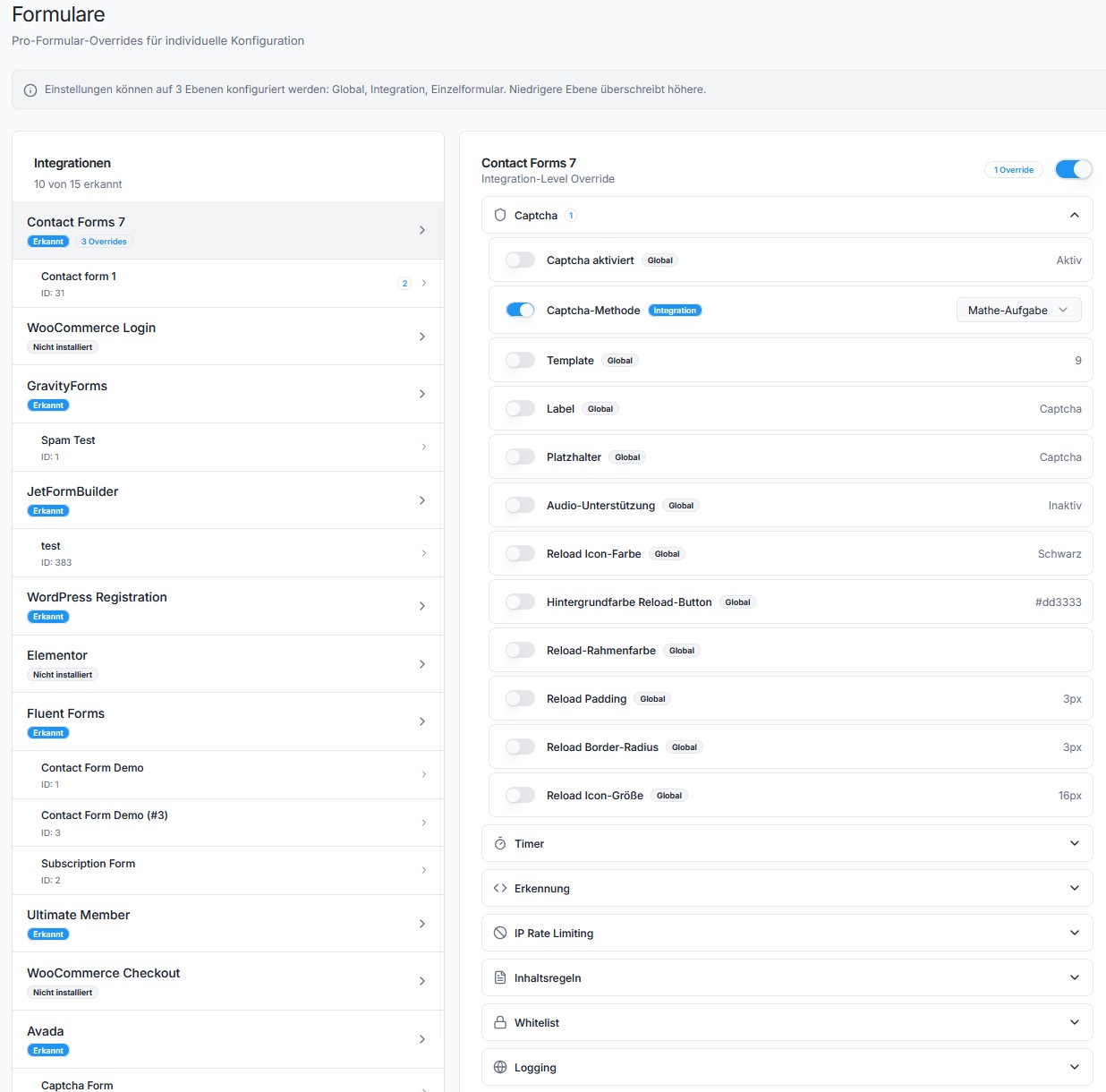
Test while logged out, for example in a private browser window. Administrators are whitelisted by default, so a test sent from your own logged-in account is never checked. The Forms screen shows for each integration whether the plugin recognises your form’s fields and whether your last test submission was skipped for this reason.
SilentShield includes optional anonymous telemetry (opt-out).
This helps us understand which features are used, so we can improve usability and remove unused complexity.
We are a small independent team – we don’t earn money with this plugin, and we don’t sell or share data.
Telemetry is used only for optimization and maintenance purposes.
The step-by-step setup guide, the settings reference, the hooks and the REST API are documented at silentshield.io/docs.
Reviews
Simple, discret et très efficace !
By 
Très efficace et simple à utiliser. SilentShield bloque les tentatives indésirables discrètement, sans gêner les visiteurs. Très satisfaite de cette extension !
Great Plugin
By 
We love this plugin. It's easy to configure, filters out most spam reliably, and it's privacy-friendly, which makes it ideal for our clients in the sensitive medical sector.
amazing plugin
By 
SilentShield does the job well and has great additional features. Thank you!
Excellent anti-spam plugin
By 
Works perfectly and does exactly what it promises. Easy to set up and very effective at stopping spam. Highly recommended!
Simple and effective CAPTCHA solution for Contact Form 7
By 
I have been using this plugin with Contact Form 7 and overall it works well. The setup is straightforward, and it helps reduce spam submissions without making the form too complicated for visitors.
It integrates nicely with Contact Form 7 and does what it is supposed to do. For a free plugin, it is a very useful solution.
I am giving 4 stars because there is still some room for improvement, for example in terms of documentation or additional configuration options. But overall, it is a solid and helpful plugin.
Great plugin
By 
I use this plugin on ALL my client's websites because it is easy to set up and it works incredibly well in protecting my sites 😀
Great Plug-In
By 
Easy to use and does exactly what it should. Not overloaded, pretty easy to setup. Awesome ! Works like a charm with Elementor !
Finally the spam stopped!!!
By 
This is FINALLY the solution I was looking for. Thousands of spam emails from my website have been a plague. Now - with this amazing plug-in - it has STOPPED. My gratitude is immense. A real game changer!!
Beware: Blocks login
By 
Blocks login even if login protection is not checked in dashboard. Moreover, the right answer does not allow to login. You get locked out your own WP site.
Just perfect!
By 
I'm using this plugin for 1-2 years and it's the best solution yet.
Changelog
2.15.16
- Fix [Formidable Forms]: The captcha now appears above the submit button. Current Formidable versions print the submit button as a form field, so the captcha was added underneath it. It is now placed directly in front of the button.
2.15.15
- Fix [Protection]: Logging in with a password manager’s autofill no longer fails with the honeypot method. Bitwarden ignores
autocomplete="off"and filled the invisible honeypot field together with the login form, so the plugin took the login for a bot and refused it. The field now carries Bitwarden’s opt-out attribute and is left alone.
2.15.14
- Fix [Protection]: IP protection no longer turns away people who log in again shortly after. The waiting period between two submissions is meant to slow down form floods, but it also applied to the login form: anyone who logged out and straight back in, or who mistyped a password and tried again, was refused for the whole period and saw only “IP check”. Login forms are now exempt from the waiting period. Repeated failed attempts still count towards the temporary block, so brute-force protection is unchanged.
- Improvement [Protection]: When the IP protection does refuse a submission, the visitor now reads what to do — “Too many attempts in a short time. Please wait a moment and try again.” — instead of the bare label “IP check”. The text is translated in all 26 languages.
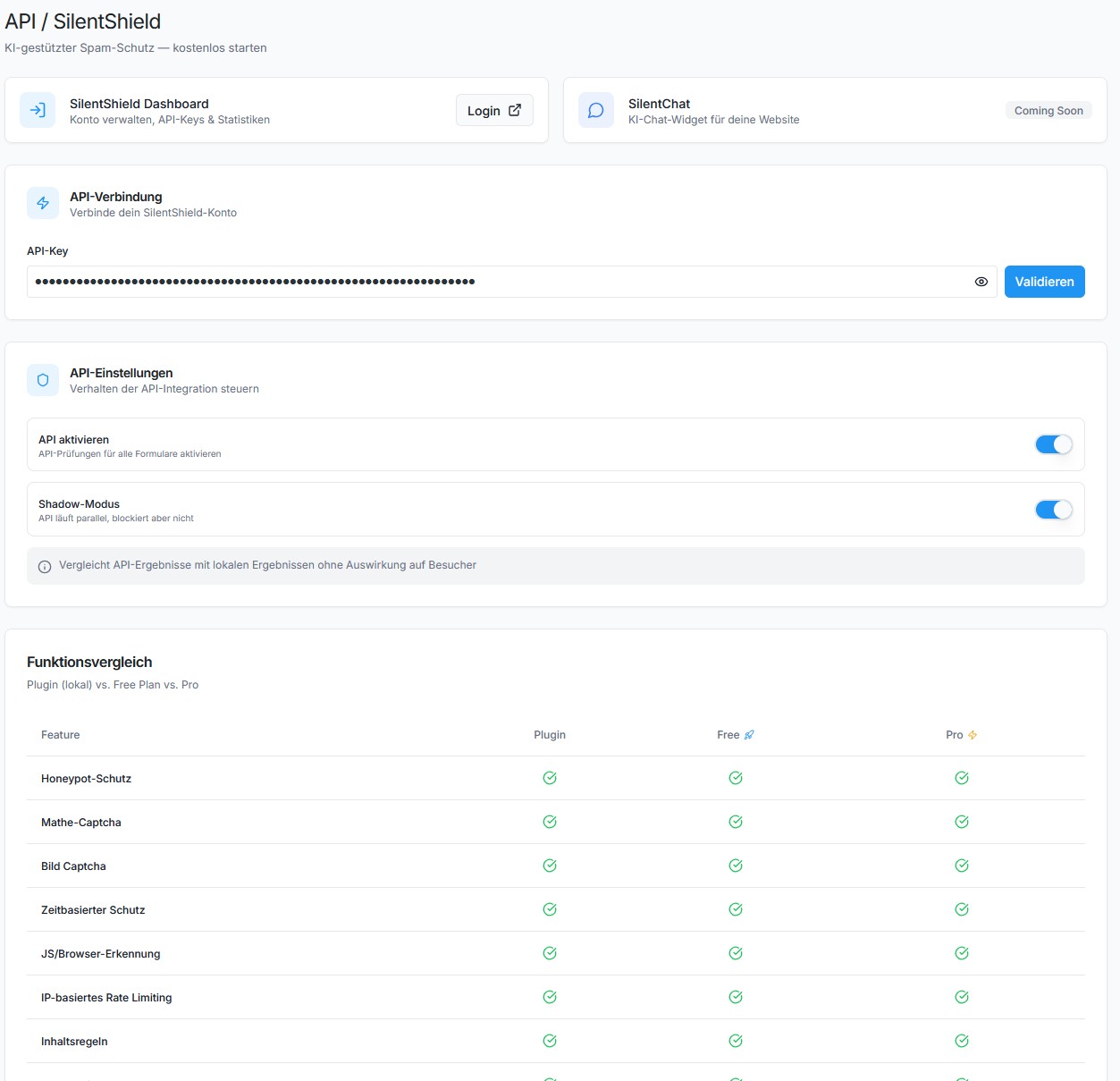
- Improvement [Admin]: SilentChat is live: the “Coming soon” label on the API page is now a link to silentchat.de.
2.15.13
- Fix [WooCommerce]: Block checkout: orders are no longer refused when the SilentShield API protection is switched on. The block checkout hands its form data to the plugin separately instead of through the regular form submission, so the API protection never saw the behaviour token the page had produced and rejected every order. The token is now read from the data the checkout provides.
- Fix [WPForms]: WPForms forms could fail to send a second time right after a submission attempt. The form was stopped before the plugin had decided whether to let it through, so a resubmit within the protection window was swallowed. The check now runs first, and if anything is unclear the form is released.
- Improvement [Admin]: The API page and the Analytics screen no longer show detection-rate figures (such as 99 %) that could not be backed up. The dashboard now tells apart “active”, “key present but protection off” and “key missing”.
- Improvement [Admin]: When the API protection is on and the site is served over plain http, an admin notice explains that the protection needs a secure connection (localhost is exempt).
2.15.12
- Fix [Protection]: Jetpack and WPForms: with gibberish detection set to block, genuine messages are no longer turned away. Both form plugins send an encoded status value along with every form — Jetpack a long security token, WPForms a block of usage data. Gibberish detection read these values as text and scored them as dozens of random words, which on its own was enough to reject the submission. For Jetpack forms this was the case since gibberish detection was introduced in version 2.13.0; for WPForms it started with 2.15.11, when the detection began reading the fields WPForms nests inside its form. Only sites that had switched gibberish detection from observing to blocking were affected — in the default observation mode nothing was ever rejected. Values like these are now recognised and ignored, whatever a form plugin calls them, while what your visitors type is checked as before.
- Fix [Protection]: In the WordPress comment form, gibberish detection checks the commenter’s name again. Version 2.15.11 had stopped reading it.
- Improvement [Compatibility]: Tested with Germanized for WooCommerce 4.1 — classic and block checkout with its order button and terms checkbox, the EU withdrawal form, and account login and registration. Every order placed in these tests is also checked in WooCommerce itself: accepted orders are stored exactly once, refused ones not at all.
2.15.11
- Fix [Protection]: Gibberish detection now works in Elementor, WPForms and Formidable forms — until now it could never block anything there. These form plugins send their fields as a nested group (Elementor as
form_fields[…], WPForms aswpforms[fields][…], Formidable asitem_meta[…]), and the detection only read the top level of a submission. It therefore scored the form’s own housekeeping, such as the page title, and never saw a single word a visitor had typed: a message made of nothing but random strings went through even with the detection set to block. The same applied to Elementor’s new atomic forms and to the name field of Fluent Forms. All of them are read completely now. If you switched gibberish detection to blocking because of spam in one of these forms, it takes effect with this update. - Fix [Protection]: Gravity Forms: gibberish detection no longer counts one of the form’s hidden fields against every submission. Gravity Forms sends an encoded status field with each form, and the detection read it as text and scored it as random characters — one “suspicious” field in every submission before a visitor had typed anything. With the lowest threshold of two fields, one unusual real entry, such as a foreign company name, was enough to turn a genuine enquiry away. The field is ignored now.
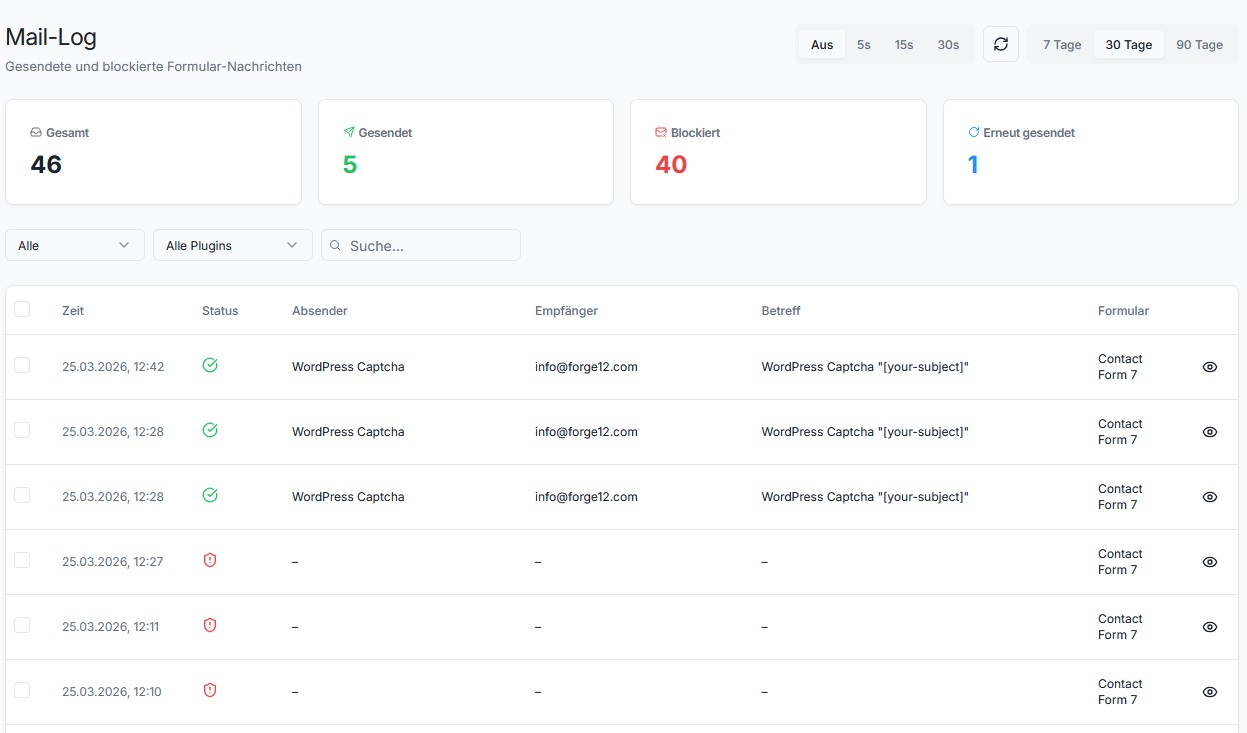
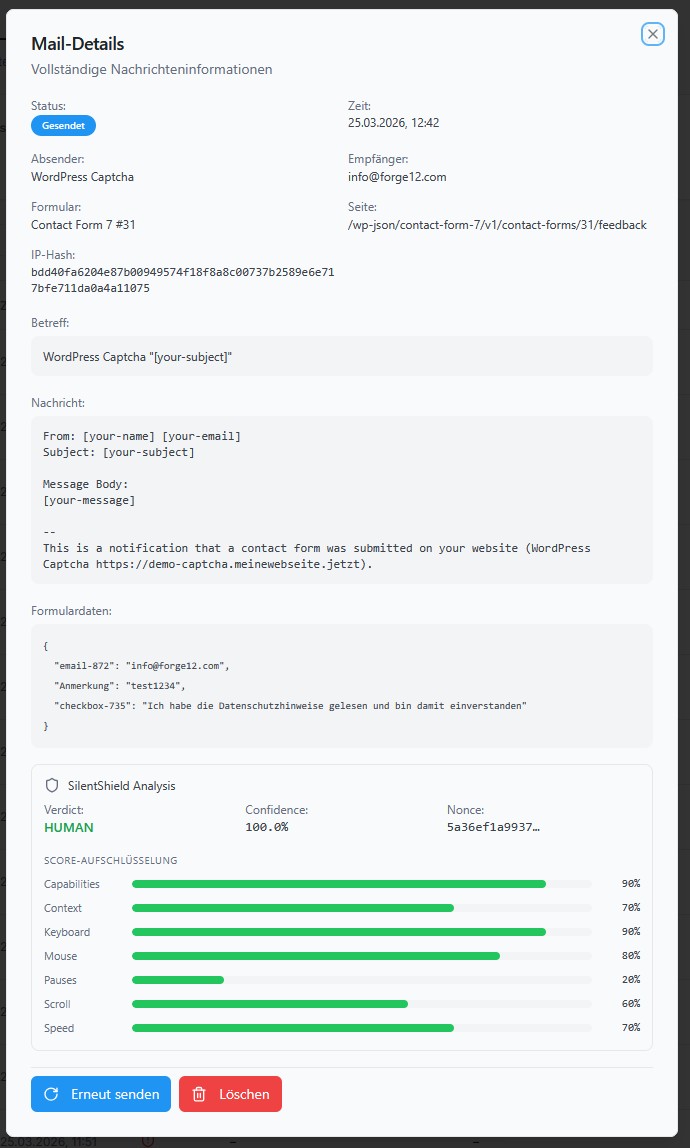
- New [Forms]: The Forms screen now shows whether the plugin can read your forms. Next to each integration a badge says whether the fields your visitors fill in are recognised, and selecting the integration shows the details: a self-test with a sample submission in that form plugin’s format, the names of the fields found in your last real submission (never their content), and whether gibberish detection blocks or only observes there. If your last test submission came from a whitelisted visitor — usually you, testing while logged in as an administrator — it says so, because such submissions are never checked.
- Improvement [Compatibility]: Tested with WordPress 7.1 and PHP 8.5. On PHP 8.5, every image captcha shown to a visitor wrote a deprecation notice to the PHP error log; on sites that log notices, that could fill the log quickly. It no longer does, and neither does the one notice the plugin caused on PHP 8.4 and later. Nothing changes for visitors, and the plugin still runs on PHP 7.4.
2.15.10
- Fix [Captcha]: After a typo, the corrected answer now goes through — in Elementor, Jetpack, Ninja Forms, Forminator and Kadence forms. Each captcha can be answered once: the attempt uses it up, whether the answer was right or wrong. These five form plugins send the form in the background and leave the page as it is, and the captcha on screen was not replaced after the answer came back. So a visitor who mistyped the code, fixed it and pressed send again was turned away a second time, with the correct answer, and could only get through by clicking the reload icon or by reloading the page and losing everything they had typed. The same happened to a second message sent from a page that stays after a success. A fresh captcha now appears as soon as the form has its answer, whatever that answer was. Forms that reload the page after sending were never affected.
- Fix [Captcha]: The captcha no longer stops reloading for visitors who share an address. Loading a new captcha is limited to 30 times per minute per IP address, to keep bots from farming them. That limit was meant to start over every minute but only did so after a full minute without a single request. Everyone behind one office or mobile network address — or a single visitor moving quickly between pages with forms — could therefore use it up for good and see “Could not load a new captcha” until the address fell silent for a minute. It starts over every minute now, as intended.
- Fix [Privacy]: The privacy-policy text on the Privacy page now describes the SilentShield API correctly. It said, in all languages, that data is processed exclusively on servers in Germany by Hetzner, never transferred to third countries, and kept for at most 14 days. The servers are STRATO’s; Cloudflare (USA) can sit in front of the standard endpoint api.silentshield.io, while the EU endpoint api-eu.silentshield.io reaches the servers without a US provider in between — the text now covers both, with the legal basis for a transfer; and data is kept for the retention period of your plan (7 to 90 days; individually agreed plans may differ), IP addresses only as a hash. If you copied the earlier text into your privacy policy, please replace it. The plugin description no longer calls itself “fully GDPR compliant” or says it stores “only anonymized data”: IP addresses are stored encrypted, which makes them pseudonymised, not anonymous.
2.15.9
- Improvement [Captcha]: The hint above the image captcha can now be changed. Templates 1 and 6 show “Enter the characters shown in the image:” above the image instead of the captcha label, and that text was fixed — the label setting had no effect on it, and the only way to change it was a translation override. It is now a setting of its own, “Image Captcha Hint”, next to label and placeholder, and it can also be set per integration or per form. Leave it empty and the built-in, translated text stays exactly as it was, so nothing changes on your site until you fill it in.
2.15.8
- Fix [SilentShield API]: The page shown next to a blocked submission is now the page your site actually served, not one the sender claimed. That address was taken from the browser’s referrer header, which whoever sends the request is free to set to anything at all, or to leave out entirely. A bot doing either cost you the one detail that says where to go and look: the block still counted, but it arrived carrying somebody else’s domain — which has to be discarded — or carrying nothing. The plugin works the page out on the server that served it now. Where a form is sent in the background, as Contact Form 7, the comment form, Elementor and others do, the page is resolved from the post the form sits on, so a blocked comment names the article it was posted under rather than whichever address happened to arrive. Nothing about how submissions are checked has changed, and sites without an API key send nothing either way.
- Fix [Ultimate Member]: Blocked sign-ins and blocked registrations are counted separately now. Both forms were reported under a single name, so your statistics could not say whether you were looking at attempts to guess passwords for existing accounts or at attempts to create fake ones — two rather different problems, needing rather different answers. Each form is now named in its own right.
- Fix [Ultimate Member]: A refused sign-in was counted three times. Ultimate Member checks the entered credentials itself, and doing so set this plugin’s WordPress-login protection going a second and a third time on the very same submission. One refused sign-in therefore produced three entries in your statistics and three rows in the block log, and spent three captcha challenges on its own. It is judged once now, and counted once. Sites not using Ultimate Member were never affected.
2.15.7
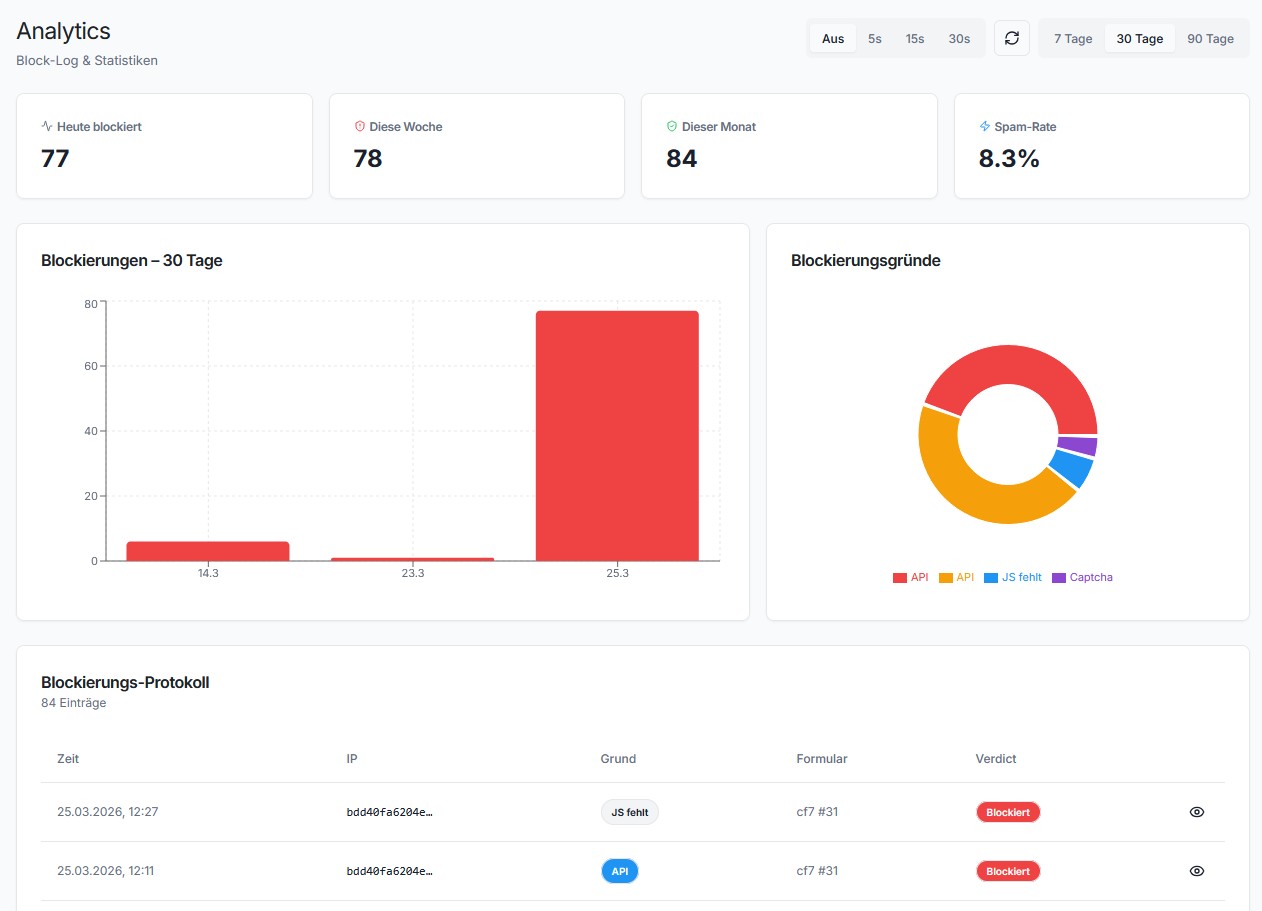
- Improvement [SilentShield API]: Your dashboard now counts every submission this plugin turns away, not just one kind of it. Until now only a single case was reported — a submission that arrived without the behaviour token, typically a bot running no JavaScript. Everything else the plugin refuses on your site (a failed captcha, a filled honeypot, a form sent faster than anyone could read it, a duplicate submission, gibberish content, a blocked address, your own content rules) was handled correctly but never mentioned to SilentShield, so none of it appeared in your statistics. All of it is reported now, each with its own reason, so the dashboard shows what is actually being stopped rather than a fraction of it. Sites not using the SilentShield API are unaffected — nothing is sent from them, and nothing about how submissions are checked has changed on any site.
- Improvement [SilentShield API]: Reports now name the form that was hit, so a dashboard can show which of your forms is under attack instead of only that something was. Forms whose integration cannot name them are still reported, just without the name.
- Improvement [SilentShield API]: The plugin version now travels with the regular key check, so SilentShield can tell you in your dashboard when a site is running an outdated version. Previously the version was only ever sent with the anonymous daily usage statistics — which carry no key and therefore could not be matched to your account, and which stop entirely when you switch that reporting off. Nothing new is sent from sites without an API key, and no new connection is made: the version rides along on a request the plugin was already making.
2.15.6
- Fix [API]: The cause behind 2.15.4’s refused submissions is now closed off for good. That release repaired the five integrations where the SilentShield API rejected every genuine visitor as a bot, but it repaired them one by one — the route that let them go wrong was still open, and any integration added later could have taken it just as easily. The field the API checks for is now produced by the part of the plugin that checks it, so no form can be drawn without it. If you use the API, nothing changes for you: forms that worked keep working. What changes is that this class of failure can no longer reappear on an integration nobody has looked at yet.
- Fix [API]: With the API switched off — which is how it ships — every form still carried a hidden field and a small script belonging to it, for a library that was never loaded on those sites. They did nothing and were sent to every visitor on every page with a form. They are now only added when the API is actually in use.
- Fix [API]: On a site protected by the API alone, with no other protection switched on, forms carried no SilentShield markup at all. The plugin looked as though it were not installed while the server refused everything the page sent, which is the hardest version of this to diagnose from the outside. Such forms are now marked up correctly.
2.15.5
- Fix [IP protection]: On any site whose timezone is not UTC, IP protection refused legitimate submissions. After one successful submission, every further submission from the same IP address was refused for the length of the site’s offset from UTC — two hours on a German site in summer time — no matter what “period between submits” was set to, and setting it to zero did not help either. The submission was lost silently: no email, no entry in the form plugin’s own submission table, only a blocked line in SilentShield’s mail log. What made this expensive is that an IP address is not a person. One visitor submits successfully, and the next person behind the same connection — a second member of a household, a colleague in the same practice, anyone sharing a provider’s address — is turned away for the next two hours; so is the same visitor noticing a forgotten detail and sending again. The cause was that the time of a submission was written in the site’s timezone but read back as UTC, which placed it in the future and made the waiting period impossible to satisfy. Times are now written and read the same way throughout. West of Greenwich the error ran the other way and IP protection did not limit anything at all, so sites in the Americas regain a protection that was quietly inactive. Only sites with IP protection switched on were affected — it is off by default. Nothing needs to be configured; the update clears the plugin’s IP log, which holds nothing but this rate-limiting state and is emptied automatically every three weeks anyway. Existing blocks are kept.
- Fix [IP protection]: The counter behind “max retries” ignored its time window and counted every attempt still on record rather than only those inside the configured period, which made a block possible on attempts that were hours or days apart. It now honours the window.
- Improvement [IP protection]: A submission is now let through, and the reason written to the log, whenever the check cannot reach a sound verdict — a stored time that lies in the future or cannot be read, a missing internal key, or a database error. Previously the last of these ended the submission with a server error instead: the visitor saw an error page and the enquiry was gone. A protection that cannot decide must not be the reason a genuine enquiry is lost. This is the rule the gibberish detection has followed since 2.15.2.
2.15.4
- Fix [Elementor, JetFormBuilder, Avada, Gravity Forms, Ultimate Member]: With the SilentShield API switched on, every genuine submission on these five was refused as a bot. The API decides using a token the plugin puts into the form, and on these five integrations that field was never added — so nothing arrived, and a submission with no token is refused by design. The visitor filled in the form correctly, pressed Send, and was told it looked automated. Where the API was the only protection in use, the effect was worse still: the plugin then placed nothing at all in the form, so the page looked as though no protection were installed while the server refused everything that came from it. The field is now added on all five, the same way it always was on the other twenty-one integrations. If you use one of these five together with the API, this restores your forms; nothing needs to be configured. Sites not using the API were never affected, and neither were Contact Form 7, WPForms, WooCommerce or any of the other integrations.
- Fix [JetFormBuilder]: Settings made for a single JetFormBuilder form applied only when a submission was checked, not when the form was drawn. A protection switched on for one particular form was therefore expected by the check but never placed in the form — and every submission of that form was refused, with no way to tell from the page why. Both halves now read the same settings. Only forms with their own settings under Forms were affected; sites using the same settings everywhere were not.
2.15.3
- Fix [Privacy]: The plugin’s own settings screens loaded a font from Google’s servers. Opening any SilentShield page in the WordPress admin fetched the “Inter” typeface from
fonts.googleapis.com, and a request to Google’s servers carries the IP address of whoever made it. On a plugin whose purpose is data protection this should never have been the case, and under the GDPR it is the kind of transfer that needs a legal basis nobody had established. The font now ships inside the plugin and is loaded from your own server; not a single request leaves your site any more. Only administrators opening SilentShield’s settings were affected — never visitors, and never anyone filling in one of your forms, because the file was only ever loaded inside the admin area. Nothing changes in how the settings look, and nothing needs to be configured. The font has been part of the plugin since version 2.10.0, so any site running that version or later was affected; if your data protection documentation lists the services your site contacts, this entry can be removed from it.
2.15.2
- Fix [Protection]: On some hosts, every form submission failed with a server error. The gibberish detection used PHP’s
mbstringextension, which is optional and which WordPress itself does not require — it supplies replacements for the two functions it needs and no more. Where the extension was missing, the check ran until it reached a function nobody had replaced and stopped the request dead. The visitor pressed Send and got an error page; no email arrived, and nothing in the plugin’s own logs said why. It made no difference that the detection ships in monitoring mode and was not entitled to reject anything: it never got as far as a verdict. The check no longer uses the extension at all. Separately, the gibberish detection can now no longer end a submission by failing, whatever the reason — if it cannot finish, the submission is let through and the reason is written to the log. Only hosts withoutmbstringwere affected; sites where forms have been working are unaffected. - Improvement [Protection]: While rewriting the above, six characters turned out to have been counted as consonants: the Turkish
ıandİ, the Nordicø, and long vowels such asāandū. Names written with them looked slightly less pronounceable to the detection than they are — a small bias against Turkish, Baltic and Scandinavian names, in the one direction that costs a real enquiry rather than a spam. They now count as the vowels they are. - Fix [Forminator, Ninja Forms]: When a submission was refused, the explanation was attached to the form’s first field so it would appear next to it — but “first” was taken literally, and a form that begins with a hidden field (a tracking value, a pre-filled ID) had the message attached to something nobody can see. The visitor pressed Send, no email arrived, and nothing at all appeared on screen. Hidden fields are now skipped. This is the same silent failure fixed for Avada in 2.15.0, arrived at by a different route; it was found by checking whether that bug could exist elsewhere, and these two are where it could.
- Fix [Elementor]: The same check on a form built entirely from hidden fields left nowhere to put the message, and it was dropped. It is now shown above the form instead.
Earlier versions
The full changelog, back to the first release, is in changelog.txt in the plugin folder and online.