Carticy Checkout Shield for WooCommerce
Carticy Checkout Shield for WooCommerce
Description
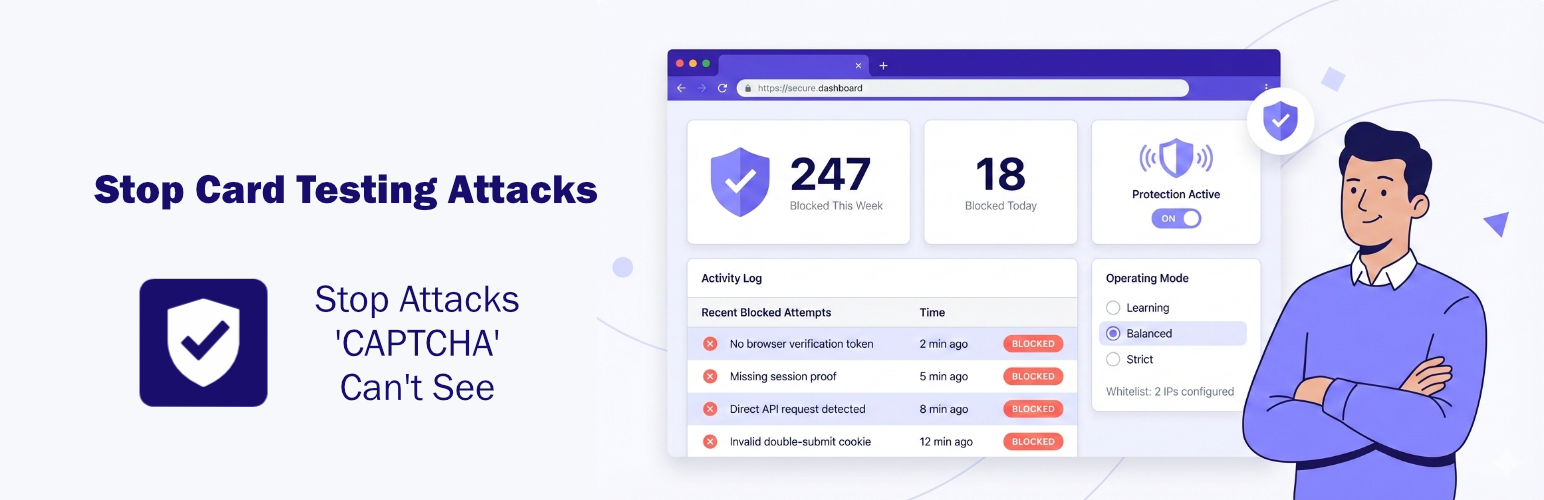
Carticy Checkout Shield stops card testing attacks and fake orders that bypass your CAPTCHA.
Card testing bots don’t fill out your checkout form. They send requests directly to WooCommerce’s Store API, completely skipping any reCAPTCHA or hCaptcha you’ve set up. That’s why CAPTCHA alone doesn’t stop them.
This plugin intercepts those API requests and verifies they come from real browser sessions. Automated scripts that can’t prove they’re human get blocked before WooCommerce processes them.
Why This Plugin?
- Catches what CAPTCHA misses – Blocks bots hitting your API directly
- Works with any caching – LiteSpeed, Cloudflare, WP Rocket, W3TC – no conflicts
- Zero configuration – Activate and you’re protected
- No external services – Everything runs locally on your server
- No performance impact – Validation adds microseconds, not seconds
Features
- 4 Protection Modes – Learning, Permissive, Balanced, and Strict
- Activity Log – See blocked attempts with timestamps, reasons, and IPs
- IP Whitelist – Whitelist trusted IPs with CIDR notation support
- API Key Authentication – For headless and custom checkout setups
- Proxy Support – Works behind Cloudflare, load balancers, reverse proxies
- Block Checkout Ready – Supports both classic and block-based checkout
- HPOS Compatible – Works with High-Performance Order Storage
- WooCommerce Logging – Full integration with WooCommerce Status logs
Installation
- Upload the plugin files to
/wp-content/plugins/carticy-checkout-shield-for-woocommerce/ - Activate the plugin through the ‘Plugins’ menu in WordPress
- That’s it. Protection is active immediately.
Optional: Go to WooCommerce Settings Advanced Checkout Shield to adjust settings or view blocked attempts.
Requirements
- WordPress 6.0+
- WooCommerce 8.0+
- PHP 8.0+
Screenshots
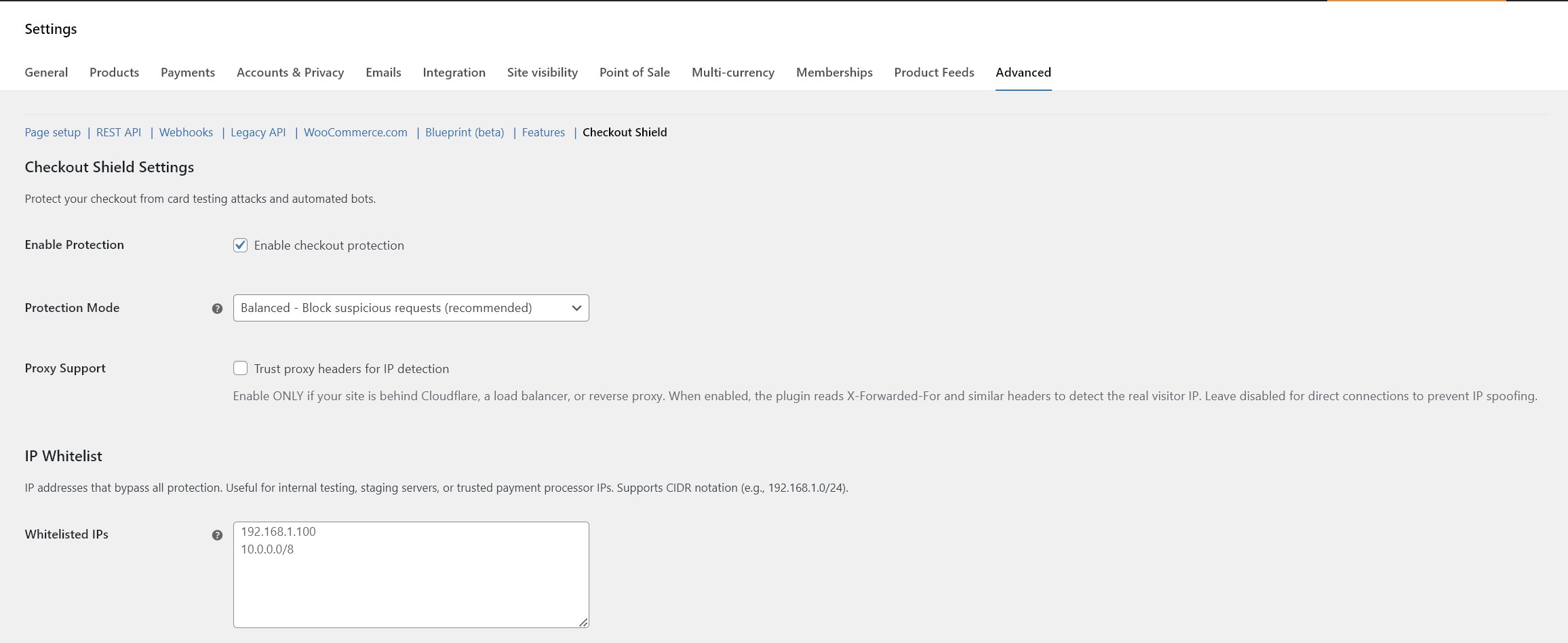
Settings page - Configure protection mode and options
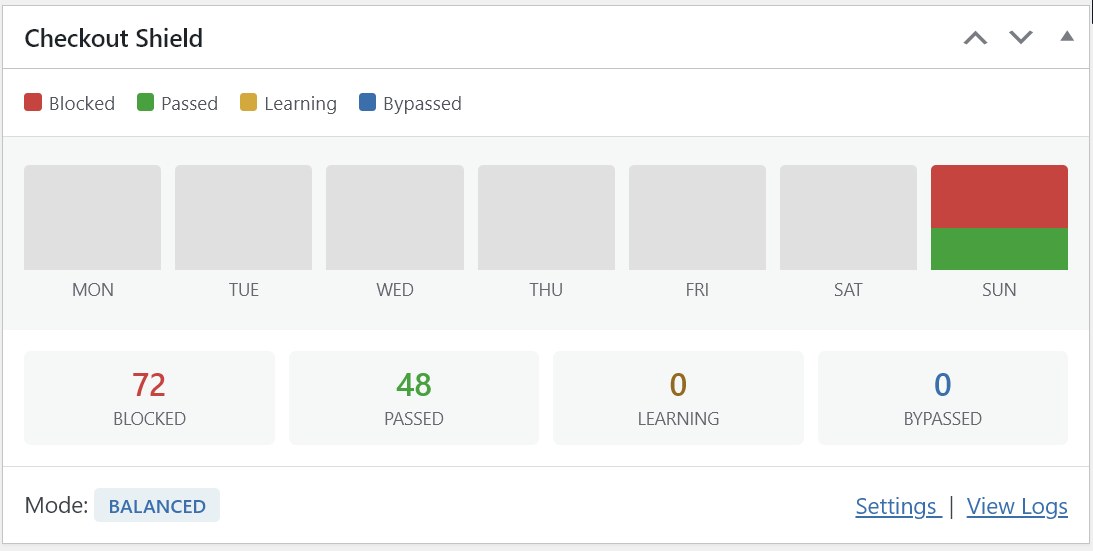
Dashboard widget - Monitor blocked and passed requests
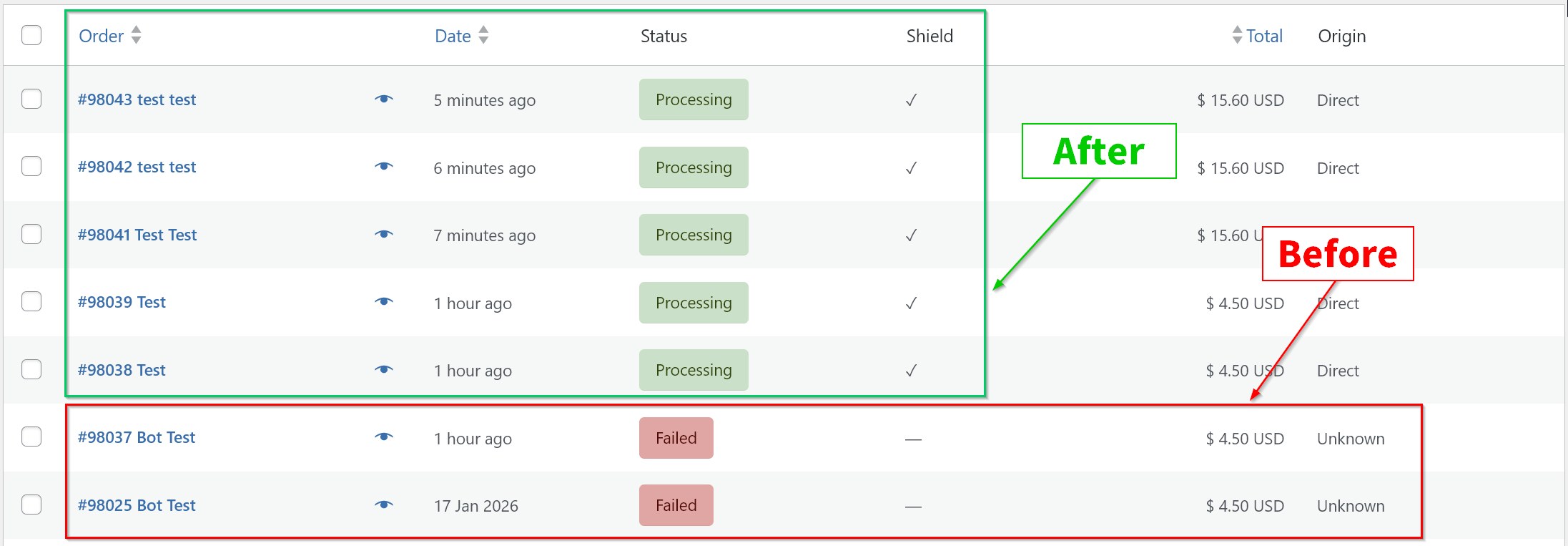
Orders column - View shield status for each order
Faq
No. Validation happens locally in microseconds. No external API calls, no waiting on third-party services.
Very unlikely. The default Balanced mode is tuned to avoid blocking legitimate orders. If you’re cautious, start with Learning mode – it logs what would be blocked without actually blocking anyone.
Yes. Works with both classic checkout and the newer block-based checkout.
All major gateways work normally. Payment confirmations from gateways aren’t affected by checkout validation.
Not if you configure it. Add your frontend’s server IP to the whitelist, or use API key authentication. Both options let legitimate automated requests through.
Up to you. This plugin catches bots that CAPTCHA misses (the ones hitting your API directly). You can use both, or drop CAPTCHA entirely and reduce checkout friction.
Check the Activity Log in the plugin settings. You’ll see every blocked attempt with the reason, timestamp, and IP address.
Reviews
Changelog
1.0.0
- Initial release
- Stateless bot detection with double-submit cookie
- Four protection modes (learning, permissive, balanced, strict)
- IP whitelist with CIDR support
- API key authentication for headless checkout
- Proxy/CDN support (Cloudflare, etc.)
- WooCommerce logging integration
- Dashboard statistics widget
- Orders list shield status column
- HPOS compatibility
- Block checkout compatibility