Checkout Shield for WooCommerce – Stop Fake Orders, Spam Bots & Card Testing
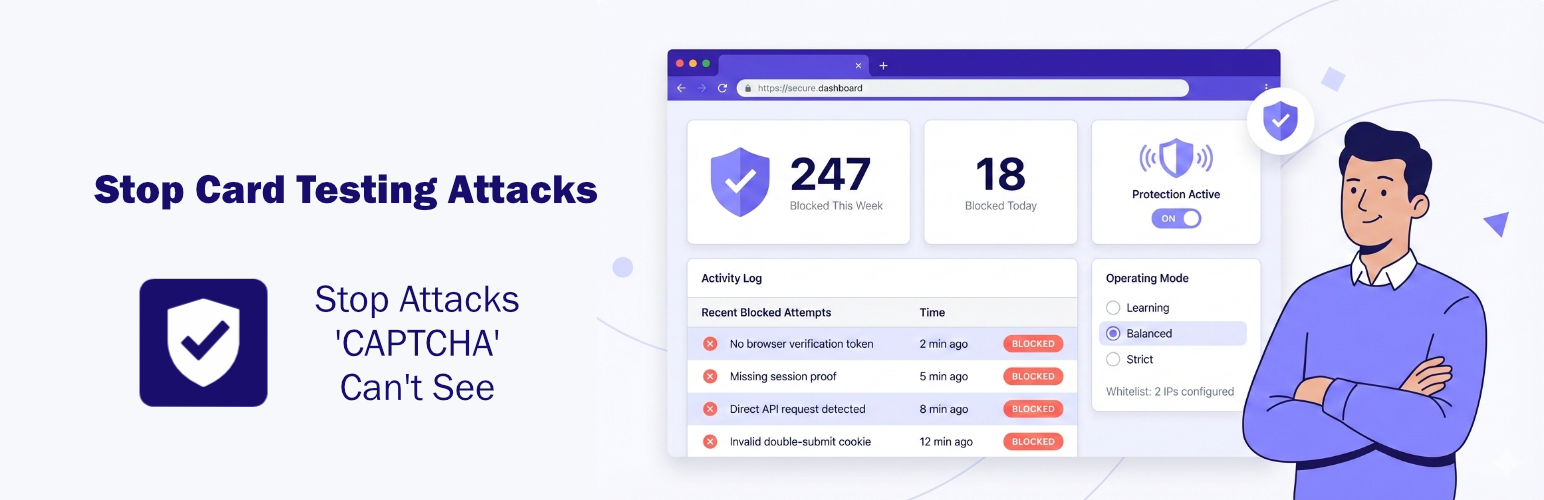
Checkout Shield for WooCommerce – Stop Fake Orders, Spam Bots & Card Testing
Description
Checkout Shield blocks the scripted checkout submissions that CAPTCHA never sees.
Card testing bots don’t fill out your checkout form. They hit your store’s checkout API directly, completely skipping any reCAPTCHA or hCaptcha you’ve set up. That’s why CAPTCHA alone doesn’t stop them.
Your site signs a proof into the checkout page it serves. A submission that carries that proof loaded the page; one that doesn’t, didn’t. Submissions with no valid proof are stopped before WooCommerce processes the order.
What this stops, and what it does not
Being straight about this is more useful than a bigger promise.
It stops anything that posts to your checkout without loading the checkout page first: curl scripts, direct Store API calls, replayed form posts, and the card testing runs that work this way. This is the large majority of automated checkout abuse, and it is the part CAPTCHA misses.
It does not stop a bot that drives a real browser. Something that genuinely loads your checkout page receives a genuine proof, because that is exactly what the proof records. Once loaded, that proof stays valid for the life of the shopping session, so a script can reuse it. No proof of this kind can tell the second submission from the first, since the thing being proven is identical.
For that tier you want a bot mitigation service in front of the site (Cloudflare Bot Fight Mode, Sucuri) alongside this plugin. What this plugin can do is show you when it is happening: the dashboard reports payments that failed repeatedly from a single checkout visit, which is what working through stolen card numbers looks like. In Pro it can also act on it. Once a visit crosses a failure limit you set, the source IP is banned for a while so it can’t just start a fresh visit and keep going, and the ban lifts itself, so a bad guess never becomes a permanent lock-out. A determined attacker can still rotate IPs, which is why the service in front of the site stays the front line, but for the common case this turns the pattern off at the source.
Why Store Owners Choose This Plugin
- Catches what CAPTCHA misses: blocks bots hitting your checkout API directly, without asking shoppers to prove anything
- Works with any caching: LiteSpeed, Cloudflare, WP Rocket and W3TC, with no conflicts
- Nothing to configure: no rules to write and no thresholds to tune
- Never blocks your customers by mistake: it only starts once it has seen a real checkout on your store work, and if your theme ever stops carrying the proof it detects that, keeps letting real shoppers through, and tells you what to fix
- No external services: everything runs on your server, no subscriptions
- Adds milliseconds: the check is local, with no third-party call to wait on
Features (Free)
- Automatic bot blocking: no rules to configure; it arms itself once it has seen one checkout on your store work
- 4 protection levels: Learning, Permissive, Balanced and Strict, so you choose how aggressive you want to be
- One place for everything: a dedicated Checkout Shield screen with a live “what’s protected right now” overview, plus your settings and logs
- Dashboard overview: see blocked vs verified orders at a glance with a 7-day chart
- Order status tracking: know which orders were flagged, passed, or blocked
- IP whitelist: let trusted addresses through, supports CIDR notation
- API key authentication: for headless and custom checkout setups
- Works with all checkout types: classic, block-based, and all payment gateways
- HPOS compatible: works with High-Performance Order Storage
- WooCommerce logging: full integration with WooCommerce Status logs
Pro Features
Pro is about two things: stopping more, and letting you see it happen.
- Live attack timeline: watch scripted attempts get stopped as they arrive, with the surface, reason, masked email, and IP for each one
- Test your protection: one button fires the real card-testing request at your own store and shows you it hit a wall, so you never have to wonder whether it’s working
- Auto-ban repeat offenders: when one visit keeps failing payment past a limit you set, its IP is blocked for a while and then released on its own, so it can’t just start over
- Registration protection: the same no-CAPTCHA proof on your sign-up forms, plus throwaway-email blocking and per-IP rate limiting, to stop the fake accounts that come before fraud
- Throwaway email blocking: reject checkouts using a known disposable inbox, with a domain list the plugin keeps up to date for you
- 3-level logging control: turn logging off, log blocked attempts only, or log everything
- Recent blocks feed: the last 50 blocked attempts with email, payment method, and reason
- Automatic CDN/proxy detection: identifies real visitor IPs behind Cloudflare, Sucuri, or Akamai
- Stronger permissive mode: tighter bot detection with referrer and user-agent checks
- Checkout details in logs: see which email and payment method bots tried to use
- Customer blocklist: block repeat offenders by email, name, address, phone, IP, or postal code, all managed from the Checkout Shield screen
- One-click order blocking: block a customer directly from any order screen
Installation
- Upload the plugin files to
/wp-content/plugins/carticy-checkout-shield-for-woocommerce/ - Activate the plugin through the ‘Plugins’ menu in WordPress
- Open your own checkout page and submit it once
That third step is what arms it. Until one checkout on your store has been seen
working, nothing is blocked, and that is deliberate, so that switching protection
on can never turn every customer away. The order does not have to complete; a
submission that WooCommerce rejects for any other reason still arms it. Your
dashboard says which of the two states the store is in.
Optional: open the Checkout Shield menu in your admin sidebar to adjust settings, watch what’s being blocked, and run a protection test.
Requirements
- WordPress 6.0+
- WooCommerce 8.0+
- PHP 8.0+
Screenshots

The Checkout Shield screen: see at a glance whether you're protected and how many attempts have been stopped

Settings: choose your protection mode and options, all in one place

Dashboard widget: blocked versus passed at a glance, with a 7-day chart


Faq
No. Validation happens locally in microseconds. No external API calls, no waiting on third-party services.
It is built so it cannot. Before blocking anything it waits until it has seen a
checkout on your store carry its proof successfully. After that it watches its
own proof: if a theme update or a page builder ever rebuilds your checkout so
the proof stops rendering on it, the plugin notices that on its own, keeps
letting real shoppers through on the cookie their browser holds, and shows you
an admin notice saying exactly what to fix, all while your store keeps selling.
If you still want to watch first, Learning mode logs what would be blocked
without blocking anyone.
The Pro protections are built the same careful way. Auto-banning is off until
you turn it on, only ever kicks in past a failure limit you set, never touches a
whitelisted address, and every ban expires by itself. Registration protection
lets a real browser through on its proof and only stops sign-ups that never
loaded the form, so a shared office or campus connection can’t be locked out by
a busy afternoon.
Almost certainly not. Protection stays inactive until one checkout on your store
has been seen working, so a test request sent before that will pass. Open your
own checkout page and submit it once, then try your test again. Your dashboard
says which state the store is in.
Yes. Works with both classic checkout and the newer block-based checkout.
All major gateways work normally. Payment confirmations from gateways aren’t affected by checkout validation.
Not if you configure it. Add your frontend’s server IP to the whitelist, or use API key authentication. Both options let legitimate automated requests through.
Up to you. This plugin catches bots that CAPTCHA misses (the ones hitting your API directly). You can use both together, or drop CAPTCHA entirely to reduce checkout friction.
Two causes, and the dashboard tells you which one you have.
Something is reusing one checkout visit. It loaded your checkout page for
real and is reusing the proof it was given. That proof is valid, so this plugin
passes it, exactly as it would for a shopper who retried a declined card. Look
at “Repeated payment failures from one checkout visit” on the dashboard widget:
several failures against a single visit inside a day is what card testing looks
like. Open the Checkout Shield menu, then Settings, to set a limit that turns
those submissions away, and in Pro have the source IP banned for a while once it
does. A bot mitigation service in front of the site is the layer that stops them
arriving at all.
The orders were never placed through your checkout at all. If someone has
gained access to your WordPress they can create orders directly, and no plugin
that inspects checkout submissions can see that happen. Signs worth checking are
administrator accounts you do not recognise, posts you did not publish, and
recently modified plugin or theme files.
Neither case means protection is off. Check the “blocked” count on the dashboard
widget to see what it is stopping.
The Checkout Shield screen is the quick answer. Its Overview tells you whether
protection is armed yet and how many attempts it has stopped, updating as they
happen, and the same figures appear on the dashboard widget. It counts what
happened three ways: blocked, passed, and not checked. “Not checked” means a
submission was let through because the check was not yet trustworthy. That is
kept separate from “passed” on purpose, so a bot-shaped request is never counted
as a happy customer.
In Pro, the Activity tab lists each blocked attempt as it lands, and the
Protection Test button lets you fire a real one at your own store and watch it
get stopped. For the raw detail behind any of it, go to WooCommerce, then Status,
then Logs, and filter by “carticy-checkout-shield”.
Reviews
Useful plugin
By 
Great plugin, just installed it, hope it will be effective with Cloudflare. Keep up the great work.
Stopped Bot Checkout Attacks Immediately
By 
Super impressed with this plugin with it's ability to stop checkout bots that bypass the reCAPTCHA and target API. I recently did a credit card test via stripe which opened my site up to checkout bots. I also use Cloudflare, but could not configure Cloudflare to stop the bots. So, I was very pleased with how effective this plugin (Checkout Shield for Woocommerce) worked and quick to deploy. Thanks!
Only solution that worked
By 
Thank you!! This works really well. It is blocking so many spam orders. Seems like I tried everything before finding this plugin.
Simple, easy and just works great!
By 
We were flooded by fake orders until this plugin. We just installed and never worried about it again! Thank you so much!
Legit Amazing
By 
I have been wrestling with this for almost a year. I have thrown about 30 different plugins at the problem and nothing worked. Not even a combination of things. I even went as far as to shut off the WooCommerce API entirely, but that only worked on a few sites without blocking all orders entirely.
In my case the card testers were part of an IoT botnet of hacked weather cams around the world lol...
It's basically just on or off. There is nothing to really configure.
I can't recommend this hard enough. 2 minutes to set up and problem solved!!
Changelog
1.4.0
- New: a dedicated Checkout Shield screen that gathers the overview, activity, settings, and blocklist into one place, so protection is no longer tucked away under WooCommerce settings.
- New: a live overview that shows whether you’re protected and how many attempts have been stopped in the last day and month, updating as they arrive.
- Pro: a live attack timeline that lists each blocked attempt as it lands, with the surface it hit, why it was stopped, and a masked email and IP.
- Pro: a protection test. One button sends the real card-testing request at your own store and shows you it was blocked, with no order ever created.
- Pro: automatic, time-limited IP banning for a source that keeps failing payment on a single checkout visit. It is off until you enable it, only acts past a limit you set, never bans a whitelisted address, and every ban releases itself.
- Pro: registration protection that extends the same no-CAPTCHA proof to your sign-up forms, alongside throwaway-email blocking and per-IP rate limiting, to stop the fake accounts that tend to come before fraud.
- Pro: throwaway and disposable email blocking at checkout, using a domain list the plugin keeps up to date for you.
1.3.1
- Improved the reliability of automatic protection under sustained bot traffic.
- Reduced checkout-path database writes for better performance on busy stores.
1.3.0
- Added a dashboard view of repeated payment failures from a single checkout visit, a common sign of card testing.
- Added an optional limit to turn away checkout visits whose payments keep failing.
1.2.1
- Clearer dashboard status for new stores, with a separate count for submissions that were not checked.
1.2.0
- Stronger, site-signed checkout proof for more accurate bot detection.
- Fewer false positives for cookie-blocked browsers, multiple tabs, and idle checkout pages.
- Full support for classic and block checkout, and for paying from emailed order links.
- Automatic pause with an admin notice if proof stops reaching your checkout, resuming on its own.
1.1.1
- Minor fixes to admin labels and placeholders (Pro).
1.1.0
- Default mode is now Balanced.
- Added logging controls, a recent-blocks feed, CDN/proxy detection, and enhanced permissive mode (Pro).
1.0.0
- Initial release.