CartMend Checkout Fees & COD Surcharge for WooCommerce

CartMend Checkout Fees & COD Surcharge for WooCommerce
Description
Charge a Cash on Delivery (COD) fee — or any payment-method surcharge or discount — in 60 seconds. No code. No bloat. Works on classic and block checkout.
WooCommerce has no built-in way to add a fee when a customer picks a specific payment method. If you offer Cash on Delivery you absorb the courier collection fee and the cost of returned parcels; if you take cards you absorb the processor fee. This plugin lets you pass that cost on — or reward prepaid customers with a discount — cleanly, in the checkout totals.
It does one thing well: when the customer selects the payment method you choose, it adds your fee (or discount) to the order.
Features
- One flat fee or discount (negative amount) when a chosen gateway is selected
- Pick which payment method triggers it (any registered gateway)
- Custom, customer-facing fee label
- Taxable / non-taxable toggle
- Works on classic and block checkout, with the fee updating live when the shopper switches payment method
- Fee shows on checkout totals, order confirmation, customer email and the admin order screen
- One clean WooCommerce settings tab — no extra admin menu clutter
- Lightweight: no jQuery; a tiny script loads only on the checkout page, everything else is server-side PHP
- HPOS (High-Performance Order Storage) compatible
Some countries and US states restrict surcharging card payments. Check your local rules before adding a fee to card gateways.
Installation
- Upload the plugin, or install it from Plugins Add New.
- Activate it.
- Go to WooCommerce Settings Checkout Fees.
- Enable the fee, choose the Payment method (e.g. Cash on Delivery), set a Fee label and Fee amount, toggle Taxable if needed, and Save changes.
- Place a test order on a staging site to confirm the fee appears when that method is selected.
Screenshots

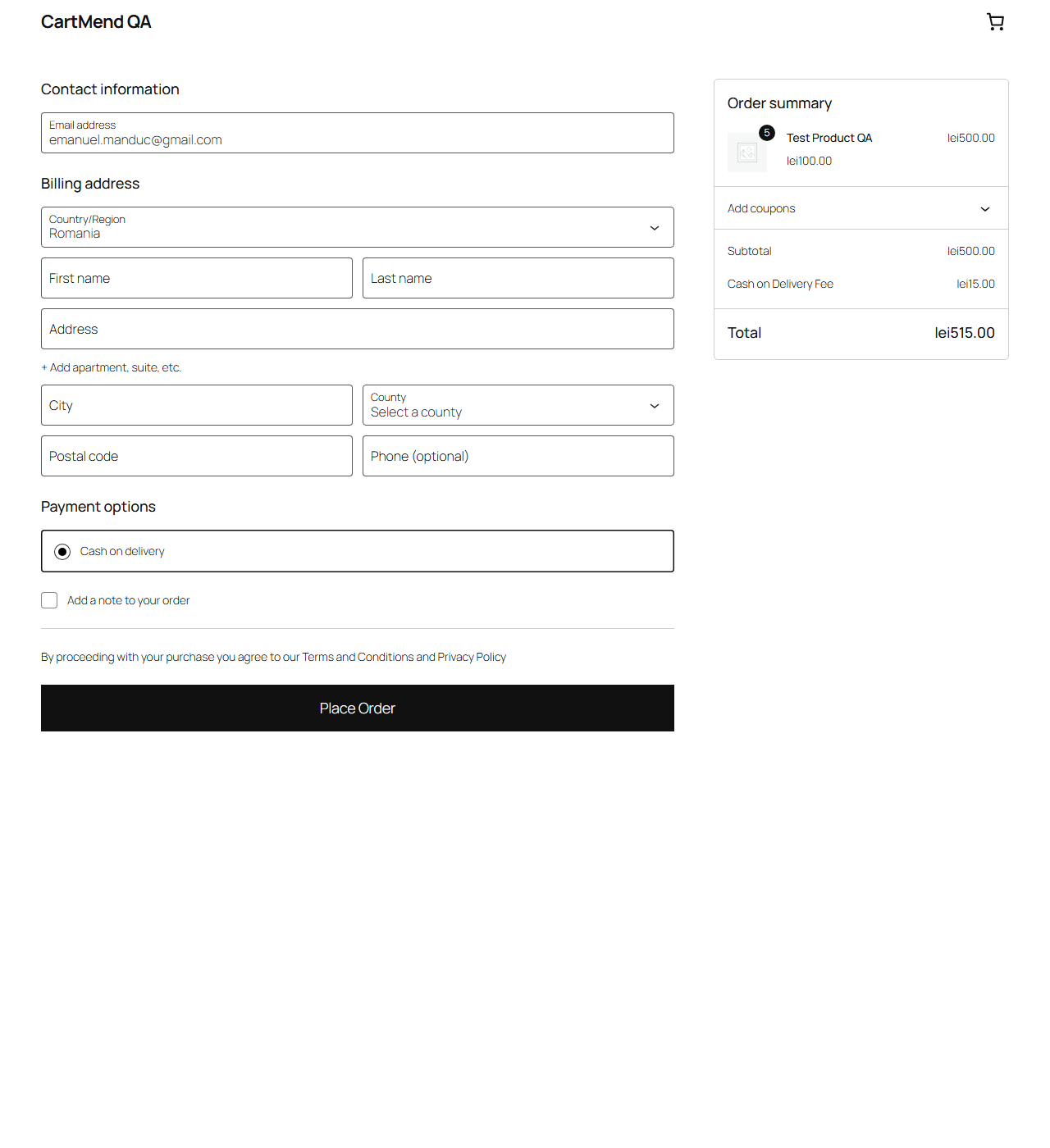
Faq
Yes. The fee appears and updates live when the customer changes payment method, on both classic and block checkout.
Yes — enter a negative amount (e.g. -5). It shows as a discount and is capped so the order total can never go below zero.
Your choice. Enable Taxable to apply the store standard tax class, or leave it off for a tax-free fee.
Any registered gateway — Cash on Delivery, Bank Transfer, Cheque, Stripe, PayPal, WooPayments and third-party gateways.
Yes — it declares HPOS compatibility and uses the WooCommerce order API.
Reviews
Changelog
1.1.4
- WooCommerce 11.1+ Store API compatibility: unconditionally recalculate cart totals on
woocommerce_store_api_checkout_update_order_from_request (not just on a payment-method
change), so a coupon applied or shipping method changed immediately before submit is
reflected before the newexpected_totaltotal-mismatch check runs, avoiding a false
409 woocommerce_rest_checkout_total_mismatch. - Fixed CM_CF_VERSION constant to match the plugin header version (was stuck at 1.0.0).
1.1.3
- Renamed to lead with brand.
- Removed comparative and promotional wording from the readme and admin UI.
- Fixed contributors.
- Free build fully functional (flat fee/discount per gateway).
1.0.0
- Initial release: single flat fee or discount per chosen payment gateway, classic + block checkout with live recalculation, taxable toggle, HPOS + Blocks compatibility.