Categories Images

Categories Images
Description
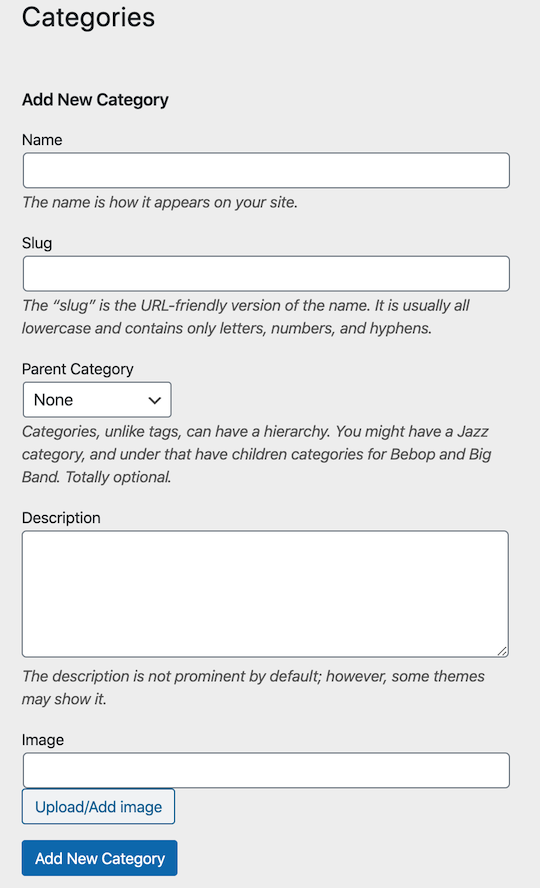
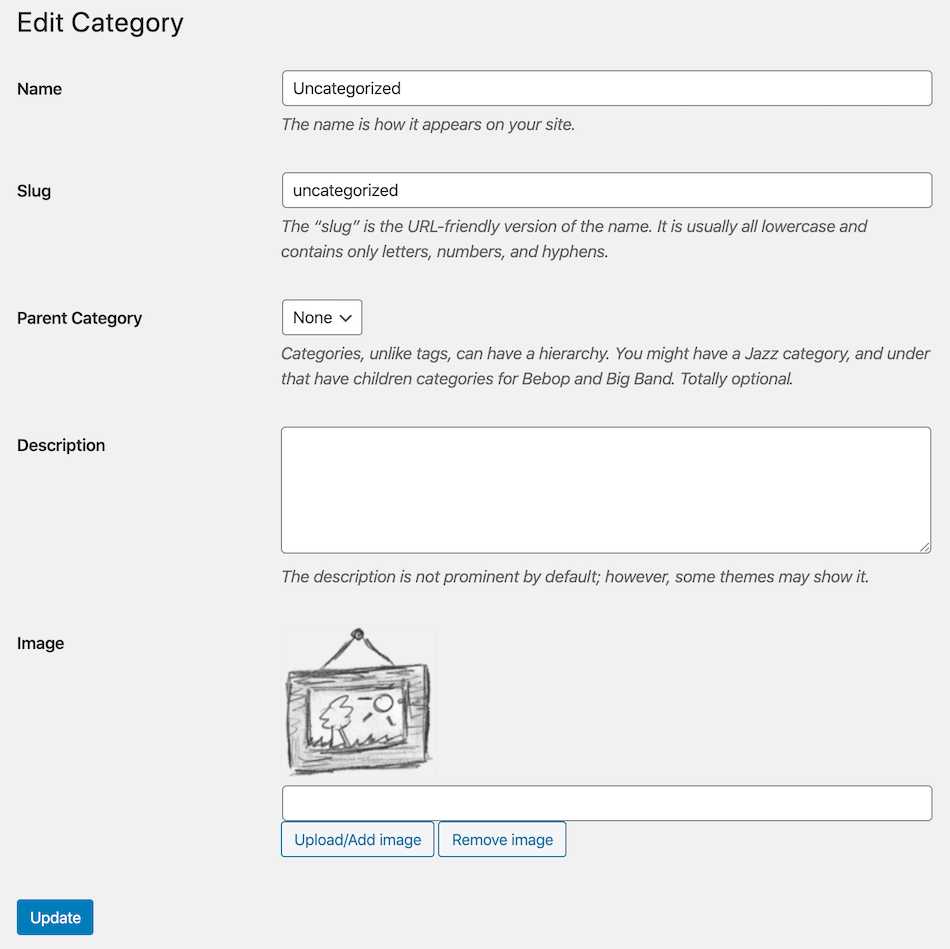
The Categories Images is a WordPress plugin allow you to add image to category, tag or custom taxonomy.
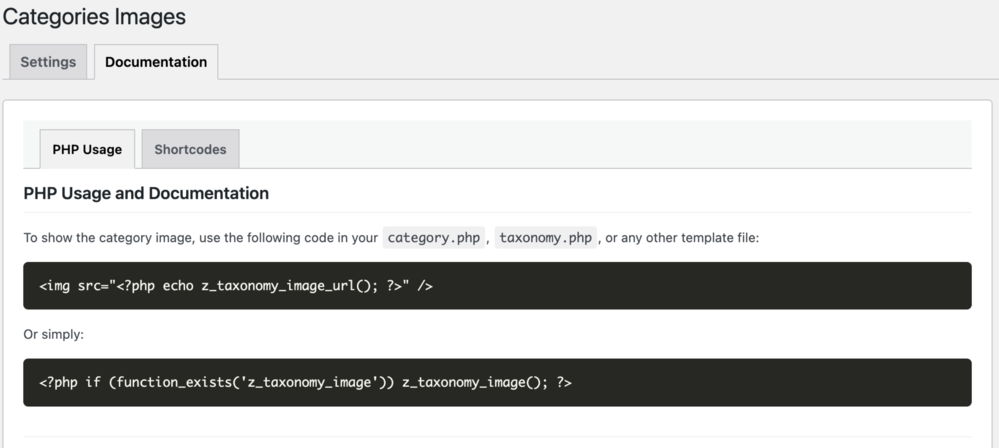
Use <?php if (function_exists('z_taxonomy_image_url')) echo esc_url(z_taxonomy_image_url()); ?> to get the url and put it in any img tag.
Or simply use <?php if (function_exists('z_taxonomy_image')) z_taxonomy_image(); ?> in (category or taxonomy) template.
REST API Support
Access term images via the WP REST API. The field z_taxonomy_image_url is automatically added to term objects.
Enhanced Shortcodes
[z_taxonomy_image term_id="123" size="medium" link="yes"]– Display a specific term image with a link.[z_taxonomy_list taxonomy="category" style="grid" columns="4" show_name="yes"]– Display a beautiful grid of terms with their images.
Elementor Integration
Use term images dynamically in Elementor via the native Dynamic Tags system.
Settings
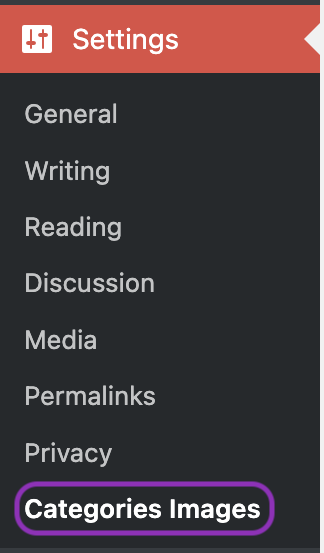
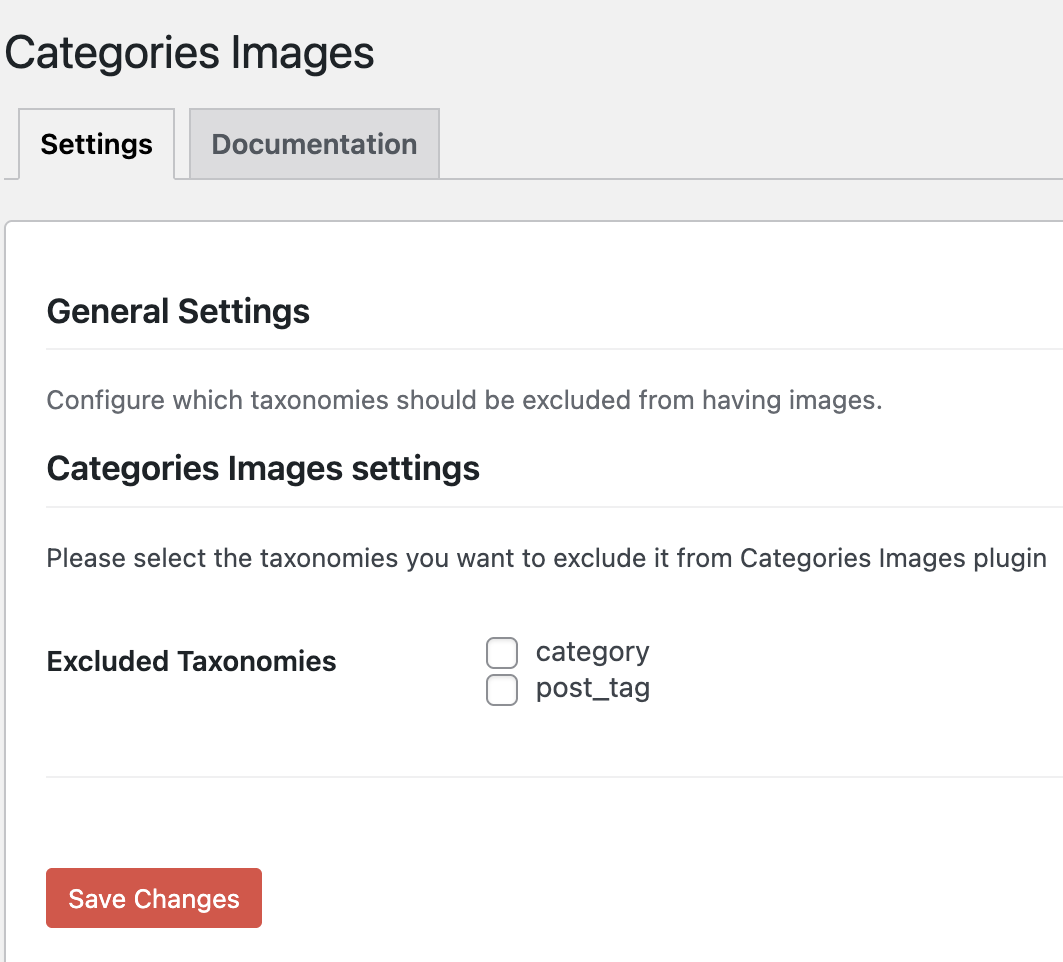
Categories Images settings menu is now under Settings > Categories Images to avoid cluttering the main WordPress menu, the settings now is more organized with a dedicated documentation page that includes usage examples and shortcodes.
From the settings menu, you can exclude any taxonomies from the plugin to avoid conflicts with other plugins like WooCommerce!
Documentation
Documentation is now available inside the plugin settings menu. for more information please visit the Categories Images.
Installation
You can install Categories Images directly from the WordPress admin panel:
- Visit the Plugins > Add New and search for ‘Categories Images’.
- Click to install.
- Once installed, activate and it is functional.
OR
Manual Installation:
- Download the plugin, then extract it.
- Upload
categories-imagesextracted folder to the/wp-content/plugins/directory - Activate the plugin through the ‘Plugins’ menu in WordPress
You’re done! The plugin is ready to use, for more information please check the plugin description or settings page.
Screenshots
Faq
Please check the documentation page:
https://zahlan.net/blog/2012/06/categories-images/
Reviews
Works a treat
By 
We have used this plugin for the display of custom post type category images and it works a treat! You could only improve it my offering a media library select field but for now it works very well, already!
Thank you.
Super Useful
By 
I have been using this plugin for a couple years and it is a significant part of making categories work like, well, categories, and making my website look more graphical and appealing. The one time there was an issue, the plugin author fixed it very quickly. Really grateful for this plugin. Thank you!
Test before using + no block
By 
I give 2 stars because this plugin seems to do what it claims, that is, assign an image to each category and tag taxonomy (which is exactly what I want and something the core WordPress should already have!)
However, there's no Block added for easily using the new feature in templates. You have to edit PHP code.
I also caution everyone to review the old complaints about how it records the images in the database and you should thoroughly test on a staging site first if the old complaints are still valid (slowing down large sites, not cleaning up the DB, etc)
Broke all my categories
By 
I installed it, and then realised that my SEO plugin allows OG images. I deactivated and deleted it. Now none of my categories work. I reset the permalinks, nothing. The categories show there are items, but the posts show no categories or tags attached to the post, and none can be added. I don't know WHAT it did!
Simply the Best Plugin in its category!
By 
I had tested them all, and I can confirm that this plugin is the best in its category. I use it throughout my project, the z_taxonomy() function has become my favorite 😉 Thank you, Muhammad, for continuing to maintain it 🙏.
Ok on WordPress 6.0.2
By 
Beware! Plugin uses the Options table, DOES NOT DELETE data when image removed
By 
Unnecessary menu item
By 
OG:Image for Facebook
By 
<?php
if (function_exists('z_taxonomy_image_url'))
echo '<meta property="og:image" content="' . z_taxonomy_image_url() . '" />';
?>Just what I needed
By 
Changelog
3.3.4
- Security: Fixed stored XSS in the
[z_taxonomy_image]shortcode by escaping fallback and stored image URLs whenformat="url". - Security hardening: Escaped taxonomy-list diagnostic output so term data is displayed as text.
- Documentation: Added context-appropriate escaping to PHP usage examples.
3.3.3
- Performance Optimization: Reordered attachment lookup to prioritize stored IDs, significantly reducing database load on large sites by avoiding expensive attachment_url_to_postid() calls.
- Bug Fix: Fixed “Remove Image” button to ensure the Attachment ID is also cleared upon deletion.
- UX: Implemented event delegation in admin scripts to support AJAX-updated table rows during Quick Edit.
3.3.2
- Security release: Fixed an authenticated Stored XSS vulnerability in the
[z_taxonomy_image]shortcode (CVE-2026-2505). - General security hardening: Implemented strict “Escape on Output” for all dynamic strings to comply with WordPress.org coding standards.
- Refactor: Replaced direct database queries with core WordPress functions to resolve Plugin Check warnings.
- Maintenance: Verified compatibility to WordPress 6.9.4 and aligned with strict WordPress.org plugin directory standards.
3.3.1
- Fixed a potential fatal error during REST API initialization.
3.3.0
- Added native Elementor Dynamic Tag support for taxonomy images.
- Integrated with WordPress REST API (adds
z_taxonomy_image_urlto term responses). - Major shortcode overhaul:
- Enhanced
[z_taxonomy_image]with custom links, placeholders, and size support. - Enhanced
[z_taxonomy_list]with grid/list layouts, column control, and conditional name/count display.
- Enhanced
- Performance: Modern PHP array syntax refactor and optimized asset versioning.
- Fixed frontend CSS loading for shortcode grids.
- Categories Images settings menu is now under Settings > Categories Images to avoid cluttering the main WordPress menu, the settings now is more organized with a dedicated documentation page that includes usage examples and shortcodes.
3.2.0
- Fix wp_options bloat issues by migrating to Term Meta API (wp_termmeta) for WP 4.4+.
- Backward compatibility for WP < 4.4 maintained via wp_options fallback.
- Improved performance by implementing Singleton pattern to reduce class instantiation overhead.
- Security enhancements (nonce verification, input sanitization).
3.1.0
- Added DE translation, thanks to denarie.
- Start using imageId instead of imageUrl to solve any the CDN issues, thanks so alessandrocarrera.
- Tested with the latest version of wordpress
3.0.1
- Disable options autoload to enhance wordpress queries performace
3.0.0
- Fix settings page issues
- Fix compatibility with the latest WordPress version
- Rewrote the whole plugin from scratch, now the code is much efficient, readable and cleaner
2.5.4
- Fix compatibility with the latest WordPress version
2.5.3
- Fix not displaying single tag image bug in tag.php template
- Adding language support for Swedish. Thanks to Simon Sandgren
2.5.2
- Fix displaying full size image bug in backend
- Fix quick edit bug
- Some code enhancements
2.5.1
- Adding language support for Russian.
- Adding language support for Serbian. Thanks to Andrijana Nikolic.
- Adding language support for Catalan. Thanks to Marc Queralt.
- Change the plugin text domain from zci to categories-images to match the plugin slug as requested by WordPress.
2.5
- Adding language support for Ukrainian. Thanks to Michael Yunat.
- Adding new function z_taxonomy_image() to display category or taxonomy image directly with support for size, alt and other attributes, for and how to use it please check the documentations.
- Some code enhancements.
2.4.2
- Update code to reduce db queries. Thanks to fburatti.
2.4.1
- Fix placeholder bug in backend.
2.4
- Adding language support for Spanish (Thansk so much to Maria Ramos).
- Adding support for resizing categories images (Thanks so much to Rahil Wazir).
- Some code enhancements.
2.3.2
- Adding language support for French.
2.3.1
- Bug fix in js for WordPress media uploader.
2.3
- New screenshots.
- Updated language file.
- Added support for both old and new WordPress media uploader.
- Added new submenu (Categories Images) in Settings menu.
- Added new settings for excluding any taxonomies from the plugin.
- Added new placeholder image.
Thanks to Patrick and Hassan for the new ideas.
2.2.4
- java script bug fixed, reported about conflicting with WooCommerce plugin. Thanks to Marty McGee.
2.2.3
- bug fix in displaying category or taxonomy image at the frontend.
2.2.2
- bug fix in displaying placeholder image in wp-admin.
2.2.1
- edit z_taxonomy_image_url() to only return data in case the user inserted image for the selected category or taxonomy
2.2
- fix a bug, prevent a function from running execpt when editing a category or taxonomy to avoid affecting other wordpress edit pages in the wp-admin
2.1
- fix a bug in languages
- fix a bug in quick edit category or taxonomy
2.0
- New screenshots.
- Added l10n support.
- Added Arabic and Chinese languages.
- Added new button for upload or select an image using wordpress media uploader.
- Added default image placeholder.
- Added thumbnail in categories or taxonomies list.
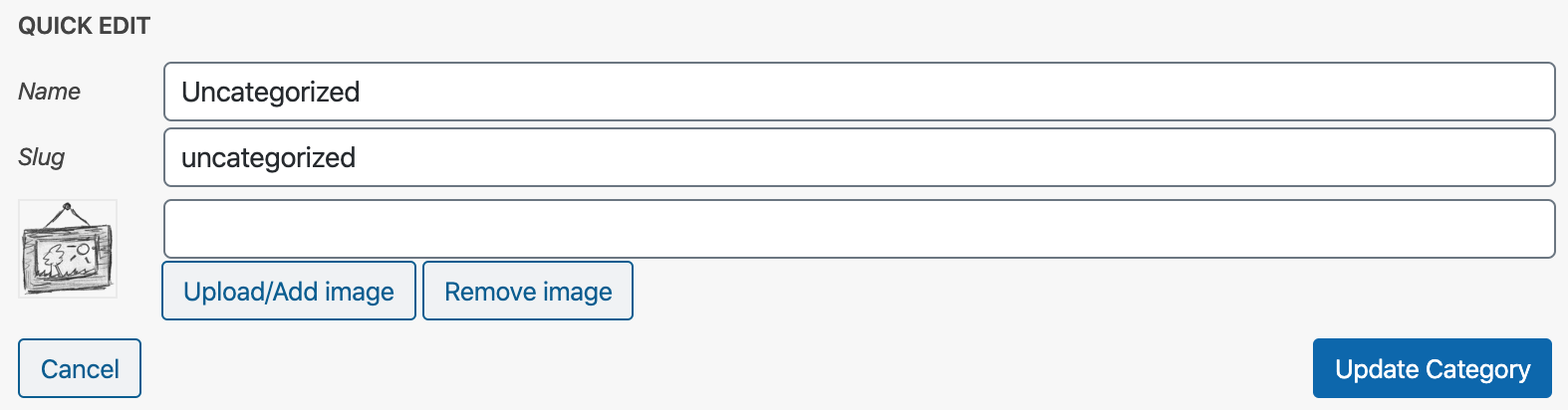
- Added image thumbnail, image text box, upload button and remove button in quick edit.
Thank so much to Joe Tse
1.2
- Adding some screenshots
1.1
- Fix javascript bug with wordpress 3.4
1.0
- The First Release