Category Notices for WooCommerce
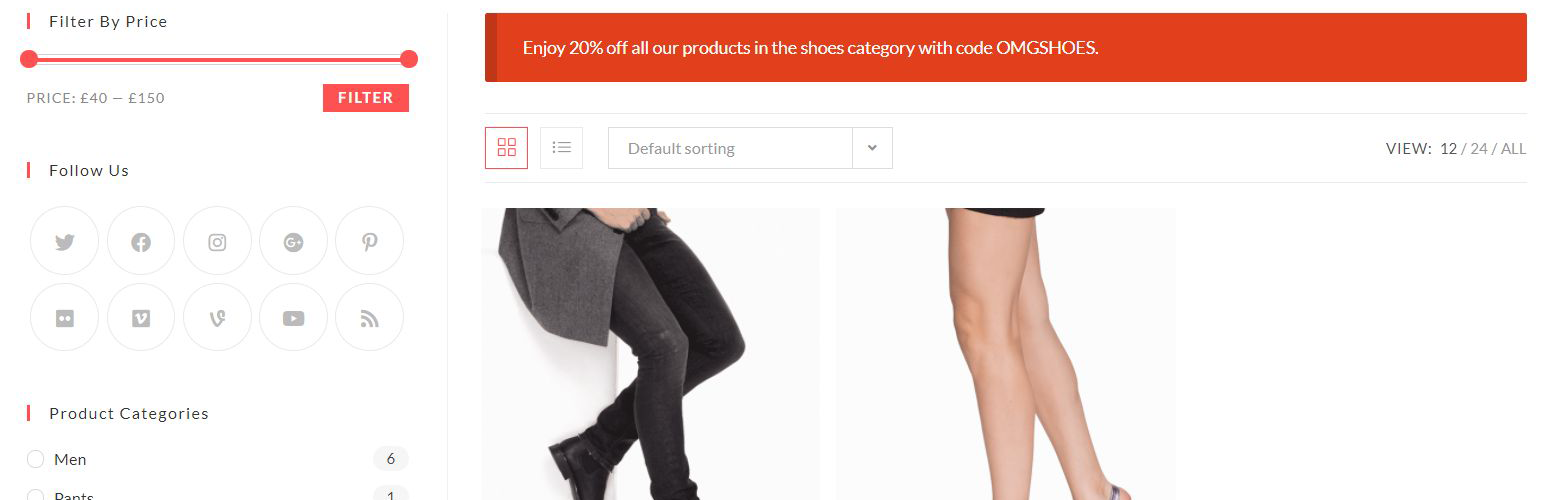
Category Notices for WooCommerce
Description
Giving your customers relevant information when you have sales, inventory problems, or important information related to the category your customers are browsing is made easy with Product Categories for WooCommerce.
Free Version:
- Target multiple categories
- Allows a, em, strong, and span html tags
- Add multiple notices to specified categories
- Add notices to products in specific categories
- Prevent checkout in specified categories based on state
- Modify category prices
- Wysiwig editor (Coming Soon)
Installation
- Backup WordPress
- Upload the plugin files to the
/wp-content/plugins/directory, or install the plugin through the WordPress plugins screen directly. - Activate the plugin through the ‘Plugins’ screen in WordPress
- Navigate to Products->Category Notices to configure the plugin
Screenshots

Frontend Example

Backend Settings
Faq
Simply navigate to Products->Category Notices via your backend and add your categories and your notice.
Simply navigate to Products->Category Notices and delete the content of the fields or you can simply deactivate the plugin.
Reviews
Rubbish
By 
You want to know why is rubbish? try it...
Changelog
1.0.5
- Bugfix: Error Handling
1.0.4
- Updated: Namespacing to our new standard
- Updated: Link to Enhanced Version
1.0.3
- Added: Validation
- Bugfixes
1.0.0
- Initial Release