CCAvenue Gateway Integration for WooCommerce
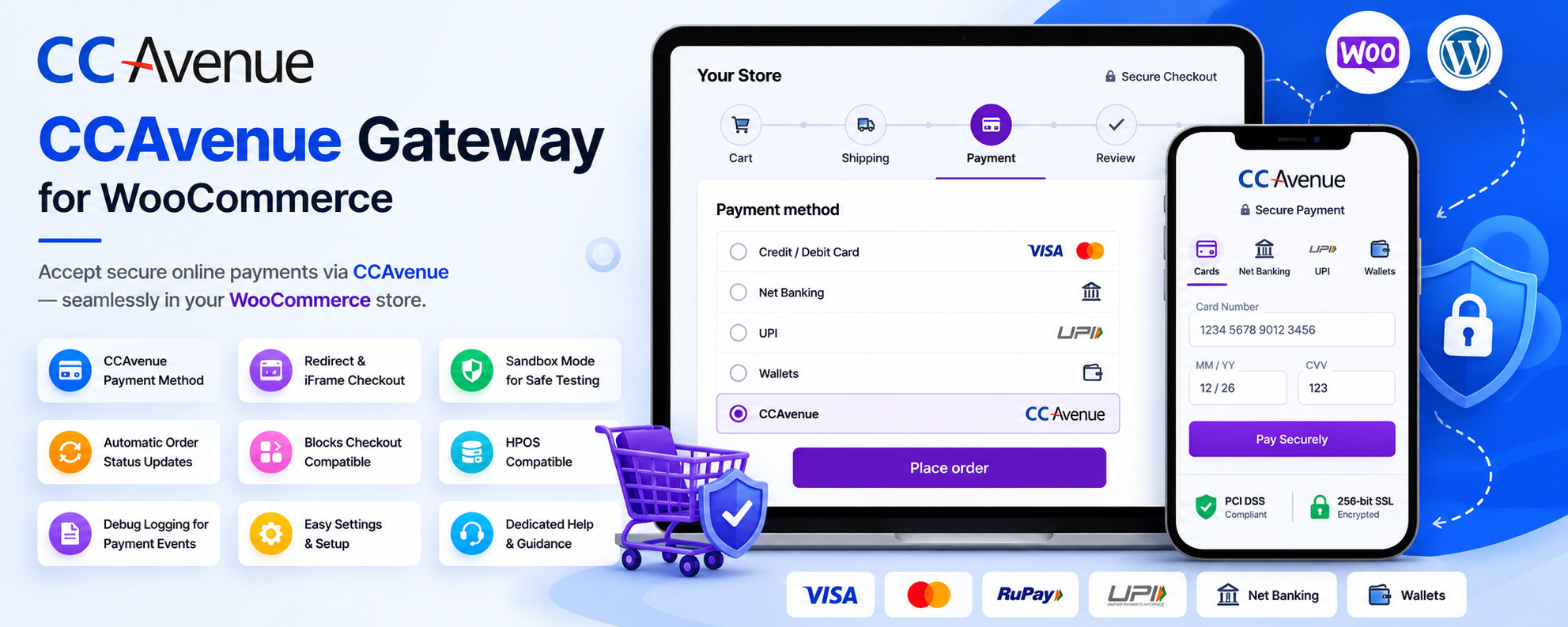
CCAvenue Gateway Integration for WooCommerce
Description
CCAvenue Gateway Integration for WooCommerce is the easiest way to connect your CCAvenue Merchant Account to your WooCommerce store. This free payment gateway plugin lets you securely accept UPI, Credit Cards, Debit Cards, and Net Banking payments directly at checkout — no coding required.
The plugin integrates CCAvenue seamlessly with WooCommerce and provides a smooth checkout experience. Store owners can choose between Redirect Checkout or Embedded iFrame Checkout depending on their preferred payment flow.
Built as a modern WooCommerce payment gateway, it is easy to configure and fully compatible with WooCommerce Checkout Blocks and High-Performance Order Storage (HPOS) — so your store stays fast, secure, and future-proof.
🚀 Upgrade to PRO – Unlock UAE / Middle East Support
Need to accept payments in the UAE or Middle East region?
Pro extends this free plugin with official CCAvenue UAE / Middle East support, licensed updates, and priority support.
- UAE / Middle East CCAvenue gateway region
- Licensed PRO activation + private updates
- Keeps all your existing free plugin settings and callback URL intact
Why Choose CCAvenue Gateway Integration for WooCommerce?
- Accept secure online payments through CCAvenue
- Easy WooCommerce Payment Gateway setup
- Supports Redirect Checkout
- Supports Embedded iFrame Checkout
- Sandbox Mode for testing transactions before going live
- Automatic WooCommerce order status updates
- WooCommerce Checkout Blocks compatibility
- HPOS (High-Performance Order Storage) compatibility
- Built-in debug logging for troubleshooting
- Secure payment response validation
- Simple configuration using Merchant ID, Access Code, and Working Key
Key Features
- Adds CCAvenue as a WooCommerce payment gateway
- Secure payment processing through your CCAvenue merchant account
- Redirect Checkout support
- Embedded iFrame Checkout support
- Sandbox Mode support
- Automatic order status synchronization
- WooCommerce Checkout Blocks compatibility
- HPOS compatibility support
- Optional debug logging
- Gateway setup checklist and guidance
- Secure transaction validation
- Lightweight architecture for better performance
Why Merchants Choose This Plugin
- A dedicated, purpose-built CCAvenue payment gateway for WooCommerce
- Fast, guided setup — no developer needed
- Flexible checkout: Redirect or Embedded iFrame
- Built-in Sandbox Mode to test before going live
- Fully compatible with WooCommerce Blocks Checkout and HPOS
- Free, lightweight, and actively maintained
Easy Setup
- Install and activate the plugin
- Navigate to WooCommerce Settings Payments
- Enable CCAvenue Gateway
- Enter your Merchant ID
- Enter your Access Code
- Enter your Working Key
- Select Sandbox Mode or Live Mode
- Save settings
- Start accepting payments through CCAvenue
Built for WooCommerce Merchants
Whether you operate a local business, online store, educational platform, service website, or subscription-based business, this plugin provides a secure and reliable payment solution.
It is especially useful for businesses operating in India that want to accept online payments through their existing CCAvenue merchant account while maintaining a smooth WooCommerce checkout experience.
The free version supports the India gateway region. UAE / Middle East support is available in the PRO version.
External Services
This plugin connects to the CCAvenue payment gateway to securely process payments.
Trademarks
CCAvenue and WooCommerce are trademarks of their respective owners. This plugin is an independent, third-party integration and is not officially affiliated with or endorsed by either.
Screenshots

WooCommerce Payments screen with CCAvenue Gateway enabled

CCAvenue Gateway settings page with merchant credentials configuration

WooCommerce checkout page displaying the CCAvenue payment option

CCAvenue Gateway Integration for WooCommerce admin dashboard with gateway readiness and setup checklist
Faq
Yes. WooCommerce must be installed and active. If WooCommerce is not active, the plugin automatically deactivates itself.
You need your Merchant ID, Access Code, and Working Key from your CCAvenue merchant account.
Yes. Sandbox Mode allows merchants to test payment transactions before enabling live payments.
Yes. Customers can be redirected to the secure CCAvenue payment page to complete their transaction.
Yes. Customers can complete payments using the embedded CCAvenue checkout experience.
Yes. The plugin is compatible with WooCommerce Checkout Blocks.
Yes. The plugin is compatible with WooCommerce High-Performance Order Storage (HPOS).
The plugin uses CCAvenue’s payment infrastructure. Customers can use UPI and other payment methods enabled in your CCAvenue merchant account.
Yes. Customers can use payment methods supported by your CCAvenue merchant account.
Currency availability depends on your CCAvenue merchant account configuration.
Yes. Payment responses received from CCAvenue automatically update the corresponding WooCommerce order status.
Yes. Debug logging can be enabled from the gateway settings for troubleshooting payment requests and responses.
No. Sensitive payment information is processed securely by CCAvenue and is not stored by the plugin.
Yes. The plugin is ideal for businesses operating in India that use CCAvenue to accept online payments through WooCommerce.
The free plugin supports the India gateway region only. CCAvenue UAE / Middle East support is available in TechBella Payment Gateway Pro.
You can create a support topic on the WordPress.org plugin support forum.
Reviews
Seamless integration and excellent support
By 
I’ve been using the CCAvenue Gateway Integration for WooCommerce plugin for my online store, and the experience has been very smooth. The setup process was straightforward, and once configured, it worked seamlessly with my checkout flow.
What I appreciate most is the wide range of payment options it supports - cards, UPI, net banking, and wallets, which makes it convenient for customers in India. Transactions are processed securely, and order statuses update automatically, saving me time on manual work.
The support team deserves a special mention. They are responsive and helpful, quickly resolving any minor issues I faced during initial setup. this one feels more reliable and better maintained.
Overall, this plugin has made accepting payments on WooCommerce hassle‑free. Highly recommended for anyone running an Indian e‑commerce store!
Changelog
1.0.3
- Added additional information sections to the plugin’s Settings and Help pages
- Added Help & Support and Rate this plugin links on the Plugins screen
- Added an optional review reminder on the plugin’s admin pages, with dismiss and remind-later controls
- Fixed an issue where the review reminder could never appear on sites where the plugin was already active before updating
- Refreshed the plugin description
1.0.2
- Updated tested-up-to compatibility for the latest WordPress and WooCommerce versions
- Minor bug fixes and code improvements
1.0.1
- Added payment region selection option in gateway settings
- Improved embedded iFrame checkout experience
- Fixed checkout page display issues
- Improved payment gateway stability and compatibility
- Enhanced gateway settings page usability
- Minor bug fixes and code improvements
1.0.0
- Initial public release
- Added CCAvenue payment gateway integration for WooCommerce
- Added redirect and iframe checkout support
- Added sandbox mode and debug logging options
- Added plugin admin pages for settings and help
- Added gateway readiness dashboard with setup progress, credential status, and callback URL details