Change Username

Change Username
Description
Change WordPress usernames from the user edit screen, with validation for existing users, illegal logins, and Multisite admins.
Change Username
WordPress does not let administrators change usernames by default. Change Username adds that option directly to the existing user edit screen, without a separate settings page.
Use it to update a WordPress username while keeping the same user ID, posts, comments, and profile data attached to the account.
Features
- Change any WordPress username from the existing user edit screen.
- Prevent username conflicts by checking whether the new username already exists.
- Block usernames that are listed as illegal logins.
- Follow the same username validation rules as WordPress core.
- Retain superadmin rights when changing the username of a Multisite super admin.
Requirements
- PHP version 7.4 or higher
- WordPress version 6.0 or higher
About the plugin author
Danny van Kooten has been building WordPress plugins since 2010, starting with WordPress 3.0.
He is the founder of ibericode, the small software company behind popular WordPress plugins including Mailchimp for WordPress and Koko Analytics.
Installation
Installing the plugin
- In your WordPress admin panel, go to Plugins > New Plugin, search for Change Username and click “Install now“
- Alternatively, download the plugin and upload the contents of
change-username.zipto your plugins directory, which usually is/wp-content/plugins/. - Activate the plugin
- Go to Users, edit a user, and change the username from the existing user edit screen.
Screenshots
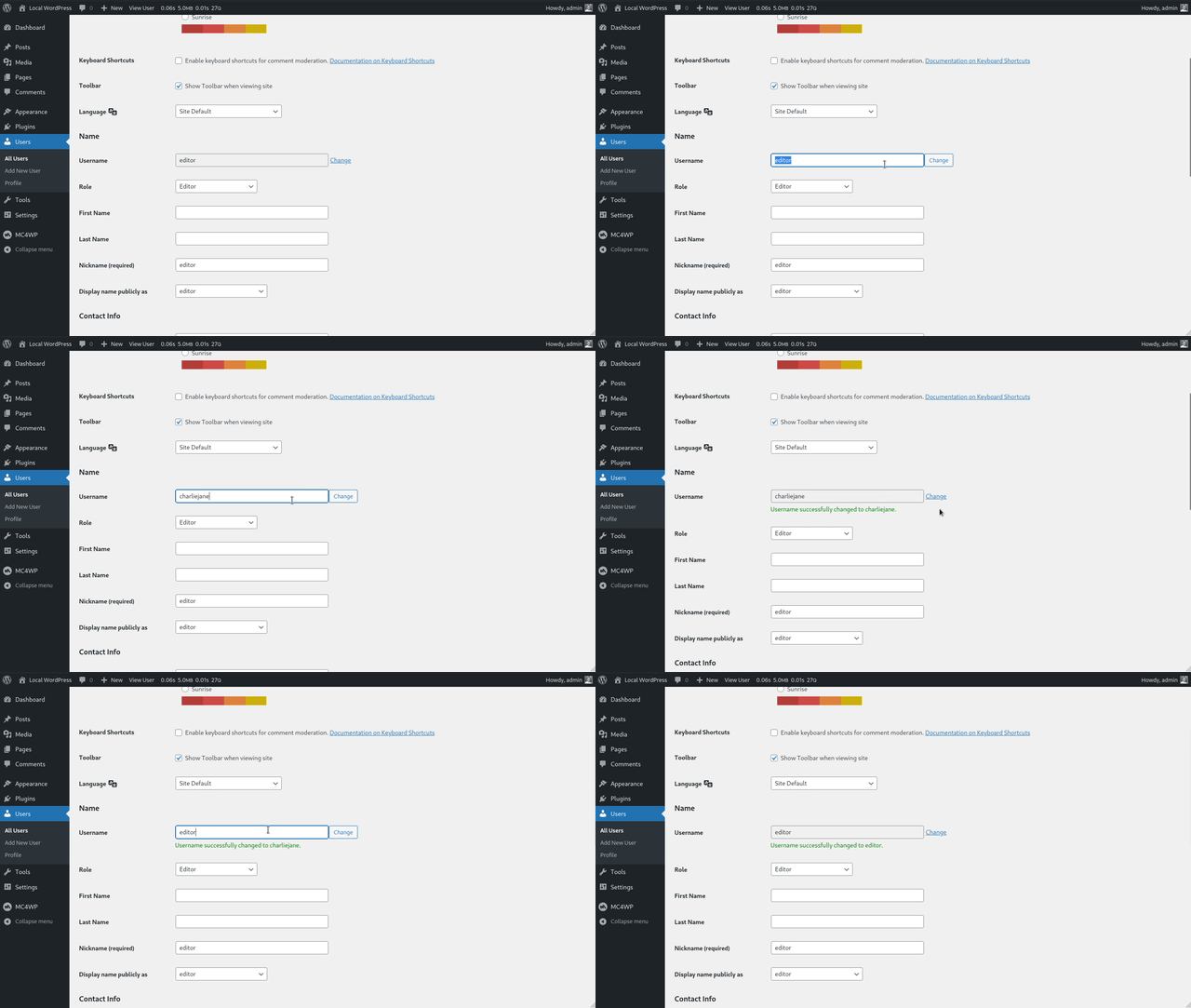
Change a WordPress username from the default user edit screen.
Faq
Go to Users, open the user you want to edit, and use the username control on the existing user edit screen.
Yes. Any user with the edit_users capability can change usernames, including administrator usernames.
Not right now. Only administrators with the edit_users capability can change usernames.
No. The plugin changes the user’s login name, but it does not change the user ID. Existing posts, pages, comments, and user metadata stay assigned to the same user account.
Yes. When changing the username of a Multisite super admin, the plugin keeps that user in the super admin list.
Please check if your server is running PHP version 7.4 or higher. The plugin will not do anything if you’re on an older version of PHP.
Reviews
Super!
By 
Super!
Does exactly what it should
By 
The plugin does exactly what it promises — and it does it well, without any issues.
Some might point out the lack of frequent updates, but in my opinion, that’s actually a good sign: when a plugin this simple works reliably, it means there’s nothing that needs fixing.
It also integrates perfectly into the user page, with no bloat or unnecessary overhead — clean, simple and efficient.
It still works well but hasn't been updated in a long time
By 
It still works well but it hasn't been updated in a long time, so I recommend another one: WP Edit Username
this did nothing
By 
I typed in the new username, but nothing happened. It does not work.
Great idea, as sometimes emails can become usernames
By 
Changelog
1.0.3 – Jun 19, 2026
- Bump required PHP version to 7.4 or higher.
- Bump required WordPress version to 6.0 or higher.
- Bump tested WordPress version to 7.0.
- Fix retaining Multisite super admin rights when the user is first in the super admin list.
- Improve sanitization of submitted username values.
- Add PHPCS and PHPStan checks to the release process.
- Exclude Makefile from plugin release packages.
1.0.2 – Oct 04, 2024
- Show message when new username is less than 3 characters long.
- Show message when new username is more than 60 characters long.
- Improved request validation in general.
- Remove ES6 code from JS file to support a wider range of browsers.
- Bump required PHP version to 7.2 or higher.
1.0.1 – Dec 23, 2022
- Always load minified JS asset by default
1.0 – Dec 2016
Initial release.