Chat AI with Dispatcher

Chat AI with Dispatcher
Description
Discover the Chat AI with Dispatcher plugin: a free live chat solution combining AI and human supervision for WordPress. It provides instant responses via a credit-based AI system with real-time dispatcher control.
Important: The plugin connects to an external AI service that incurs usage costs. Upon purchase, a starting credit equal to the full purchase price is credited to the user account to cover AI usage. Users can top-up credits if needed.
Why choose it?
- Combines AI speed with human accuracy.
- Prevents visitor frustration with real-time takeover.
- Mobile-friendly and easy to install.
Why Choose Chat AI with Dispatcher?
- AI + human power for perfect responses.
- Enhances customer experience.
- Reduces lost sales with instant support.
- Competitive edge over basic chatbots.
- Lightens support workload.
Key Features
- Dispatcher Mode: Live conversation monitoring.
- One-Click Takeover: Handle complex queries.
- Screenshot Upload: Visual issue support.
- Flexible Handover: Back to AI when done.
- Multilingual: Language-independent AI.
- Mobile-Friendly: Works on all devices.
External Services
This plugin connects to the vrcs.hu API to provide AI chatbot functionality, credit-based billing, and package management.
- Service: vrcs.hu
- Purpose: Provides AI-powered chatbot responses, credit management, and package selection for the plugin.
- Data Sent:
- During registration: Domain name, user email, store email.
- During credit monitoring: Registration ID, domain name, credit monitoring status (0 or 1).
- During package retrieval or registration check: Registration ID, domain name.
- When Data is Sent:
- When registering the plugin via the admin settings page.
- When enabling/disabling credit monitoring.
- When retrieving available packages or verifying registration status.
- Terms of Service: https://www.vrcs.hu/Terms-of-Use?route=information/information&language=en-gb
- Privacy Policy: https://www.vrcs.hu/Privacy-Policy-and-Notice?route=information/information&language=en-gb
Installation
- Upload the plugin ZIP to
/wp-content/plugins/or install via the WordPress Plugins screen. - Activate the plugin in the “Plugins” menu.
- Register on the settings page (starting credit equal to the purchase price will be applied) to activate the chat.
Check the support documentation for issues.
Screenshots

Customer Chat Interface -
screenshot-1.png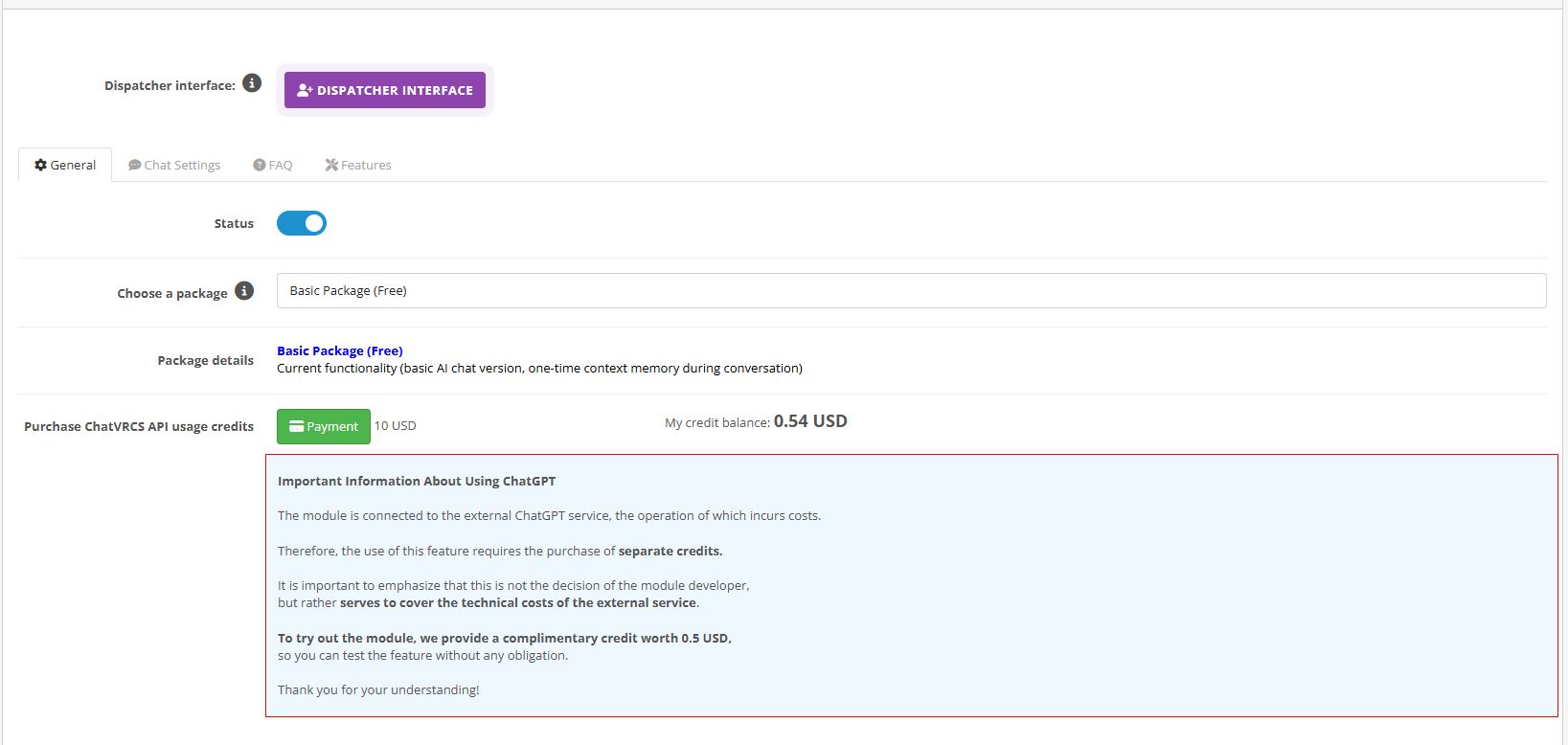
Admin Registration -
screenshot-2.png
Dispatcher Interface -
screenshot-3.png
Faq
A: Upload the ZIP or install via the Plugins screen, activate, and register with a few clicks.
A: A WordPress plugin with AI chat and human dispatcher support, using a credit system.
A: Online stores, websites, and anyone needing simple chat support.
A: No, it’s designed for non-technical users.
A: Free with starting credit equal to the purchase price; top-up if needed. Future premium options possible.
Reviews
Changelog
2.2.0
- WhatsApp Integration: Direct WhatsApp contact button added to the chat interface with admin-configurable phone numbers.
- Hybrid Support Logic: Seamlessly transition users from AI automation to a human dispatcher via WhatsApp.
- WAMP/Windows Compatibility: Critical fix for temporary file path handling (tmp_name) ensuring stability on Windows-based servers.
2.1.0
*Interactive Multimedia Toolbar: New iconography system in the chat footer for better accessibility and tool selection.
*Enhanced Session Stability: Optimized real-time polling to ensure chat history and images are perfectly synchronized.
2.0.0
- Real-time Multi-Tab Sync: Added instant synchronization between browser tabs. Chat history and states now update simultaneously across all open windows.
- Integrated User Auth: New login and registration system integrated directly into the chat workflow.
- Unified Core Logic: Complete rewrite of the JavaScript engine for faster execution and more reliable cross-browser performance.
- New Modern UI: Redesigned chat interface and a more intuitive, organized admin dashboard for a professional user experience.
1.0.3.2
- Added real-time image preview (thumbnail) in the chat window after selecting a file and before/during upload.
- Improved user experience (UX) for visual feedback during support interactions.
1.0.3.1
- Fixed JS file to correctly reload uploaded images and question–answer data when the user refreshes the page.
-
(Minor adjustment to restore proper state handling after reload.)
-
Updated CSS for the footer input field to ensure consistent height and appearance across different templates.
1.0.3
This update includes the complete transition to the “chataiwd” naming convention, a Bootstrap upgrade,
and more accurate, language-aware AI query responses.
1.0.2
- Added External Services section to readme.txt to document vrcs.hu API usage.
- Ensured compliance with WordPress.org review requirements.
1.0.1
- Bugfix: fixed changes requested by WP review
- Code cleanup
1.0.0
- Initial release with AI chat and dispatcher functionality.