Chat Assist for WooCommerce
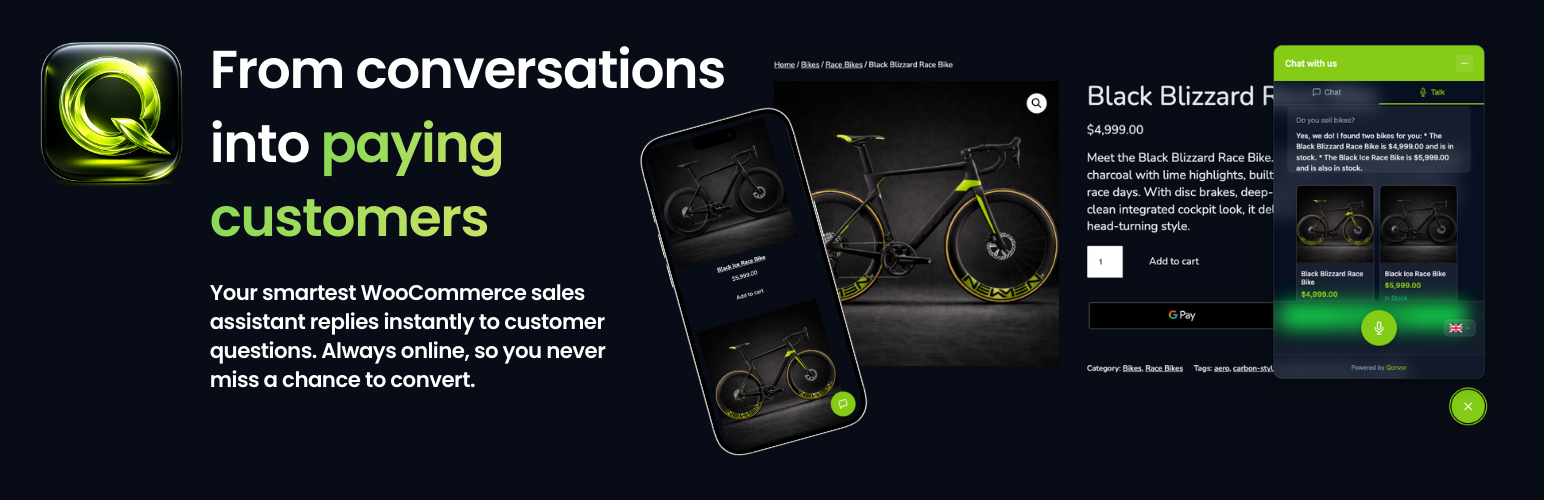
Chat Assist for WooCommerce
Description
Chat Assist for WooCommerce adds an intelligent chat widget to your WooCommerce store that helps customers find products, get answers about shipping and returns, and more.
Free Features (No signup required):
- Rules-based chat that works out of the box
- Automatic product search and recommendations
- Product comparison (side-by-side price, stock, features)
- Order status lookup (order number + billing email)
- Shipping, return, and payment policy answers
- Custom FAQ support
- Quick reply buttons (customizable per language)
- Lead capture (optional email collection)
- Cart recovery nudge (one-time reminder for items in cart)
- Discount and sale product display
- Category browsing
- Multilingual widget interface
- Works entirely on your server — no external services needed
Premium Features (Subscription required via qonvor.com):
- AI-powered natural language understanding
- Voice chat with real-time transcription (Business & Pro plans)
- Knowledge base uploads (PDF/CSV)
- Conversation transcripts with search and filters
- Analytics dashboard (conversations, usage trends, popular topics)
- Agent handoff with email notification and transcript
- Shop context awareness (cart, products, policies)
- Smart AI fallback — seamless switch to free chat when AI is unavailable, automatic recovery
- Starter: 100 min/mo, 60s sessions, text only
- Business: 200 min/mo, 120s sessions, text + voice
- Pro: 500 min/mo, 180s sessions, text + voice, all languages
External Services
Free mode does not connect to any external service. All chat processing happens locally on your WordPress server.
Premium mode connects to the Qonvor backend API (api.qonvor.com) to provide AI-powered text and voice chat features. When premium mode is enabled, the following data is transmitted to the Qonvor API:
- A hashed (SHA-256) visitor IP address (never the raw IP)
- The current page URL (query strings are stripped)
- Product and cart context from WooCommerce (names, prices, stock status)
- Chat messages entered by the visitor
- Audio data when voice chat is active
This data is processed in accordance with Qonvor’s privacy policy and terms of service:
No data is sent to Qonvor unless you explicitly configure the backend connection in the plugin settings.
Installation
- Upload the plugin files to
/wp-content/plugins/woo-chat-assist/ - Activate the plugin through the ‘Plugins’ screen in WordPress
- Go to Chat Assist in the admin menu to configure the widget
- Use the Gutenberg block, shortcode
[chafwc_chat], or enable auto-inject
Screenshots

Step by Step - Setup Guide.

Customise your Chat Assistant to your needs.

Statistics & Usage Insights.

Conversation Overview & Customer Questions.

Customise your Chat Assist Widget.

Automated 24/7 Customer Assistance for Your Store.
Faq
Yes, Chat Assist for WooCommerce requires WooCommerce 7.0 or later to be installed and activated.
Yes! The free rules-based chat works without any external service. Simply install and configure.
AI features require a subscription. Visit qonvor.com to sign up, then enter your Backend URL and Site Token in the plugin settings under Backend Connection.
The free chat uses your site’s language. AI text and voice support English on the Starter plan, EN/DE/FR/ES on Business, and EN/DE/FR/ES/IT/NL/JA on Pro.
In free mode, no data leaves your server. In premium mode, visitor chat messages and page context are sent to the Qonvor API for AI processing. Visitor IP addresses are hashed before transmission and never stored in raw form. See the External Services section for full details.
The widget automatically falls back to free rules-based chat. The voice tab is hidden and a brief message is shown. The widget silently retries AI every 60 seconds and restores full functionality when AI becomes available again.
Yes. Customers can ask about their order or click “Track my order”. The chat shows an inline form for order number and billing email, then displays an order card with status, items, and tracking info.
Reviews
Changelog
1.0.0
- Initial release