Kognetiks Chatbot

Kognetiks Chatbot
Description
💬 AI Chat Made Simple
The Kognetiks Chatbot helps you turn your WordPress site into a smart, conversational experience – easily. Whether you want to answer customer questions, assist visitors, or showcase AI innovation, Kognetiks Chatbot makes it simple, secure, and scalable.
We make AI chat simple for WordPress.
🚀 Get Started Fast
Install the plugin, connect your preferred AI engine (OpenAI, NVIDIA, Anthropic, Mistral, DeepSeek, Azure, or JAN.AI), and start chatting. No complex setup. No developer required. Just plug, connect, and chat.
🧠 Built for Every WordPress User
From bloggers and educators to small business owners and agencies, Kognetiks Chatbot helps you deliver engaging, real-time conversations that delight your visitors.
✨ Key Features
- Simple Setup – Install, activate, and start chatting in minutes.
- Multiple AI Engines – Choose OpenAI, NVIDIA, Anthropic, Mistral, DeepSeek, Azure, or run your own local JAN.AI server (no API fees, no external data transfer).
- Embedded or Floating Chat – Place your chatbot anywhere using easy shortcodes.
- Knowledge Navigator – Teach your chatbot your site’s content for smarter, context-aware answers.
- Custom Assistants – Create specialized assistants for support, sales, education, or internal knowledge.
- Conversation Logging – Review interactions, export chat logs, and improve user experience.
- Sentiment Analysis – Gain insights into visitor sentiment and improve your chatbot’s performance.
- Speech Recognition & Voice Replies – Talk and listen for a natural AI chat experience.
- Multi-Language Ready – Automatically adapts to your WordPress site’s language.
- Privacy & Security First – Manage API keys safely and keep data secure.
🌐 Why Choose Kognetiks Chatbot
- Simple by Design – Every feature is built for clarity and ease of use.
- Works Everywhere – Chatbot works on all devices, including mobile, tablet, and desktop.
- Flexible by Nature – Works with leading AI engines and open-source models.
- Trusted by Creators – Designed for site owners, developers, and agencies who want to offer AI without complexity.
- Powerful Yet Affordable – Use APIs or local AI servers to control costs.
🧩 We Make AI Chat Simple
Add intelligence, not complexity.
With Kognetiks Chatbot, your WordPress site becomes a smart, conversational hub that engages, informs, and supports – all with a few clicks.
Learn more at Kognetiks.com
External Services
The Kognetiks Chatbot plugin relies on external AI services to provide chatbot functionality. It sends user queries and related data to a third-party AI provider for processing and response generation. By using this plugin, you agree to abide by each service’s terms of service and privacy policy:
- OpenAI: Terms of Use | Privacy Policy
- Azure OpenAI: Terms of Use | Privacy Polisy
- NVIDIA: Terms of Use | Privacy Policy
- Anthropic: Terms of Service | Privacy Policy
- DeepSeek: Terms of Use | Privacy Policy
- Mistral: Terms of Service | Privacy Policy
- JAN.AI: About | Privacy Policy
IMPORTANT:
-
This plugin requires an API key from OpenAI, NVIDIA, Anthropic or DeepSeek to function. Without an API key, the chatbot cannot process user queries.
-
Obtain API keys here:
-
By entering your API key from the AI provider of your choice and activating the chatbot, you:
- Consent to sending user queries and related data to the selected AI provider for processing and response generation.
- Agree to abide by the provider’s terms of service, pricing, and privacy policy.
- Acknowledge that your data, including text submitted by users, may be transferred to and processed by the AI platform in accordance with its privacy policy.
NOTE: You are responsible for any fees associated with the use of the selected AI platform. Be sure to review each provider’s pricing and usage policies before proceeding.
Disclaimer
WordPress, OpenAI, ChatGPT, NVIDIA, NIM, Anthropic, Claude, DeepSeek, Mistral, Azure and related trademarks are the property of their respective owners. Kognetiks is an independent entity and is not affiliated with, endorsed by, or sponsored by WordPress Foundation, OpenAI, NVIDIA, Anthropic, DeepSeek, or Mistral.
Installation
-
Upload the Plugin
- Go to Plugins Add New Upload Plugin.
- Upload the
chatbot-chatgpt.zipfile and click Install Now.
-
Activate
- Click Activate Plugin when installation completes.
-
Connect Your AI Engine
- In Settings Kognetiks Chatbot, choose an AI platform and enter your API key (OpenAI, NVIDIA, Anthropic, DeepSeek, Mistral, or Azure).
- Or connect to a local AI server like JAN.AI – no API key needed.
-
Add to Your Site
- Use the shortcode
[chatbot]or[chatbot style=floating]to add AI chat anywhere. - For embedded chat, use
[chatbot style=embedded].
- Use the shortcode
-
Teach Your Chatbot
- Use the Knowledge Navigator to scan your site and make responses context-aware.
Screenshots
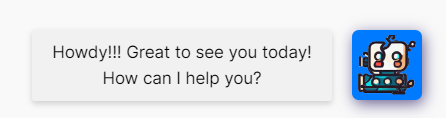
Floating Chatbot - Howdy!
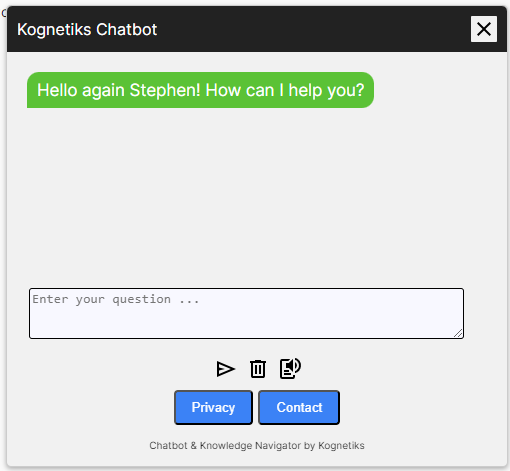
Floating Chatbot - Open example
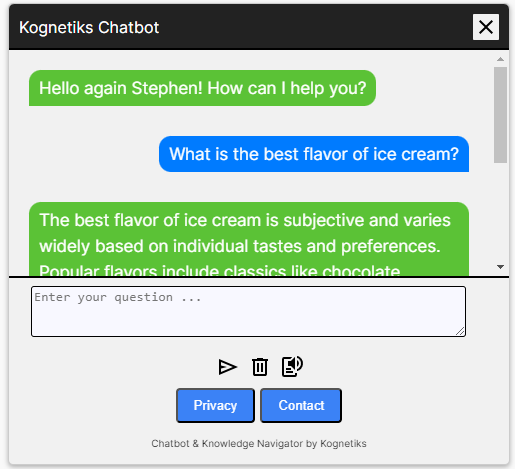
Floating Chatbot - Open with interaction
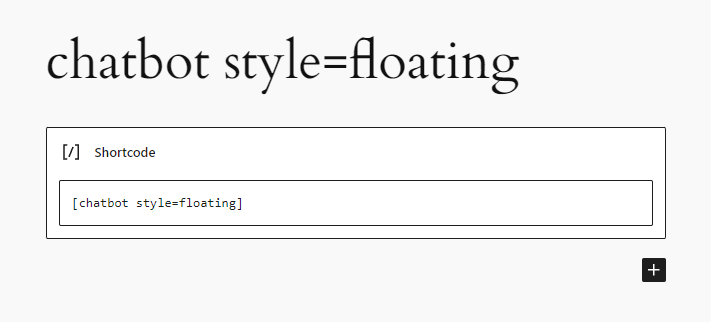
Floating Chatbot - Shortcode example
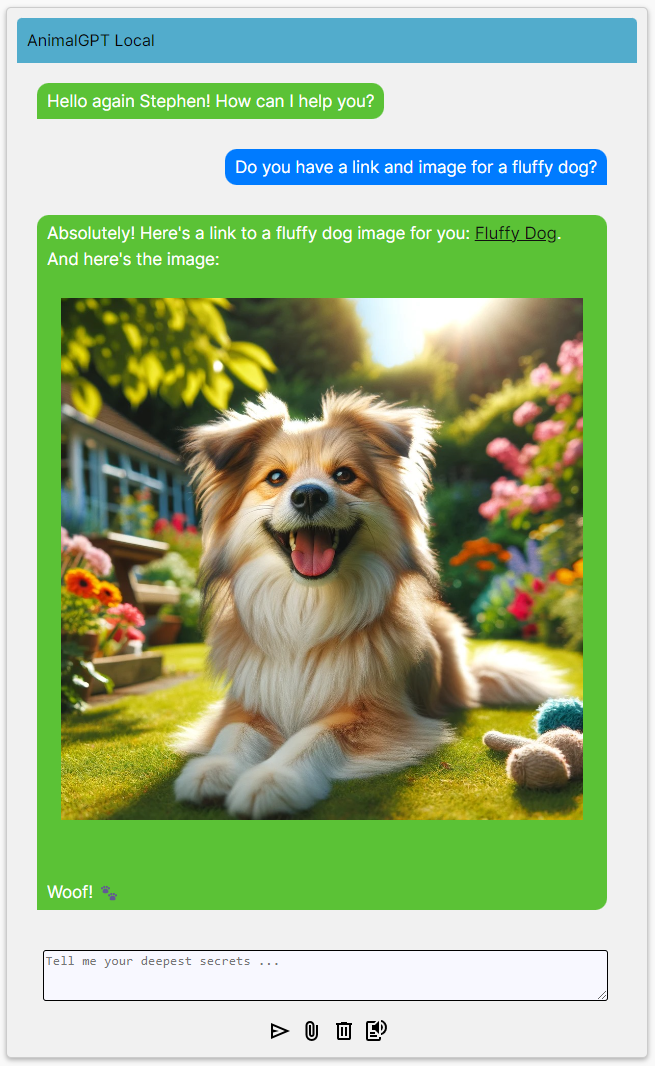
Embedded Chatbot - Open example
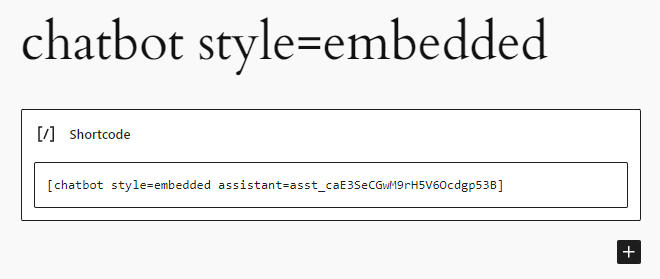
Embedded Chatbot - Shortcode example
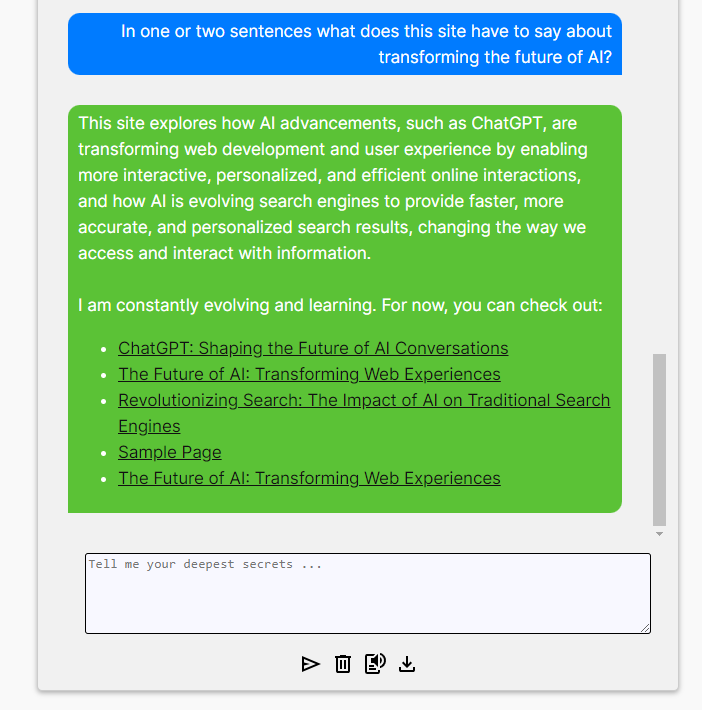
Embedded Chatbot - With enhanced response
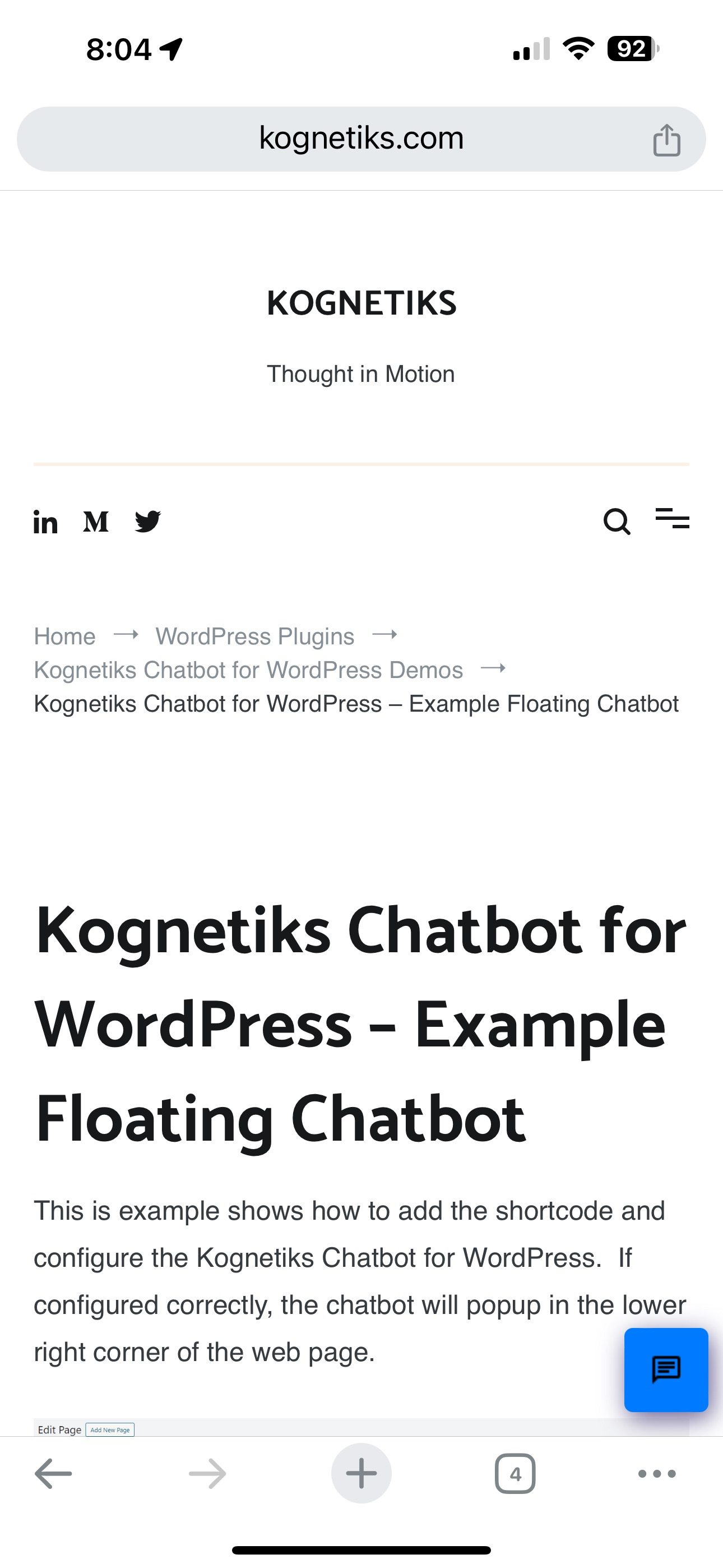
Mobile Chatbot - Minimized
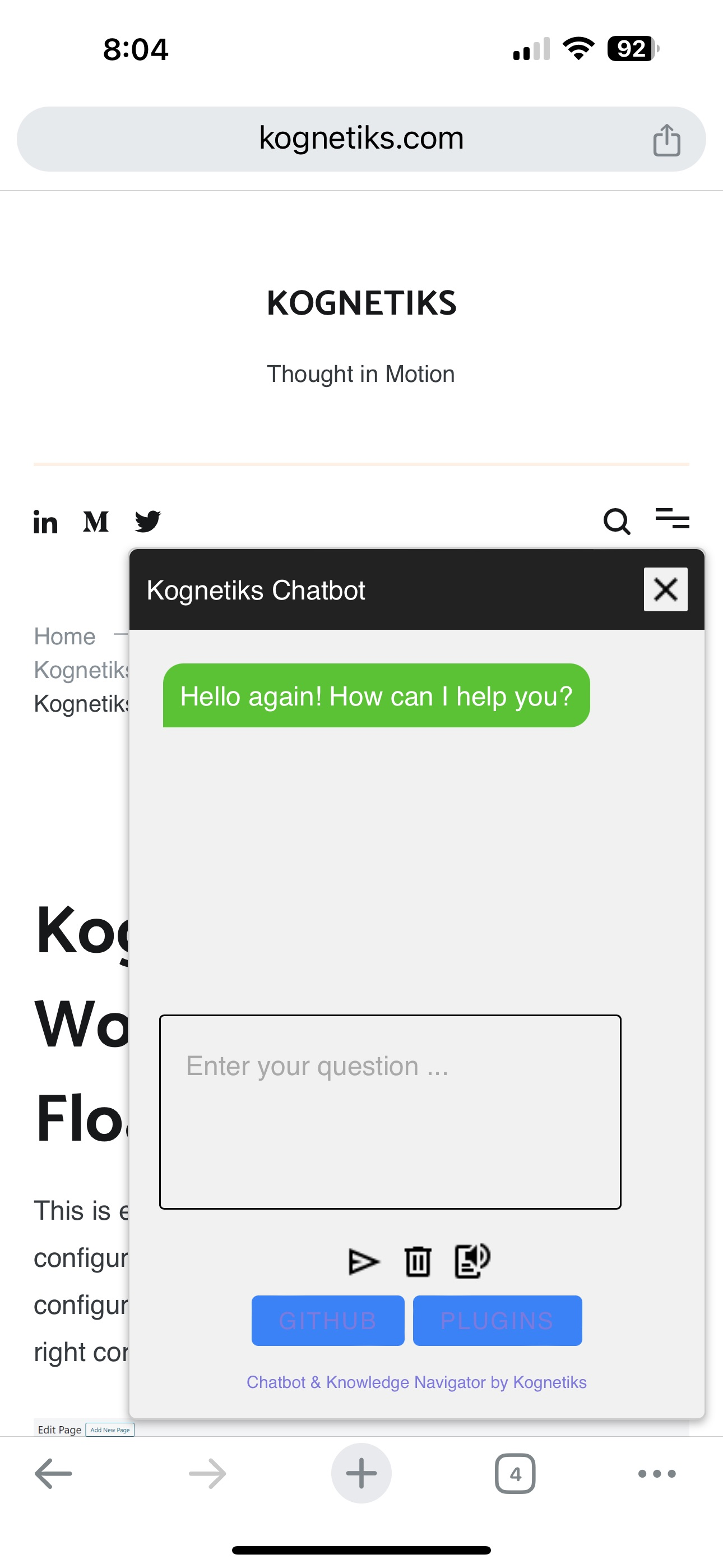
Mobile Chatbot - Open example
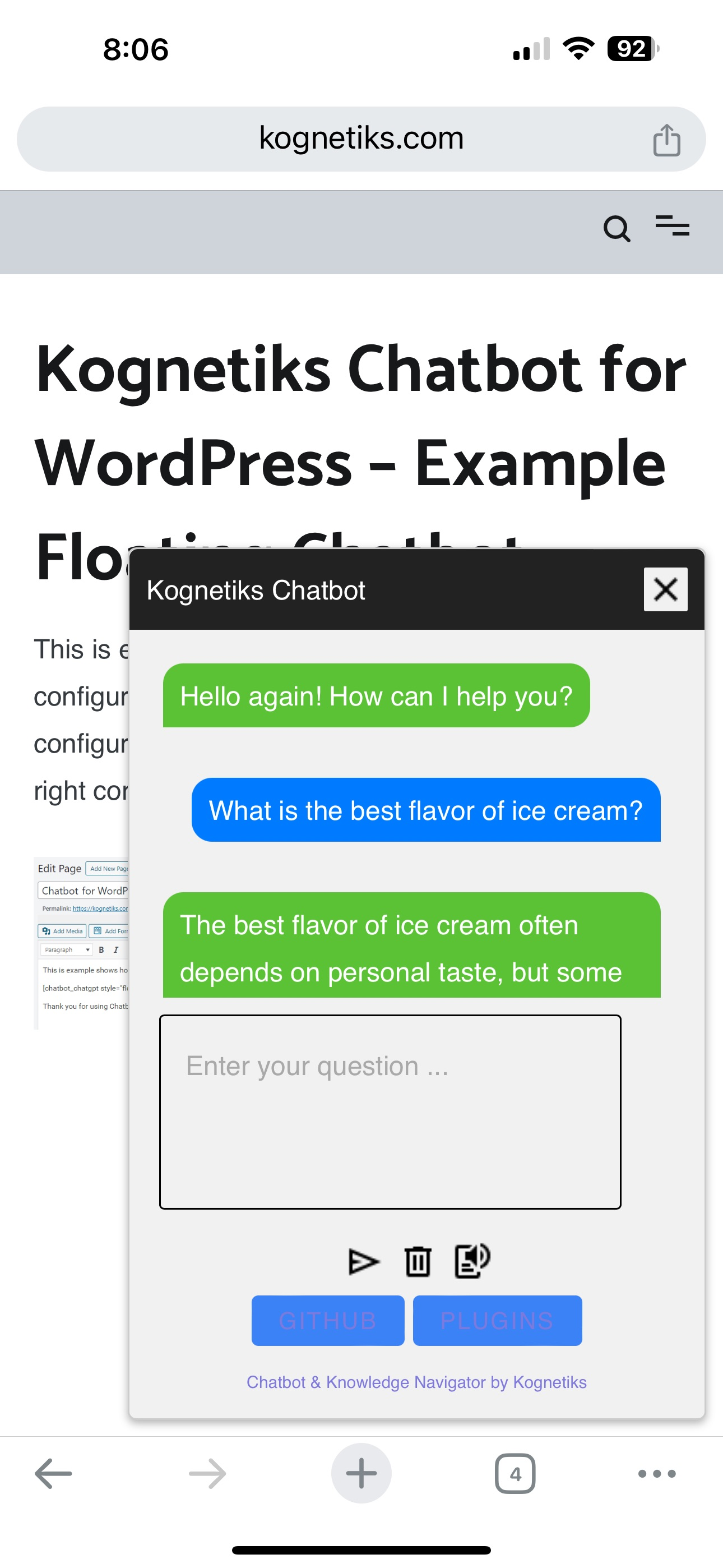
Mobile Chatbot - Open example
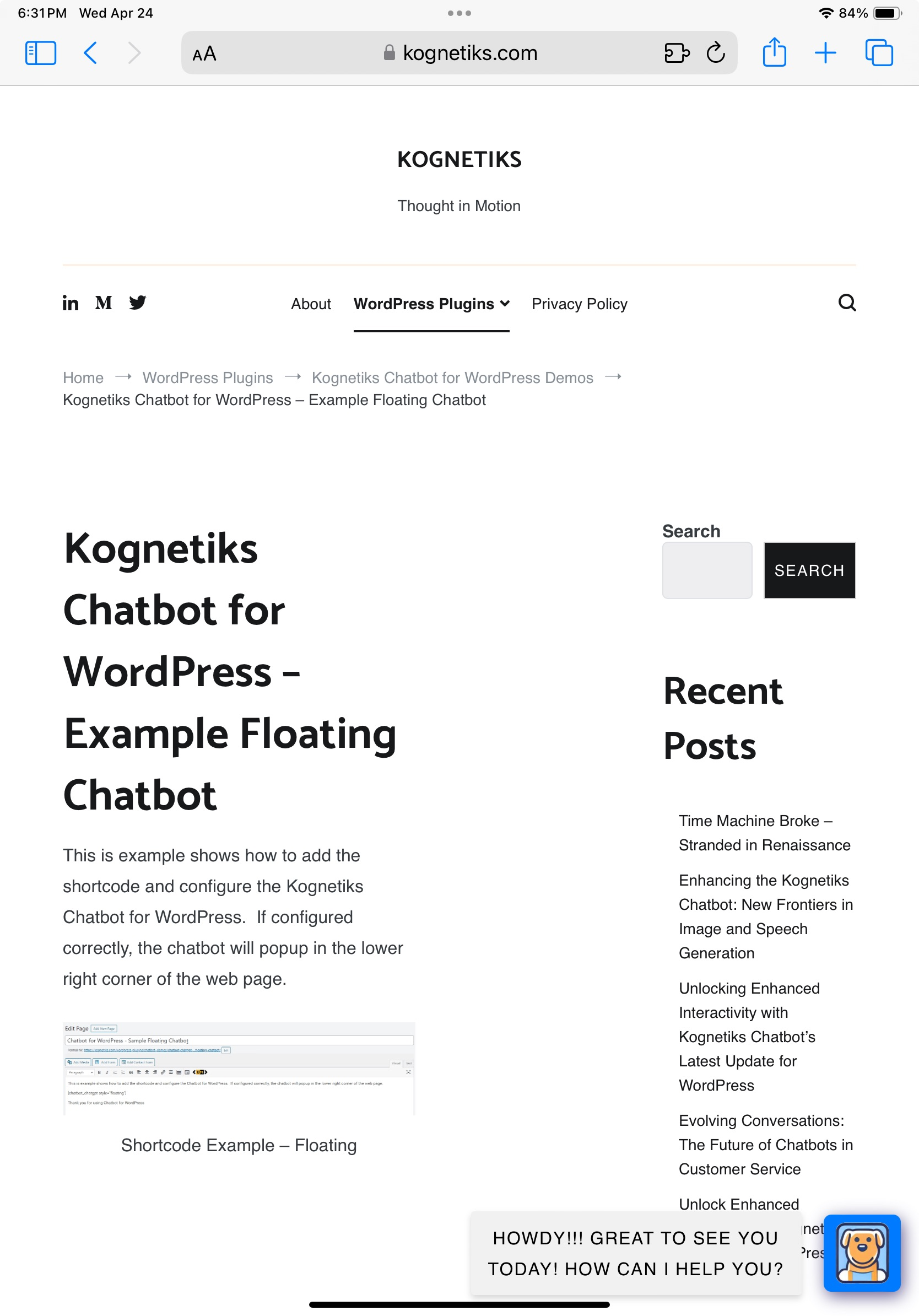
Mobile Chatbot - Tablet Minimized
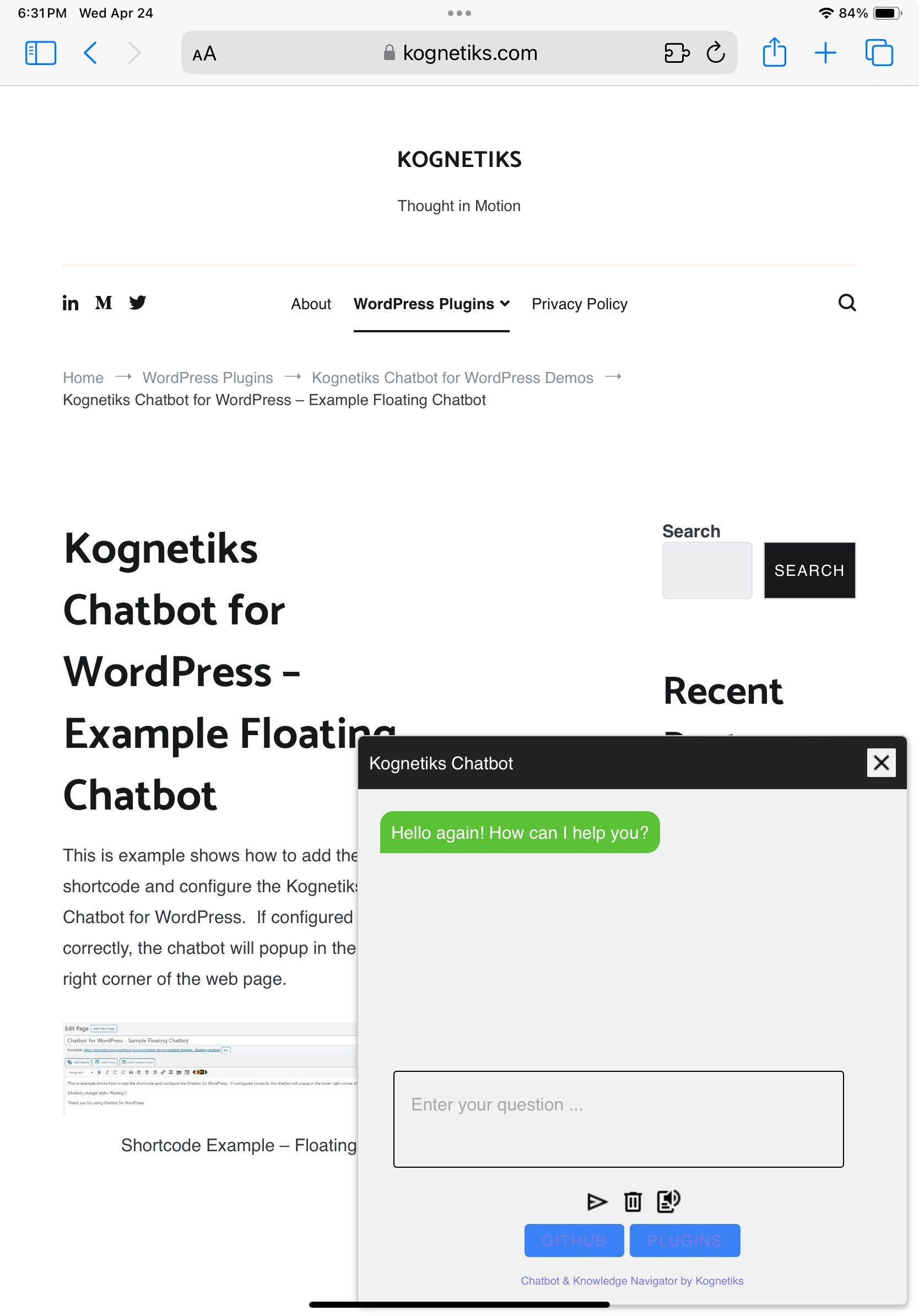
Mobile Chatbot - Tablet Open example

Mobile Chatbot - Tablet Landscape example
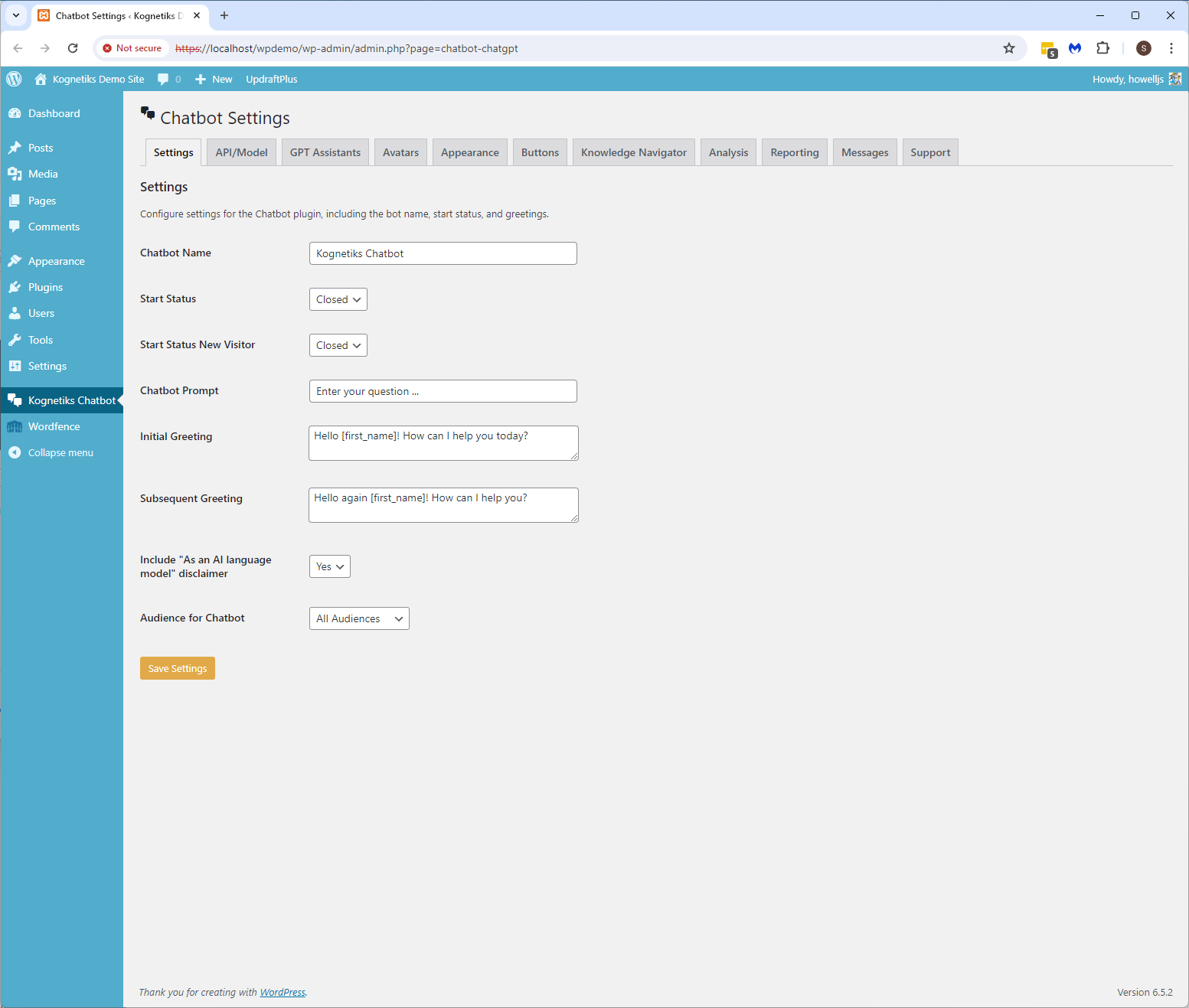
Chatbot Setting - Main settings
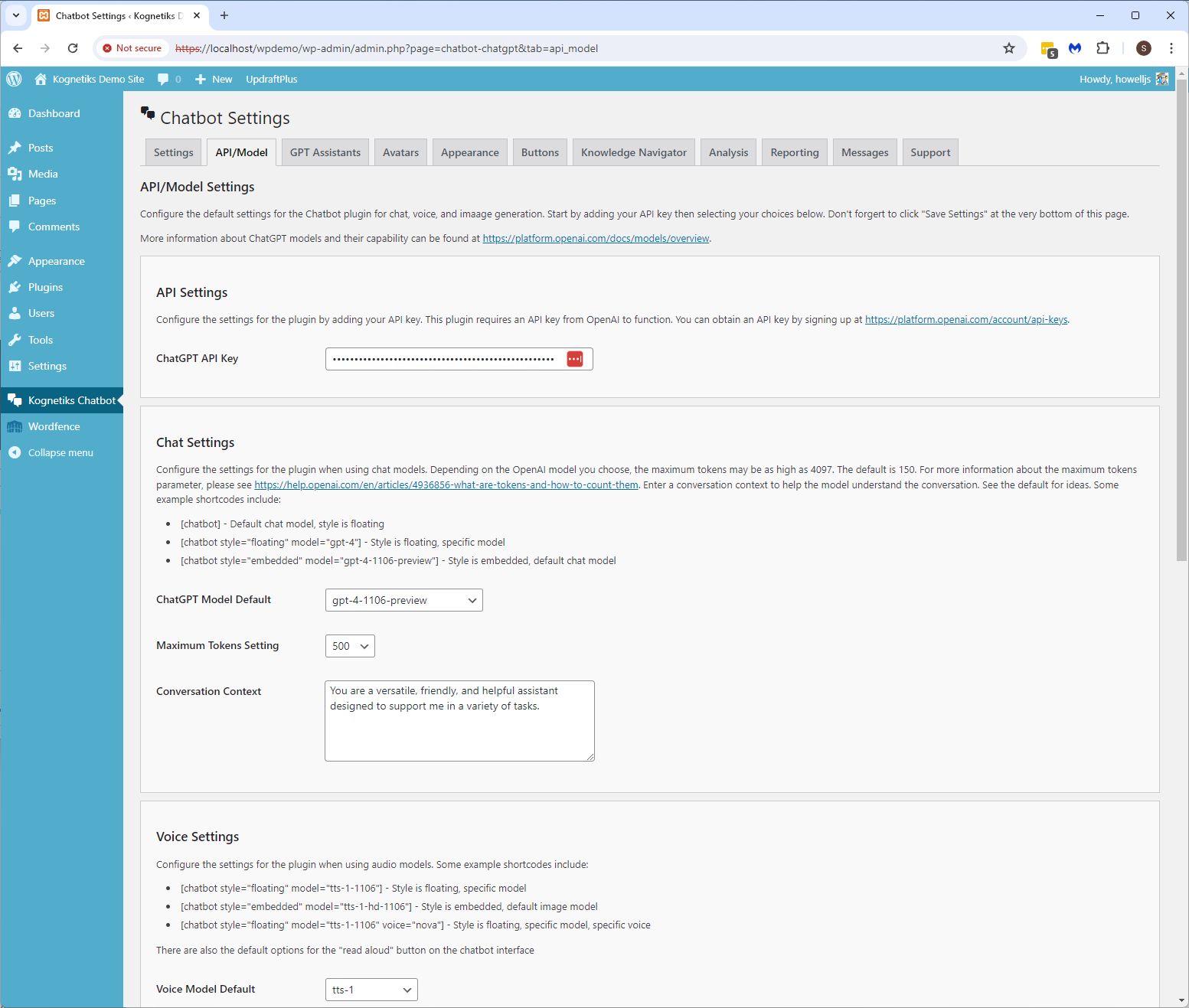
Chatbot Setting - API/ChatGPT Settings
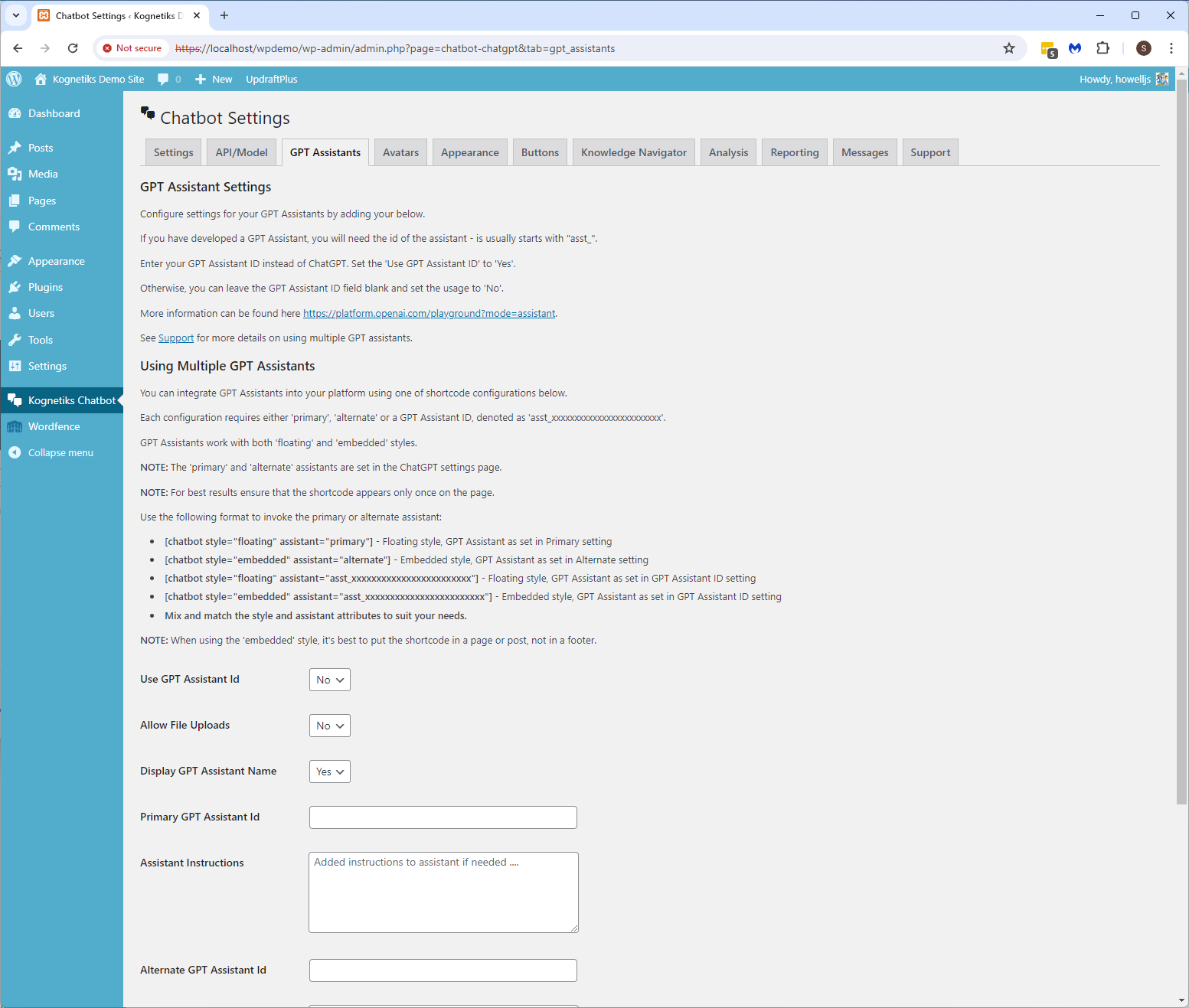
Chatbot Setting - GPT Assistant settings
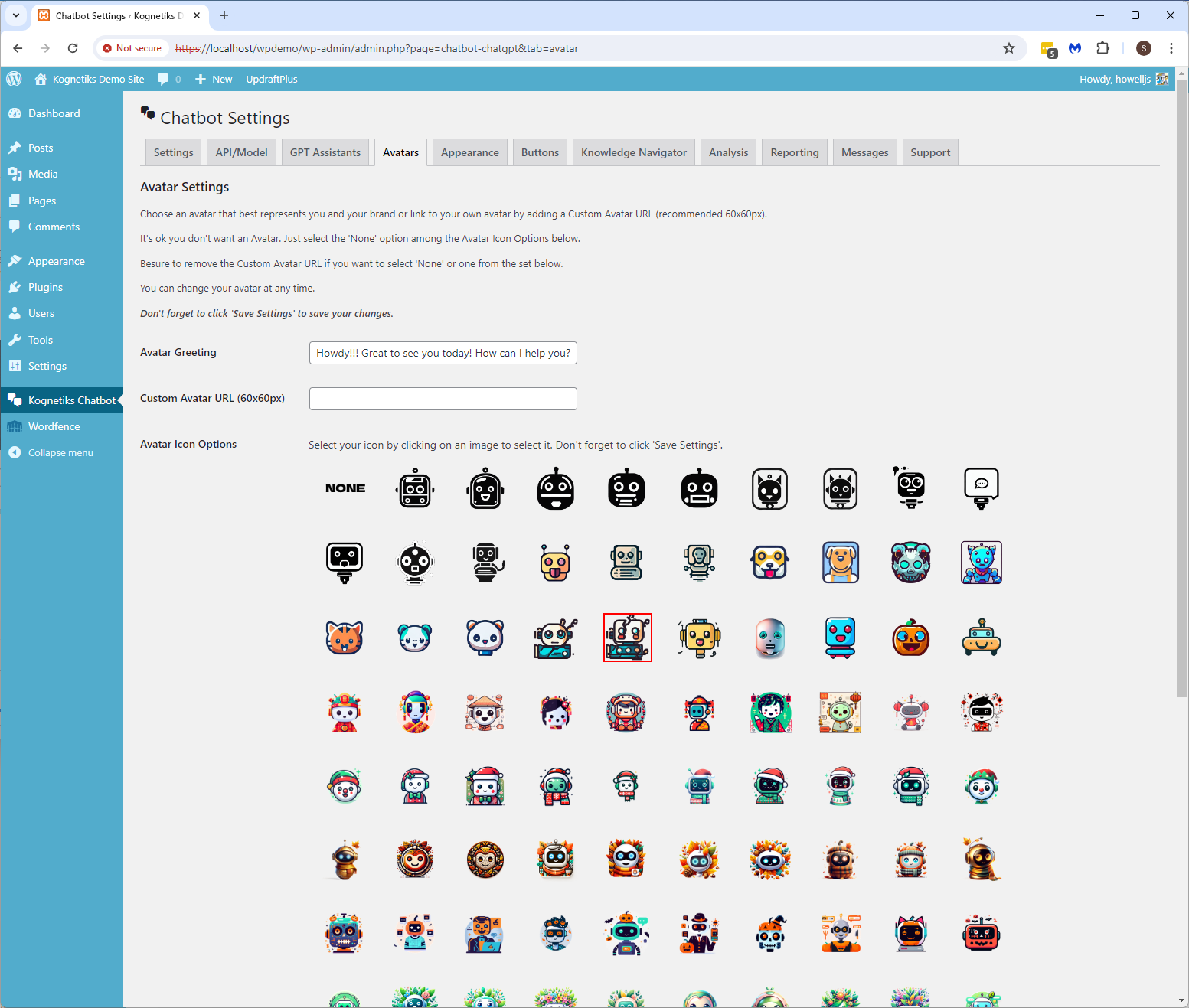
Chatbot Setting - Avatar settings
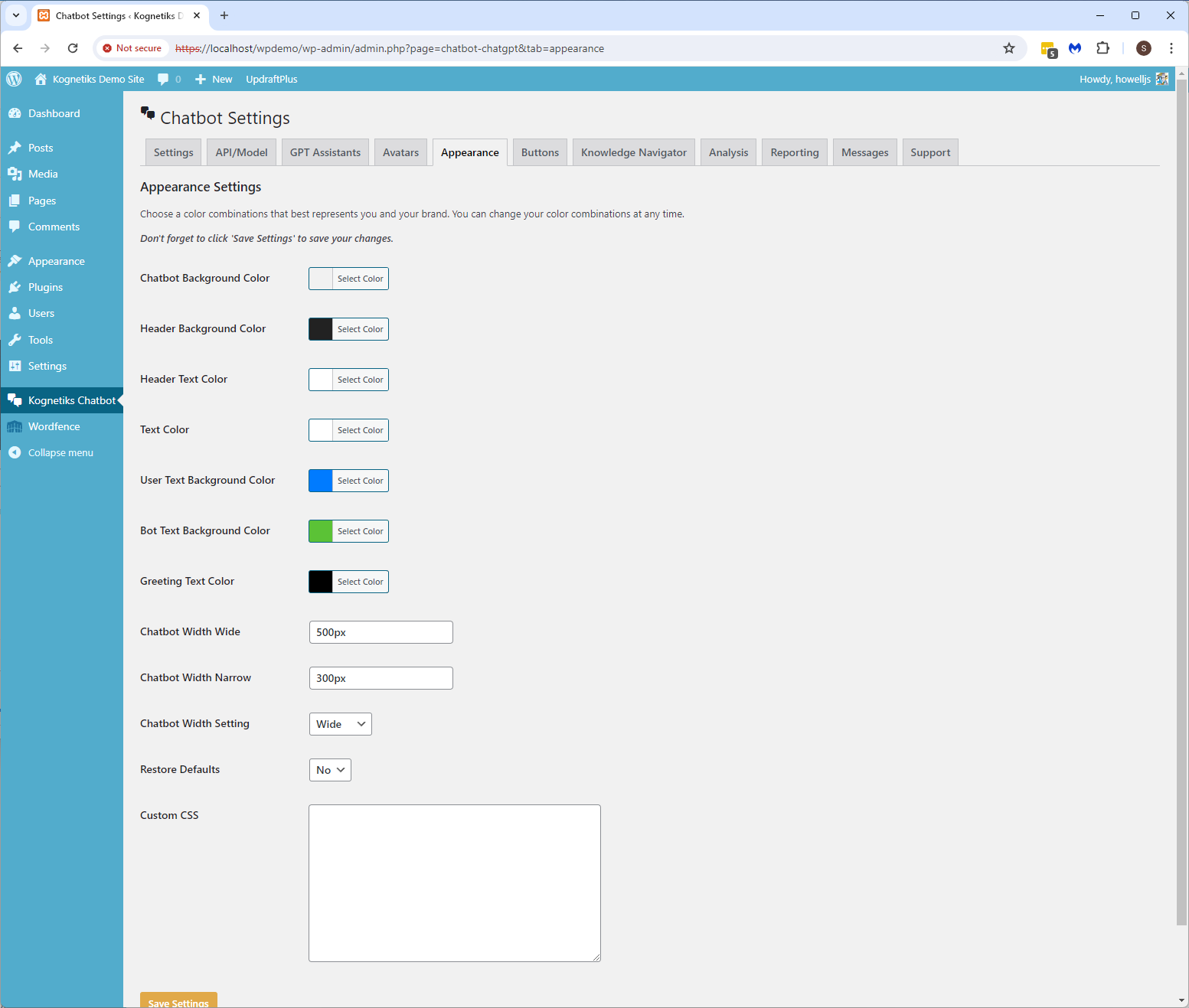
Chatbot Setting - Appearance settings
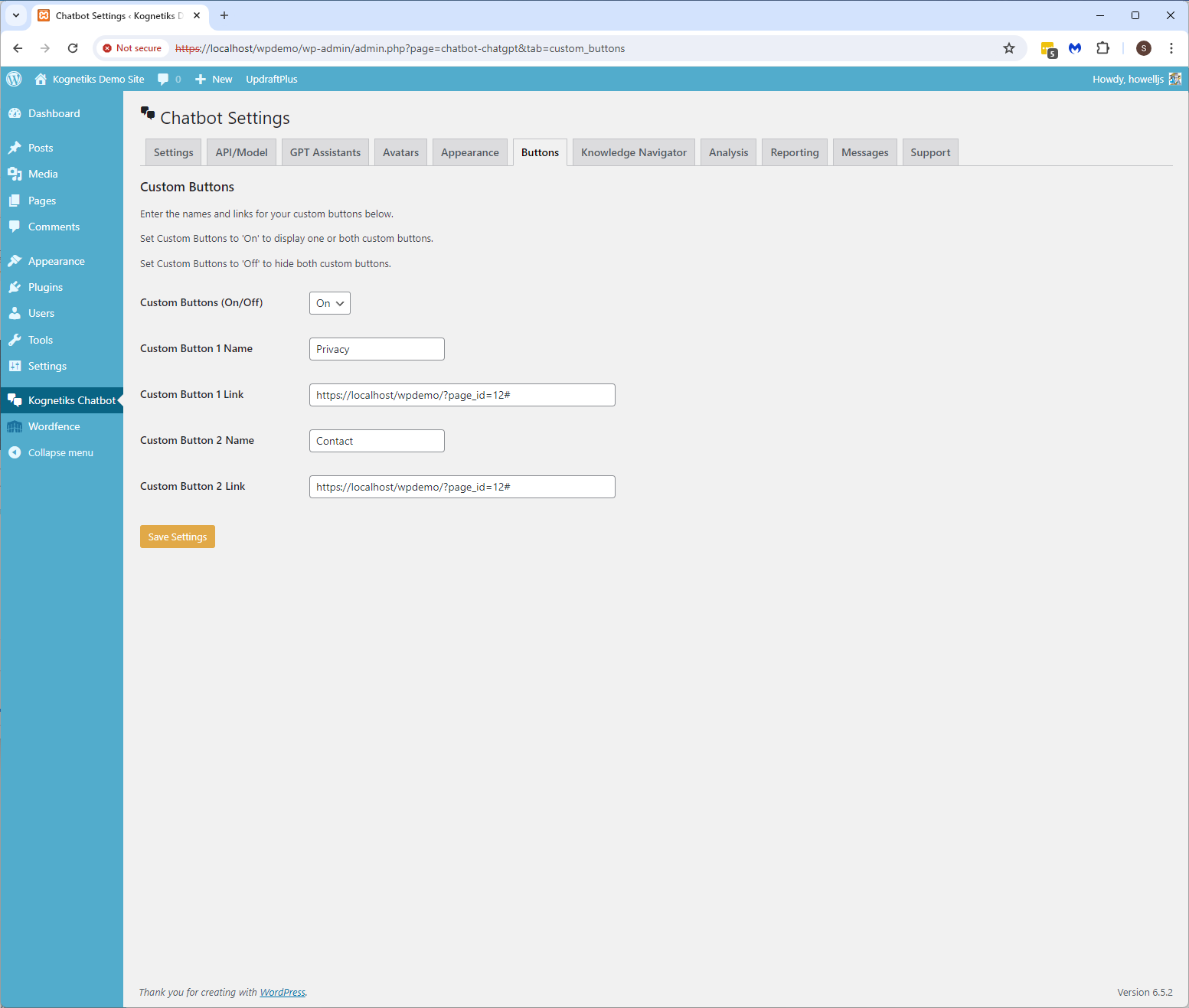
Chatbot Setting - Custom button settings

Chatbot Setting - Knowledge Navigator settings
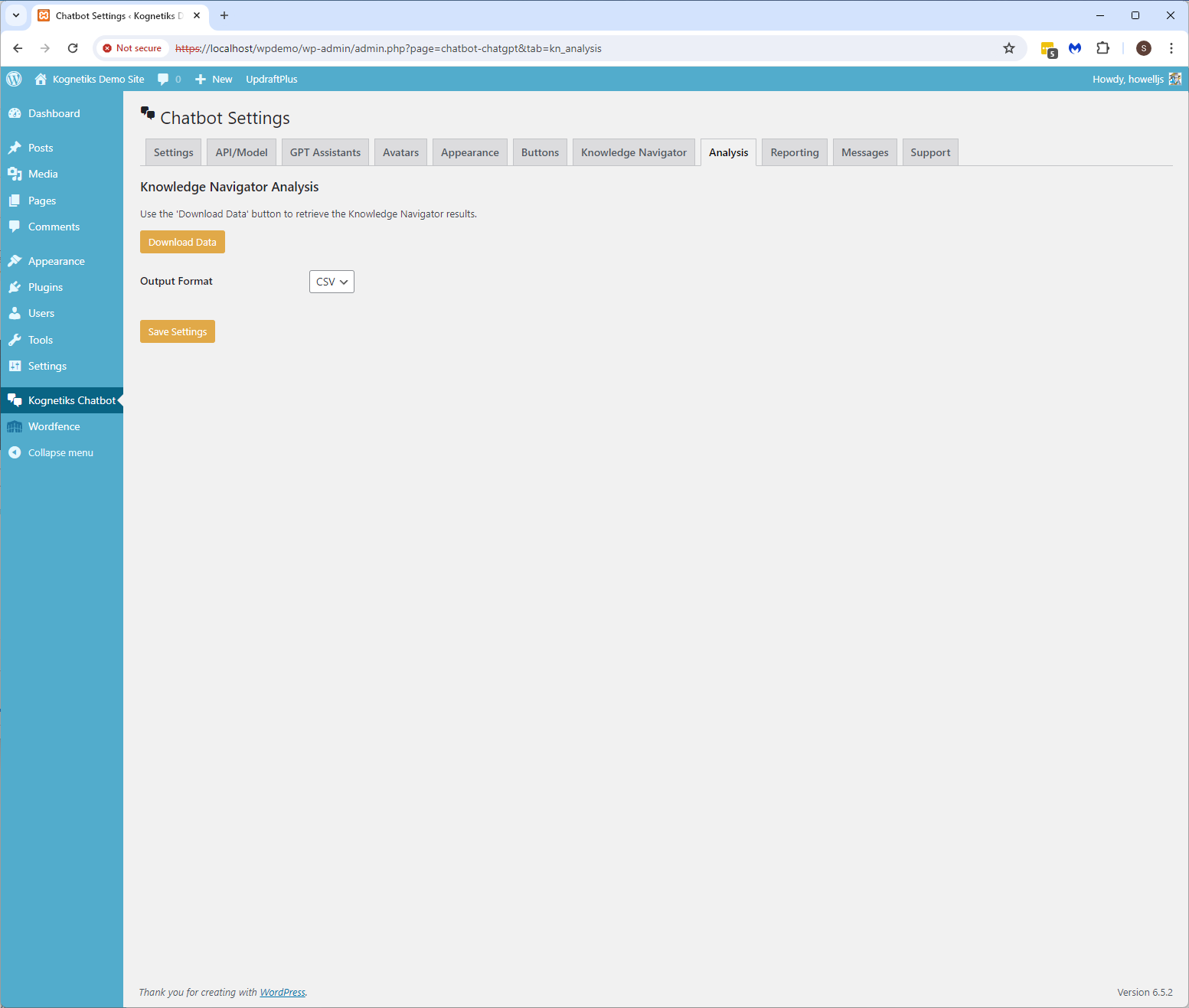
Chatbot Setting - Knowledge Navigator Analysis settings
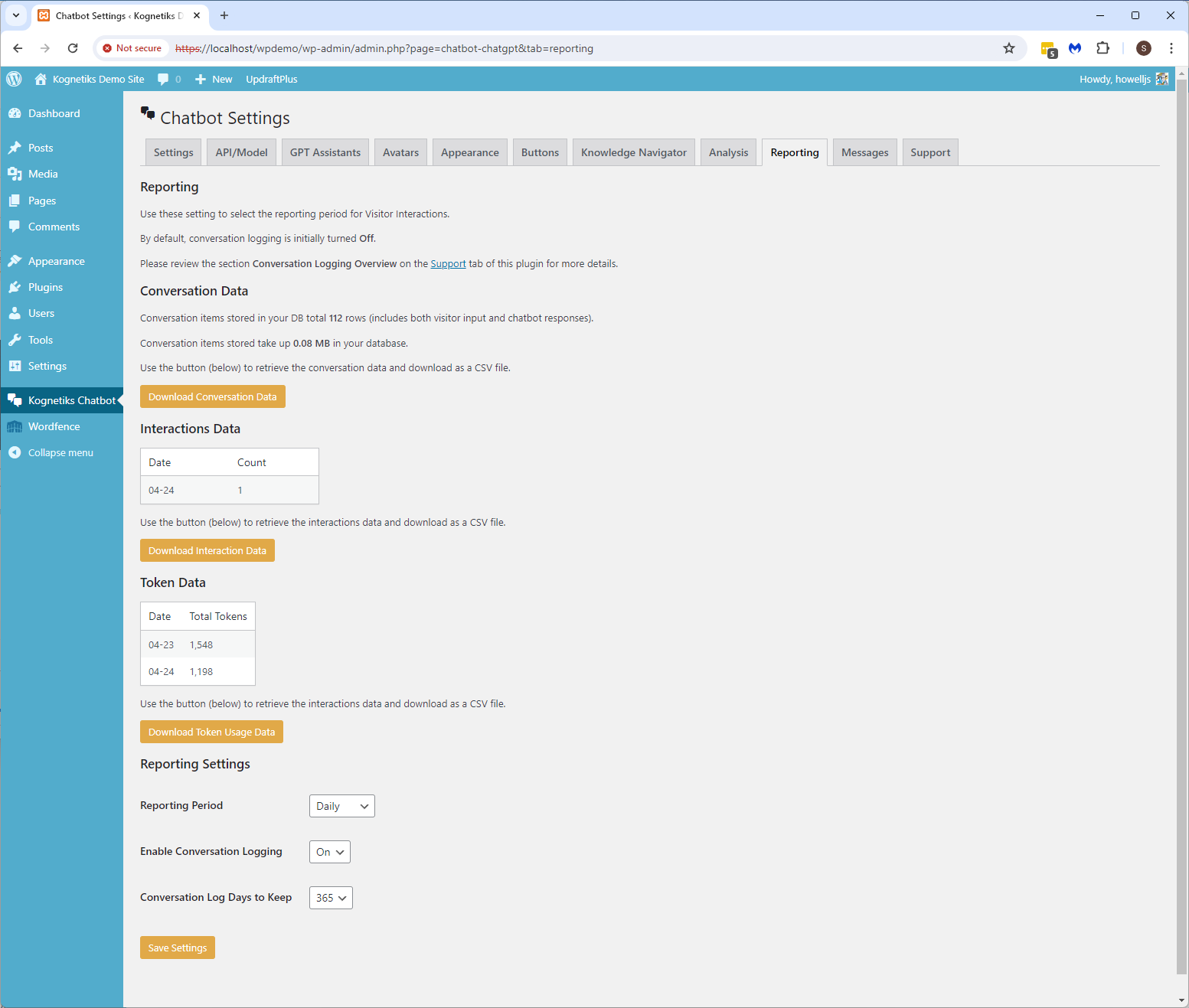
Chatbot Setting - Reporting settings

Chatbot Setting - Diagnostic settings
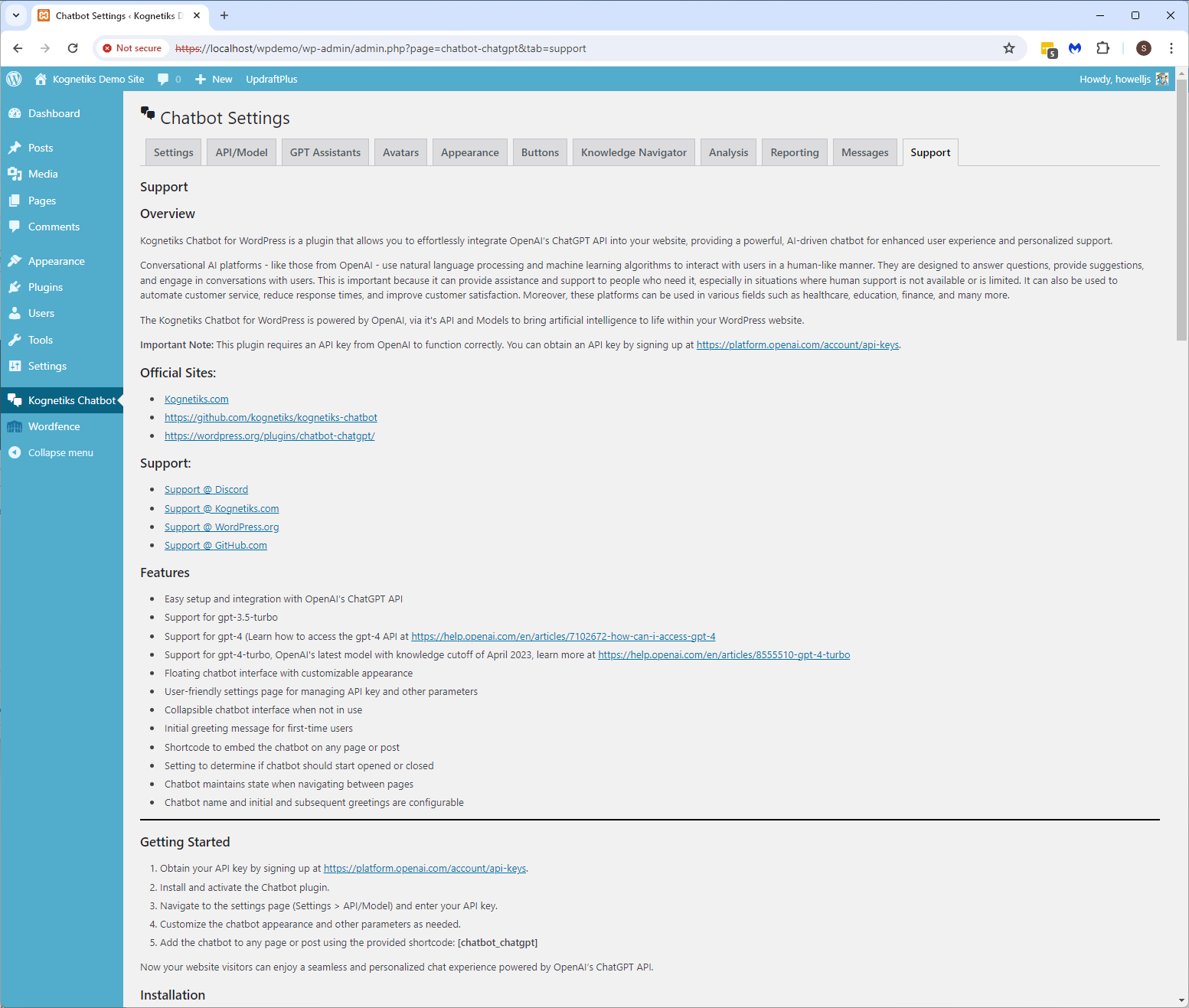
Chatbot Setting - Support
Faq
No. Setup is point-and-click simple.
Yes. You can use NVIDIA, Anthropic, Mistral, DeepSeek, Azure, or even run your own local AI server like JAN.AI.
Absolutely. You can personalize greetings, avatars, colors, and layout to match your brand.
Yes. You control which AI engine processes data, and local AI options keep all data on your server.
Reviews
A+ Support
By 
All I can say is the support was amazing. The developer reached out to me to help resolve an issue I was having and got my chatbot working exactly as I wanted it.
The amount of features you get for a free plugin is equally amazing.
Thank you for all your support !!
A simple yet effective plug-in for GPT with great support
By 
I have been using the Kognetiks chatbot for quite a few months now and have also been part of the Discord server. The chatbot is very simple to use and the support given by Stephen has been incredible for so many people across the board. If you are looking for a no-fuss plugin to work with ChatGPT for your site, I highly recommend this one, especially for the Knowledge Navigator function as well. It's a real credit to have the developer so hands-on and helpful as well, and it's been great to see Kognetiks chatbot grow as more people use it and more use cases are seen. Thank you Stephen for your continued work and support in making an awesome plugin!
Un excellent plug-in pour les Assistants Playground GPT
By 
Je cherchais un plug-in pour connecter mes Assistants Playground GPT. Il existe un certain nombre de plug ChatGPT génériques, mais rares sont ceux qui traitent le sujet des Assistants. En voici un qui marche très bien. En plus le service assuré par son concepteur Stephen est top qualité 🙂
Works great!
By 
This is a simple, reliable plugin that does what it promises, and it does it well! And it’s really free. Thanks to the Kognetics team for their collaborative spirit and the responsiveness of their support. For those who wonder, do not forget to create your pesonalised assistant to fit your needs, the plugin is fine.
GPT Assistant Bots For WordPress Looks Great!
By 
Love the plugin and constant updates! Excited to see how this will evolve in the future.
Very impressed!
By 
I am still suspicios about the price in the future ha ha
Excellent and easy to use
By 
Highly recommended. The plugin works perfectly and can be integrated without any problems.
For me, this is yet another confirmation that there are still people out there who provide good software free of charge as open source.
The support is also very competent and fast. The developer is also open to suggestions for improvement.
Highly recommend.
By 
Highly recommend, you have my full support.
Great plugin!
By 
I have been using for a month the plugin and works fine for now!
Looks like it does what it says. So far.
By 
I use the custom GPT feature. Works fine. Still looking forward to understand how of use is the Knowledge feature...
Changelog
2.3.8 – Released TBD
- Bug Fixes: Resolved minor issues and bugs identified after release of version 2.3.7.
2.3.7 – Released 2025-11-07
- Bug Fixes: Resolved minor issues and bugs identified after release of version 2.3.6.
2.3.6 – Released 2025-10-17
- Analytics: Comprehensive dashboard providing conversation statistics, sentiment analysis, engagement metrics, and token usage tracking to help optimize chatbot performance and user experience.
- Bug Fixes: Resolved minor issues and bugs identified after release of version 2.3.5.
2.3.5 – Released 2025-10-08
- Bug Fixes: Resolved minor issues and bugs identified after release of version 2.3.4.
2.3.4 – Released 2025-09-29
- Conversation Locking: Implemented conversation locking mechanism to prevent multiple simultaneous requests and improve user experience.
- Input Processing: Enhanced input processing to handle impatient user interactions more gracefully.
- Dashboard Widget: Fixed dashboard widget errors and improved LaTeX rendering functionality.
- Bug Fixes: Resolved minor issues and bugs identified after release of version 2.3.3.
2.3.3 – Released 2025-08-14
- Local Server: Updated support for the latest release of JAN.AI local server v0.6.8. See JAN.AI for more information.
- Bug Fixes: Resolved minor issues and bugs identified after release of version 2.3.2.
2.3.2 – Released 2025-07-10
- Local Server: Fixed status check message for local server.
- Bug Fixes: Resolved minor issues and bugs identified after release of version 2.3.1.
2.3.1 – Released 2025-06-26
- Mistral API Websearch: Added support for realtime websearch using a Mistral Assistant.
- LocalServer: JAN.AI requires an API key for local models which is set when server is started.
- Error Logging: For developers improved error logging for troubleshooting and debugging.
- Bug Fixes: Resolved minor issues and bugs identified after release of version 2.3.0.
2.3.0 – Released 2025-04-24
- Mistral API: Added Settings and API for Mistral’s API for chat completions and agents.
- Bug Fixes: Resolved minor issues and bugs identified after release of version 2.2.9.
2.2.9 – Released 2025-04-18
- Display Message Count: Added a setting to display the message count in the chatbot’s response, such as
(29/50), i.e., 29 prompts out of 50 limited, to help visitors and logged-in users understand how many exchanges they have had with the chatbot. - Bug Fixes: Resolved minor issues and bugs identified after release of version 2.2.8.
2.2.8 – Released 2025-03-29
- Bug Fixes: Resolved minor issues and bugs identified after release of version 2.2.7.
2.2.7 – Released 2025-03-28
- Conversation Transcript: Added a new feature to send the conversation transcript to site admins when OpenAI Assistants are instructed to do so (see Support tab in Settings).
- Dashboard Widget: Added a dashboard widget to display chatbot statistics and token usage in the WordPress admin dashboard.
- Custom Post Types: Added support for custom post types to the Knowledge Navigator.
- Performance Improvements: Minimized unnecessary calls to the database to improve performance.
- Bug Fixes: Resolved minor issues and bugs identified after release of version 2.2.6.
2.2.6 – Released 2025-03-12
- Azure OpenAI: Added support for the Azure OpenAI API to provide advanced conversational capabilities for the chatbot.
- Local Server: Added support for the JAN.AI local server, enabling users to run AI models on their own servers for enhanced control and flexibility.
- Bug Fixes: Resolved minor issues and bugs identified after release of version 2.2.5.
2.2.5 – Released 2025-02-16
- Enhanced Context for Assistants: Added option to enhance Assistant context with site content for improved responses. When enabled, this feature allows the chatbot to pull information from your site’s existing content, such as posts, pages, products, and other custom post types, to provide richer and more accurate answers.
- Bug Fixes: Resolved minor issues and bugs identified after release of version 2.2.4.
2.2.4 – Released 2025-02-06
- Improved Knowledge Navigator: Enhanced the Knowledge Navigator to provide more accurate and relevant responses based on your site’s content.
- Glyph Rendering: Added support to enable/disable glyph rendering for the chatbot’s response, enabled by default.
- Bug Fixes: Resolved minor issues and bugs identified after release of version 2.2.3.
2.2.3 – Released 2025-02-03
- DeepSeek Reasoner: Added a select for DeepSeek’s Reasoner model (which points to the new DeepSeek-R1 model) supporting advanced conversational capabilities for the chatbot.
- Response Formating: Improved the formatting of chatbot responses to ensure better readability and clarity.
- Bug Fixes: Resolved minor issues and bugs identified after release of version 2.2.2.
2.2.2 – Released 2025-01-21
- DeepSeek API Integration: Added support for DeepSeek’s API to provide advanced conversational capabilities for the chatbot.
- Select Translations: The plugin’s literals, including chatbot-user interaction messages, have been translated into the following languages: Czech, German, Spanish, French, Italian, Polish, Portuguese, and Russian.
- Customizable Icons: Added support for custom icons to replace the default chatbot icons for send, attached, read aloud, and others.
- Bug Fixes: Resolved minor issues and bugs identified after release of version 2.2.1.
2.2.1 – Released 2025-01-06
- Anthropic API Integration: Added support for Anthropic’s API to provide advanced conversational capabilities for the chatbot.
- NVIDIA Settings: Added support documentation for the NVIDIA API settings.
- Sentential Context Model: Added beta support for the Sentential Context Model, enabling response generation using your site’s content without relying on external AI platforms.
- Knowledge Navigator Update: Added option to include post or page excerpts in chatbot responses when enhanced responses is enabled.
- Documentation Updates: Revised several section of the online documentation to align with current options and previous updates.
- Bug Fixes: Resolved minor issues and bugs identified after release of version 2.2.0.
2.2.0 – Released 2024-11-22
- Rate Limit Exceeded Errors: Added improved error handling for rate limit exceeded errors to retry the request after the delay specified by the API.
2.1.9 – Release 2024-11-10
- Bug Fixes: Removed extra line breaks after the chatbot’s response, among other minor issues identified after the release of version 2.1.8.
2.1.8 – Released 2024-11-05
- NVIDIA NIM API Integration: Added support for NVIDIA’s NIM API to provide advanced conversational capabilities for the chatbot.
- Assistant Management: Resolved the issue with adding, updating and deleting Assistants when using Firefox browser.
- Conversation Continuation: Improved conversation continuity for visitors and logged-in users to ensure a seamless experience across sessions.
- Additional Security: Enhanced security to reduce vulnerabilities associated with assistant management.
- Additional Security: Enhanced security to reduce vulnerabilities associated with accessing chatbot support pages.
2.1.7 – Released 2024-10-06
- Bug Fixes: Resolved minor issues and bugs identified after release of version 2.1.6.
2.1.6 – Released 2024-10-02
- Message Limit Periods: Added options to set message limits periods for visitors and logged-in users, from
Hourly,Daily,Weekly, up toLifetime. - Charset Fallback Adjustment: Added fallback to
utf8character set whenutf8mb4is not supported, ensuring compatibility across different database configurations. - Suppress Footer Chatbots: Suppress chatbot in the footer when the chatbot is embedded on the page.
2.1.5 – Released 2024-09-14
- Speech Recognition Integration: Added support for speech recognition to enhance user interaction with the chatbot. Users can now speak to the chatbot, which will transcribe the speech into text for processing.
- Knowledge Navigator Update: Updated the Knowledge Navigator algorithm to prioritize and return search results that match the highest number of input words first, ordered by relevance and recency, to provide the most relevant and recent links.
- Bug Fix: Removed unnecessary code that was causing a cannot modify header information in the chatbot-shortcode.php file.
2.1.4 – Released 2024-09-02
- Improved Table Formatting: Enhanced the appearance of tables in chatbot responses for better readability.
- Bug Fixes: Resolved minor issues and bugs identified during the development process.
2.1.3 – Released 2024-08-31
- Remote Server Access: The Kognetiks Chatbot now includes the advanced feature to allow access to your assistants from remote servers. Coupled with security measures to control and monitor remote access to your chatbots, you must enable the Remote Widget Access feature. This will allow specific remote servers to interact with your chatbot(s) via an endpoint. To ensure that only authorized servers and chatbots can access your resources, the system uses a whitelisting mechanism that pairs domains with specific chatbot shortcodes.
- Improving Math Handling: Integrated code enhances chatbot’s ability to render complex mathematical expressions.
- Bug Fixes: Resolved minor issues and bugs identified during the development process.
2.1.2 – Released 2024-08-28
- Changed Script Load Order: Adjusted the loading order of scripts to ensure that critical settings are defined before the main chatbot script executes, preventing incorrect style application.
2.1.1 – Released 2024-08-27
- Code Cleanup and Optimization: Refined and optimized the codebase for improved performance and maintainability.
- Variable Unification: Standardized variable names across the project to ensure consistency and reduce potential errors.
- User Experience Consistency: Addressed inconsistencies in the chatbot experience between logged-in and non-logged-in users, ensuring a uniform experience.
- Bug Fixes: Resolved minor issues and bugs identified during the development process.
2.1.0 – Released 08-22-2024
- JavaScript Version Control: Added JavaScript version control to help with cache busting.
- Conversation Log CSV Export: Added a check to determine if $value is not null before calling mb_convert_encoding to prevent PHP warnings.
2.0.9 – Released 2024-08-17
- Adjusted Module Name Conflict: Renamed one module that had a name conflict with another vendor’s plugin.
- Reworked Conversation Continuity: Improved the way the chatbot handles conversation continuity for visitors and logged-in users, ensuring a seamless experience across pages.
- Alternate Attribution Message: Allows for replacing the attribution message with ‘Chatbot plugin by Kognetiks’ with a text message of your choosing.
- Refactored Inline Styles: Moved inline styles to an external CSS file for better maintainability and separation of concerns.
- floating-style CSS Class Rename: Renamed the .floating-style CSS class to chatbot-floating-style to avoid conflicts with other plugins or themes.
- embedded-style CSS Class Rename: Renamed the .embedded-style CSS class to chatbot-embedded-style to avoid conflicts with other plugins or themes.
- chatgptTitle CSS ID Rename: Renamed the chatgptTitle CSS ID renamed to chatbot-chatgpt-title to avoid conflicts with other plugins or themes.
- chatbot-user-text CSS Class Rename: Renamed the user-text CSS class to chatbot-user-text to avoid conflicts with other plugins or themes.
- bot-text CSS Class Rename: Renamed the bot-text CSS class to chatbot-bot-text to avoid conflicts with other plugins or themes.
2.0.8 – Released 2024-08-01
- Logic Error Updated: Corrected a logic error that was causing some visitors and logged-in users to lose their session continuity with the Assistants. This ensures a smoother and more consistent experience for all users.
- Fixed Special Characters Display Issue: Improved the way special characters are handled in chatbot names. Previously, the code was converting special characters like ‘&’ into their HTML equivalents (e.g., ‘&’ became ‘&’).
2.0.7 – Released 2024-07-25
- Model Support: The latest models available from OpenAI are dynamically added to model picklists. Available models now include gpt-4o and gpt-4o-mini. See Chatbot Settings > API/Model > Chat Settings.
- Manage Chatbot Error Logs: Added the ability to manage chatbot error logs, including the ability to download and delete logs. See Chatbot Settings > Tools. TIP: You must enable Diagnostics access the Tools tab. See Chatbot Settings > Messages > Messages and Diagnostics.
- Revised Reporting Settings Layout: Revised and refreshed the Reporting Settings page layout for better visualization. See Chatbot Settings > Reporting.
- Conversation Continuation: Added a setting to enable conversation continuation after returning to a page previously visited. See Chatbot Settings > Settings > Additional Settings.
2.0.6 – Released 2024-07-11
- Dynamic Shortcode: Added support for dynamic shortcodes to allow for more flexible Assistant selection. Add all parameters to the shortcode, including the Assistant ID on the GTP Assistant tab. For example,
[chatbot-1]. - Logic Error Updated: Corrected a logic error that prevented visitors and logged-in users from interacting with Assistants.
2.0.5 – Released 2024-07-06
- Enhanced Assistant Management: A new intuitive interface for managing all your chatbot Assistants in one place.
- Assistant ID Integration: Easily add Assistants developed in the OpenAI Playground using their unique ID.
- Improved Shortcode Usage: Tips for optimal placement and usage of the
[chatbot assistant="Common Name"]shortcode. - Customizable Assistant Attributes: Tailor each Assistant’s settings such as Styling, Target Audience, Voice, Allow File Uploads, Allow Transcript Downloads, Show Assistant Name, Initial Greeting, Subsequent Greeting, Placeholder Prompt, and Additional Instructions.
- Support Tab: Reverted the “Support” tab to correctly display the plugin’s support documentation overview.
- Embedded Chatbot Formatting Updated: Added a closing
</div>tag to the embedded chatbot to ensure proper formatting. - Force Page Reload on Conversation Cleared: Added an option to force a page reload when the conversation is cleared.
- Knowledge Navigator Analysis: Moved the Knowledge Navigator Analysis for export to the bottom of the Knowledge Navigator tab.
- Custom Buttons Expanded: Now supports up to four custom buttons, on floating only, embedded only, or on both chatbot styles.
2.0.4 – Released 2024-06-21
- Removed session id from the chatbot shortcode and replaced with a unique id for visitors and logged-in users alike.
2.0.3 – Released 2024-06-12
- Transcript Download Option: You can now choose whether users can download a transcript of their conversations with the chatbot.
- Improved Image Sizing: Images smaller than the chatbot’s message view now display in their actual size for better clarity.
- Knowledge Navigator Settings: We’ve added an option to disable the Knowledge Navigator if you only want to use assistants for chatbot interactions.
- Knowledge Navigator Analysis: Increased the maximum number of top keywords to 10,000 for more detailed analysis.
- File Download Support: The chatbot now supports downloading files generated on the OpenAI platform.
- Custom Error Handling: When there’s an issue with the chatbot, you can now display a custom error message to users.
2.0.2 – Released 2024-05-27
- Overhauled the Support documentation with extensive information on the chatbot settings – See the Support tab in Settings
- Revised the export function for Conversation Data, Interaction Data and Token Usage Data
- Reverted the function
str_containstostrposas the latter is only available in PHP 8
2.0.1 – Released 2024-05-16
- Support for OpenAI’s latest models: gpt-4o and gpt-4o-2024-05-13
2.0.1 Configuration Options
-
Added Max Prompt Tokens setting for Assistants
- Controls the maximum prompt token usage.
- Example: If set to 500, prompts will be truncated at 500 tokens.
- More Info: https://platform.openai.com/docs/assistants/how-it-works/max-completion-and-max-prompt-tokens
-
Added Max Completion Tokens setting for Assistants
- Controls the maximum completion token usage.
- Example: If set to 1000, the completion will cap the output at 1000 tokens.
- More Info: https://platform.openai.com/docs/assistants/how-it-works/max-completion-and-max-prompt-tokens
-
Added Temperature setting for Assistants
- Controls randomness. Lowering the temperature results in less random completions. As the temperature approaches zero, the model will become deterministic and repetitive.
-
Added Top P setting for Assistants
- Controls diversity via nucleus sampling. For example, setting Top P to 0.5 means half of all likelihood-weighted options are considered.
2.0.1 Speech-to-Text Prompting
- Improved Whisper API prompting capabilities
- Using a prompt can improve the quality of transcripts generated by the Whisper API.
- The model will try to match the style of the prompt, using proper capitalization and punctuation.
- More Info: https://platform.openai.com/docs/guides/speech-to-text/prompting
2.0.1 Interaction Limiting
- Expanded interaction limiting into limits for visitors and logged-in users.
- See the Chatbot Settings > API/Model tab
- Chatbot Daily Message Limit – this is for logged-in users
- Visitor Daily Message Limit – this is for casual visitors
2.0.0 – Released 2024-05-09
- Revise Knowledge Navigator settings tab grouping similar options together
- Grouped Suppress Learning Messages, Customer Learnings Messages, and Enhanced Response Limit together on the Knowledge Navigator tab
- Added an option to allow the Read Aloud option, see API/Model > Voice Settings > Allow Read Aloud = Yes/No
- Enhanced security to reduced vulnerabilities associated with file upload options
1.9.9 – Released 2024-05-05
- Improved the chatbot’s response using bullet points for clarity
- Included titles along with the links to relevant posts, pages, and products to better inform what it’s the links about
- Added thread retention periods (default = 36 hours with 720 hours or 30 days) for Assistant conversation continuity
- Added either the chatbot name or the assistant name to the conversation log
- Upgraded conversation history shortcode (see Support for details [chatbot_chatgpt_history]) include the assistant or chatbot’s name
- Added option to download transcript to text file on chatter’s computer
- Added option to set the number of rows for chatter’s message input – from 1 to 10 rows
- Comprehensive cleanup upon uninstalling the plugin
1.9.8 – Released 2024-04-29
- Wrap shortcode examples with a code tag
- Close the open php session after acquiring a session id
1.9.7 – Released 2024-04-26
- Removed “here, here, here” when Suppress Learning Messages is set to None.
1.9.6 – Released 2024-04-24
- Revised Knowledge Navigator process to sites with large numbers of pages, posts and products
- Add a turing parameter for the Knowledge Navigator to set the depth of TF-IDF scoring based on page, post, or product content length
- Expanded the enhanced responses from only one to a selectable number between 1 and 10
- Enhanced responses are links to your site’s pages, posts, and products with the highest match to visitor input
- Added an option to select either v1: OpenAI-Beta: assistants=v1 or v2: OpenAI-Beta: assistants=v2 (v2 is the default)
- See OpenAI Migration Guide for details on what is changing
- Added a daily chatbot message limit, defaults to 999 daily messages, resets daily. See Chatbot Settings > Chatbot Daily Message Limit
1.9.5 – Released 2024-04-13
- Added voice options including: Allow, Echo, Fable, Onyx, Nova, and Shimmer
- Added voice output options including: MP3, Opus, AAC, FLAC, WAV, and PCM
- Moved the chatbot controls (submit, file upload, erase, text-to-speech) buttons below the input box
- Redesigned the API/Model setting page for chat, image and speech generation parameters and tuning
1.9.4 – Released 2024-03-27
- Enable personalization for initial and subsequent greetings for chatbot
- Added option to display the name of the Assistant sourced from the OpenAI platform
- See Setting > Kognetiks Chatbot > GPT Assistants > Display GPT Assistant Name
- Expanded the list of support models to now include image and speech
- The chatbot now can generate images using DALL-E models and convert text to speech using TTS models
1.9.3 – Released 2024-03-18
- Additional instructions can be included to send with user prompts
- See Settings > GPT Assistants > Assistant Instructions and Alternate Assistant Instructions
- Improved conversation clearing (trashcan)
- Improved inter-page handling of conversations
1.9.2 – Released 2024-03-14
- Enabled multiple file uploads to Assistants
- Added Conversation History shortcode [chat_history] to retrieve logged-in user’s conversation history.
- Chat history may be retrieved by Logged-in users.
- Corrected problems with and improved the handling of HTML Markup in responses.
1.9.1 – Released 2024-02-21
- Knowledge Navigator now allows for including/excluding posts, pages, products and/or comments.
- Knowledge Navigator only consider published posts and pages, and only consider approved comments.
- Added an option to call the chatbot with a ‘hot prompt’ that will kick off a chat session based on the supplied prompt
- Use a shortcode with this format: [chatbot prompt=”What happened on this day in history?”]
- Hot prompts can be used with floating/embedded and with assistants, i.e., where ever you can add a shortcode.
1.9.0
- Changed the name of the chatbot to Kognetiks Chatbot
- Re-sequenced user’s custom CSS to load for precedence over the plugin’s CSS to allow for easier customization.
- Added functionality to set the audience choice for the chatbot: All Audiences, Logged-in Only, or Visitors Only
1.8.9 – Released 2024-02-17
- Allow custom Avatar – see Settings > Avatars for more information.
- Resolved IOS and Chrome mobile issues with the chatbot.
1.8.8 – Released 2024-02-15
- Add an adjustable timeout settings to the chatbot to prevent long-running queries.
1.8.7 – Released 2024-02-15
- Quick fix for collapse button
1.8.6 – Released 2024-02-15
- Added functionality for a conversation reset clearing user interaction history.
- Improved conversation continuity for longer interactions.
- Now supports your custom avatar – see Settings > Avatars for more information.
- Corrected font color in appearance settings for the chatbot.
- Support added for user customizable CSS rules – see Settings > Appearance for more details.
1.8.5 – Released 2024-02-09
- Appended message types for prompt, completion, and total tokens to the conversation log.
- Added reporting and data export for total tokens, prompt tokens, and completion tokens – see Settings > Reporting.
- Additional adjustments to css and appearance settings.
1.8.4 – Released 2024-02-06
- Removed unnecessary styling.
1.8.3 – Released 2024-02-05
- Removed font family inheritance from the body tag to prevent conflicts with themes.
1.8.2 – Released 2024-02-05
- Removed verbose diagnostics
1.8.1 – Released 2024-02-05
- Added Appearance Chatbot settings tabs. These will override the CSS with user selected settings.
- Improved mobile experience. Active adjustments for changes in orientation (portrait and landscape).
- If mobile, always start chatbot in closed status upon page load.
- Added support for alternate API endpoints via a URL setting.
- Added prompt tokens, completion tokens, and total tokens to the conversation log.
- Reporting on token counts coming soon.
1.8.0 – Released 2024-01-24
- Corrected path/name error for file downloads for conversation and interaction data
1.7.9 – Released 2024-01-22
- Added file uploads to Assistants only for use in processing, search, retrieval, etc.
- Added additional error handling for reporting output to files
1.7.8 – Released 2024-01-12
- Correct closing the active session and REST API error that is encountered
- Removed charting from Reporting tab as this has caused some users issues and a table instead
- Replaced with an option to download Interaction data as a CSV file
1.7.7 – Released 2024-01-11
- Expanded input to accommodate multi-line for both embedded and floating styles
- Reduced wait duration when using Assistants to improve response time
- Added Conversation Logging to retain visitor and chatbot exchanges
1.7.5 – Released 2024-01-03
- Expanded support TF-IDF indexing for WooCommerce product post-type.
- Corrected with GPT Assistant not being selected correctly when using the assistant parameter in the shortcode.
1.7.4
- Enhanced handling for multithreading processing has been implemented to efficiently manage simultaneous interactions from multiple chatbot visitors, ensuring an improved experience for each chatter.
1.7.3 – Released 2024-01-01
- Added support for unlimited Assistants in addition to ‘original’, ‘primary’ and ‘alternate’ shortcode parameters.
- Use [chatbot style-“floating” assistant=”asst_xxxxxxxxxxxxxxxxxxxxxxxx”] for floating Assistants.
- Use [chatbot style-“embedded” assistant=”asst_xxxxxxxxxxxxxxxxxxxxxxxx”] for embedded Assistants.
- Moved hard coded css from .js to the .css file for floating wide/narrow and embedded styling.
- Fixed Updating Failed JSON error when editing pages where the Chatbot shortcode appears.
1.7.2 – Released 2023-12-27
- Improved Custom GPI Assistants with update thread handling for improved performance.
- Use [chatbot style=floating assistant=primary] to display the chatbot as floating using your primary assistant.
- Use [chatbot style=embedded assistant=primary] to display the chatbot as embedded using your primary assistant.
- Use [chatbot style=floating assistant=alternate] to display the chatbot as floating using your alternate assistant.
- Use [chatbot style=embedded assistant=alternate] to display the chatbot as embedded using your alternate assistant.
- Expanded the list of HTML tags removed during the Knowledge Navigator scan.
- Enhanced handling of special characters such as ‘á’ or ‘é’ found in non-English languages.
- Localization for stop words, learning messages, and error messages based on Site Language settings
1.7.1 – Released 2023-12-07
- Added option to have none, random or custom learnings messages.
- Added support for an embedded chatbot or floating chatbot.
- Use [chatbot] or [chatbot style=floating] to display the chatbot as a floating chatbot.
- Use [chatbot style=embedded] to display the chatbot as an embedded chatbot.
1.7.0 – Released 2023-12-07
- Corrected logic error to chatbot’s response when no enhanced response was available.
1.6.9 – Released 2023-11-25
- Added additional installation and support information for using Assistants.
- Added enhanced diagnostic and error logging for developers.
1.6.8 – Released 2023-11-23
- Added output buffering.
1.6.7 – Released 2023-11-23
- The Kognetiks Chatbot now supports Custom GPTs developed in the OpenAI Playground.
- See https://platform.openai.com/docs/assistants/overview to learn more about Assistants.
- Added an expanded selection of seasonal avatars celebrating Chinese New Year, Christmas, Fall, Halloween, Spring, Summer, Thanksgiving, and Winter.
- Enhanced CSS adaptation to improve compatibility across different themes.
- Improved formatting of responses from the chatbot for clearer and more user-friendly communication.
- Minor updates to the Reporting (formatting and fonts).
1.6.6 – Released 2023-11-10
- Expanded the list of OpenAI models supported – See Settings – API/Model now supports GPT-4 Turbo (‘gpt-4-1106-preview’ with training data up to April 2023).
- Added a new option to customize the chatbot’s message prompt – See Settings, then Settings.
1.6.5 – Released 2023-10-27
- Added option for two user configurable buttons at the bottom of the chatbot – See Settings – Custom Buttons.
- User configurable buttons can direct chatters to contact forms, email, or other pages.
- Added a new option to check API key validity – See Settings > Diagnostics & Notices.
- Added support for Echo Knowledge Base (EKB) post_type – Ver 1.6.5.
- Minor updates to the Knowledge Navigator for better handling of site content.
1.6.4 – Released 2023-09-30
- Minor Updates
1.6.3 – Released 2023-09-29
- Updated Knowledge Navigator acquisition of site content.
- Added reporting of chatbot interactions to the Knowledge Navigator.
1.6.2 – Released 2023-08-20
- Added cron scheduling for the Knowledge Navigator to refresh the knowledge base hourly, daily, and weekly, as well as to cancel schedule.
- Added Knowledge Navigator Analysis to facilitate downloading results as a CSV file for insights into Knowledge base.
1.6.1 – Released 2023-08-11
- Added the Knowledge Navigator which is an innovative component of the plugin designed to perform an in-depth analysis of your website for better, more contextual relevant responses by the chatbot.
1.6.0 – Released 2023-07-31
- Corrected for inconsistent variable name.
1.5.1 – Released 2023-07-27
- Corrected for conversation appending multiple times.
= 1.5.0 – Released 2023-07-26=
* Added support for an avatar and avatar greetings.
* Added support the open chatbot for new visitor vs returning visitor.
* Added additional phrases to the add or removed default AI disclaimer.
* Added an option to turn on/off diagnostics for developer support.
1.4.2 – Released 2023-05-13
- Added support for the GPT-4 API in settings – requires access to gpt-4 API, see https://openai.com/waitlist/gpt-4-api.
- Added support for max tokens (the maximum number of tokens to generate in the completion).
- Added support for narrow or wide bot message modes (other options coming soon).
1.4.1 – Released 2023-04-21
- Updated start bot open or closed.
- Add or remove default AI disclaimer.
1.4.0 – Released 2023-04-16
- SVN Update Error – 1.2.0 did not update to 1.3.0.
1.3.0 – Released 2023-04-16
- Updated Setting Page adding tabs for API/Model, Greetings, and Support.
- Updated directory assets.
1.2.0 – Released 2023-04-09
- Removed initial styling on bot to ensure it renders at the appropriate time.
- Save the conversation locally between bot sessions in local storage.
1.1.0 – Released 2023-04-08
- If bot is closed stay closed or if open stay open when navigating between pages.
- Ensure the Dashicons font is properly enqueued.
- Added options to change Bot Name, start with the bot Open or Closed, and option to personalize Initial and Subsequent Greetings by the bot.
1.0.0 – Released 2023-03-28
- Initial release.