ChatBot IA para Tiendas Online

ChatBot IA para Tiendas Online
Description
ChatBot IA para Tiendas Online adds a floating chat widget that helps visitors ask about products, prices, stock, and store details.
The store administrator can configure:
- A Google AI Studio / Gemini API key.
- Store name.
- Seller name.
- Welcome message.
- Primary color.
- Gemini model name.
- Additional instructions for the assistant.
- Light or dark appearance, with a live admin preview.
- Optional WhatsApp contact number including country code.
- Automatic window-opening delay (0 disables it), header avatar and left/right position.
- A recognizable messaging launcher with subtle motion that respects reduced-motion preferences.
- The site’s WordPress favicon as the default header avatar, or a custom image.
- Launcher message, entrance bounce, typewriter effect and typing speed.
- Automatic chat-window opening on each page or dismissal-aware opening per tab session.
- Product-specific WhatsApp quotation buttons on chat cards and product-page chat actions.
- Product-page greeting with {producto} and {tienda} placeholders.
- Store purchase instructions and conditions for promotions from other plugins.
Visitors can browse product cards and current offers without an AI request. Simple products can be added through WooCommerce’s native cart flow; variable products open their details for option selection. AI replies containing valid store product links can display up to three cards with prices and stock read from WooCommerce, rather than supplied by the model. The current public product is included in the assistant context on product pages.
When a visitor writes a message, the plugin checks the store catalog and sends the visitor message, recent conversation context, and a relevant product summary to Gemini so it can generate a helpful response.
Model access, pricing and quotas depend on your Google account. Check the provider’s current terms before choosing a model.
External service
This plugin connects to Google Gemini API / Google AI Studio to generate AI responses.
Data sent to the service:
- The message written by the visitor.
- Recent conversation history.
- A relevant product summary from the store, including product name, price, stock, link, and a shortened description.
- Instructions configured by the administrator.
The plugin does not send data to Reycob and does not require a Reycob account.
Conversation history is kept in localStorage on the visitor’s browser for this site’s origin, including across pages and tabs. Reiniciar chat clears that local history across open tabs. Up to 2,000 recent message/product events are retained within a bounded storage budget, subject to browser storage availability. Clearing browser data also removes the history. It is not stored as a conversation database in WordPress. For abuse protection, a salted hash of the request IP and a request counter are stored temporarily in WordPress for up to ten minutes; the raw IP is not stored by this feature. Thirty chat/catalog requests per IP are allowed during that window.
The optional WhatsApp handoff lets the visitor review their name (optional), reason, query and current product. Including recent chat excerpts is opt-in and unchecked by default. These form details are not saved in WordPress and WhatsApp opens only after the visitor explicitly continues. The visitor still chooses whether to send the prepared message in WhatsApp. Do not include passwords, card details or sensitive personal information. Configure the store’s privacy policy for its use of these services.
WhatsApp service and privacy information:
https://www.whatsapp.com/legal/privacy-policy
Service documentation:
https://ai.google.dev/gemini-api/docs
Google privacy policy:
https://policies.google.com/privacy
Google terms:
https://policies.google.com/terms
Installation
- Upload the plugin folder to
/wp-content/plugins/or install the ZIP file from the WordPress admin. - Activate the plugin.
- Go to ChatBot IA in the WordPress admin menu.
- Add your Google AI Studio / Gemini API key.
- Configure the seller name, welcome message, primary color, Gemini model, and assistant instructions.
Screenshots
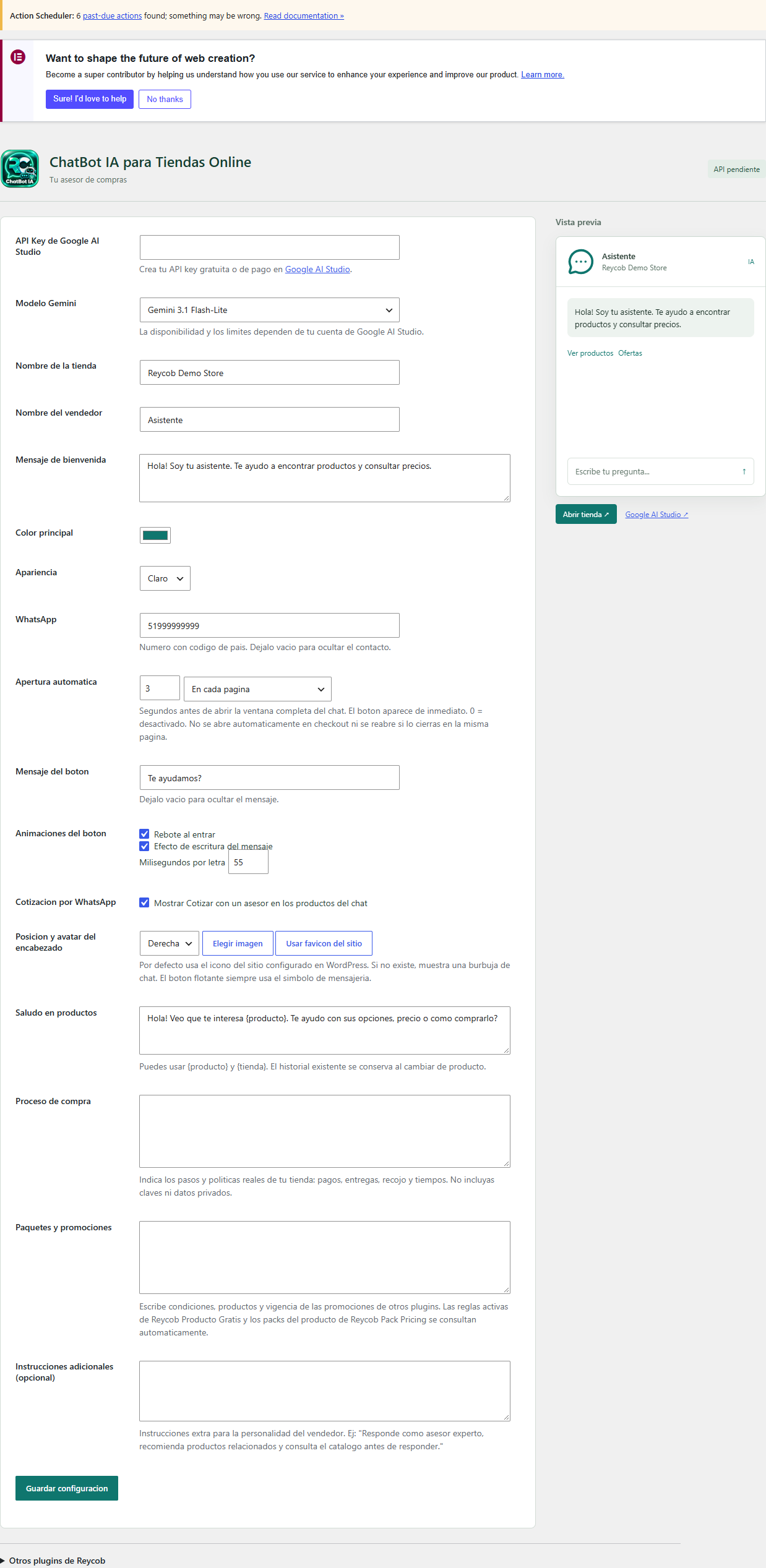
Assistant configuration, welcome message and product recommendations.
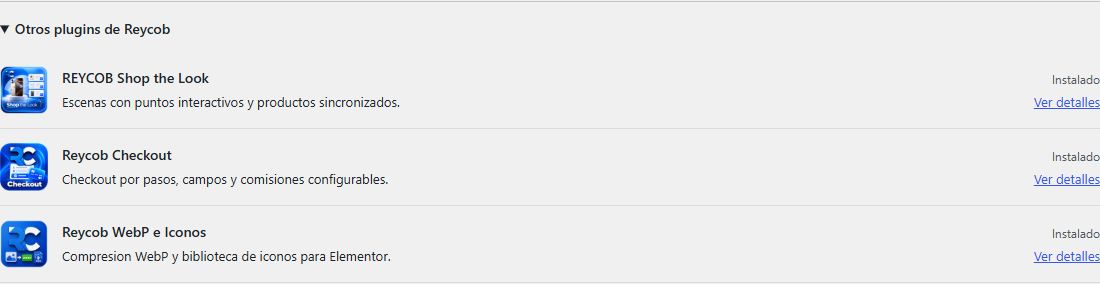
Optional complementary plugins panel on the plugin admin screen.
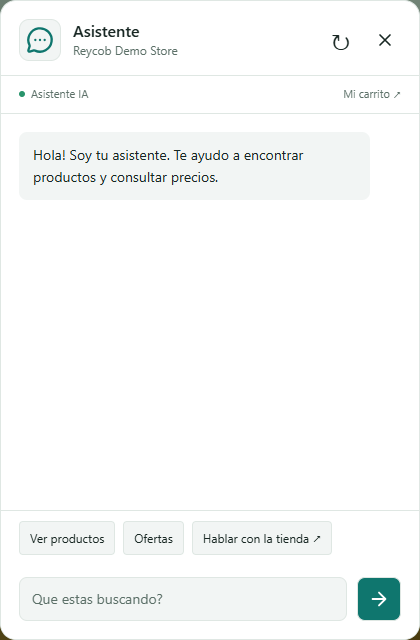
Assistant widget and welcome message in a demonstration store.
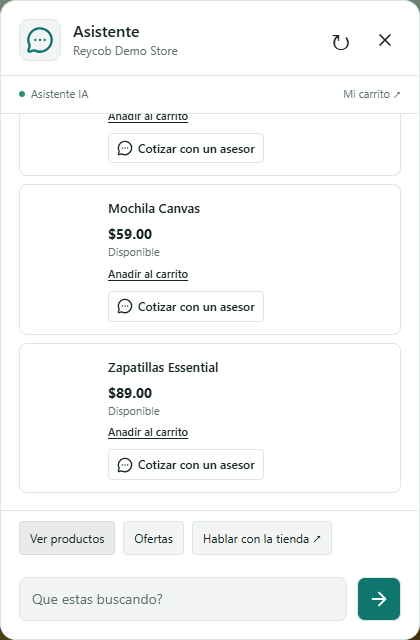
Catalog-backed product cards in the new light chat.
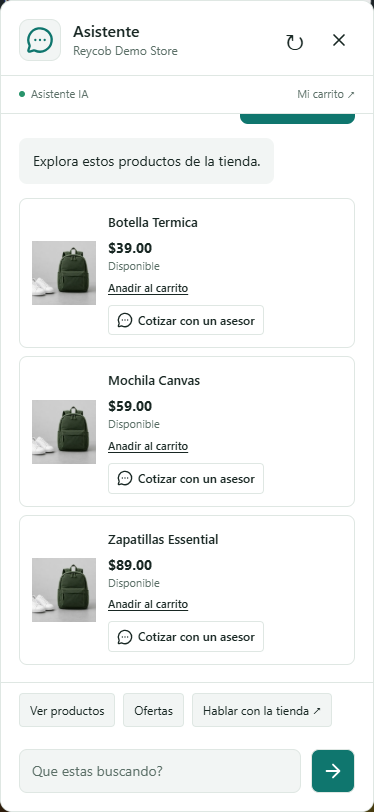
Mobile chat layout and shopping actions.
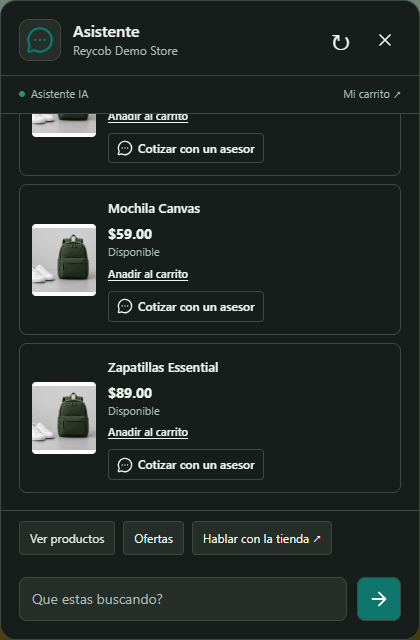
Dark storefront theme.
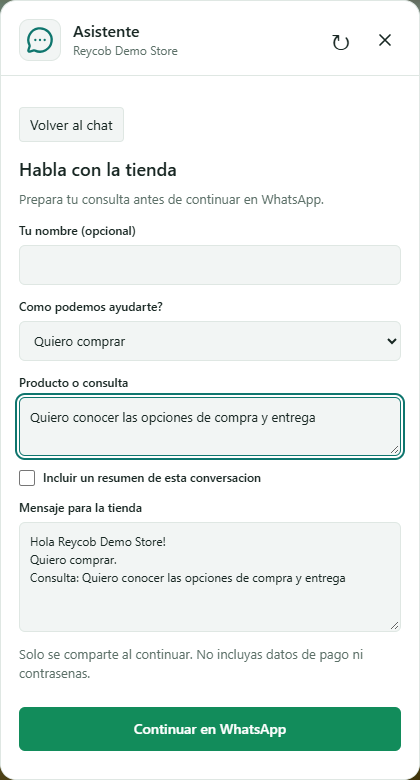
Reviewed WhatsApp handoff with optional conversation excerpts.

Messaging launcher with a gentle animation and clear chat symbol.
Faq
An API key is required for AI replies. With only a WhatsApp number configured, visitors can still use catalog browsing and human contact, but AI replies are unavailable.
Use a model available to your account. Free-tier availability, limits and pricing are controlled by Google, not this plugin.
Choose an available model in Google AI Studio. Existing model settings are preserved on upgrade.
No. The plugin does not send data to Reycob.
Yes. The plugin is designed for online stores with published products.
Active Reycob Producto Gratis rules are read with their product, gift, promotional price and stock conditions. Reycob Pack Pricing options are read for the current product. For other bundle/discount plugins, enter accurate conditions and validity in the Promotions setting. The assistant must not infer a gift from an ordinary sale price. Checkout remains the authority for final eligibility, stock and totals.
The launcher appears when the page is ready, with an optional entrance bounce. Set a delay from 1 to 300 seconds to open the full chat window itself. It does not steal keyboard focus and does not automatically open on checkout. The default frequency is each page: closing the window suppresses reopening on that page, but the next page can open it after the configured delay. Alternatively, select dismissal-aware session mode to respect a visitor’s close action throughout that tab’s session. Changing the delay permits a fresh opening in session mode. Setting 0 disables automatic opening. The timer still works when browser session storage is unavailable. Launcher animations respect reduced-motion preferences.
With a WhatsApp number configured, Cotizar con un asesor prepares a product-specific message containing its public name, reference price, stock status, SKU when available, and product URL. On the current product page it can also include the quantity and selected options from the native WooCommerce form. Other catalog cards do not inherit those options. It opens WhatsApp only when clicked, and the visitor still chooses whether to send the message. It does not automatically include the chat transcript, personal details or checkout fields. Reference prices are not a confirmed quotation or final order total. The quotation buttons can be disabled in the settings.
Reviews
Changelog
1.3.1
- Slow down the default launcher typing to 150 ms per character, with gentle letter fades and natural spacing pauses.
- Allow typing speeds up to 1,000 ms per character; update the previous 55 ms default without changing other saved speeds.
- Reserve the complete message layout responsively and keep long words inside the launcher bubble.
- Preserve Unicode graphemes where supported and reduced-motion preferences.
1.3.0
- Add configurable launcher copy, entrance bounce, typewriter effect and typing speed.
- Add page-by-page or session-dismissal frequency for automatic opening of the full chat window.
- Add WhatsApp quotation actions for product cards and the current product.
- Include public product data and selected native options/quantity without exposing checkout fields or automatically sharing the chat.
- Preserve reduced-motion support and responsive launcher-label dimensions.
1.2.1
- Replace the floating brand badge with a messaging icon and gentle, reduced-motion-aware animation.
- Use the WordPress site favicon for the header avatar by default; retain custom image selection and a chat-icon fallback.
- Clarify automatic window opening and allow a changed delay to reopen after a previous dismissal.
- Keep automatic opening functional when browser session storage is unavailable.
- Refresh real widget screenshots and include the Lucide icon license.
1.2.0
- Fix welcome-message indentation and JSON input handling that could reject valid messages.
- Persist browser conversations across navigation and tabs, with synchronized reset.
- Add contextual greetings, configurable automatic opening, launcher avatar and position.
- Add a reviewed WhatsApp handoff with optional name, reason, product and opt-in chat excerpts.
- Add store purchase guidance and verified Reycob gift/pack promotion context.
- Isolate hover, active and focus styles from storefront themes.
- Document browser storage and external service sharing; add a WhatsApp usage screenshot.
1.1.0
- Redesigned the storefront chat and settings screen, with live appearance preview.
- Added light/dark themes, catalog browsing, current offers and optional WhatsApp contact.
- Added catalog-backed product cards, native cart links and current-product context.
- Added request limits, timeouts, retry, conversation reset and keyboard accessibility.
- Render provider text with safe DOM nodes and keep the API key out of request URLs.
- Exclude password-protected products from cards and AI catalog context.
- Use Gemini system instructions and collect all non-reasoning response text parts.
- Refreshed the emerald brand icon, banner and real usage screenshots.
1.0.13
- Refreshed both directory banner sizes.
- Refreshed the directory icon with transparent rounded corners.
- Add optional contextual links to complementary Reycob plugins on plugin-owned admin screens.
- Add real usage screenshots from a local demonstration store.
1.0.12
- Improved product discovery with singular, plural, and synonym search variants.
- Added better matching for common audio terms such as speaker, loudspeaker, and microphone.
1.0.11
- Changed the default model to Gemini 3.1 Flash-Lite for better free API key stability.
- Replaced the model text field with a guided model dropdown.
- Reduced catalog context, chat history, and output length to lower token usage.
- Added clearer admin guidance about free and paid Google AI Studio API keys.
1.0.10
- Updated the default Gemini model for new API keys.
- Added a configurable Gemini model setting.
- Improved the send button contrast and default chat accent color.
- Improved the user-facing message shown when Gemini returns an API error.
1.0.9
- Removed the partial SKU meta query to avoid slow query warnings.
1.0.8
- Replaced custom direct database queries with WordPress API product lookups.
1.0.7
- Updated the readme text to standard English for WordPress.org checks.
- Normalized file line endings.
- Added caching for custom product lookup queries.
1.0.6
- Corrected the WordPress.org contributor username.
- Moved styles and scripts to files loaded with wp_enqueue_style() and wp_enqueue_script().
- Replaced cURL with the WordPress HTTP API.
- Improved sanitization and validation of chat history.
1.0.5
- Renamed the icon file to comply with allowed file names.
- Added sanitization for all saved admin options.
1.0.4
- Removed Plugin URI from the plugin header to comply with WordPress.org automated review.
1.0.3
- Added a dedicated WordPress admin menu for easier access.
- Added a quick guide for creating a Google AI Studio API key.
- Added logo and Reycob credit on the settings screen.
1.0.2
- Rebuilt the plugin from the original working version.
- Adjusted plugin name, text domain, and readme for WordPress.org.