ChatProjects
ChatProjects
Description
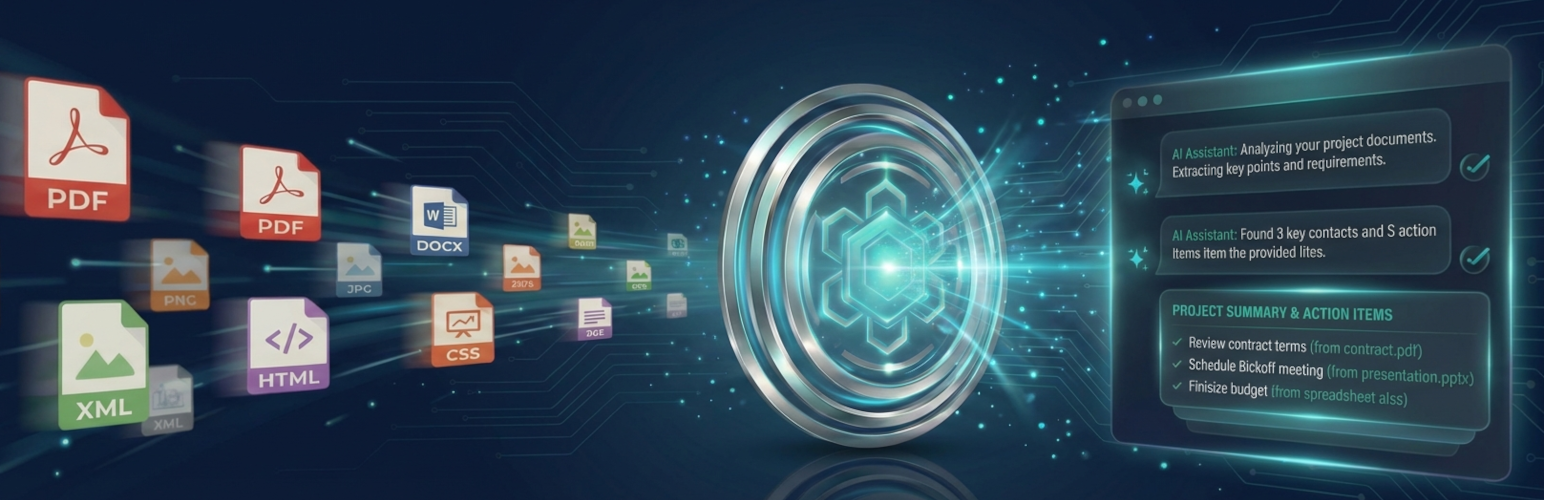
ChatProjects is the easiest way to chat with your files and documents in WordPress. AI-powered project chat with OpenAI Responses API vector store backend for intelligent file search.
Use your own API keys to chat with multiple AI providers including OpenAI (GPT-5.2), Anthropic (Claude), Google (Gemini 3 Pro), Chutes (DeepSeek), and OpenRouter.
Key Features
- Multi-Provider Chat – Chat with GPT-5.2, Claude 4.5, Gemini 3, DeepSeek, and 100+ models via OpenRouter
- Project Management – Create projects with OpenAI’s file search capability
- File Upload – Upload documents (PDF, TXT, DOC) to your project’s vector store
- Custom Instructions – Set custom assistant instructions for each project
- Shared Chatbots – Create project-based chatbots that can be shared with your team
- Modern Interface – Clean, responsive chat interface with dark mode support
- Embeddable – Use shortcodes to embed the full application on any page
- Privacy First – Your API keys stay on your server, not ours
Supported AI Providers
- OpenAI – GPT-5.2, GPT-5 Mini, GPT-4.1, GPT-4o, o4-mini, o3-mini
- Anthropic – Claude Sonnet 4.5, Claude Haiku 4.5, Claude Opus 4.5
- Google Gemini – Gemini 3 Pro, Gemini 3 Flash, Gemini 2.5 Pro, Gemini 2.5 Flash
- Chutes – DeepSeek V3, DeepSeek R1, Qwen, Mistral, Llama
- OpenRouter – Access 100+ models from various providers
Shortcodes
Full Application:
[chatprojects_main]
With Options:
[chatprojects_main default_tab=”chat” height=”80vh”]
Requirements
- WordPress 5.8 or higher
- PHP 7.4 or higher
- At least one API key (OpenAI, Anthropic, Gemini, Chutes, or OpenRouter)
Privacy Policy
ChatProjects stores your API keys encrypted in your WordPress database. The plugin connects directly to AI provider APIs (OpenAI, Anthropic, Google, Chutes) using your own API keys. No data is sent to our servers.
For more information, see our Privacy Policy.
Third-Party Services
This plugin connects to external AI services when users interact with chat features. No data is sent automatically – transmission only occurs when users explicitly take action.
Data Transmitted
- Chat Messages: User-entered text is sent to the selected AI provider when the user submits a message
- Uploaded Files: File contents are sent to OpenAI when users upload to a project with Vector Store enabled
- System Instructions: Project-configured system prompts are included with chat requests
When Data Is Sent
- On chat message submission (user clicks send or presses Enter)
- On file upload to a project (OpenAI only)
- On file search/retrieval operations (OpenAI only)
API Keys
- Site owners supply their own API keys – this plugin does not provide access to any AI service
- Keys are encrypted using AES-256-CBC and stored locally in the WordPress database
- Keys are never transmitted to chatprojects.com or any third party
Service Providers
OpenAI API
Used for AI chat, file analysis via Responses API, and vector store functionality.
* Service URL: https://api.openai.com/
* Privacy Policy: https://openai.com/privacy/
* Terms of Service: https://openai.com/terms/
Anthropic Claude API
Optional AI provider for chat features.
* Service URL: https://api.anthropic.com/
* Privacy Policy: https://www.anthropic.com/privacy
* Terms of Service: https://www.anthropic.com/terms
Google Gemini API
Optional AI provider for chat features.
* Service URL: https://generativelanguage.googleapis.com/
* Privacy Policy: https://policies.google.com/privacy
* Terms of Service: https://policies.google.com/terms
Chutes API (DeepSeek)
Optional AI provider for chat features using DeepSeek models.
* Service URL: https://llm.chutes.ai/
* Privacy Policy: https://chutes.ai/privacy
* Terms of Service: https://chutes.ai/terms
OpenRouter API
Optional AI provider giving access to 100+ models from various providers.
* Service URL: https://openrouter.ai/api/
* Privacy Policy: https://openrouter.ai/privacy
* Terms of Service: https://openrouter.ai/terms
* Note: When using OpenRouter, your site URL and site name are sent in HTTP headers as required by OpenRouter’s API for attribution and rate limiting purposes.
Your Control
You choose which API providers to configure. Only providers with valid API keys configured will receive any data. Each provider handles transmitted data according to their own privacy policies linked above.
Third-Party Libraries
This plugin includes the following third-party JavaScript libraries:
Alpine.js
- Version: 3.x
- License: MIT
- Source: https://github.com/alpinejs/alpine
- License file: licenses/ALPINE.txt
highlight.js
- Version: 11.x
- License: BSD-3-Clause
- Source: https://github.com/highlightjs/highlight.js
- License file: licenses/HIGHLIGHT.txt
markdown-it
- Version: 14.x
- License: MIT
- Source: https://github.com/markdown-it/markdown-it
- License file: licenses/MARKDOWN-IT.txt
Development
Source Code
The uncompressed source code for all JavaScript and CSS files is available at:
https://github.com/chatprojects-com/chatprojects
Build Instructions
- Clone the repository:
git clone https://github.com/chatprojects-com/chatprojects.git - Install dependencies:
npm install - Build for production:
npm run build
The source files are located in assets/src/ and compile to assets/dist/.
Technical Notes
Streaming via WordPress HTTP API:
This plugin uses the WordPress HTTP API (wp_remote_post) for AI provider streaming. For real-time SSE chunk handling, it leverages the http_api_curl action hook to attach a CURLOPT_WRITEFUNCTION callback only when the WordPress HTTP API selects the cURL transport. This preserves WordPress compatibility (proxy settings, transport fallback, and security hooks) while still enabling low-latency streaming.
If cURL is not available, the HTTP API will fall back to other transports and the request will still complete (though streaming callbacks are only available when cURL is the active transport).
PHP Configuration:
SSE streaming requires specific PHP settings (disabled output buffering, compression off) which are set only within the streaming endpoint functions, not globally.
Installation
- Upload the
chatprojectsfolder to/wp-content/plugins/ - Activate the plugin through the ‘Plugins’ menu in WordPress
- Go to ChatProjects > Settings to add your API keys
- Access the interface on https://yourdomain.com/chatprojects/ or Create a page and add
[chatprojects_main]shortcode - Start chatting!
Getting API Keys
OpenAI:
1. Visit platform.openai.com
2. Sign up or log in
3. Go to API Keys section
4. Create a new secret key
Anthropic:
1. Visit console.anthropic.com
2. Sign up or log in
3. Go to API Keys
4. Create a new key
Google Gemini:
1. Visit ai.google.dev
2. Sign up or log in
3. Get your API key
Chutes:
1. Visit chutes.ai
2. Sign up or log in
3. Get your API key
Screenshots

Project management dashboard

Main chat interface with provider selection

Project assistant with ResponsesAPI powered OpenAI Vector Store chat

Edit project assistant instructions

Upload files to OpenAI Vector Store from device or media library

Chat administration settings and adding API keys
Faq
No! You only need one API key to start chatting. Add more providers as needed. Note: An OpenAI API key is required for Projects and document chat (vector store) features.
Your API keys are stored encrypted in your WordPress database. They never leave your server.
Yes! Projects are accessible to all logged-in users. Administrators can configure sharing controls in settings.
Supported file types: PDF, DOC, DOCX, TXT, MD, CSV, JSON, XML, HTML, CSS, JS, PY, PHP
Yes, the default limit is 50MB per file (can be adjusted in settings).
Yes! ChatProjects is GPL licensed. You can use it on any WordPress site.
Use the WordPress.org support forum or email support@chatprojects.com
Reviews
Changelog
1.1.5
- Fixed /settings URL redirect hijacking other pages on sites
- Improved old slug redirect to use exact path matching only
1.1.4
- Fixed WordPress media library modal text invisible in dark mode
- Fixed wp.media dependency loading on ChatProjects pages
1.1.3
- Fixed theme CSS conflicts (Astra, Elementor, and others) breaking ChatProjects UI
- ChatProjects pages now fully isolate from all theme and plugin styles
- Fixed missing dark/light toggle and wrong button colors on themed sites
1.1.2
- Fixed Elementor CSS conflicts causing invisible dark/light toggle button
- Fixed Elementor popup/form HTML rendering on ChatProjects pages
- Improved button hover colors and styles
- Added comprehensive Elementor asset blocking on ChatProjects pages
- Better plugin compatibility with page builders
1.1.1
- Fixed Alpine.js initialization timing issue that prevented UI components from loading
- Improved JavaScript module loading reliability
1.1.0
- IMPORTANT: Changed plugin URLs to prevent conflicts with existing WordPress pages
- New URLs: /chatprojects/ (was /projects/), /cp-settings/ (was /settings/), /cp-chat/ (was /pro-chat/)
- Old URLs automatically redirect to new locations (backwards compatible)
- Added conflict detection for URL slugs on plugin activation
- Added developer filter hooks for slug customization
- Improved deactivation cleanup
1.0.0
- Initial release
- Multi-provider chat (OpenAI, Anthropic, Gemini, Chutes)
- Project management with OpenAI Assistants
- File upload to vector stores
- Modern chat interface
- Dark/Light theme support
- Shortcode embedding [chatprojects_main]