ChatProjects
ChatProjects
Description
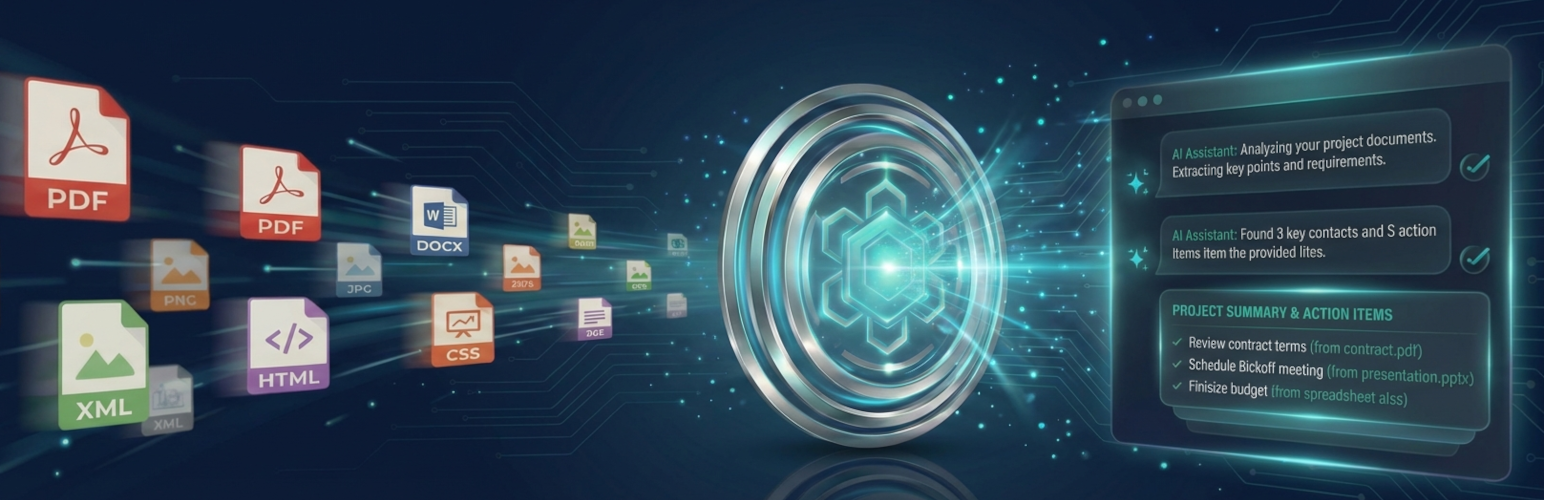
ChatProjects is the easiest way to chat with your files and documents in WordPress. AI-powered project chat with OpenAI Responses API vector store backend for intelligent file search.
Use your own API keys to chat with multiple AI providers including OpenAI (GPT-5.6), Anthropic (Claude Opus 5.5), Google (Gemini 3.8), Chutes (DeepSeek V4), and OpenRouter.
Key Features
- Multi-Provider Chat – Chat with GPT-5.6, Claude Opus 5.5, Gemini 3.8, DeepSeek V4, and 100+ models via OpenRouter
- Project Management – Create projects with OpenAI’s file search capability
- File Upload – Upload documents (PDF, DOCX, TXT, MD, CSV and more) to your project’s vector store
- Custom Instructions – Set custom assistant instructions for each project
- Website Chat Widget – Put a project-powered assistant on any page with
[chatprojects_widget] - Auto-RAG – Index your published posts and pages into a project so the assistant can answer from your site’s content
- Modern Interface – Clean, responsive chat interface with dark mode support
- Embeddable – Use shortcodes to embed the full application on any page
- Privacy First – Your API keys stay on your server, not ours
Supported AI Providers
- OpenAI – GPT-5.6 Sol / Terra / Luna, GPT-5.5, GPT-5.4, GPT-5.4 Mini, GPT-5.4 Nano
- Anthropic – Claude Opus 5.5, Claude Fable 5.1, Claude Sonnet 5.5, Claude Opus 5, Claude Opus 4.8, Claude Sonnet 5, Claude Sonnet 4.6, Claude Haiku 4.5
- Google Gemini – Gemini 3.8 Flash, Gemini 3.7 Flash, Gemini 3.5 Flash, Gemini 3.5 Flash Lite, Gemini 3.1 Pro (Preview)
- Chutes – DeepSeek V4 Flash, DeepSeek V3.2, plus every model Chutes hosts
- OpenRouter – Access 100+ models from various providers
Shortcodes
Full Application:
[chatprojects_main]
With Options:
[chatprojects_main default_tab=”chat”] – the hub’s main button opens projects (default), chat or settings
Website chat widget for a project:
[chatprojects_widget project=”123″]
Requirements
- WordPress 6.6 or higher
- PHP 8.0 or higher
- At least one API key (OpenAI, Anthropic, Gemini, Chutes, or OpenRouter)
Privacy Policy
ChatProjects stores your API keys encrypted in your WordPress database. The plugin connects directly to AI provider APIs (OpenAI, Anthropic, Google, Chutes, OpenRouter) using your own API keys. No data is sent to our servers.
For more information, see our Privacy Policy.
External services
This plugin connects to the external AI services listed below, using API keys the site owner provides. Nothing is sent until an administrator adds a key for a service.
Data Transmitted
- Chat Messages: Text (and attached images) a logged-in user sends is sent to the AI provider they selected, together with recent conversation history
- Website Widget Messages: Messages typed by site visitors into the
[chatprojects_widget]chat are sent to OpenAI with the project’s instructions - Uploaded Files: File contents are sent to OpenAI when users upload or import a file into a project
- Auto-RAG Content: When an administrator starts indexing, the title, URL, date, author, categories and text of published, public posts and pages are uploaded to the project’s OpenAI vector store in background batches. Edited posts are re-uploaded, and posts that are unpublished or deleted are removed
- System Instructions: Project or chat instructions are included with chat requests
- Chat Titles: The first message and reply of a chat are sent to OpenAI to generate a short title
When Data Is Sent
- When a user or widget visitor sends a chat message
- When a file is uploaded or imported into a project (OpenAI only)
- While Auto-RAG indexing runs, and when an indexed post is edited (OpenAI only)
API Keys
- Site owners supply their own API keys – this plugin does not provide access to any AI service
- Keys are encrypted (libsodium secretbox) and stored locally in the WordPress database
- Keys are never transmitted to chatprojects.com or any third party
Service Providers
OpenAI API
Used for AI chat, file analysis via Responses API, and vector store functionality.
* Service URL: https://api.openai.com/
* Privacy Policy: https://openai.com/privacy/
* Terms of Service: https://openai.com/terms/
Anthropic Claude API
Optional AI provider for chat features.
* Service URL: https://api.anthropic.com/
* Privacy Policy: https://www.anthropic.com/privacy
* Terms of Service: https://www.anthropic.com/terms
Google Gemini API
Optional AI provider for chat features.
* Service URL: https://generativelanguage.googleapis.com/
* Privacy Policy: https://policies.google.com/privacy
* Terms of Service: https://policies.google.com/terms
Chutes API (DeepSeek)
Optional AI provider for chat features using DeepSeek models.
* Service URL: https://llm.chutes.ai/
* Privacy Policy: https://chutes.ai/privacy
* Terms of Service: https://chutes.ai/terms
OpenRouter API
Optional AI provider giving access to 100+ models from various providers.
* Service URL: https://openrouter.ai/api/
* Privacy Policy: https://openrouter.ai/privacy
* Terms of Service: https://openrouter.ai/terms
* Note: When using OpenRouter, your site URL and site name are sent in HTTP headers as required by OpenRouter’s API for attribution and rate limiting purposes.
Your Control
You choose which API providers to configure. Only providers with valid API keys configured will receive any data. Each provider handles transmitted data according to their own privacy policies linked above.
Third-Party Libraries
This plugin includes the following third-party JavaScript libraries:
Alpine.js
- Version: 3.x
- License: MIT
- Source: https://github.com/alpinejs/alpine
- License file: licenses/ALPINE.txt
highlight.js
- Version: 11.x
- License: BSD-3-Clause
- Source: https://github.com/highlightjs/highlight.js
- License file: licenses/HIGHLIGHT.txt
marked
- Version: 16.x
- License: MIT
- Source: https://github.com/markedjs/marked
- License file: licenses/MARKED.txt
DOMPurify
- Version: 3.x
- License: Apache-2.0 (dual licensed Apache-2.0 / MPL-2.0)
- Source: https://github.com/cure53/DOMPurify
- License file: licenses/DOMPURIFY.txt
Development
Source Code
The uncompressed source code for all JavaScript and CSS files is available at:
https://github.com/chatprojects-com/chatprojects
Build Instructions
- Clone the repository:
git clone https://github.com/chatprojects-com/chatprojects.git - Install dependencies:
npm install - Build for production:
npm run build
The source files are located in assets/src/ and compile to assets/dist/.
Technical Notes
Streaming via WordPress HTTP API:
This plugin uses the WordPress HTTP API (wp_remote_post) for AI provider streaming. For real-time SSE chunk handling, it leverages the http_api_curl action hook to attach a CURLOPT_WRITEFUNCTION callback only when the WordPress HTTP API selects the cURL transport. This preserves WordPress compatibility (proxy settings, transport fallback, and security hooks) while still enabling low-latency streaming.
If cURL is not available, the HTTP API will fall back to other transports and the request will still complete (though streaming callbacks are only available when cURL is the active transport).
PHP Configuration:
SSE streaming clears output buffers and turns off output compression for the streaming request only, not globally.
Installation
- Upload the
chatprojectsfolder to/wp-content/plugins/ - Activate the plugin through the ‘Plugins’ menu in WordPress
- Go to ChatProjects > Settings to add your API keys
- Access the interface on https://yourdomain.com/chatprojects/ or Create a page and add
[chatprojects_main]shortcode - Start chatting!
Getting API Keys
OpenAI:
1. Visit platform.openai.com
2. Sign up or log in
3. Go to API Keys section
4. Create a new secret key
Anthropic:
1. Visit console.anthropic.com
2. Sign up or log in
3. Go to API Keys
4. Create a new key
Google Gemini:
1. Visit ai.google.dev
2. Sign up or log in
3. Get your API key
Chutes:
1. Visit chutes.ai
2. Sign up or log in
3. Get your API key
Screenshots

Project management dashboard

Main chat interface with provider selection

Project assistant with ResponsesAPI powered OpenAI Vector Store chat

Edit project assistant instructions

Upload files to OpenAI Vector Store from device or media library

Chat administration settings and adding API keys
Faq
No! You only need one API key to start chatting. Add more providers as needed. Note: An OpenAI API key is required for Projects and document chat (vector store) features.
Your API keys are stored encrypted in your WordPress database. They never leave your server.
Each project is private to the user who created it; administrators can see all projects. Users need the “Projects User” role (or Author, Editor, Administrator) to use ChatProjects. To share a project’s knowledge with site visitors, enable the chat widget for it.
Supported file types: PDF, DOC, DOCX, TXT, MD, CSV, JSON, XML, CSS, PY, JAVA, CPP. Executable and script types (such as PHP, JS, HTML and SVG) are always refused.
Yes, the default limit is 50MB per file (can be adjusted in settings).
Yes! ChatProjects is GPL licensed. You can use it on any WordPress site.
Use the WordPress.org support forum or email support@chatprojects.com
Reviews
Changelog
1.3.0
- Security: A user could delete OpenAI files that didn’t belong to their project; deletion is now limited to the project’s own files, and file IDs are no longer sent to widget visitors.
- Security: General chat streaming now checks that the chat belongs to you before saving anything to it.
- Security: The projects page no longer includes your full user record (including the password hash) in the page source.
- Security: All chat, project and file actions now require a ChatProjects role (Projects User, Author, Editor or Administrator), matching the pages themselves.
- Security: Changing your email from ChatProjects settings now sends a confirmation link, like the WordPress profile screen.
- Security: Only the uploader (or someone who can edit it) can import a Media Library file into a project.
- Security: API keys use authenticated encryption (libsodium); existing keys are re-encrypted automatically. Keys that can’t be decrypted are no longer deleted.
- Security: Rate limits on every AI request, plus a site-wide daily limit for the public widget (Settings > Chat Widget).
- Fixed: Deleting the free plugin while ChatProjects Pro is installed no longer removes Pro’s data.
- Fixed: Project chat replies could stop arriving before the final events on PHP-FPM hosts, losing automatic chat titles.
- Fixed: The chat widget’s stylesheet was missing from the released plugin.
- Fixed: Widget sessions expired early on sites in timezones ahead of UTC.
- Fixed: General chat now uses the chat’s instructions when streaming.
- Fixed: Conversations recover automatically when OpenAI no longer has the previous response; history is sent when there is nothing to continue from.
- Fixed: Real error messages from AI providers are shown instead of “HTTP error: 400”; replies cut off by length or content filters are marked as incomplete.
- Fixed: Chutes now streams and receives the system prompt; Chutes and OpenRouter use each model’s own temperature and length defaults.
- Fixed: Auto-RAG removes posts from the index when they are unpublished, made private, password-protected or deleted, and re-indexes edited posts.
- Fixed: Saving one settings tab no longer resets the settings on the other tabs.
- Fixed: Project chat shows its sources again; a failed reply no longer stays stuck; Stop now stops the AI request; reopened chats show the latest messages.
- Fixed: Changing your email from ChatProjects settings now completes from the confirmation link; the theme choice is remembered.
- Fixed: Installing ChatProjects while ChatProjects Pro is active no longer causes a fatal error.
- Changed: The chat widget stores its data in new tables (moved automatically on update).
- Models: Claude Opus 5.5 (new default) and Claude Sonnet 5.5. Claude requests opt into Anthropic’s server-side fallback when a safety classifier declines.
- Models: Images are only sent to models that can read them.
- Compliance: The widget’s “Powered by ChatProjects” link is now opt-in. Google Fonts are no longer loaded from Google’s servers. DOMPurify’s licence is included.
- Removed the unused REST stream endpoint, Pro-only code paths and unused source files.
1.2.0
- Models: Replaced every retired model with current ones — GPT-5.6 Sol/Terra/Luna, GPT-5.5, GPT-5.4 family; Claude Opus 5, Fable 5.1, Opus 4.8, Sonnet 5, Sonnet 4.6, Haiku 4.5; Gemini 3.8/3.7/3.5 Flash and 3.1 Pro; DeepSeek V4. Existing settings, projects and chats are migrated automatically to the closest current model.
- New: Single model registry with
chatprojects_modelsfilter for adding custom or fine-tuned models. - New: OpenAI reasoning effort support (
chatprojects_reasoning_effortfilter); temperature is no longer sent to models that reject it. - New: Auto-RAG content indexing — index your posts and pages into a project vector store.
- New: Public chat widget (
[chatprojects_widget project="123"]) with per-project opt-in, session tokens and rate limiting. - New: “Keep data on uninstall” option.
- Security: Projects, chats and files are now only readable by their author and administrators.
- Security: Rendered markdown is sanitised with DOMPurify; code blocks and links are escaped.
- Security: API keys are never sent back to the browser; use “Remove this key” to clear one.
- Security: Stream endpoints authenticate before sending any output; rate limits on chat and uploads.
- Security: Executable file types can no longer be uploaded; MIME type is verified server-side.
- Fixed: Database tables are now created/updated on plugin update, not only on activation.
- Fixed: Gemini API key is sent as a header instead of in the URL.
- Fixed: Claude responses that start with a thinking block; refusals are reported instead of silently returning nothing.
- Compatibility: Tested with WordPress 7.1 and PHP 8.4/8.5. Requires WordPress 6.6+ and PHP 8.0+.
- Removed dead code, duplicate asset copies and Excel (.xls/.xlsx) upload, which required a library that was never bundled.
1.1.5
- Fixed /settings URL redirect hijacking other pages on sites
- Improved old slug redirect to use exact path matching only
1.1.4
- Fixed WordPress media library modal text invisible in dark mode
- Fixed wp.media dependency loading on ChatProjects pages
1.1.3
- Fixed theme CSS conflicts (Astra, Elementor, and others) breaking ChatProjects UI
- ChatProjects pages now fully isolate from all theme and plugin styles
- Fixed missing dark/light toggle and wrong button colors on themed sites
1.1.2
- Fixed Elementor CSS conflicts causing invisible dark/light toggle button
- Fixed Elementor popup/form HTML rendering on ChatProjects pages
- Improved button hover colors and styles
- Added comprehensive Elementor asset blocking on ChatProjects pages
- Better plugin compatibility with page builders
1.1.1
- Fixed Alpine.js initialization timing issue that prevented UI components from loading
- Improved JavaScript module loading reliability
1.1.0
- IMPORTANT: Changed plugin URLs to prevent conflicts with existing WordPress pages
- New URLs: /chatprojects/ (was /projects/), /cp-settings/ (was /settings/), /cp-chat/ (was /pro-chat/)
- Old URLs automatically redirect to new locations (backwards compatible)
- Added conflict detection for URL slugs on plugin activation
- Added developer filter hooks for slug customization
- Improved deactivation cleanup
1.0.0
- Initial release
- Multi-provider chat (OpenAI, Anthropic, Gemini, Chutes)
- Project management with OpenAI Assistants
- File upload to vector stores
- Modern chat interface
- Dark/Light theme support
- Shortcode embedding [chatprojects_main]