Checkout for PayPal

Checkout for PayPal
Description
Checkout for PayPal is a lightweight and powerful WordPress plugin that lets you easily accept PayPal payments directly on your website using the PayPal Checkout API. No coding required — just install, add your PayPal account API credentials, and start receiving payments securely in minutes.
This plugin is perfect for eCommerce stores, donation pages, and product sales. You can even use it alongside e-commerce plugins like WooCommerce without conflicts.
Features
- Seamless PayPal Checkout – Integrates directly with the official PayPal Checkout API for secure transactions.
- One-Click Payments – Customers can pay instantly using PayPal balance, credit, or debit card.
- Mobile-Optimized – Works flawlessly on smartphones, tablets, and desktops.
- Shortcode Support – Add PayPal payment buttons anywhere on your site.
- Custom Amounts – Accept fixed or variable payment amounts using Variable Price add-on.
- No Monthly Fees – Pay only PayPal’s standard transaction fees.
- eCommerce Stores – Sell products or services without a complicated shopping cart.
- Donations – Collect contributions for charities, fundraisers, or personal causes
- Freelancers & Consultants – Accept project payments online.
How to Create a PayPal Checkout Button
In order to create a PayPal Checkout Button insert the shortcode like the following:
[checkout_for_paypal item_description="My cool product" amount="1.00"]
Replace the values with your item description and amount.
Elementor Page Builder Integration
- Create a new page or Edit with Elementor.
- From Widgets (Under Elements) select Shortcode.
- Enter the Checkout for PayPal shortcode.
- Click Apply to update changes to page.
- Click Publish.
Checkout for PayPal Add-ons
Documentation
https://noorsplugin.com/checkout-for-paypal-wordpress-plugin/
Translation
If you are a non-English speaker please help translate Checkout for PayPal into your language.
Note: This is NOT an official PayPal product.
Installation
- Go to the Add New plugins screen in your WordPress Dashboard
- Click the upload tab
- Browse for the plugin file (checkout-for-paypal.zip) on your computer
- Click “Install Now” and then hit the activate button
Screenshots
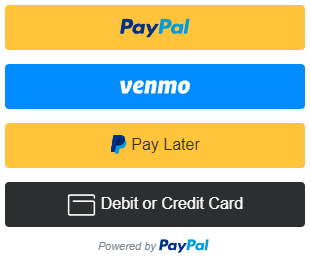
PayPal Smart Payment Button Demo

Horizontal PayPal Checkout Button
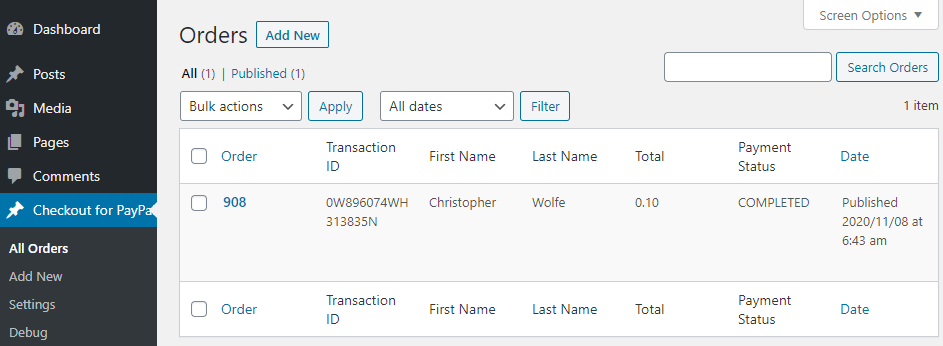
PayPal Orders
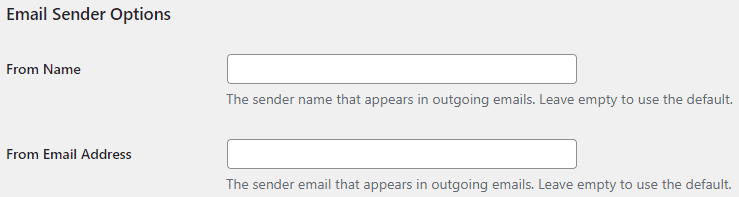
Email Sender Options

Purchase Receipt Email Settings
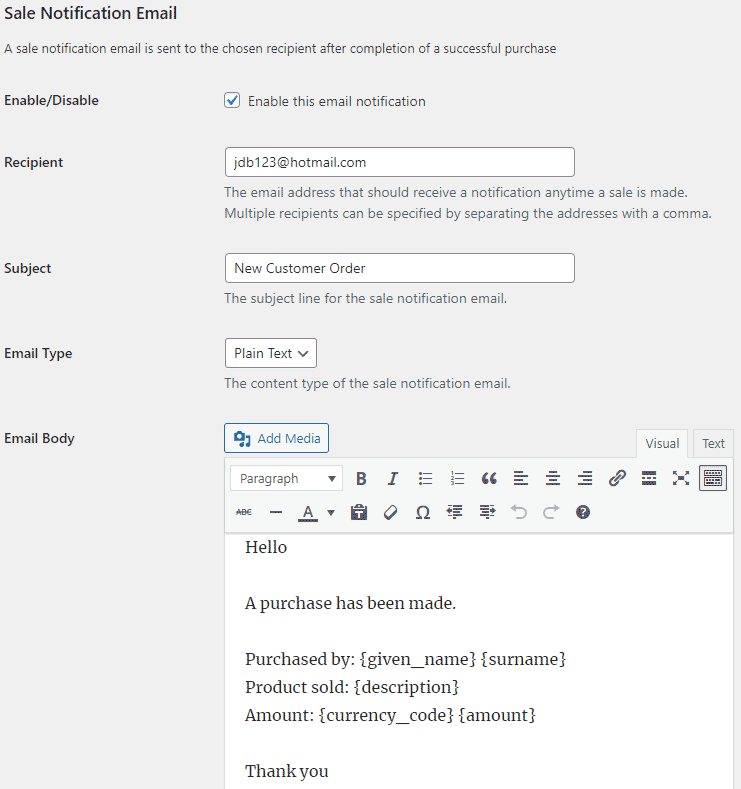
Sale Notification Email Settings
Faq
Yes, to use the PayPal Checkout API, you will need a free PayPal Business account.
Absolutely — use PayPal’s sandbox mode for safe testing.
This plugin works independently. WooCommerce has its own PayPal integrations.
Reviews
SCAM PLUGIN
By 
Sending an email to every website to use this plugin and claiming that the plugin they're using doesn't work, calling it 'Legacy.' And even worse, they say in the email that they are official from PayPal. That's a total scam. Bro, website developers are smart, don't try to fool them like that.
Simple, efficient, and effective
By 
We are very happy with Checkout for PayPal. It makes creating payment buttons simple and easy to manage. Also, the display of all orders contains all the information we need.
Recently we had some trouble after an update to the plugin, but that problem got resolved immediately with help provided on the support forum.
Checkout for Paypal is a reliable product and just what we need. Highly recommended.
Simple and powerful!
By 
At last, a Paypal checkout extension that works well, is clear, quick to configure and bug-free. Thank you very much!
One of the best and simplest
By 
Straight path to Paypal Checkout
By 
It just works!
By 
Changelog
1.0.44
- Improvements to code.
1.0.43
- Save payment data after a new order is added.
1.0.42
- Added an option to edit order data shown in the table.
1.0.41
- Added the buyer country option to test checkout as a buyer from that country.
1.0.40
- Added security to api keys.
1.0.39
- Some improvements in security.
1.0.38
- Improvement to code that changes the layout, color and shape of the button.
1.0.37
- Fixed broken parameters in the return URL.
1.0.36
- Fixed a bug that caused an issue with test mode purchases.
1.0.35
- Fixed an issue with settings link.
1.0.34
- File naming changes.
1.0.33
- Some improvements in security reported by Wordfence.
1.0.32
- Some improvements in security reported by Wordfence.
1.0.31
- Added support for variable price description options.
1.0.30
- Changed a logical statement to get around a bug in some default themes.
1.0.29
- Added an option to disable the Orders API v2 notice.
1.0.28
- Updated the plugin to be compatible with PayPal Orders API Version v2.
1.0.27
- Made changes to the code that retrieve the plugin url and path.
1.0.26
- Added options to enable/disable funding sources.
1.0.25
- Added an email tag for the customer’s phone number.
- Better debug logging.
1.0.24
- Additional check for the settings link.
1.0.23
- Added an option to set the locale for the buyer.
1.0.22
- Added a parameter to specify the shipping amount.
- Added email tags for the item total and shipping amount.
- Improved the checkout flow.
1.0.21
- Added an option to load PayPal scripts on every page.
1.0.20
- Added support for Contact Form 7 integration.
1.0.19
- Added an option to configure a payment cancellation page.
1.0.18
- Added support for dynamic buttons.
1.0.17
- Fixed an error in loading scripts when the rendered page does not exist.
1.0.16
- Added email settings.
1.0.15
- Added an option to show the Venmo button at checkout.
1.0.14
- Made some security related improvements suggested by wpscan.
1.0.13
- Added horizontal layout option to PayPal checkout button.
1.0.12
- Made some improvements in the plugin settings.
1.0.11
- Made item information available in the orders menu.
1.0.10
- Added pill shape as an available style to PayPal checkout button.
1.0.9
- Added support for the variable price add-on.
1.0.8
- Customer email address is now shown in the orders menu.
1.0.7
- Added Venmo as a payment option.
1.0.6
- Added the width parameter to customize the size of the PayPal button.
1.0.5
- Added the color parameter to customize the color of the PayPal button.
1.0.4
- The shortcode can be used in a custom field.
1.0.3
- Added the “no_shipping” parameter to disable shipping address collection.
1.0.2
- Added fix for a PayPal bug where specifying a different currency would trigger an error.
1.0.1
- First commit