Child Themes

Child Themes
Description
If you’re a WordPress designer who wants to spend more time doing what you love – writing CSS and playing with pixels – and less time doing the tedious chore of creating child themes, this plugin is for you.
Just install, visit the “Child Themes” menu option under “Appearance” and create a child theme from any installed theme using a simple form. Your new child theme will be created immediately and you can activate it straight away.
How’d you like them apples?
Installation
Just install in the normal way.
Screenshots
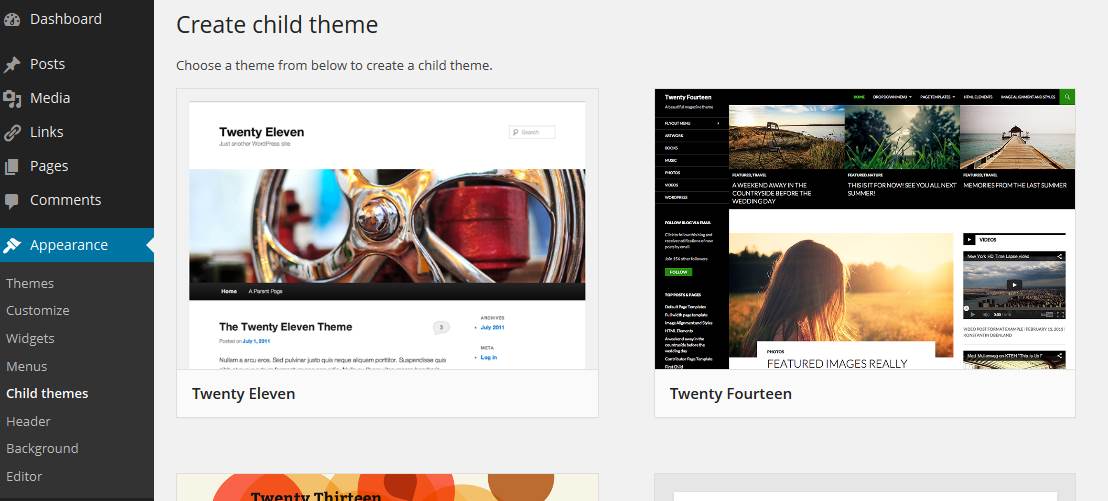
Find "Child themes" in the "Appearance" menu

Click the "Create child theme" button on the theme you want to use as the parent

Fill in the simple form

There's your new child theme!
Faq
Why did you write this plugin?
Simple; I thought it was a good idea.
Installation Instructions
Just install in the normal way.
Reviews
Ok but...
By 
This works great but their is no way to copy css files.
Changelog
Version 1.0.1: Tested with 4.8.3
Version 1.0: Initial commit